yahboom
HomeLearn
Solution
Blog
Online Store
About Us
EN/中文
WiFi Camera Module📖
1.Configure WiFi camera on PC
  • Serial port configuration WiFi instructions
2.Configure WiFi camera on MCU
  • 1. jetson
  • 2. microbit
  • 3. STM32
  • 4. Raspberry Pi
3.APP control car
1. 4wd_uno car
  • 4wd_uno car
2. pico car
  • pico car
4. tinybit
  • 4. tinybit
5. Super:kit
  • A.Mobile shooter
  • B.Pretty car
  • C.Clip robot
  • D.Proficient carrier
  • E.Skip car
  • G.Spider
3. STM32 car
  • STM32 car
4.APP control PTZ
  • 1. 4wd_uno car (with PTZ)
  • 2. pico car (with PTZ)
  • 3. STM32 car (with PTZ)
  • 4. superkit-control servo PTZ
5.AI Vision
  • 1. AI visual recognition mode switching
  • 2. Cat and dog detection
  • 3. Face Detection
  • 4. Color recognition
  • 5. Person recognition
  • 6. QR code recognition
  • 7. Implementation of visual line inspection solution
Download
  • Annex
  • Code
  • PTZ Assembly Steps
Download ZIP

Welcome to WiFi Camera Module repository
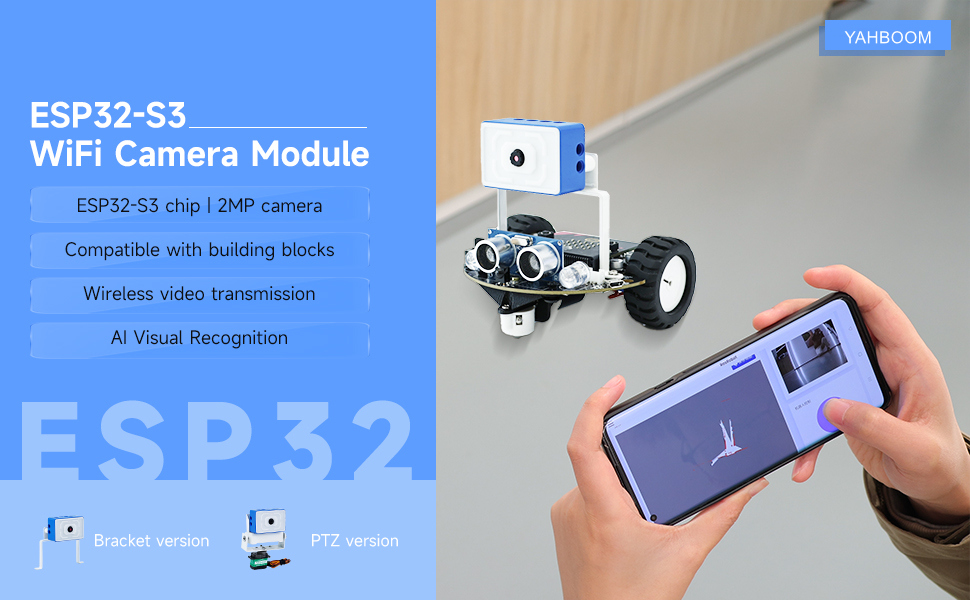
WiFi Camera Module

COMPANY

  • About us
  • Team Style
  • Blog

LEARNING & EXPLORATION

  • Tutorials
  • Edge AI hardware
  • Educational robots
  • Embedded intelligent hardware

WHERE TO BUY

  • Yahboom Online Store
  • Amazon
  • Alibaba
  • AliExpress
  • Mercado

TECHNOLOGY SUPPORT

  • Email: support@yahboom.com

BE A DISTRIBUTOR

  • Email: sales@yahboom.com
QR Code

Copyright © 2017-2026 Yahboom. All Rights Reserved.

EN/中文