yahboom
HomeLearn
Solution
Blog
Online Store
About Us
EN/中文
10-axis IMU Navigation Module📖
1.Preparation
  • 1.1 Introduction to the IMU module
  • 1.2 Install the IMU module
  • 1.3 Precautions for use
2.PC Software tutorial
  • 2.1 Install serial driver
  • 2.2 Connect to the PC software
  • 2.3 Configuration parameters
  • 2.4 Calibrate the IMU module
  • 2.5 Graphically display data
  • 2.6 Connected to the GPS module
3.Basic application
  • 3.1 Raspberry Pi-USB application
  • 3.2 JetsonNano-USB application
4.ROS application
  • ROS1 application case tutorial
  • ROS2 application case tutorial
5.Communication protocol
  • Communication protocol
6.STM32 tutorial
  • 1. serial port application routine
  • 2. IIC application routine
7.RDK X3 tutorial
  • RDK X3 tutorial
8.MSPM0 tutorial
  • MSPM0G3507 serial port application
  • MSPM0G3519 serial port applicationnew
Download
  • Code
  • 3D_Model_File
  • Annex
Download ZIP

Welcome to 10-axis IMU Navigation Module repository

1.2 Install the IMU module

Install the IMU module

As shown in the figure below are the mounting holes of the metal shell of the IMU module and the mounting holes of the bare metal version.
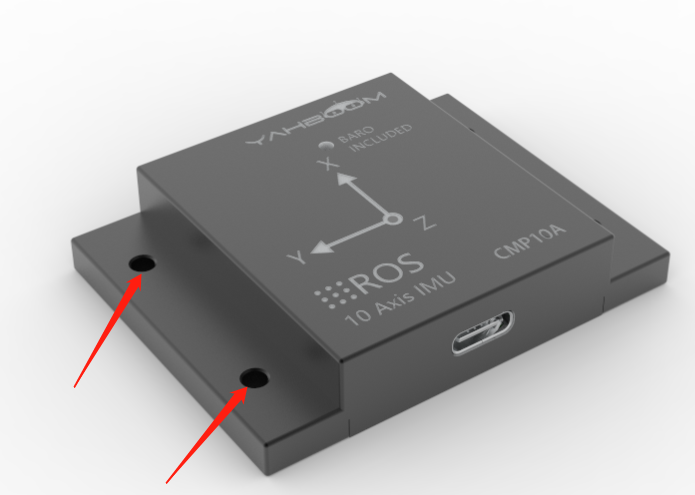
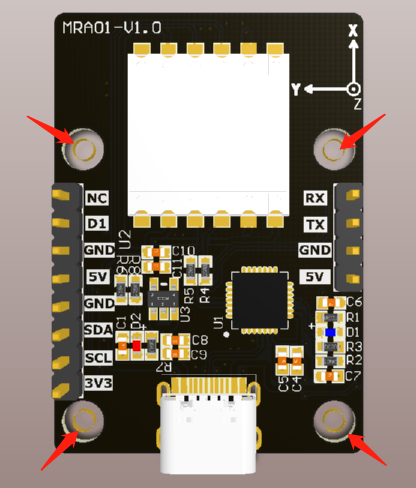
image-20220616150553640

image-20220616143820660

When the IMU module needs to be installed on other devices, in order to avoid installation errors, the following points should be paid attention to when installing the IMU module:

  1. It is necessary to ensure that the installation surface of the IMU module is completely close to the surface to be measured, and the surface to be measured should be as horizontal as possible, and no angle should occur.
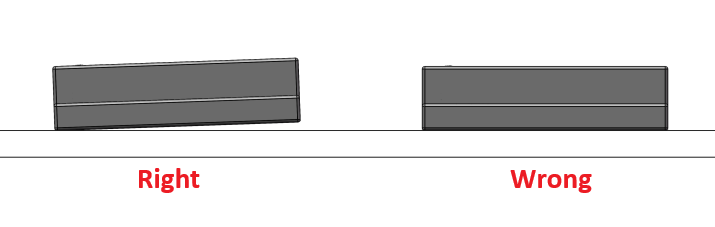
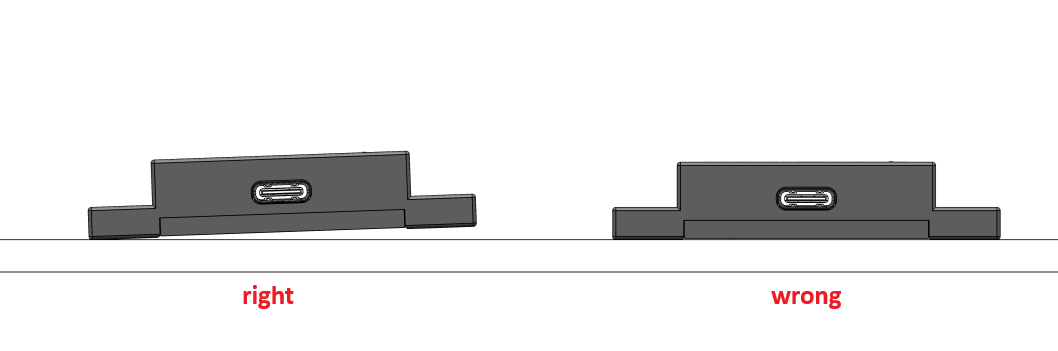
image-20220407153645230

image-20220407153856079

  1. The bottom line of the IMU module and the axis of the object to be measured cannot have an included angle. During installation, the bottom line of the IMU module should be kept horizontal or orthogonal to the axis of rotation of the measured object.
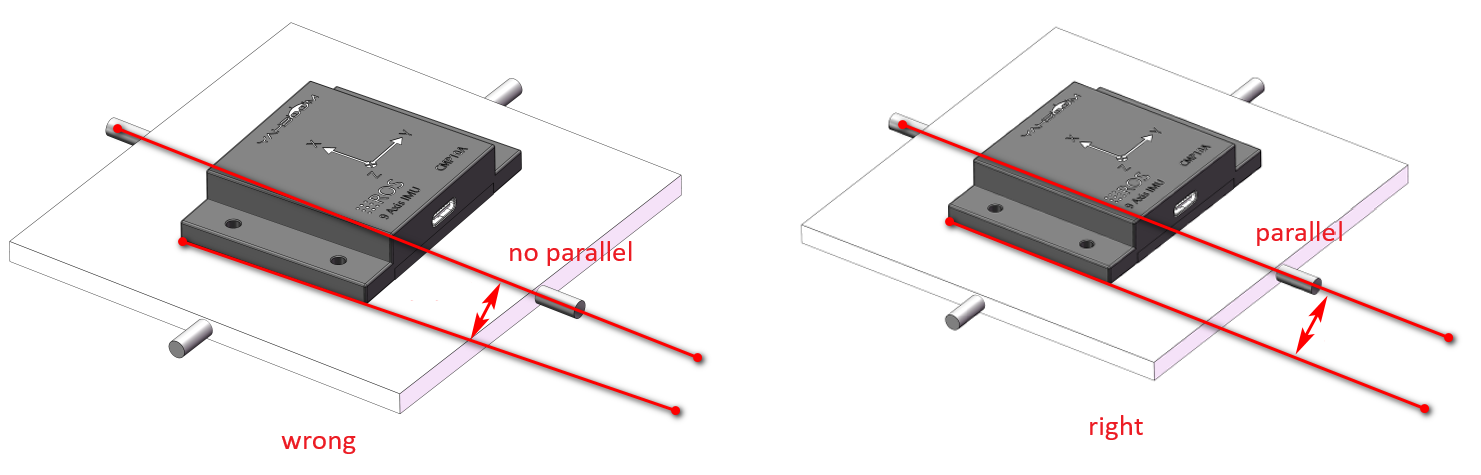
image-20220407155121495


  1. The IMU module and the measured surface must be fixed tightly and have smooth contact. After installation, connect to the host computer to check whether it is stable. If it is unstable, please calibrate the IMU module.


Introduction to the IMU module
Precautions for use

COMPANY

  • About us
  • Team Style
  • Blog

LEARNING & EXPLORATION

  • Tutorials
  • Edge AI hardware
  • Educational robots
  • Embedded intelligent hardware

WHERE TO BUY

  • Yahboom Online Store
  • Amazon
  • Alibaba
  • AliExpress
  • Mercado

TECHNOLOGY SUPPORT

  • Email: support@yahboom.com

BE A DISTRIBUTOR

  • Email: sales@yahboom.com
QR Code
QR Code

Copyright © 2017-2026 Yahboom. All Rights Reserved.

EN/中文