Welcome to MSPM0G3507 Development Board repository
03.UniFlash Downloader
UniFlash download program (serial port download)
UniFlash download program (serial port download)1. Download UniFlash2. Install uniflash3. Install CH340 serial port driver4. Open Uniflash and set parameters5. Burning program6. Frequently asked questions
1. Download UniFlash
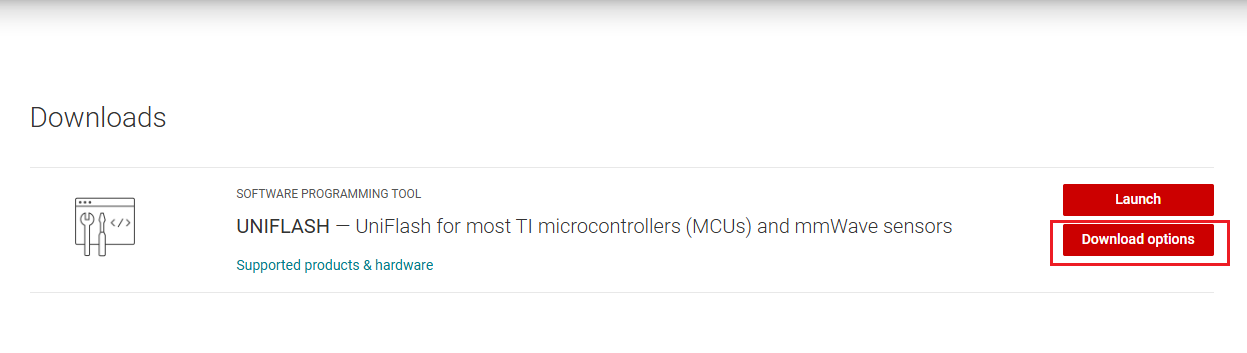
Search for uniflash on the official website to download, or you can get it from our network disk.
Download address: UNIFLASH Software programming tool | TI.com
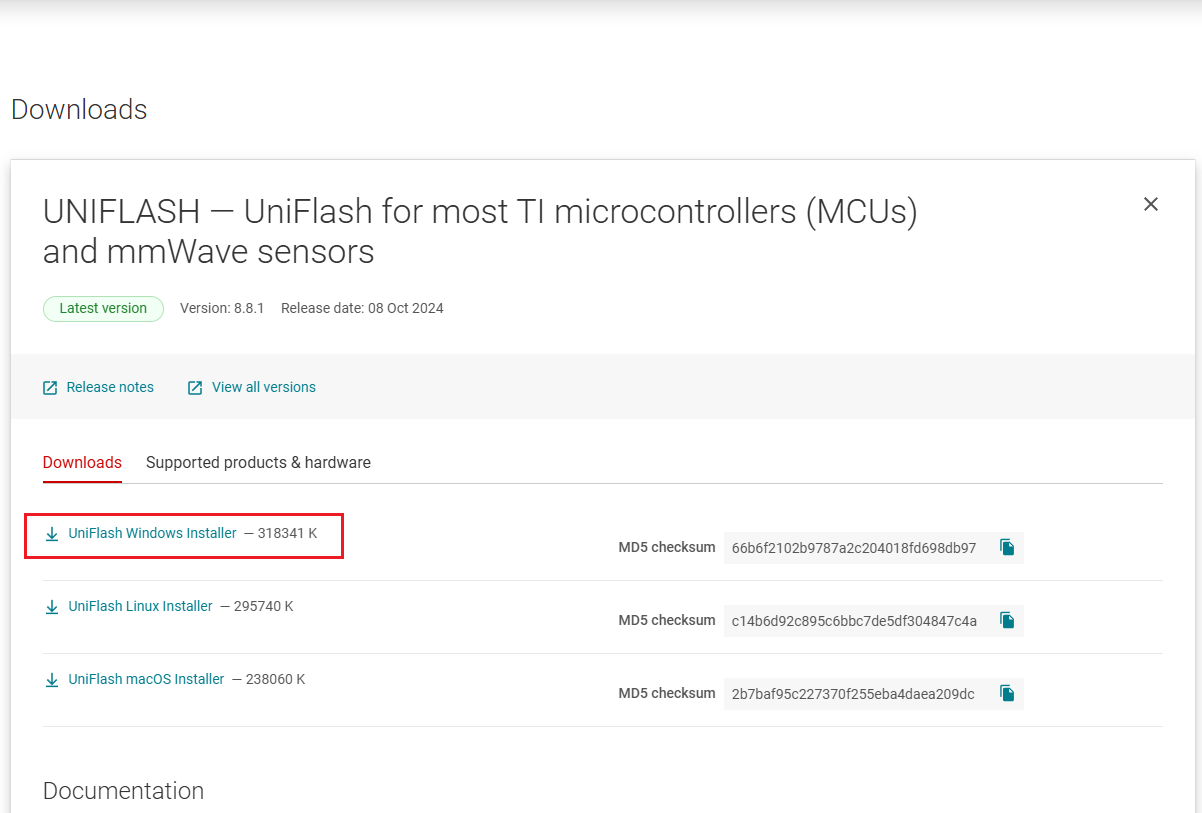
Choose a version that supports your own development environment. My development environment is Win10, so I choose to download the Windows version installer here.
2. Install uniflash
- Double-click the downloaded
uniflash_sl.x.exefile

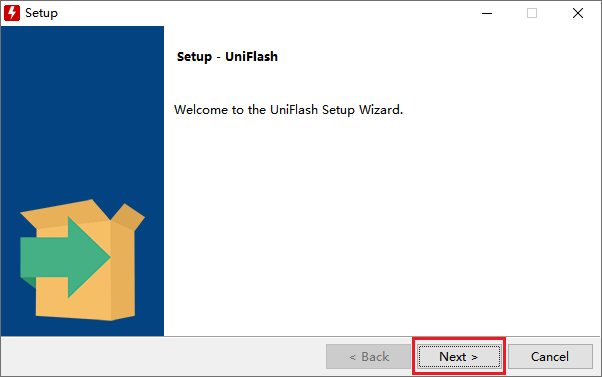
- Click
NEXT
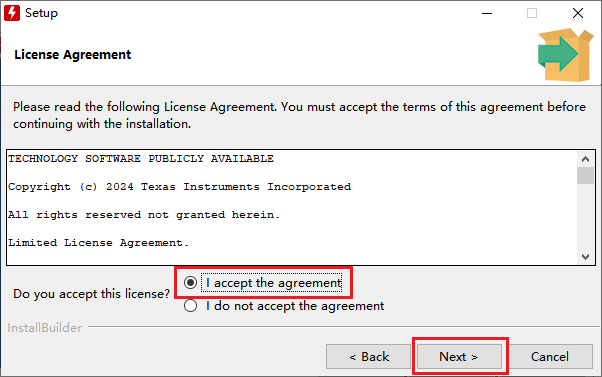
- Choose your own installation path
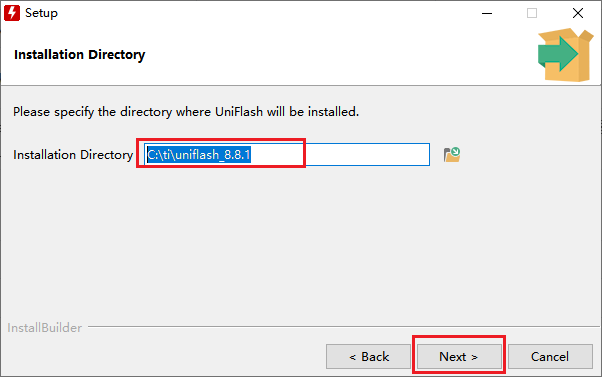
- Click
NEXTto start the installation
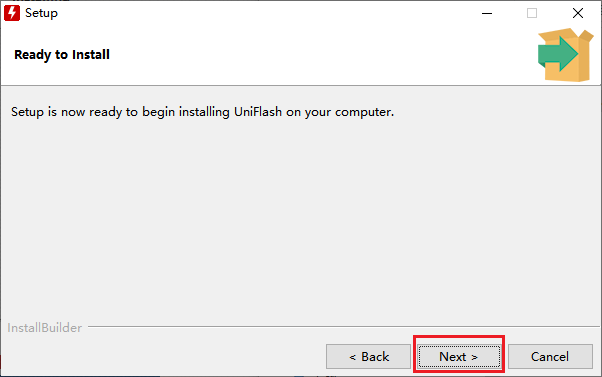
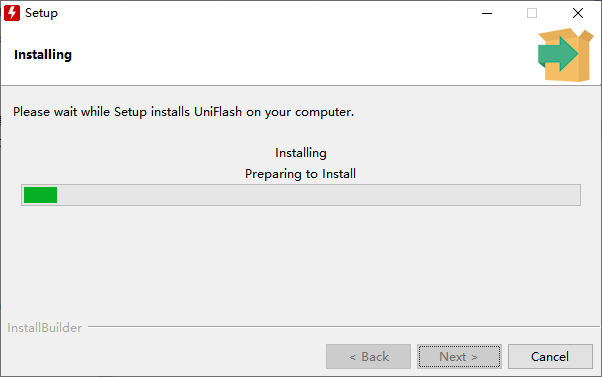
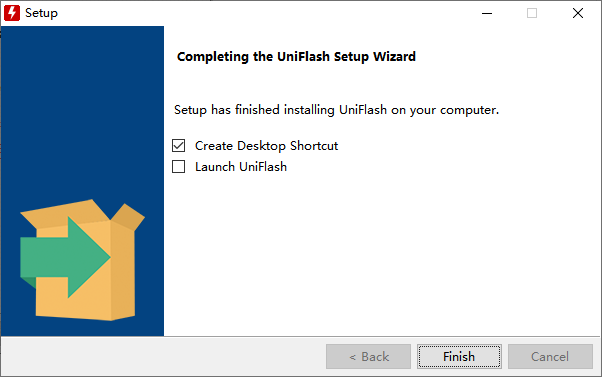
- Choose to create a desktop shortcut, and the installation is complete
3. Install CH340 serial port driver
CH340 driver download address: CH341SER.EXE - NanjingQinhengMicroelectronics
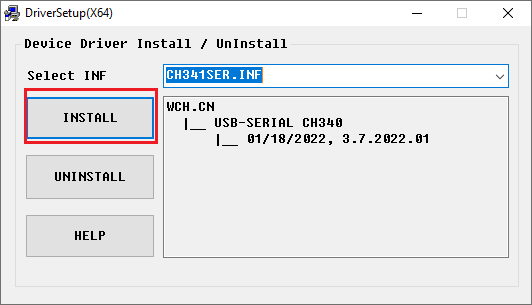
The steps to install the serial port driver are relatively simple. Just double-click SETUP.EXE in the installation package and click "Install".
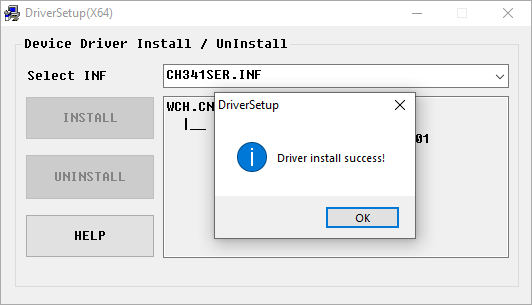
The installation is successful as shown in the figure below.
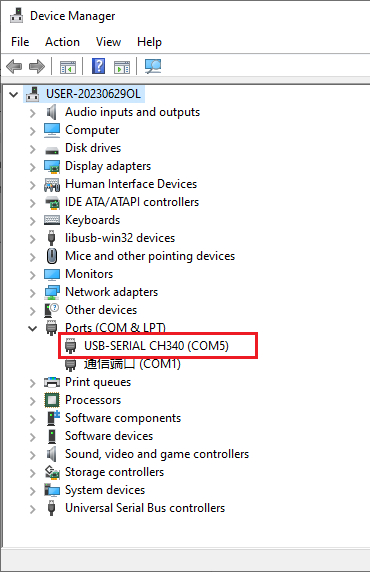
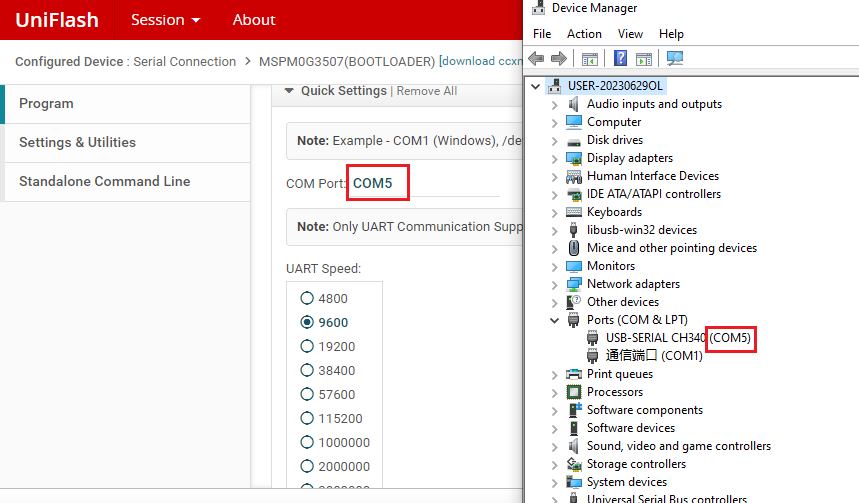
Turn on the power, connect the MSPM0 motherboard and the computer via USB, open the device manager, and the port will display CH340 (COMX, X is the port number)
4. Open Uniflash and set parameters
Double-click UniFlash 8.8.1 to open it.

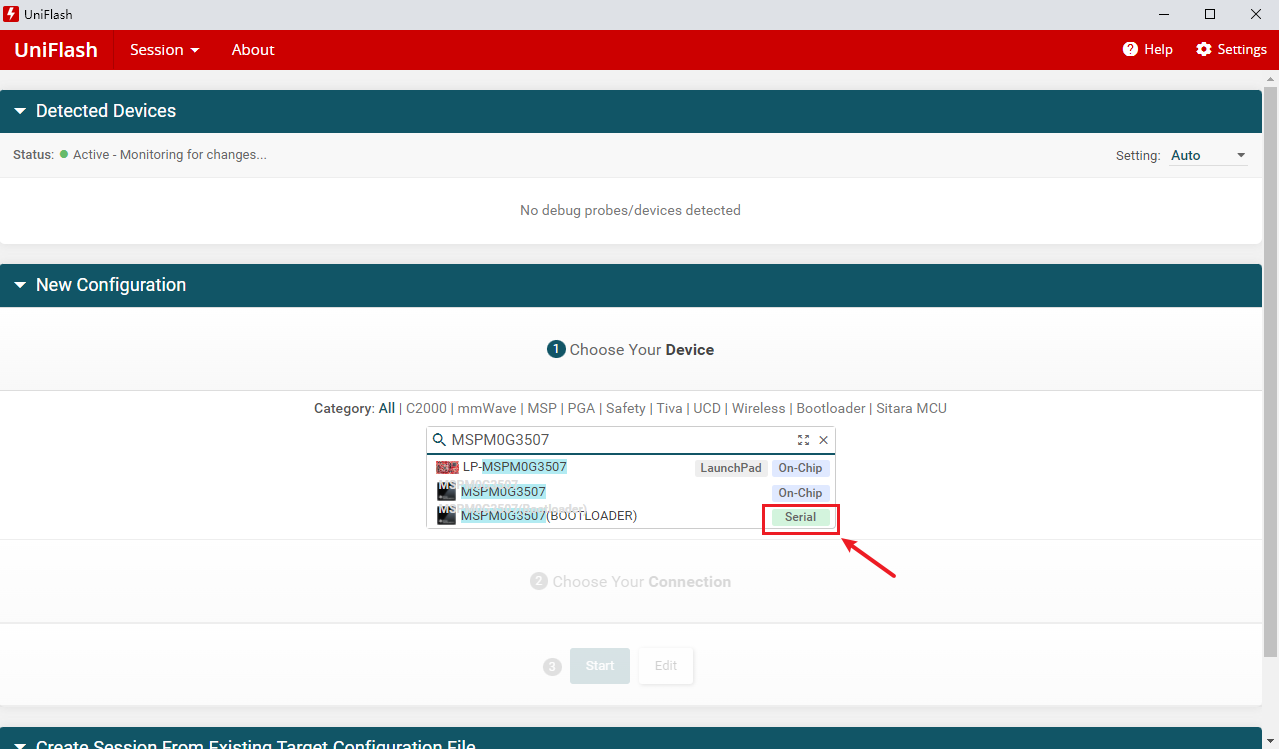
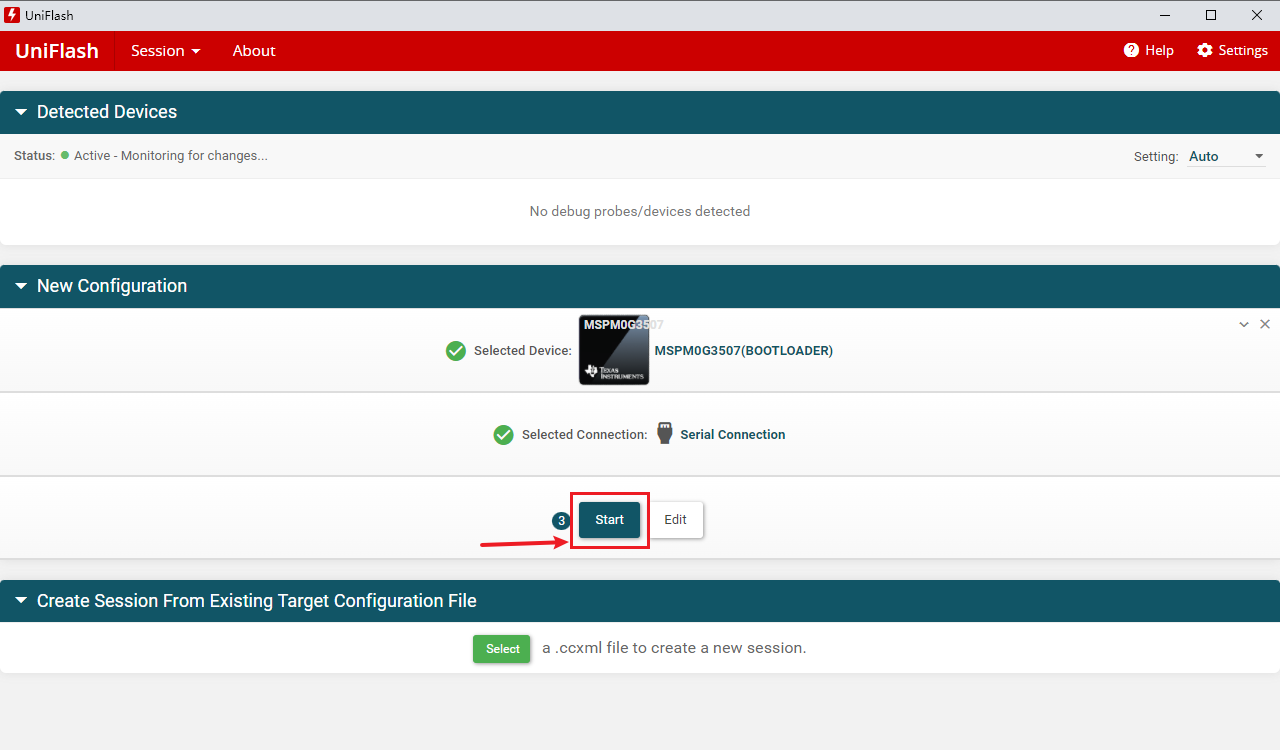
Search for MSPM0G3507 in the search box of the New Configuration column, and select the MSPM0G3507 with Serial that supports serial port download.
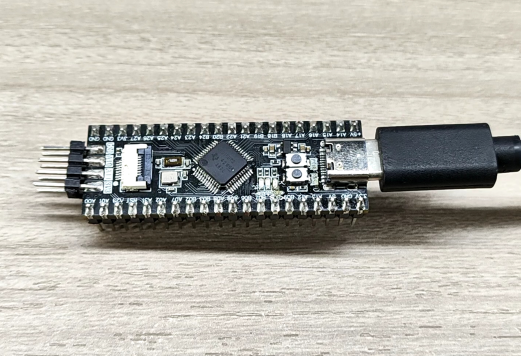
Just use the TYPE-C data cable to connect to the TYPE-C interface of the development board.
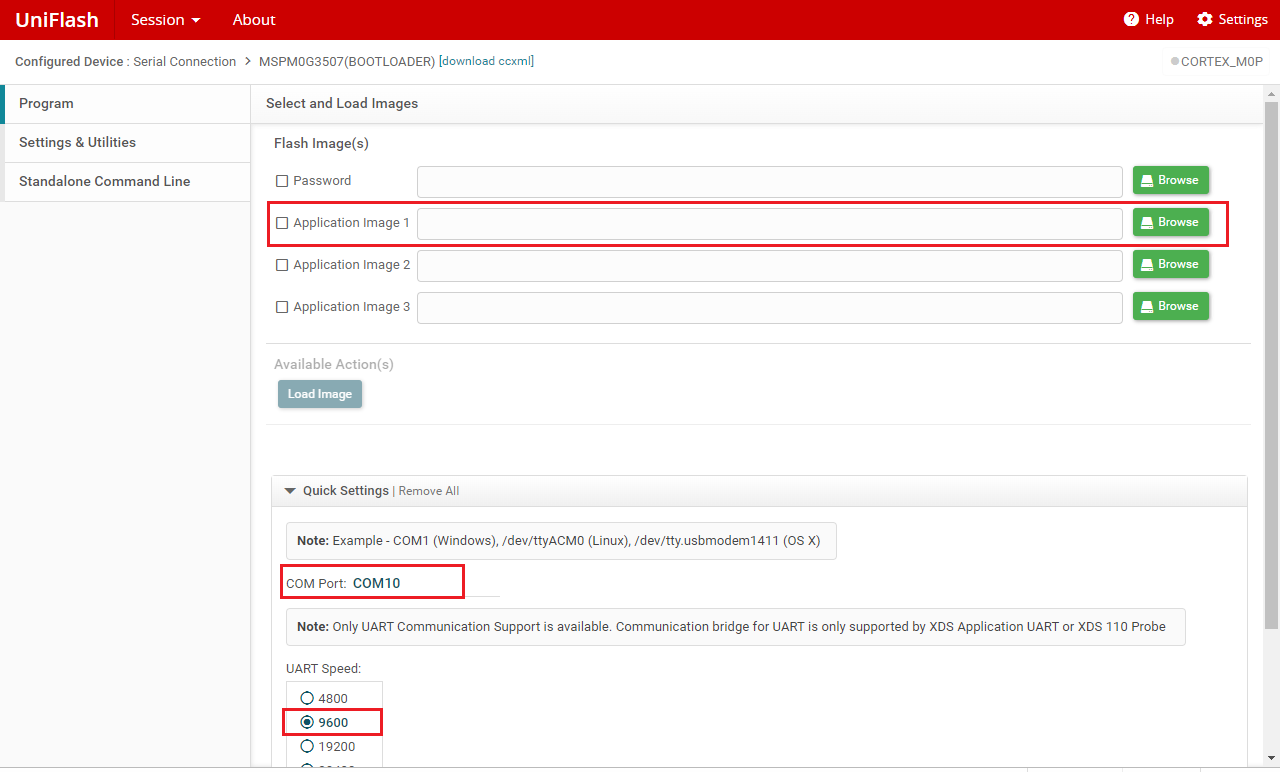
In the Program column, select the binary file generated by the code, which supports .hex and .bin files, manually enter the serial port number of the device, and select the baud rate 9600.
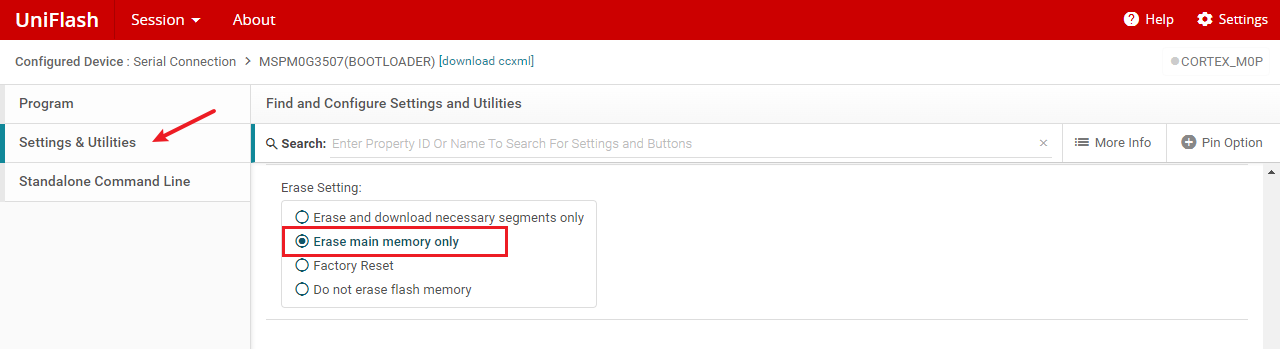
In the Erase setting of the Settings & Utilities column, select Erase main memory only
5. Burning program
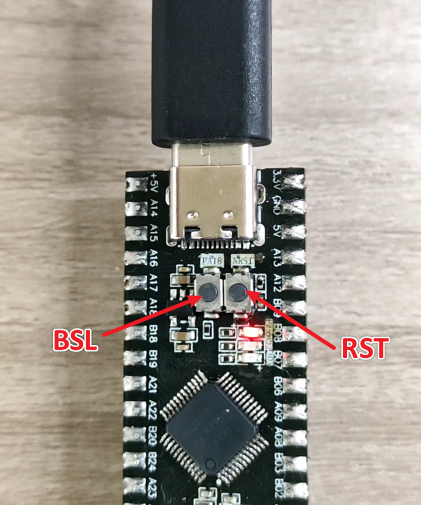
After the development board is connected to the computer, press and hold the BSL button, which is the PA18 button, and then press the RST button. Release the RST button for about 1S, and then release the BSL button. At this time, it enters the burning mode.
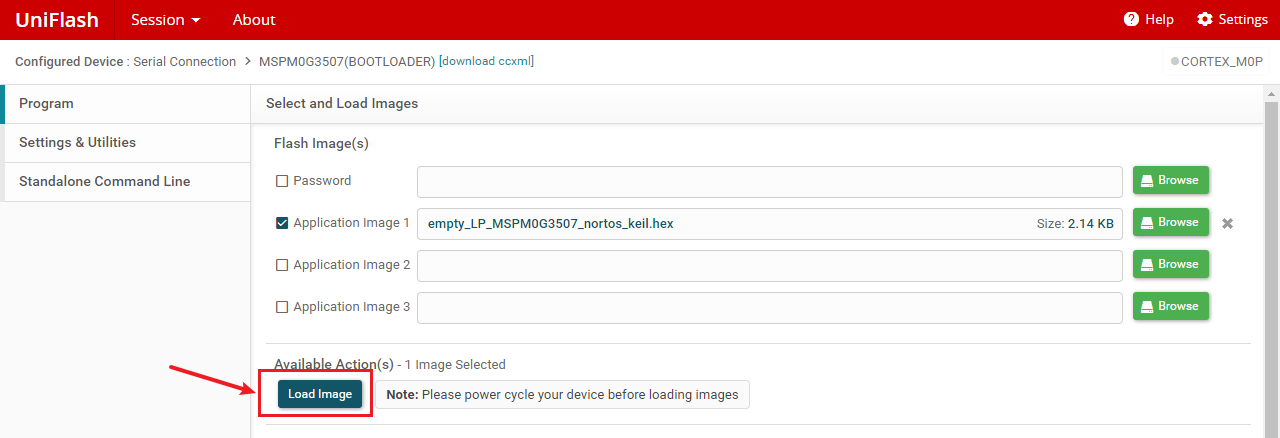
After entering the burning mode, click Load image to download.
Note: The download must be performed within 10 seconds after the development board enters the burning mode, otherwise the download will fail.
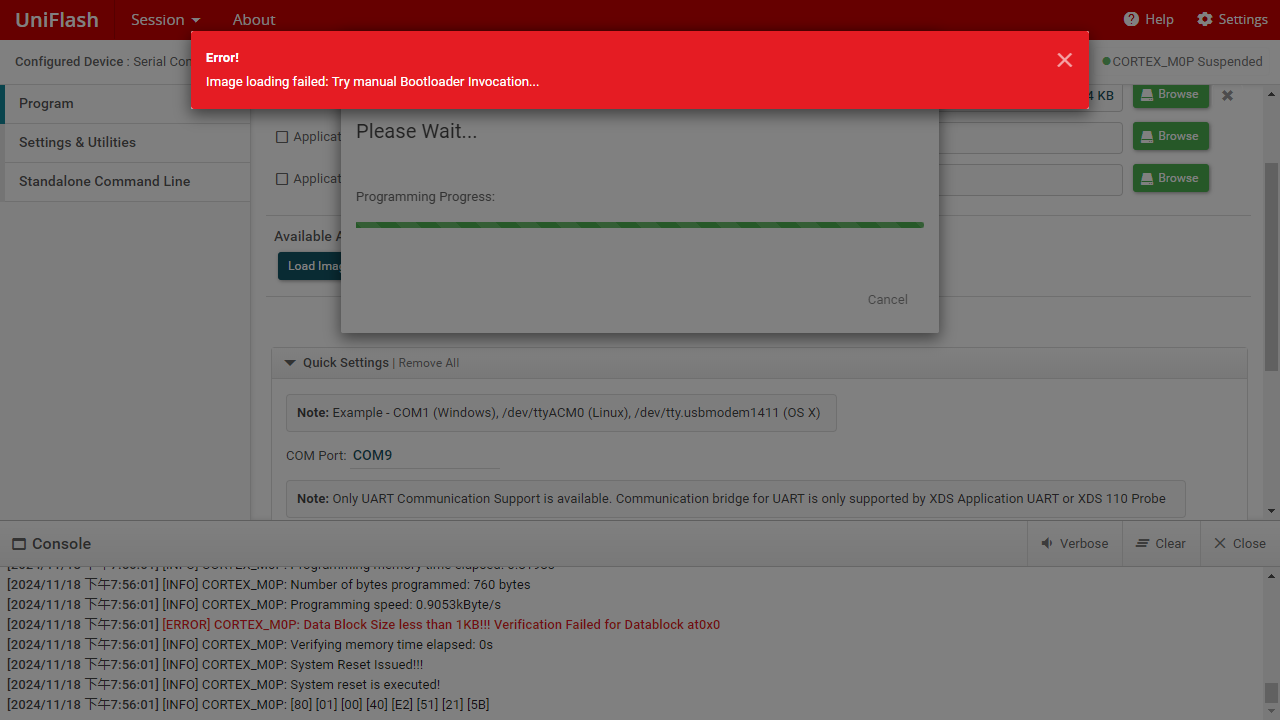
When the same error as the following image appears, Image loading felled: Try manual Bootloader invocation..., the download has actually been successful. This is a bug in the download software.
6. Frequently asked questions
- Download error Image loading felled: Try manual Bootloader invocation...
A: This is a bug in the download software. It has actually been downloaded.
- Download error Image loading failed: Flash Generic, Loading lmages... Error: -9
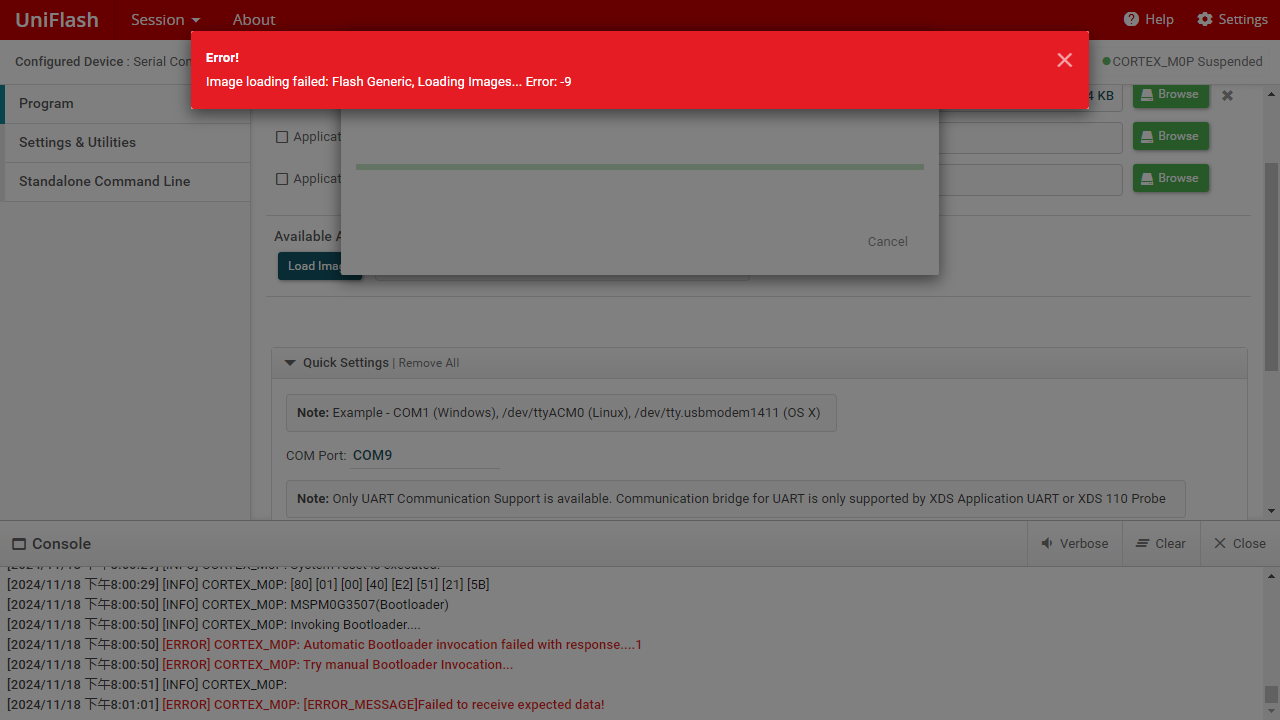
A: The chip has not entered the burning mode. You need to keep pressing the BSL(PA18) button, then press the RST button for about 1s and release it, and finally release the BSL(PA18) button to enter the burning mode.
- Download error Image loading failed: Flash Generic, Loading lmages... Error: -6
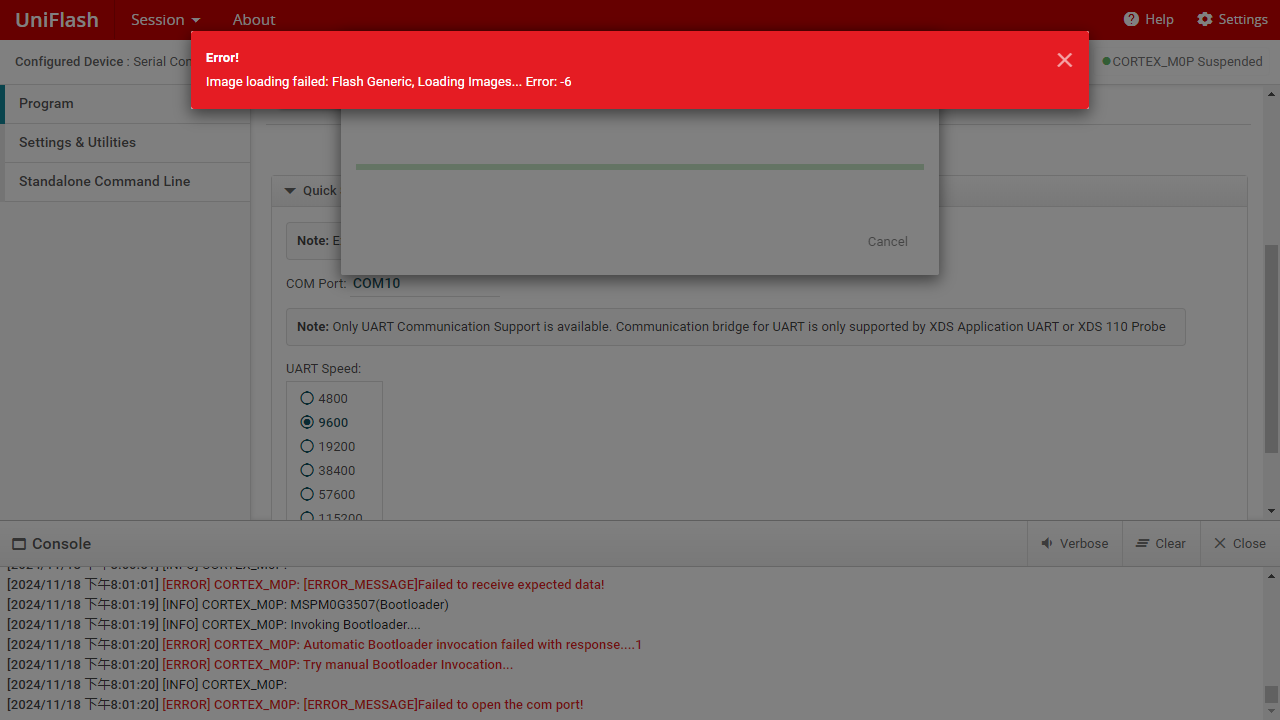
A: The correct download port is not selected or the port is occupied. You can check the current port number of MSPM0 in the device manager and then manually enter it into the COM Port column.
- Download error Image loading failed: Flash Generic, Loading lmages... Error. -3
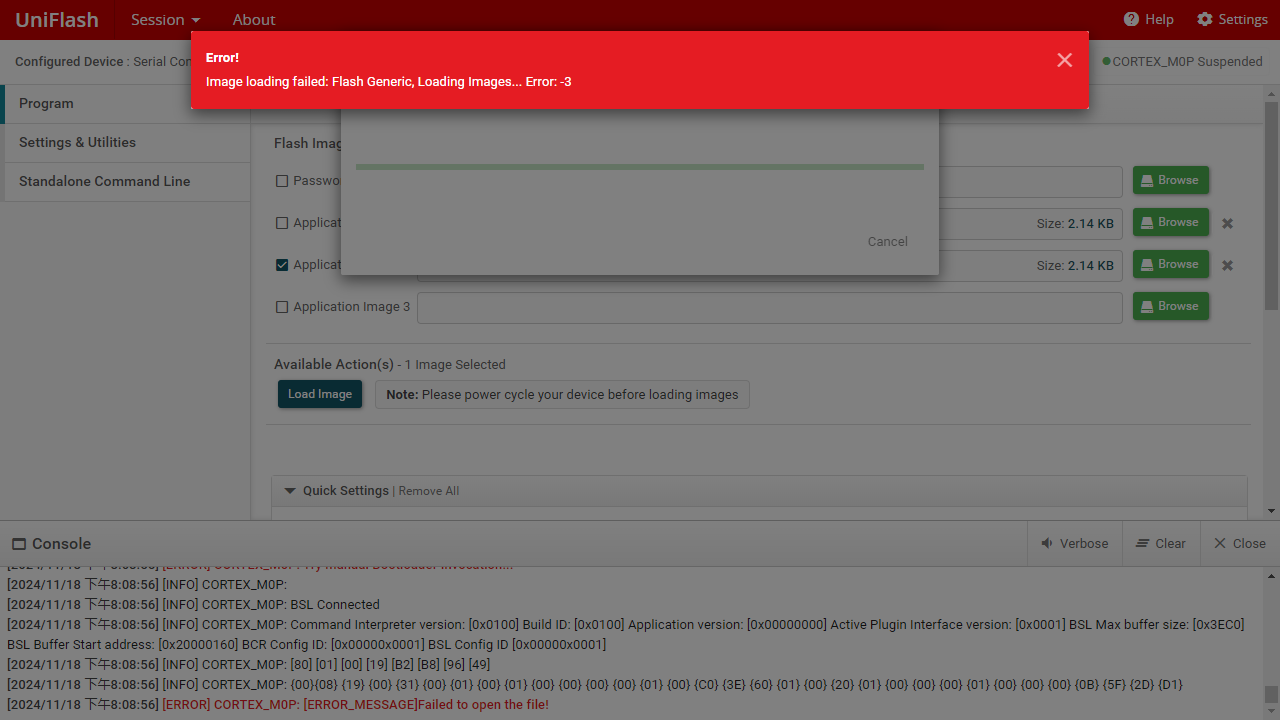
A: The burned program cannot be in the Chinese path, it must be placed in the English path.
- Download error Image loading failed: Flash Generic, Loading lmages... Error. -1
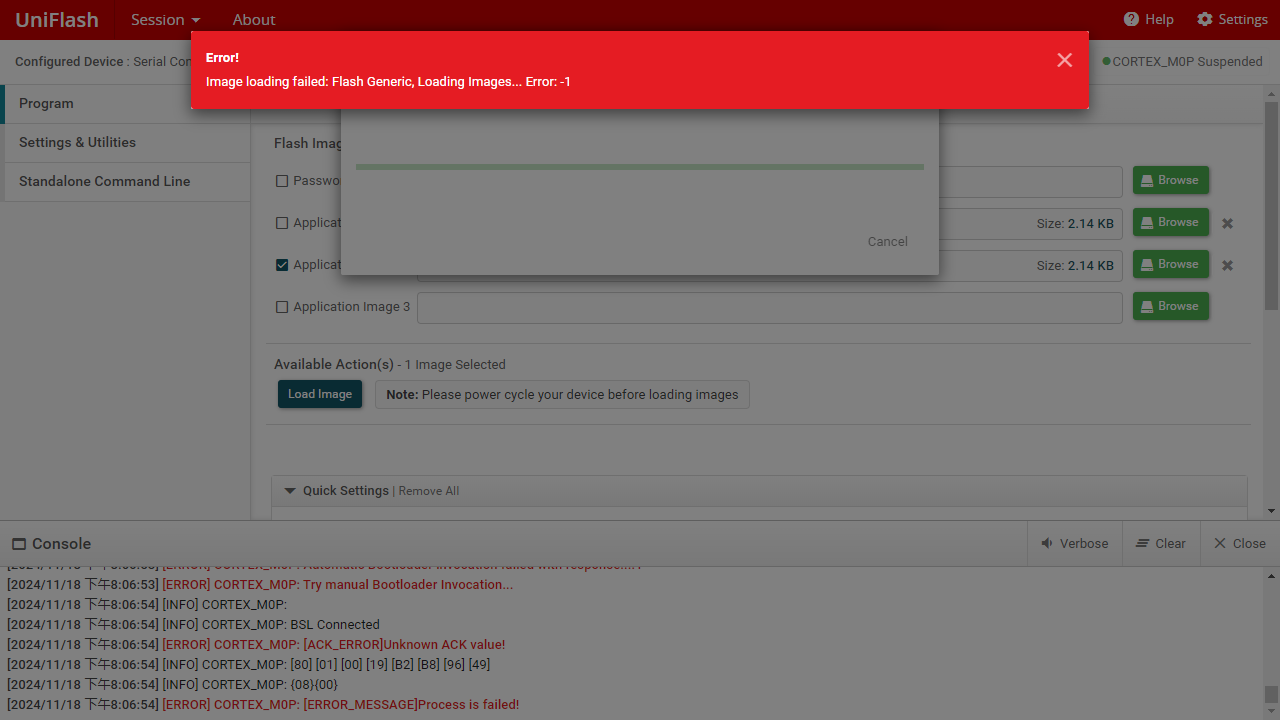
A:For accidental events, just re-burn.