Welcome to MSPM0G3507 Development Board repository
04.DAP-LINK download program
DAP-LINK download program
DAP-LINK download program1. Hardware connection2. Related configuration3. Download the program4. Common Problems
This method uses keil to burn directly. DAP-LINK needs to be purchased by yourself.
xxxxxxxxxxNote: You cannot use ST-LINK to download, the chip will be locked, and the download will display PDSC.
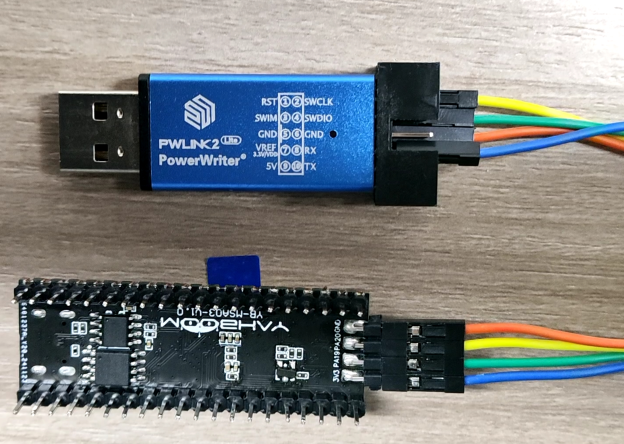
1. Hardware connection
| DAP-LINK | MSPM0G3507 |
|---|---|
| GND | GND |
| VDD or 3V3 | 3V3 |
| SWCLK | SWCLK(PA20) |
| SWDIO | SWDIO(PA19) |
2. Related configuration
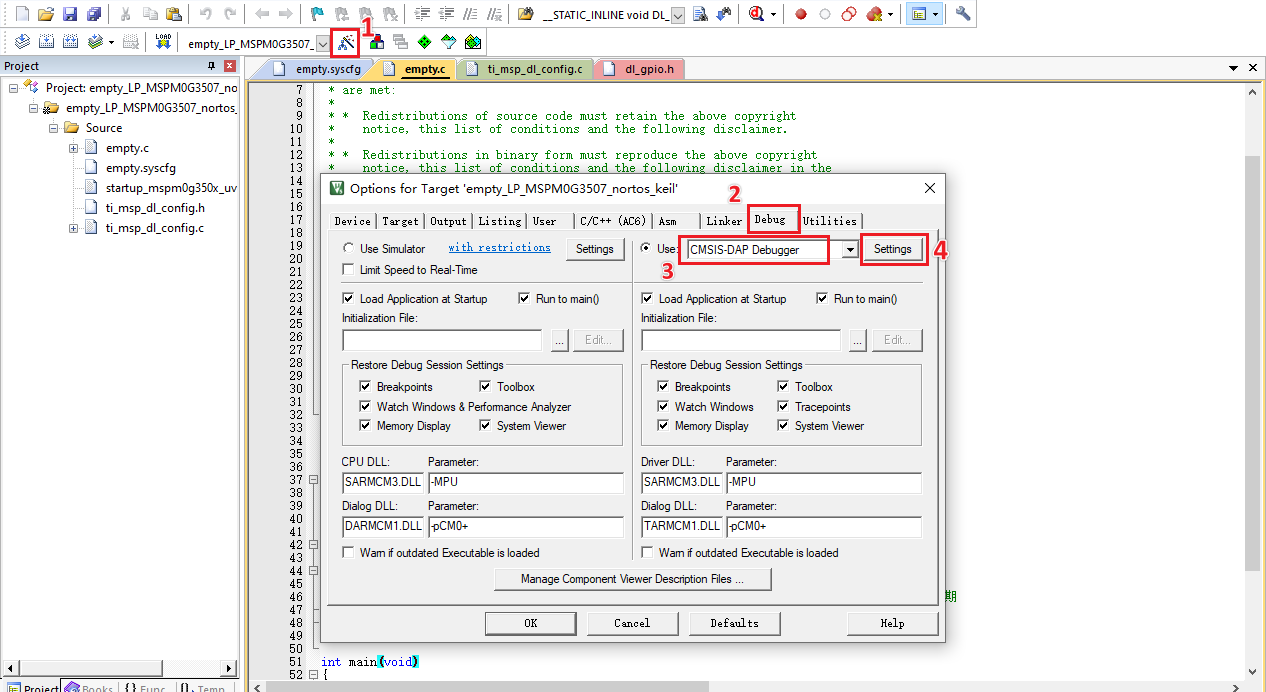
Click the magic wand Options for Target, select the Debug column, the emulator is DAP-LINK, select CMSIS-DAP Debugger here.
Then click Setting
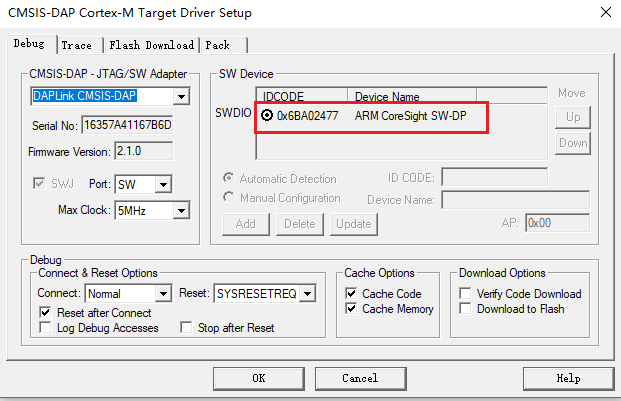
If the hardware is normal and the wiring is OK, a device number will automatically appear at SW Device, indicating that the chip has been successfully identified.
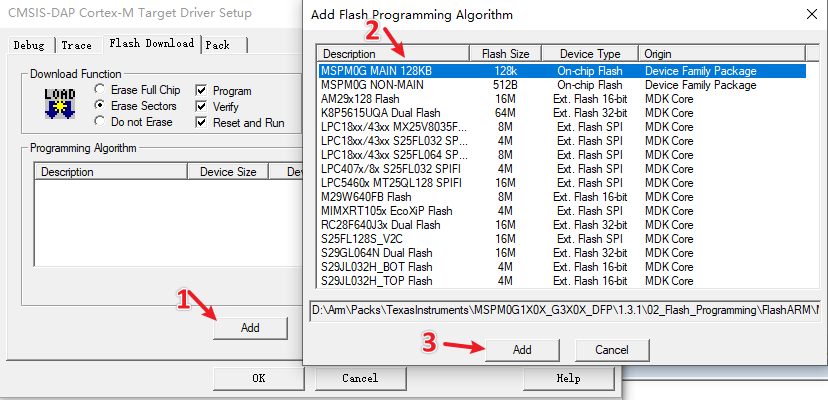
Then select the Flash Download column, check Reset and Run, and select the correct chip.
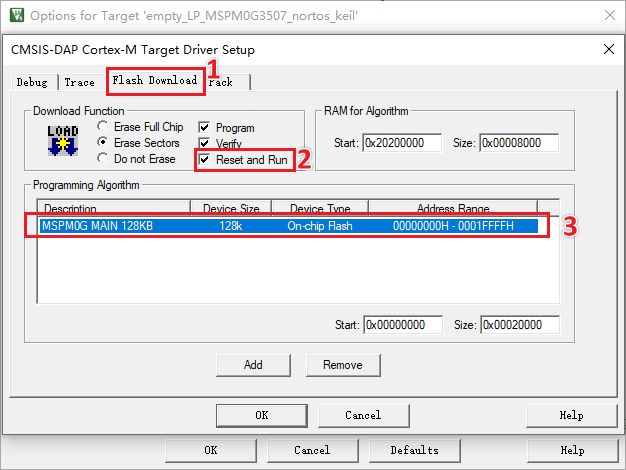
After completing the above configuration, click OK and you can start downloading the code.
3. Download the program
Click Build to compile first, and then click the Download icon to start downloading after confirming that the compilation is successful

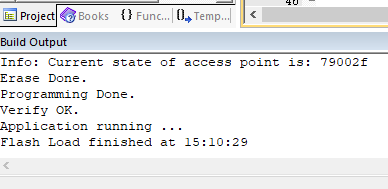
Wait for the progress bar below to complete. When Flash Load finished is displayed, it means the download is successful.
4. Common Problems
- Error: Error: Flash Download failed - "Cortex-M0+"
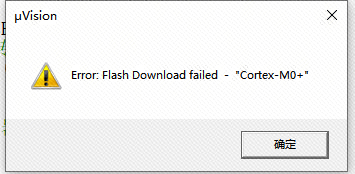
Answer: Reason ①: Wiring error; Reason ②: Download algorithm not added
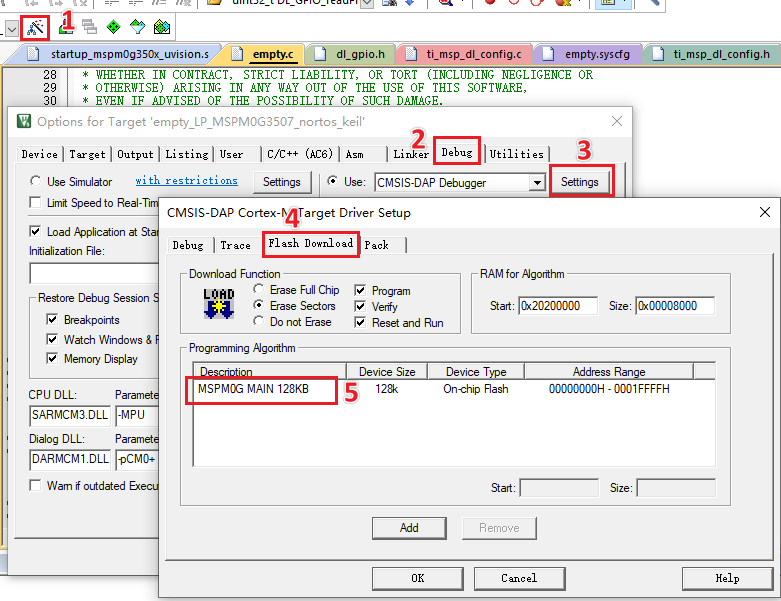
- Error Cannot Load Flash Device Description!
Answer: The download algorithm has not been added. You can add it in this way: