Welcome to ROSMASTER X3 repository
4.4 FreeRTOS application
4. FreeRTOS application
4. FreeRTOS application 4.1. Purpose of the experiment 4.2. Configure FreeRTOS information 4.3. Analysis of the experimental flow chart 4.4. core code explanation 4.5. Hardware connection 4.6. Experimental effect
4.1. Purpose of the experiment
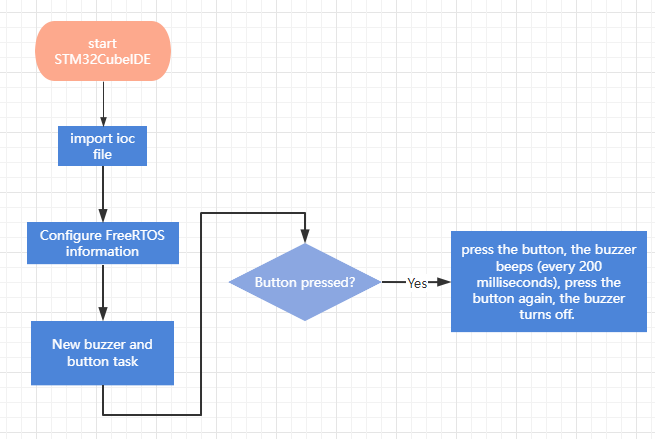
Based on the program of "Key Control Buzzer Whistle", the function is imported into the FreeRTOS system to run, to detect the state of KEY1 on the expansion board, and to control the buzzer to whistle. Press the button once, the buzzer will beep (every 200 milliseconds), press the button again, the buzzer will be turned off.
4.2. Configure FreeRTOS information
Since each new project needs configuration information, it is more troublesome. Fortunately, STM32CubeIDE provides the function of importing .ioc files, which can help us save time.
- Import the ioc file from the BEEP project and name it FreeRTOS.
- Click Middleware->FreertOS, select CMSIS_V1, click Tasks and Queues, there will be one task by default, and then create two new tasks, one of which manages the buzzer and the other manages the buttons.
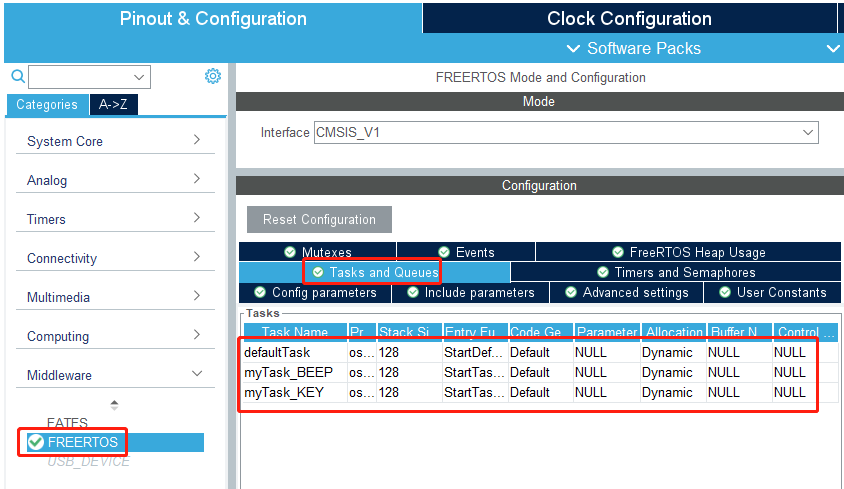
- The buzzer task information is shown in the following figure:
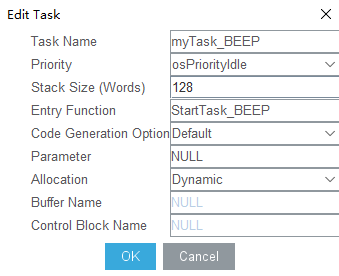
Task Name: The task name.
Priority: Set the priority.
Stack Size: heap space, the size can be modified according to the actual situation.
Entry Function: The task function entity.
Code Generation Option: Code generation configuration, the default is weak to generate task entities, you can choose external not to generate task entities.
Parameter: The task parameter.
Allocation: You can choose Dynamic dynamic allocation or Static static allocation.
Buffer Name: The statically allocated buff name.
Control Block Name: Statically allocated block name.
The key task is the same, just with a different name.
4.3. Analysis of the experimental flow chart
4.4. core code explanation
- Create new buzzer driver library bsp_task.h and bsp_task.c files in BSP. Add the following to bsp_task.h:
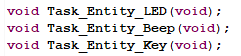
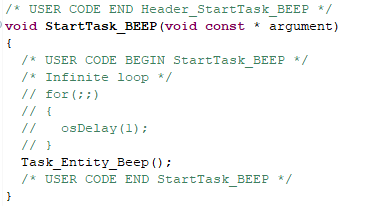
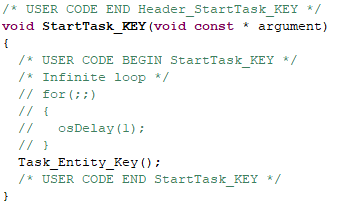
Among them, the Task_Entity_LED() function manages the LED lights, the Task_Entity_Beep() manages the buzzer, and the Task_Entity_Key() manages the buttons.
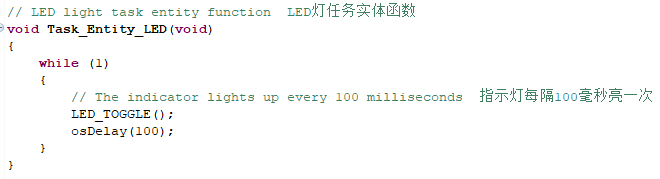
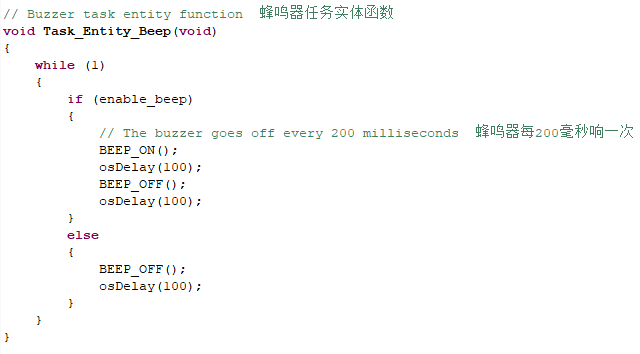
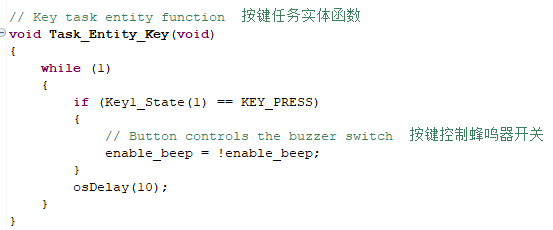
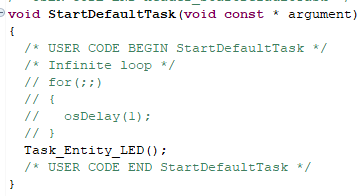
- Introduce bsp.h into the freertos.c file, find the corresponding entity functions of the three tasks, and call the task functions we manually created.
4.5. Hardware connection
The LED light, key KEY1 and buzzer in FreeRTOS application are all onboard components and do not need to be connected manually.
4.6. Experimental effect
After the program is programmed, the LED light flashes every 200 milliseconds, press the button, the buzzer beeps (every 200 milliseconds), press the button again, the buzzer turns off.