Welcome to DOFBOT-JetsonNANO repository
5.Serial communication
Serial communication
Serial communication1. GPIO pin diagram2. Serial port test2.1. Install cutecom2.2. Use cutecom3. Experimental effect
1. GPIO pin diagram
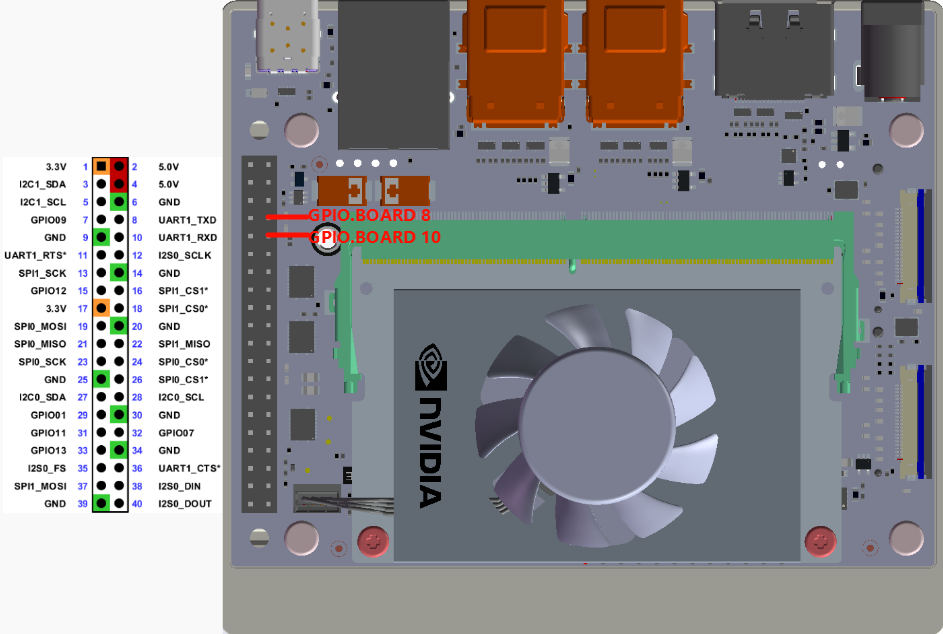
GPIO.BOARD pin 8 corresponds to GPIO.BCM 14, GPIO.BOARD pin 10 corresponds to GPIO.BCM 15:
2. Serial port test
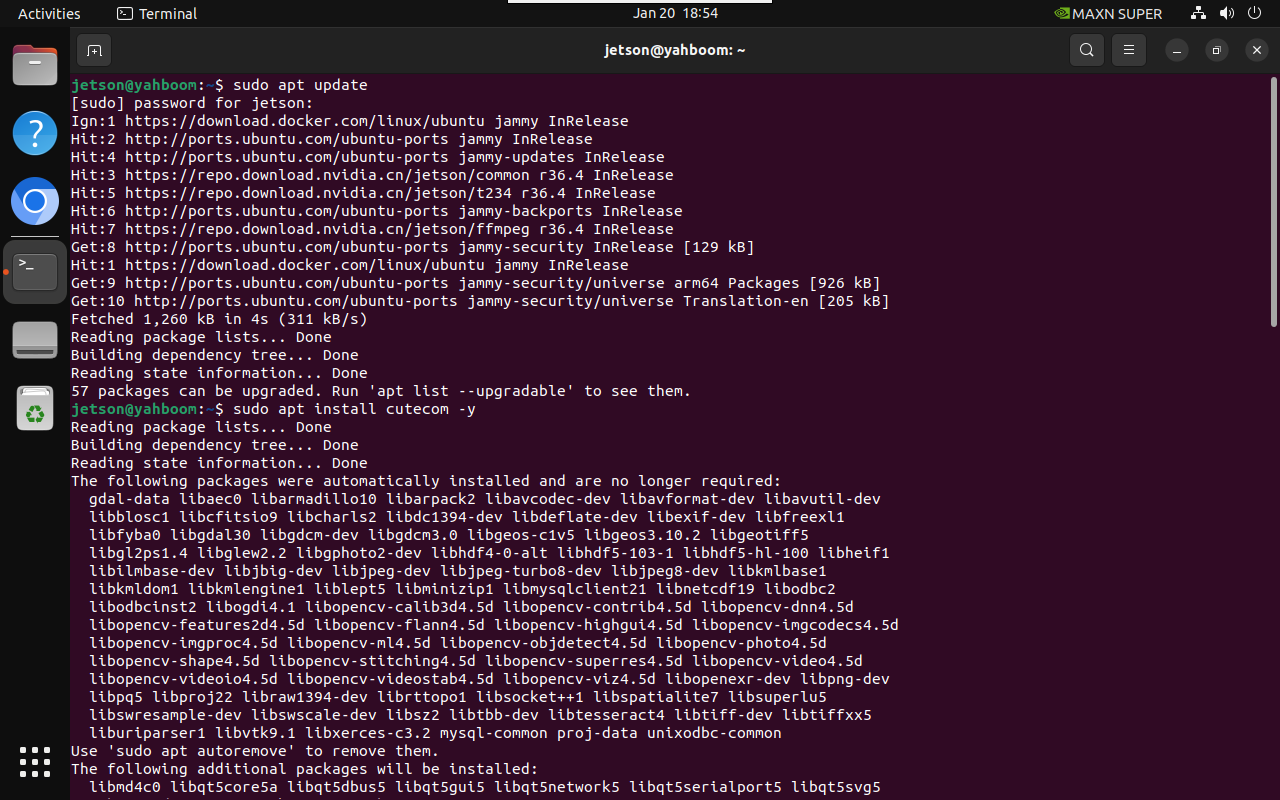
2.1. Install cutecom
sudo apt updatesudo apt install cutecom -y
2.2. Use cutecom
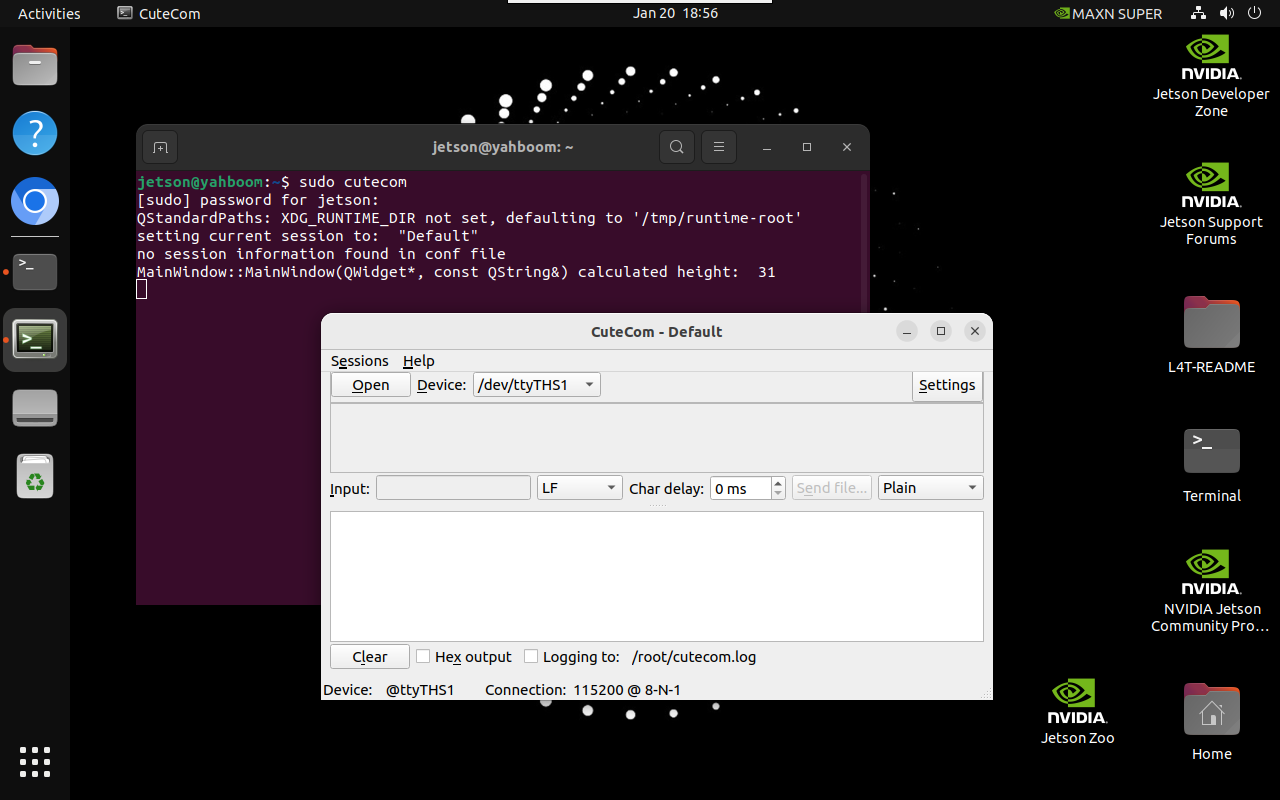
Start cutecom in the terminal:
xxxxxxxxxxsudo cutecom
3. Experimental effect
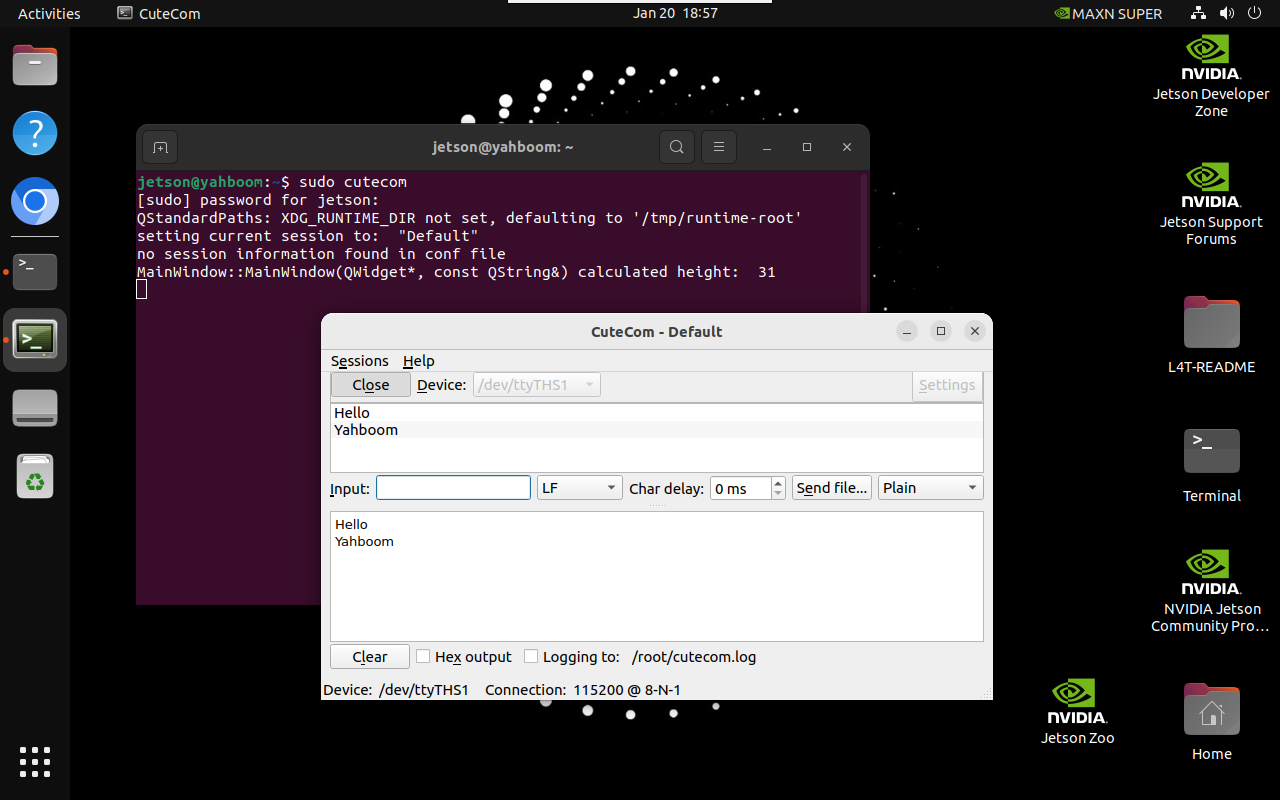
Use a jumper cap or Dupont wire to short-circuit GPIO.BOARD 8 and GPIO.BOARD 10 pins.
Use cutecom to open the /dev/ttyTHS1 serial port number: Enter the data to be sent by the serial port in Input, the upper window displays the data sent by the /dev/ttyTHS1 serial port, and the lower window displays the data received by /dev/ttyTHS1:
Note: Do not connect incorrectly or cause the pins to short-circuit, as mistakes may damage the motherboard hardware!