Welcome to IMX 415 Camera Module repository
4. YOLO26 Object Detection
Object Detection
Use Python to demonstrate Ultralytics: the performance of Object Detection on images, videos, and real-time detection.
1. Model Introduction
Object detection is a task that involves identifying the location and class of objects in an image or video stream.
The output of an object detector is a set of bounding boxes that enclose the objects in the image, along with the class label and confidence score for each bounding box. If you need to identify the objects of interest in a scene but do not need to know the specific position or exact shape of the objects, then object detection is a good choice.
2. Target Prediction: Image
Use yolo26n.engine to predict the images in the ultralytics26 folder.
Enter the code folder:
cd /home/jetson/ultralytics/ultralytics/yahboom_yolo26      # Orin NX path
cd /home/jetson/ultralytics_yolo26/yahboom_demo             # Orin NANO path
Run the code:
python3 01.detection_image.py
Effect Preview
Location of the images output by yolo recognition:
/home/jetson/ultralytics/output/                            # Orin NX path
/home/jetson/ultralytics_yolo26/output/                     # Orin NANO path
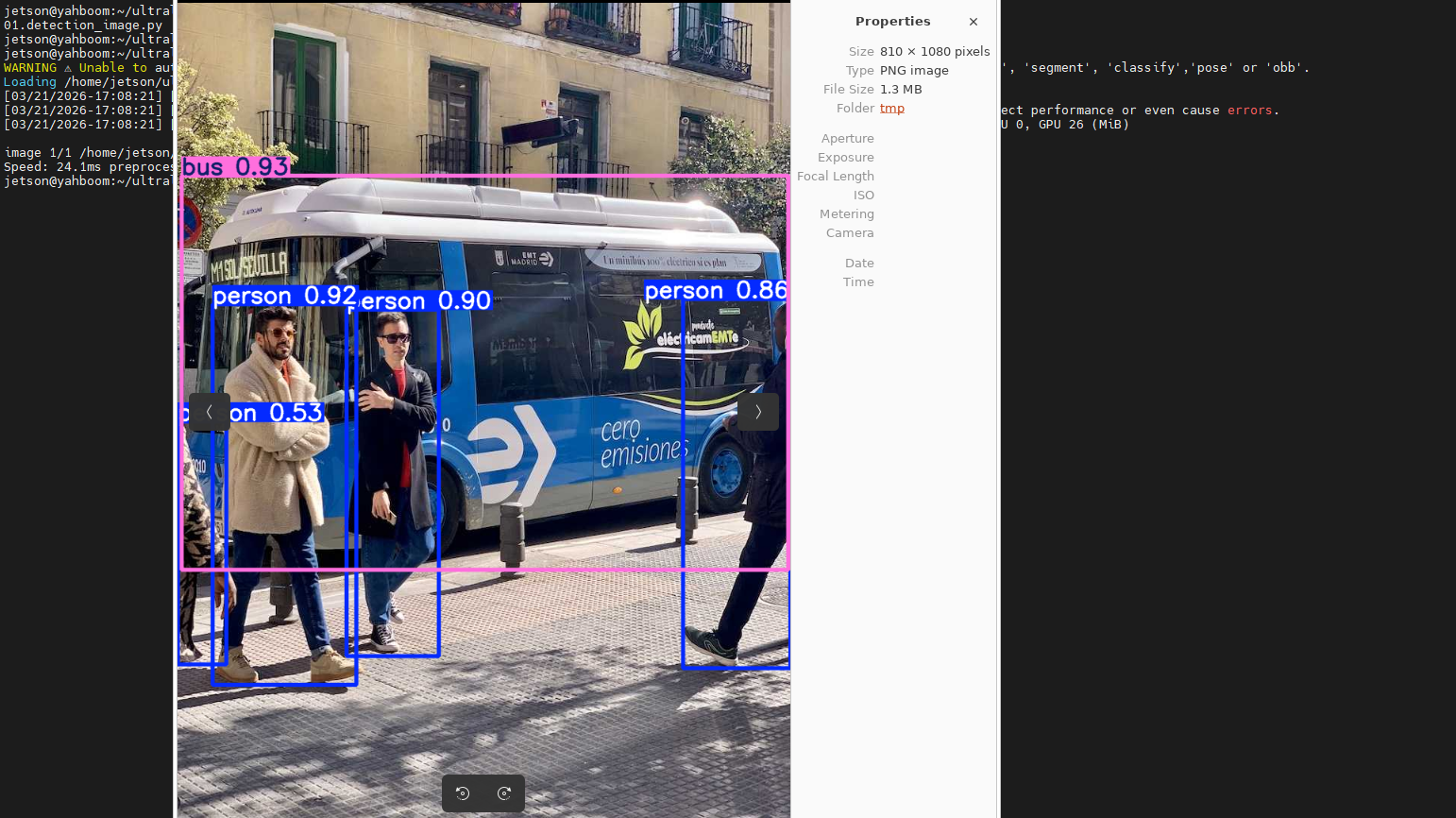
Example code (taking Orin NX as an example):
from ultralytics import YOLO

# Load a model
model = YOLO("/home/jetson/ultralytics/ultralytics/yolo26n.pt")

# Run batched inference on a list of images
results = model("/home/jetson/ultralytics/ultralytics/assets/bus.jpg")  # return a list of Results objects

# Process results list
for result in results:
    boxes = result.boxes  # Boxes object for bounding box outputs
    # masks = result.masks  # Masks object for segmentation masks outputs
    # keypoints = result.keypoints  # Keypoints object for pose outputs
    # probs = result.probs  # Probs object for classification outputs
    # obb = result.obb  # Oriented boxes object for OBB outputs
    result.show()  # display to screen
    result.save(filename="/home/jetson/ultralytics/ultralytics/output/bus_output.jpg")  # save to disk
3. Target Prediction: Video
Use yolo26n_ncnn_model to predict the videos in the ultralytics26 folder (not the videos included with ultralytics).
Enter the code folder:
cd /home/jetson/ultralytics/yahboom_yolo26                  # Orin NX path
cd /home/jetson/ultralytics_yolo26/yahboom_demo             # Orin NANO path
Run the code:
python3 01.detection_video.py
Effect Preview
Location of the images output by yolo recognition:
/home/jetson/ultralytics/output/                            # Orin NX path
/home/jetson/ultralytics_yolo26/output/                     # Orin NANO path
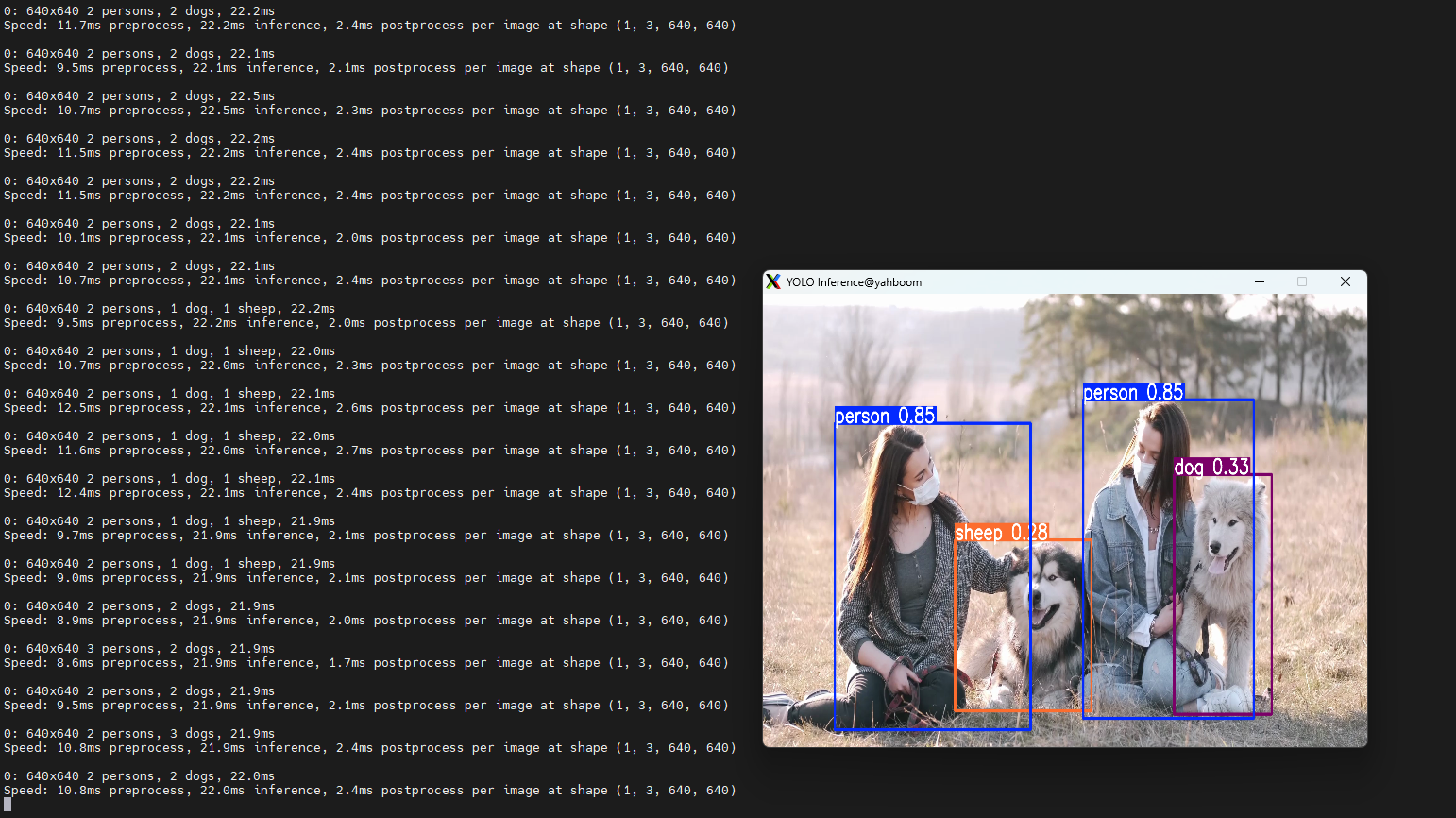
Example code (taking Orin NX as an example):
import cv2
from ultralytics import YOLO

# Load the YOLO model
model = YOLO("/home/jetson/ultralytics/ultralytics/yolo26n.pt")

# Open the video file
video_path = "/home/jetson/ultralytics/ultralytics/videos/people_animals.mp4"
cap = cv2.VideoCapture(video_path)

# Get the video frame size and frame rate
frame_width = int(cap.get(cv2.CAP_PROP_FRAME_WIDTH))
frame_height = int(cap.get(cv2.CAP_PROP_FRAME_HEIGHT))
fps = int(cap.get(cv2.CAP_PROP_FPS))

# Define the codec and create a VideoWriter object to output the processed video
output_path = "/home/jetson/ultralytics/ultralytics/output/01.people_animals_output.mp4"
fourcc = cv2.VideoWriter_fourcc(*'mp4v')  # You can use 'XVID' or 'mp4v' depending on your platform
out = cv2.VideoWriter(output_path, fourcc, fps, (frame_width, frame_height))

# Loop through the video frames
while cap.isOpened():
    # Read a frame from the video
    success, frame = cap.read()

    if success:
        # Run YOLO inference on the frame
        results = model(frame)

        # Visualize the results on the frame
        annotated_frame = results[0].plot()

        # Write the annotated frame to the output video file
        out.write(annotated_frame)

        # Display the annotated frame
        cv2.imshow("YOLO Inference", cv2.resize(annotated_frame, (640, 480)))

        # Break the loop if 'q' is pressed
        if cv2.waitKey(1) & 0xFF == ord("q"):
            break
    else:
        # Break the loop if the end of the video is reached
        break
# Release the video capture and writer objects, and close the display window
cap.release()
out.release()
cv2.destroyAllWindows()
4. Target Prediction: IMX415 Camera Real-time Detection
For CSI camera-related functions, be sure to view them using VNC or a physical monitor!! X11 forwarding services such as MobaXTerm are not supported
Use yolo26n_ncnn_model to predict the CSI camera frame.
Enter the code folder:
cd /home/jetson/ultralytics/ultralytics/yahboom_yolo26      # Orin NX path
cd /home/jetson/ultralytics_yolo26/yahboom_demo             # Orin NANO path
Run the code: click on the preview window and press q to terminate the program!
python3 01.detection_camera_csi.py
Effect Preview
Location of the images output by yolo recognition:
/home/jetson/ultralytics/output/                            # Orin NX path
/home/jetson/ultralytics_yolo26/output/                     # Orin NANO path
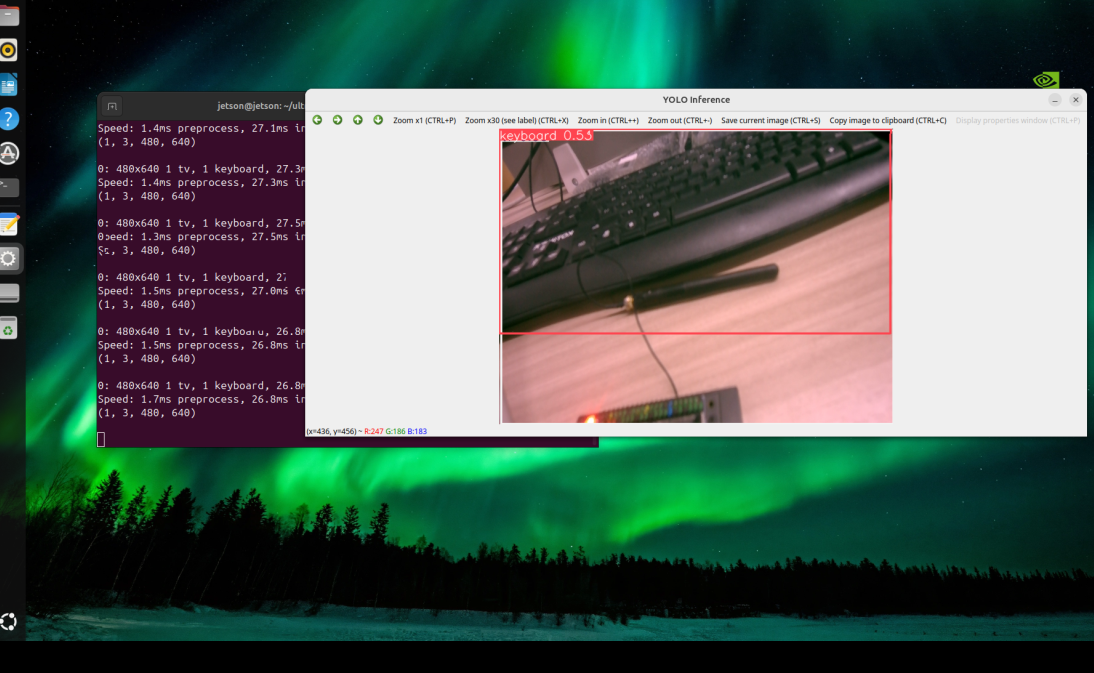
Example code (taking Orin NX as an example):
import cv2
from ultralytics import YOLO
from jetcam.csi_camera import CSICamera

# Load the YOLO model
model = YOLO("/home/jetson/ultralytics/ultralytics/yolo26n.pt")

# Open the CSI camera on /dev/video0
cap = CSICamera(capture_device=0, width=640, height=480)

# Get the video frame size and frame rate
frame_width = 640
frame_height = 480
fps = 30

# Define the codec and create a VideoWriter object to output the processed video
output_path = "/home/jetson/ultralytics/ultralytics/output/01.detection_camera_csi.mp4"
fourcc = cv2.VideoWriter_fourcc(*'mp4v')  # You can use 'XVID' or 'mp4v' depending on your platform
out = cv2.VideoWriter(output_path, fourcc, fps, (frame_width, frame_height))

# Loop through the video frames
while True:
    # Read a frame from the camera
    frame = cap.read()

    if frame is not None:
        # Run YOLO inference on the frame
        results = model(frame)

        # Visualize the results on the frame
        annotated_frame = results[0].plot()

        # Write the annotated frame to the output video file
        out.write(annotated_frame)

        # Display the annotated frame
        cv2.imshow("YOLO Inference", cv2.resize(annotated_frame, (640, 480)))

        # Break the loop if 'q' is pressed
        if cv2.waitKey(1) & 0xFF == ord("q"):
            break
    else:
        # Break the loop if no frame is received (camera error or end of stream)
        print("No frame received, breaking the loop.")
        break

# Release the video capture and writer objects, and close the display window
cap.release()
out.release()
cv2.destroyAllWindows()