yahboom
HomeTutorialsProduct
Solution
Blog
Online Store
About Us
EN/中文
Store
IMX 415 Camera Module📖
0. Precautions for Focus Adjustment (Must Read)new
  • Precautions for Focus Adjustment (Must Read)
1. Jetson Orin Nano‑NX Usage Course
JP6.2.1
  • 1. Camera Driver Course
  • 2.1 Advanced AI Vision-Traffic Detection—DeepStream environment
  • 2.2 Advanced AI Vision-Traffic Detection—Four types of detection(traffic)
  • 3. YOLO11 Object Detection
  • 4. YOLO26 Object Detection
  • 5. Mediapipe Environment
  • 6. Mediapipe Hand Detection
  • 7. MediaPipe Face Detection
  • 8. MediaPipe Face Effects
  • 9. MediaPipe 3D Object Recognition
  • 10. MediaPipe Virtual Brush
  • 11. MediaPipe Gesture Recognition
  • 12. MediaPipe Finger Control
  • 13. MediaPipe Posture Estimation
  • 14. MediaPipe Face Mask
  • 15. MediaPipe Overall Detection
  • 16. MediaPipe Green Scene Rremoval(Human)
  • 17. QR code recognition
JP7.2.1
  • 1. Camera Driver Course
  • 2.1.DeepStream environment
  • 2.2.Four types of detection(traffic)
  • 3. YOLO11 Object Detection
  • 4. YOLO26 Object Detection
  • 5. Mediapipe Environment
  • 6. Mediapipe Hand Detection
  • 7. MediaPipe Face Detection
  • 8. MediaPipe Face Effects
  • 9. MediaPipe 3D Object Recognition
  • 10. MediaPipe Virtual Brush
  • 11. MediaPipe Gesture Recognition
  • 12. MediaPipe Finger Control
  • 13. MediaPipe Posture Estimation
  • 14. MediaPipe Face Mask
  • 15. MediaPipe Overall Detection
  • 16. MediaPipe Green Scene Rremoval(Human)
  • 17. QR code recognition
2. Raspberry Pi 5 Usage Course
  • 1. Camera Driver Course
  • 2. Advanced AI Vision-Human Pose Estimation
  • 3. Target Detection
  • 4. QR Code
  • 5. Face Detection
  • 6. Color Recognition
  • 7. YOLO11 Object Detection
  • 8. YOLO26 Object Detection
  • 9. MediaPipe Face Effects
  • 10. MediaPipe Face Detection
  • 11. MediaPipe 3D Object Recognition
  • 12. MediaPipe Virtual Brush
  • 13. MediaPipe Finger Control
  • 14. MediaPipe Gesture Recognition
3. RDK X5 Usage Course
  • 1. Camera Driver Course
  • 2. Target Detection Algorithm-FCOS
  • 3. Target Detection Algorithm-YOLOv5s
  • 4. YOLO26 Object Detection
4. Camera Bracket Installation (Optional Video)
  • Installation Video
5.Connect to official Jetson ORIN NANO
  • Connect to official Jetson ORIN NANO
Download
  • Code
  • SystemFile
  • 3D_Model_File
  • Hardware_Info
Download ZIP

Welcome to IMX 415 Camera Module repository

5. Mediapipe Environment

Mediapipe Environment Setup

  • Mediapipe Environment Setup
    • 1. Install Mediapipe
    • 2. Verify Mediapipe

Mediapipe is a cross-platform framework provided by Google for building multimodal (e.g., image, audio, video, etc.) processing pipelines.

The factory image already includes Mediapipe; there is no need to install it again

1. Install Mediapipe

Use the pip command to install mediapipe:

sudo pip3 install mediapipe --break-system-packages

Use the pip command to install OpenCV:

sudo pip3 install opencv-python --break-system-packages

Use the pip command to install dlib: some examples require this library

sudo pip3 install dlib --break-system-packages
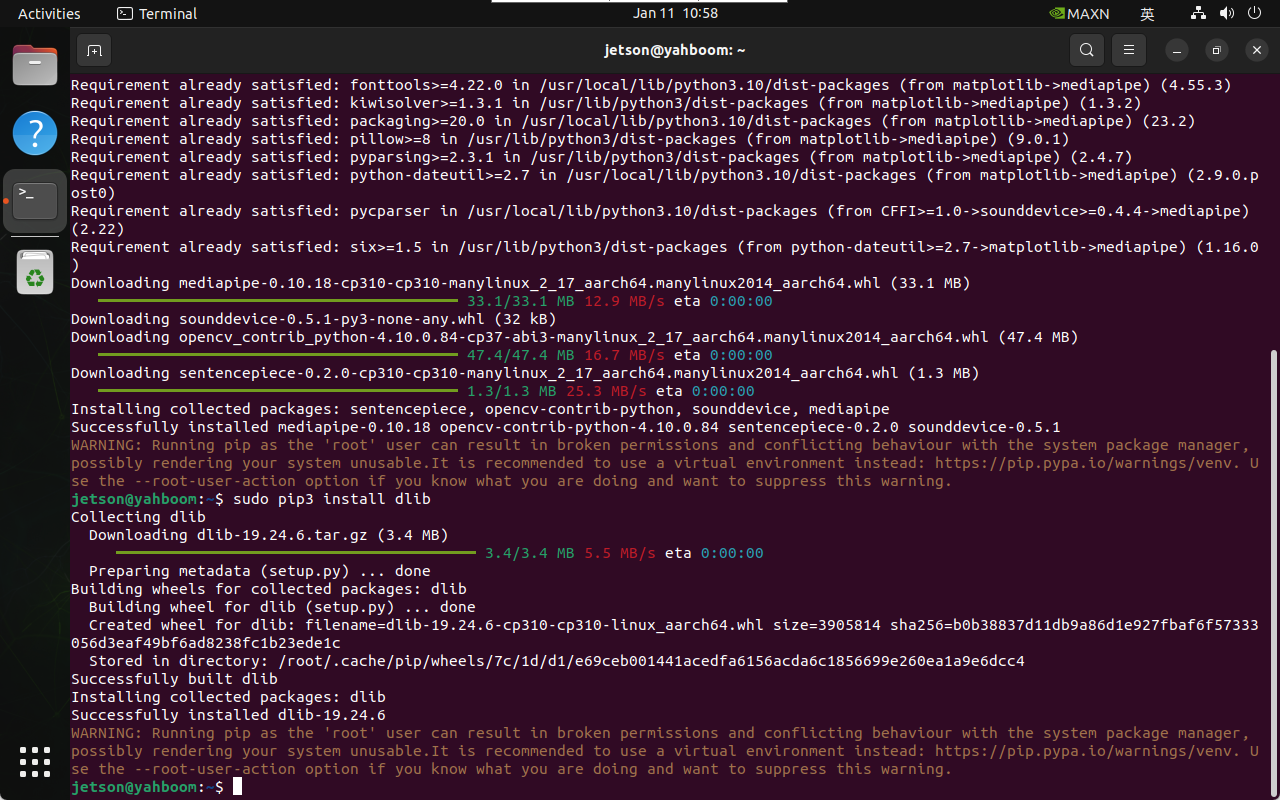
image-20250111105815768

2. Verify Mediapipe

python3 -c "import mediapipe as mp; print(f'Mediapipe version: {mp.__version__}')"
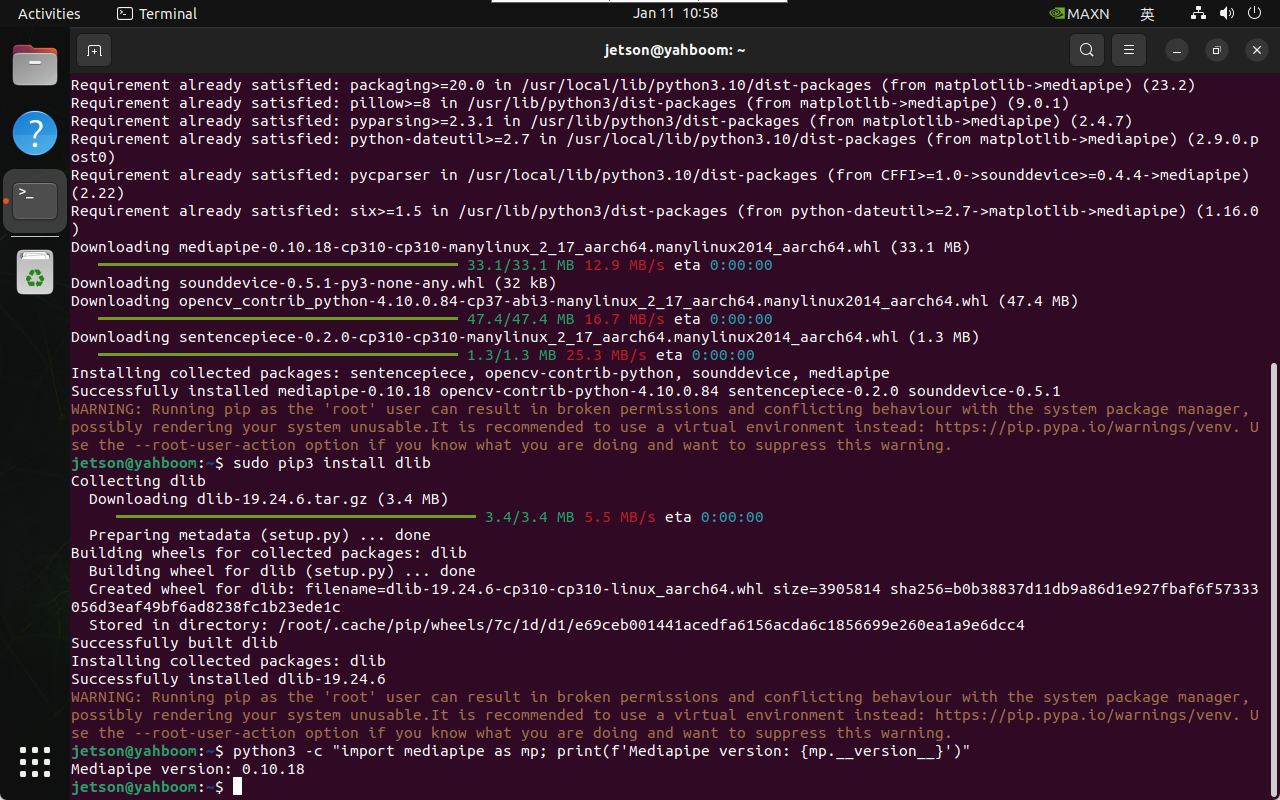
image-20250111105832910

YOLO26 Object Detection
Mediapipe Hand Detection

COMPANY

  • About us
  • Team Style
  • Blog

LEARNING & EXPLORATION

  • Tutorials
  • Edge AI hardware
  • Educational robots
  • Embedded intelligent hardware

WHERE TO BUY

  • Yahboom Online Store
  • Amazon
  • Alibaba
  • AliExpress
  • Mercado

TECHNOLOGY SUPPORT

  • Email: support@yahboom.com

BE A DISTRIBUTOR

  • Email: sales@yahboom.com
QR Code

Copyright © 2017-2026 Yahboom. All Rights Reserved.

EN/中文