yahboom
HomeLearn
Solution
Blog
Online Store
About Us
EN/中文
ROS-WiFi Camera Module📖
1.Basic usage
  • 1. Computer configuration esp32 instruction
  • 2. Viewing camera on ROS2
  • 3. Camera screen changes
  • 4. Preparation(ReadMe)
2.mediapipe usage
  • 0.Installation of media pipe
  • 1. Hand detection
  • 2. Posture detection
  • 3. Overall inspection
  • 4. Face detection
  • 5. Face recognition
  • 6. Facial effects
  • 7. 3D object recognition
  • 8. Brush
  • 9. Finger control
  • 10. Gesture recognition
3.Opencv usage
  • 1. Open Source CV Getting started
  • 2. Geometric transformation
  • 3. Image processing and drawing text line segments
  • 4. Image beautification
  • 5. Color recognition
  • 6. Object recognition
  • 7. QR code recognition
4.Display screen on the APP
  • 1. YahboomCam APP screen view
  • 2. ROS Robot APP screen view
Download
  • Code
  • VM_File
  • Tools
Download ZIP

Welcome to ROS-WiFi Camera Module repository
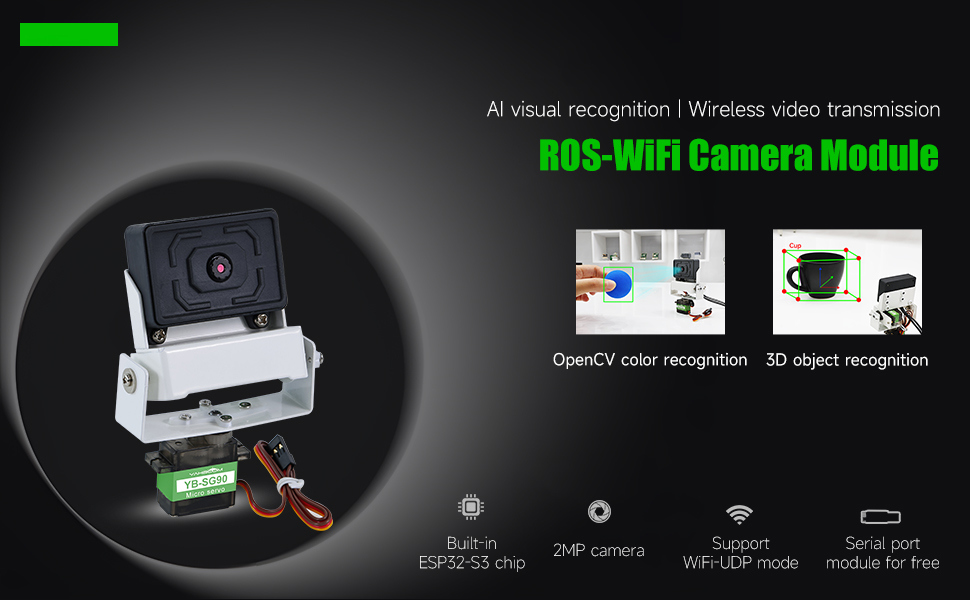
ROS-WiFi Camera Module

COMPANY

  • About us
  • Team Style
  • Blog

LEARNING & EXPLORATION

  • Tutorials
  • Edge AI hardware
  • Educational robots
  • Embedded intelligent hardware

WHERE TO BUY

  • Yahboom Online Store
  • Amazon
  • Alibaba
  • AliExpress
  • Mercado

TECHNOLOGY SUPPORT

  • Email: support@yahboom.com

BE A DISTRIBUTOR

  • Email: sales@yahboom.com
QR Code

Copyright © 2017-2026 Yahboom. All Rights Reserved.

EN/中文