yahboom
HomeLearn
Solution
Blog
Online Store
About Us
EN/中文
ROS-WiFi Camera Module📖
1.Basic usage
  • 1. Computer configuration esp32 instruction
  • 2. Viewing camera on ROS2
  • 3. Camera screen changes
  • 4. Preparation(ReadMe)
2.mediapipe usage
  • 0.Installation of media pipe
  • 1. Hand detection
  • 2. Posture detection
  • 3. Overall inspection
  • 4. Face detection
  • 5. Face recognition
  • 6. Facial effects
  • 7. 3D object recognition
  • 8. Brush
  • 9. Finger control
  • 10. Gesture recognition
3.Opencv usage
  • 1. Open Source CV Getting started
  • 2. Geometric transformation
  • 3. Image processing and drawing text line segments
  • 4. Image beautification
  • 5. Color recognition
  • 6. Object recognition
  • 7. QR code recognition
4.Display screen on the APP
  • 1. YahboomCam APP screen view
  • 2. ROS Robot APP screen view
Download
  • Code
  • VM_File
  • Tools
Download ZIP

Welcome to ROS-WiFi Camera Module repository

3. Camera screen changes

3. Changes in the camera screen

When esp32 is installed, it is reversed, that is, the power port is facing down, and the camera screen is upside down. In this case, you need to set the camera screen. The steps are as follows:

  1. First put SET_Camera.py in the data under the Linux system, anywhere
  2. Then open the terminal in the directory with SET_Camera.py and run the command image-2024030900001
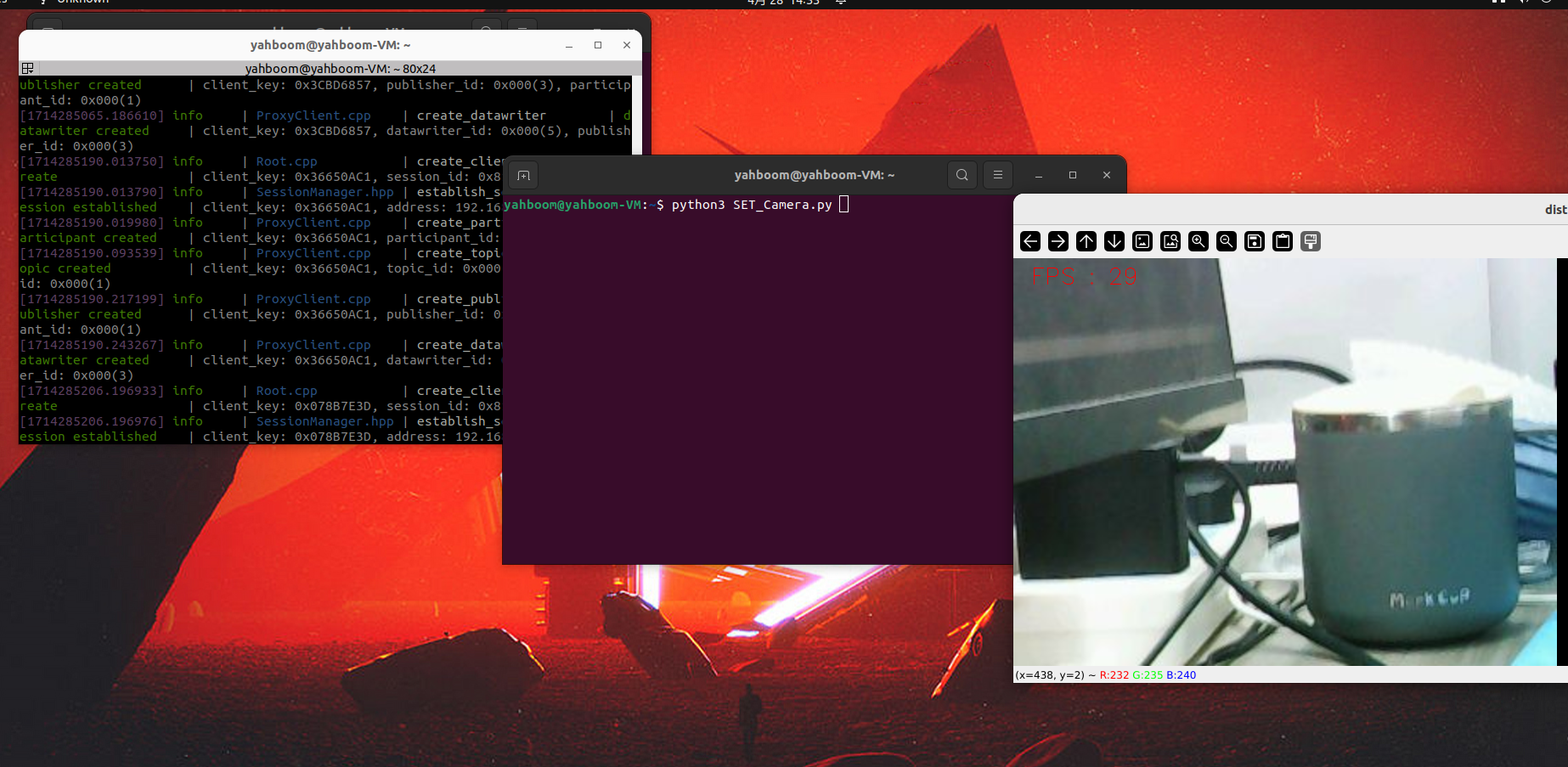
python3 SET_Camera.py
  1. In the terminal, enter the IP address obtained by the docket terminal (the command to open the docket, see 2.ROS2 view camera tutorial), and press Enter image-2024030900002
  2. When Camera is set ok! appears The camera image is reversed image-2024030900003

When you don't need to reverse the camera, there are two ways to restore it

  1. Power off and restart the camera
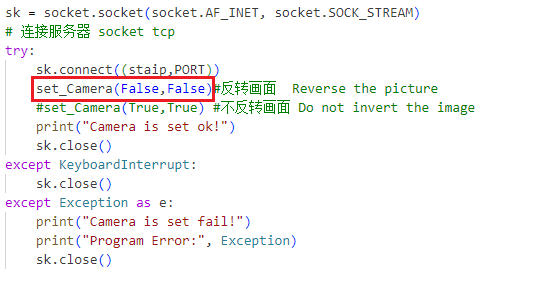
  2. Modify lines 40 and 41 of SET_Camera.py Comment line 40, uncomment line 41 image-2024030900004 Then run it again according to the above method to restore the camera image
Viewing camera on ROS2
Preparation(ReadMe)

COMPANY

  • About us
  • Team Style
  • Blog

LEARNING & EXPLORATION

  • Tutorials
  • Edge AI hardware
  • Educational robots
  • Embedded intelligent hardware

WHERE TO BUY

  • Yahboom Online Store
  • Amazon
  • Alibaba
  • AliExpress
  • Mercado

TECHNOLOGY SUPPORT

  • Email: support@yahboom.com

BE A DISTRIBUTOR

  • Email: sales@yahboom.com
QR Code

Copyright © 2017-2026 Yahboom. All Rights Reserved.

EN/中文