Welcome to AI Voice Interaction Module repository
0. Get started quickly
Quick Start
The voice recognition function firmware has been burned in the factory, and users can quickly experience it without burning. If you need to add other recognition entries, if you need to reburn other firmware, customize entries, you can go to the "3. Customize Protocol Entry Production" tutorial to see how to customize entries.
1. Preparation before use
- A type-c data cable
- Voice interaction module
2. Device connection
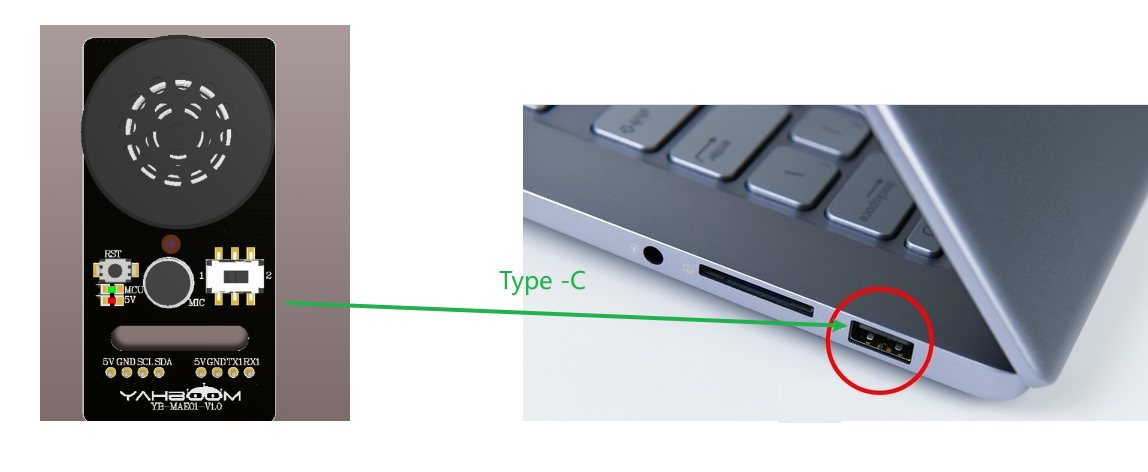
3. Voice recognition and broadcast implementation
After the voice interaction module is powered by type-c, the module can be awakened by the wake-up word "Hi, Yahboom". If the module is successfully awakened, it will reply "I am here", indicating that the current time can recognize the voice state. If the command entry is not recognized within 20 seconds, the module will enter sleep mode and broadcast "I'm going to rest". If you want to wake up the module again, you can say the wake-up word again.
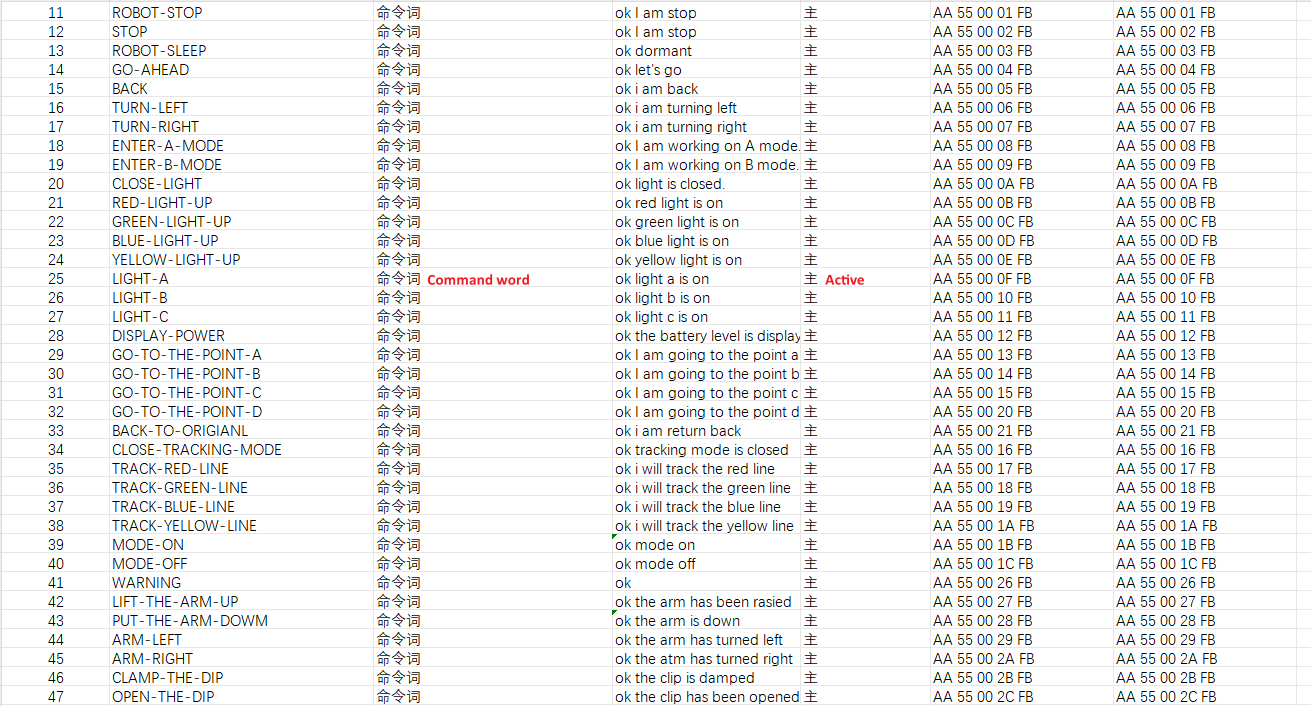
The factory firmware comes with command words and broadcast words. You can view the protocol list in the provided data attachment. The figure below captures the contents of some command word broadcast word protocol lists. You can view what function the corresponding command word represents by function type. The broadcast word that needs to be broadcast is a passive broadcast word. It needs to send the corresponding command to the voice interaction module through the computer serial port or other single-chip microcomputer or main control device to trigger it. The specific figure can be seen below.
Function words:

Command words:
Announcement words:
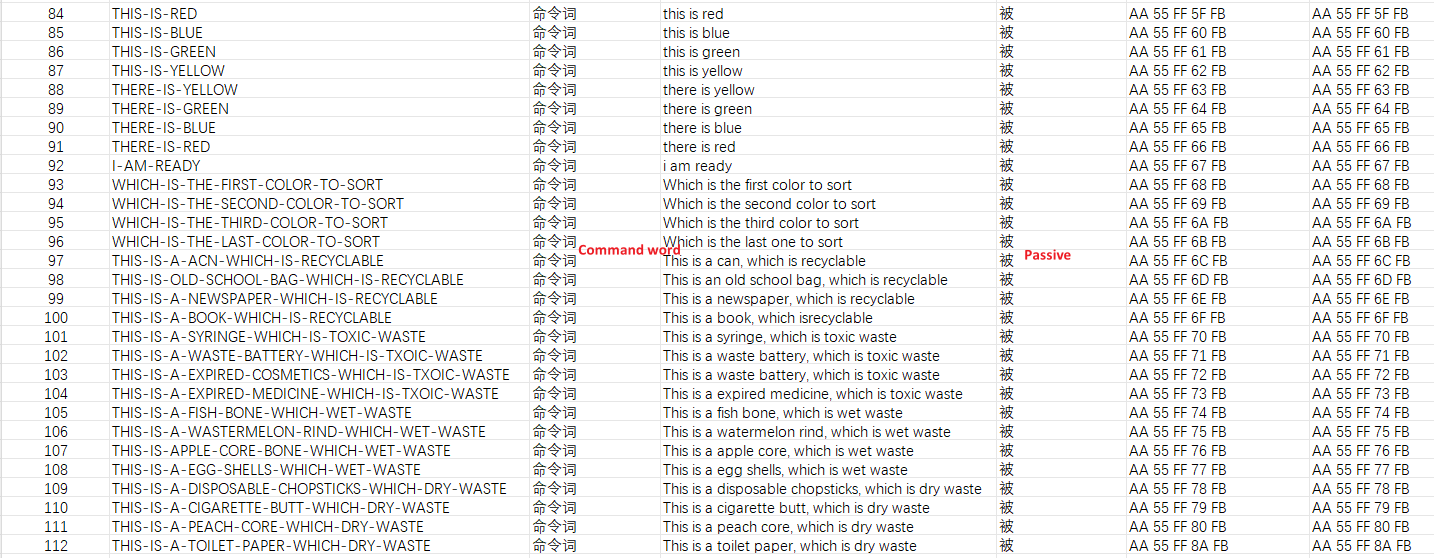
There are two announcement modes, one is active and the other is passive
- Active announcement: When we say the command words according to the table, the module will actively announce the corresponding sentences. After waking up, we say "Go ahead", and the module will actively announce "OK, let's go" after recognizing it
- Passive broadcast: The instructions in the protocol table need to be sent to the voice module through the serial port, and the module will broadcast the corresponding sentence. You can also write the corresponding broadcast data to the register for passive broadcast according to the iic protocol. For details, please see 《3. Multi-master communication》