yahboom
HomeTutorialsProduct
Solution
Blog
Online Store
About Us
EN/中文
Store
AI Voice Interaction Module📖
1. Module information
  • 0. Get started quickly
  • 1. Introduction to Voice Interaction Module
  • 2. Modify the wake-up word and command word
  • 3. Customized protocol entry creation
2. Firmware burning
  • Module firmware burning method
3. Multi-master communication
IIC communication
  • For STM32
  • For Arduino
  • For MSPM0G3507
  • For MSPM0G3519new
  • For ESP32
  • For PICO
  • For RPi5
  • For Jetson
  • For RDK X5
USART communication
  • For STM32
  • For Arduino
  • For MSPM0G3507
  • For MSPM0G3519new
  • For ESP32
  • For PICO2
  • For RPi5
  • For Jetson
  • For RDK X5
4. PC serial port communication
  • PC serial port communication
5. ROS voice interaction
ROS1
  • 1. Environment Construction
  • 2. Voice control car movement
  • 3. Voice control Autopilot
  • 4. Voice control color tracking
  • 5. Voice control multi-point navigation
ROS2
  • 1. Environment Construction
  • 2. Voice control car movement
  • 3. Voice control Autopilot
  • 4. Voice control color tracking
  • 5. Voice control multi-point navigation
Download
  • Code
  • Python driver library
  • Firmware
  • Communication Protocol
  • Software Tools
  • Voice chip datasheet
  • 3D Model File
Download ZIP

Welcome to AI Voice Interaction Module repository

PC serial port communication

PC serial communication

1. Device connection
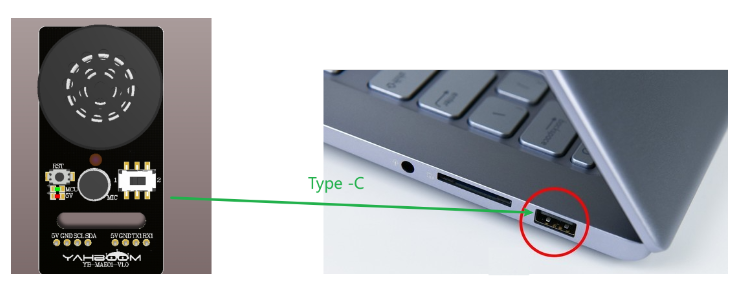
image-20250225192410943

2. Slide the module to STC8 serial mode
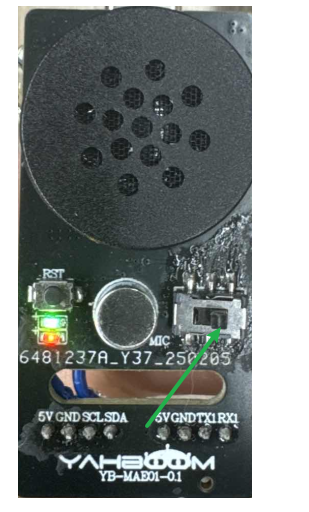
image-20250225192453192

3. Open the serial debugging assistant

  • Open Uart Assistant, select the corresponding serial port number, and the baud rate is 115200,
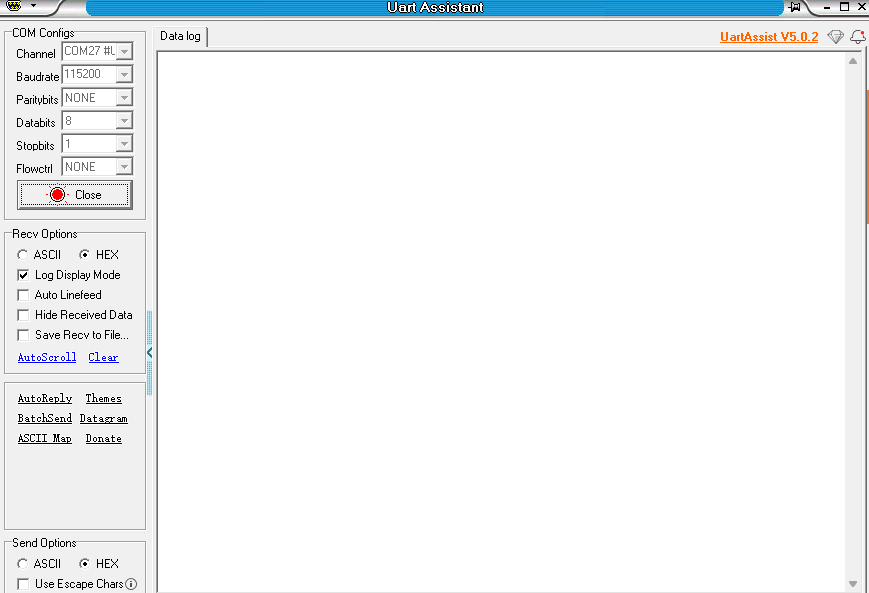
image-20250225192544421

  • Open the Command Word Broadcast Word Protocol List V3_EN file in the attachment
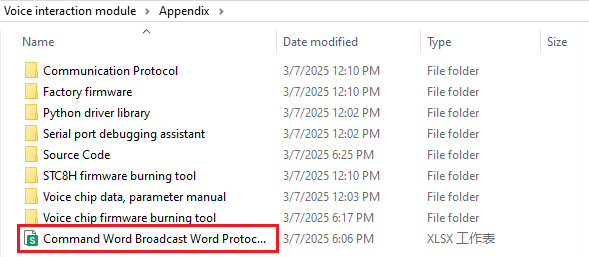
image-20250225192637436

  • When we say "Go ahead", the serial port debugging assistant will print out the corresponding protocol
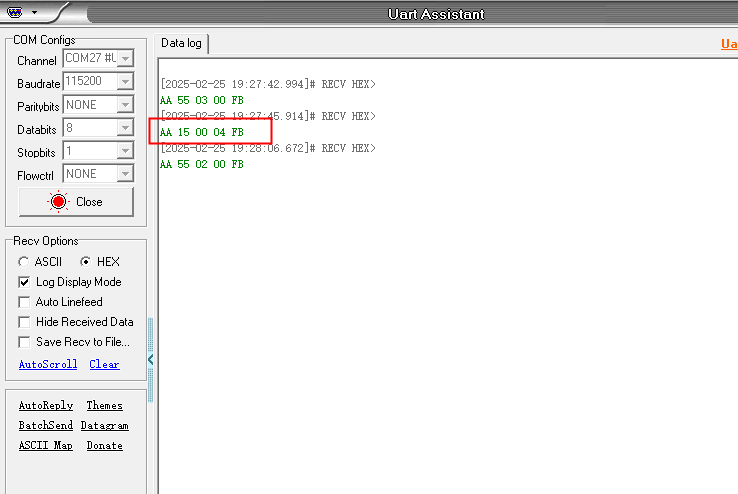

image-20250225192837346

image-20250225192821176

  • According to the Command Word Broadcast Word Protocol List V3_EN file, enter the corresponding command, and the voice module broadcasts the text of the corresponding protocol

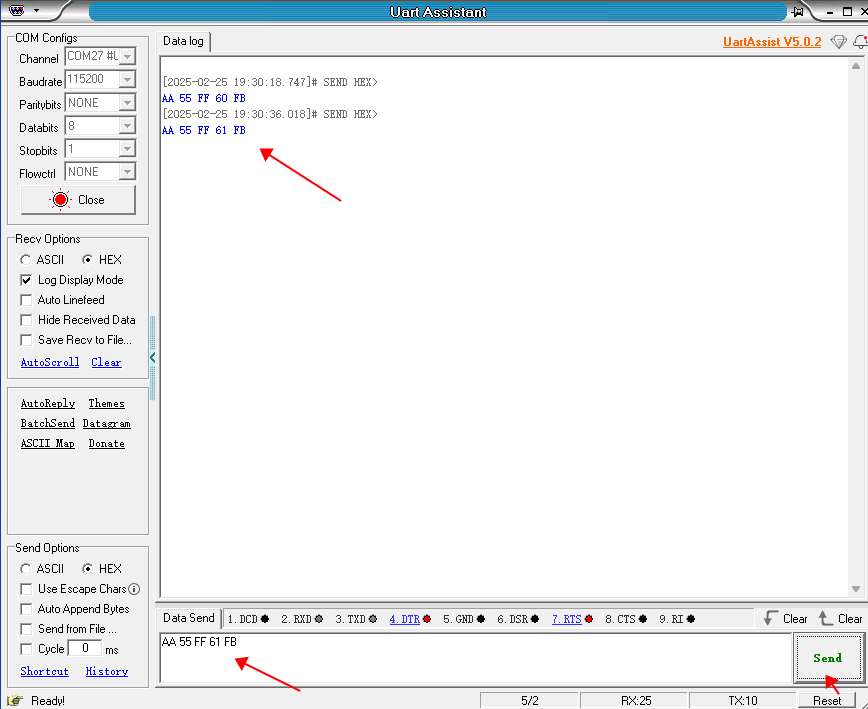
image-20250225192953688

image-20250225193058649

You can hear the normal broadcast of the voice module.

For RDK X5
Environment Construction

COMPANY

  • About us
  • Team Style
  • Blog

LEARNING & EXPLORATION

  • Tutorials
  • Edge AI hardware
  • Educational robots
  • Embedded intelligent hardware

WHERE TO BUY

  • Yahboom Online Store
  • Amazon
  • Alibaba
  • AliExpress
  • Mercado

TECHNOLOGY SUPPORT

  • Email: support@yahboom.com

BE A DISTRIBUTOR

  • Email: sales@yahboom.com
QR Code

Copyright © 2017-2026 Yahboom. All Rights Reserved.

EN/中文