Welcome to AI Voice Interaction Module repository
1. Environment Construction
1. Environment setup
1. Install Speech_Lib library
Copy the py_install in the Python driver library folder in the attachment to the root directory of your system, and then enter the folder,
xxxxxxxxxxcd py_installsudo python3 setup.py install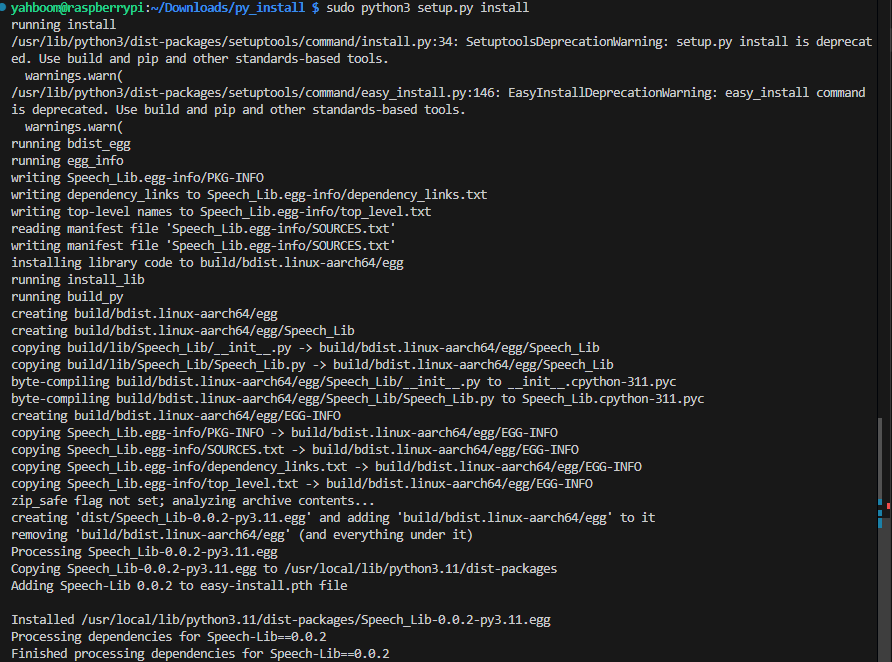
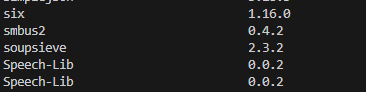
Use the following command to check whether the installation is successful,
xxxxxxxxxxpip list
2. Bind port
Query USB device ID,
xxxxxxxxxxlsusb

Create a my_speech.rules file, input in the terminal,
xxxxxxxxxxsudo gedit /etc/udev/rules.d/my_speech.rules
Copy the following content to the file,
xxxxxxxxxxKERNEL=="ttyUSB*",ATTRS{idVendor}=="1a86",ATTRS{idProduct}=="7522",MODE:="0777",SYMLINK+="myspeech"
Save and exit, enter the following command to refresh the port rule file,
xxxxxxxxxxsudo udevadm triggersudo service udev reloadsudo service udev restart
If the content shown in the picture appears, it means the binding is successful.