yahboom
HomeLearn
Solution
Blog
Online Store
About Us
EN/中文
T-mini Plus LiDAR📖
01.Linux basic course
  • 1.Introduction to Linux system
  • 2.Ubuntu file system
  • 3.Ubuntu common commands
  • 4.Ubuntu common editors
  • 5.Ubuntu software operation commands
  • 6.Virtual machine installation
  • 7.SSH remote control
  • 8.VNC remote control
  • 9.Transfer files remotely
  • 10.Driver library and communication
  • 11.Static IP and hotspot mode
  • 12.Bind device ID
  • 13.Capacity expansion and resource allocation
  • 14.Update system software sources
  • 15.Set root user password
  • 16.sudo free password
  • 17.Connect to WiFi network
  • 18.View system version
  • 19.Customized service management
  • 20.Back up system image
02.ROS1 basic course
  • 1.ROS introduction
  • 2.ROS installation
  • 3.ROS common command tools
  • 4.ROS workspace
  • 5.ROS function package
  • 6.ROS node
  • 7.ROS topic publisher
  • 8.ROS topic subscribers
  • 9.ROS service client
  • 10.ROS service server
  • 11.ROS action client
  • 12.ROS action server
  • 13.ROS custom message reception
  • 14.ROS-launch file
  • 15.ROS-TF transformation
  • 16.ROS parameter service
  • 17.ROS-rviz use
  • 18.ROS-rqt tool usage
  • 19.Topic message recording and playback
  • 20.urdf model introduction
  • 21.gazebo introduction
  • 22.ROS distributed communication
03.ROS1 lidar course
  • 0.Instructions before use
  • 1.Preparation
  • 2.Handheld lidar mapping
  • 3.Lidar avoiding
  • 4.Lidar guard
  • 5.Lidar follow
  • 6.Lidar mapping
  • 7.rrt_exploration mapping algorithm
  • 8.Navigation
  • 9.APP Mapping and Navigation
  • 10.RTAB 3D mapping and navigation
04.ROS2 basic course
  • 1. Introduction to ROS2
  • 2.ROS2 install Humble
  • 3.ROS2 development environment
  • 4.ROS2 workspace
  • 5.ROS2 function package
  • 6.ROS2 node
  • 7.ROS2 topic communication
  • 8.ROS2 service communication
  • 9.ROS2 action communication
  • 10.ROS2 custom interface message
  • 11.ROS2 parameter service case
  • 12.ROS2 meta-function package
  • 13.ROS2 distributed communication
  • 14.ROS2 DDS
  • 15.ROS2 time related API
  • 16.ROS2 common command tools
  • 17.ROS2 rviz2 use
  • 18.ROS2 rqt toolbox
  • 19.ROS2 Launch startup file configuration
  • 20.ROS2 recording and playback tool
  • 21.ROS2 URDF model
  • 22.ROS2 Gazebo simulation platform
  • 23.ROS2 TF2 coordinate transformation
05.ROS2 lidar course
  • 0.ReadMe
  • 1.Preparation
  • 2.Handheld lidar mapping
  • 3.Lidar avoiding
  • 4.Lidar follow
  • 5.Lidar guard
  • 6.Lidar patrol
  • 7.gmapping mapping
  • 8.cartographer mapping
  • 9.Navigation and avoiding
  • 10.APP Mapping and Navigation
  • 11.RTAB 3D mapping and navigation
06.Raspberry Pi5 course
2.ROS1 lidar course
  • 0.Instructions before use
  • 1.Preparation
  • 2.Handheld lidar mapping
  • 3.Lidar avoiding
  • 4.Lidar guard
  • 5.Lidar follow
  • 6.Lidar mapping
  • 7.rrt_exploration mapping algorithm
  • 8.Navigation
  • 9.APP Mapping and Navigation
  • 10.RTAB 3D mapping and navigation
3.ROS2 lidar course
  • 0.ReadMe
  • 1.Preparation
  • 2.Handheld lidar mapping
  • 3.Lidar avoiding
  • 4.Lidar follow
  • 5.Lidar guard
  • 6.Lidar patrol
  • 7.gmapping mapping
  • 8.cartographer mapping
  • 9.Navigation and avoiding
  • 10.APP Mapping and Navigation
  • 11.RTAB 3D mapping and navigation
1.Docker course
  • 1. Overview and installation
  • 2. Common commands
  • 3. Docker images deeply understand and publish images
  • 4. Docker hardware interaction and data processing
  • 5. Enter the robot's docker container
Download
  • Code
  • VM_File
  • RPi5_SystemFile
  • Data Sheet
  • 3D_Model_File
  • PC_Software
  • ROS2_Basic_VM
Download ZIP

Welcome to T-mini Plus LiDAR repository

2.Handheld lidar mapping

2. Handheld lidar mapping

This function needs to start the program in the slam_gmapping function package. The source code is located in the [yahboomcar_ws] source code. Here we use the supporting virtual machine to explain how to start the program. If you want to put it on your own motherboard, put yahboomcar_ws in the root directory and compile it.

2.1. Start radar

Terminal input,

ros2 launch ydlidar_ros2_driver ydlidar_launch.py

2.2. Release static odom conversion

Terminal input,

xxxxxxxxxx
ros2 launch rf2o_laser_odometry rf2o_laser_odometry.launch.py

2.3. Start gmapping mapping

Terminal input,

xxxxxxxxxx
ros2 launch slam_gmapping slam_gmapping.launch.py
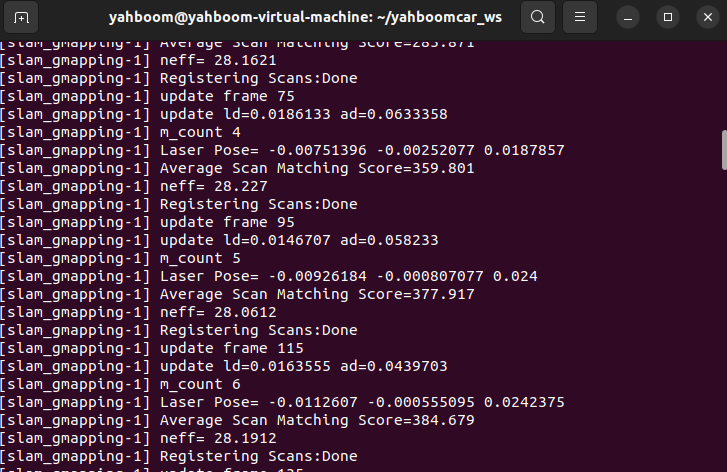
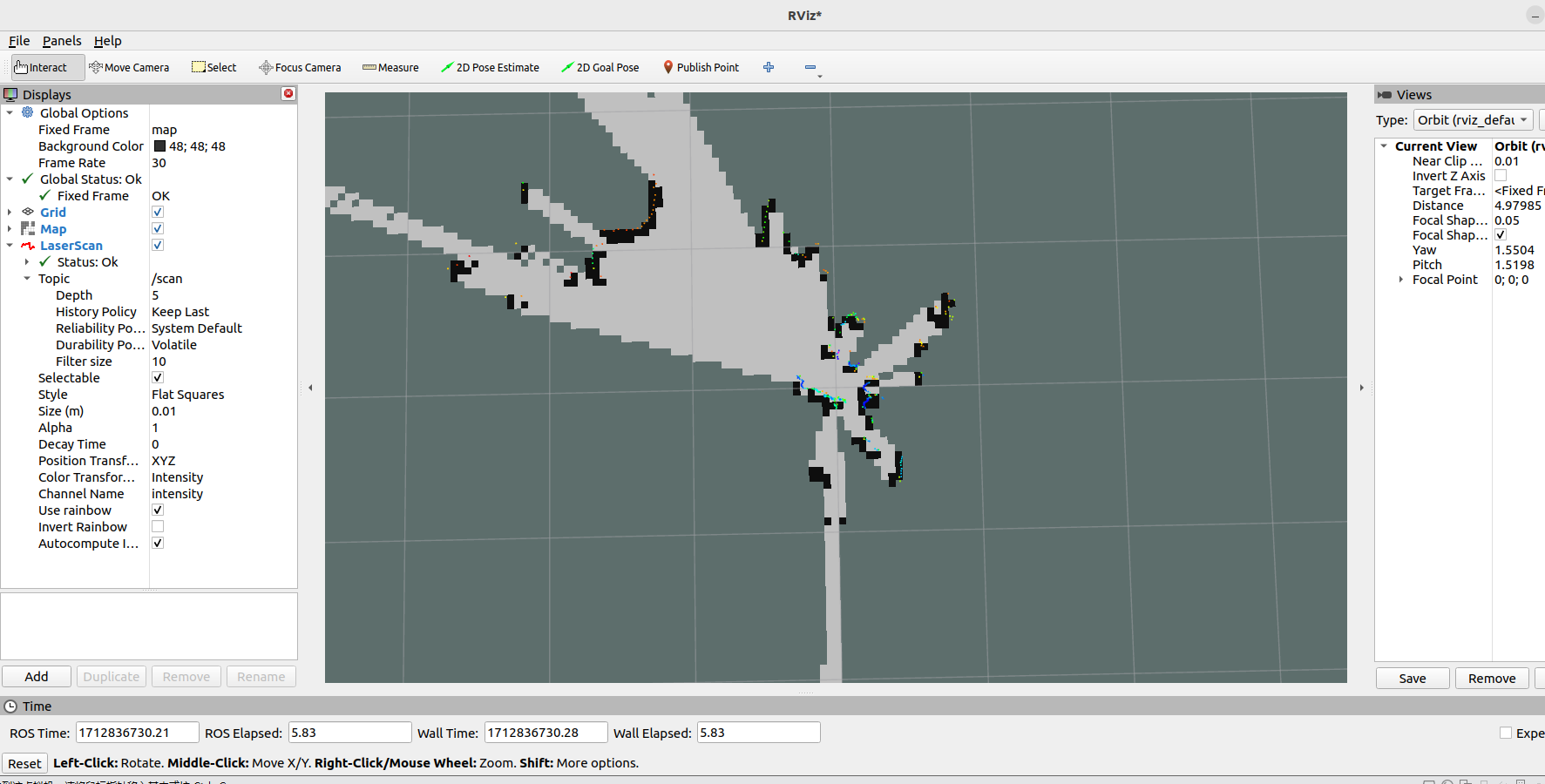
image-20240411195805990

rviz displays as follows,

image-20240411195912729

2.4. View TF tree

Terminal input,

xxxxxxxxxx
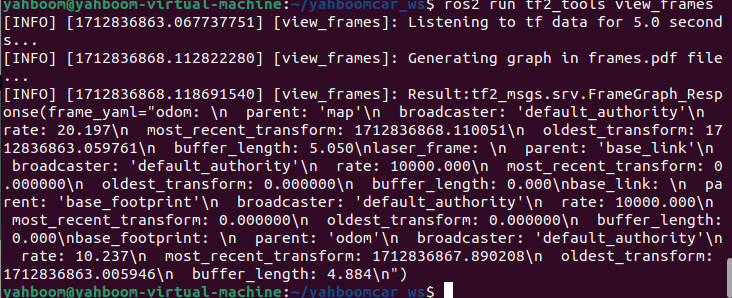
ros2 run tf2_tools view_frames

image-20240411200133529

A frames.pdf file will be generated in the directory where the command terminal is started. This is the generated TF tree.
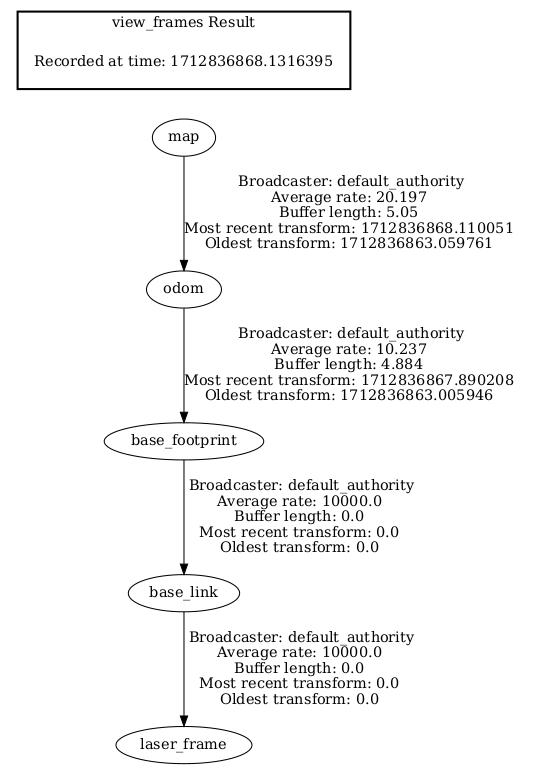
image-20240411200219302

Preparation
Lidar avoiding

COMPANY

  • About us
  • Team Style
  • Blog

LEARNING & EXPLORATION

  • Tutorials
  • Edge AI hardware
  • Educational robots
  • Embedded intelligent hardware

WHERE TO BUY

  • Yahboom Online Store
  • Amazon
  • Alibaba
  • AliExpress
  • Mercado

TECHNOLOGY SUPPORT

  • Email: support@yahboom.com

BE A DISTRIBUTOR

  • Email: sales@yahboom.com
QR Code
QR Code

Copyright © 2017-2026 Yahboom. All Rights Reserved.

EN/中文