Welcome to IMU Sensor Module repository
For RDK
Viewing IMU Data with RDK
Viewing IMU Data with RDK1. Connecting the Device2. Check Device Status3. Install Driver Library3.1 Download the Python driver library file3.2 Transferring files3.3 Installing Driver Libraries4. View IMU data5. Precautions
1. Connecting the Device
This tutorial uses RDK x5 motherboard version 3.3.3 as an example.
Connect the IMU attitude sensor to the I2C interface of the RDK X5 motherboard as shown in the diagram below.
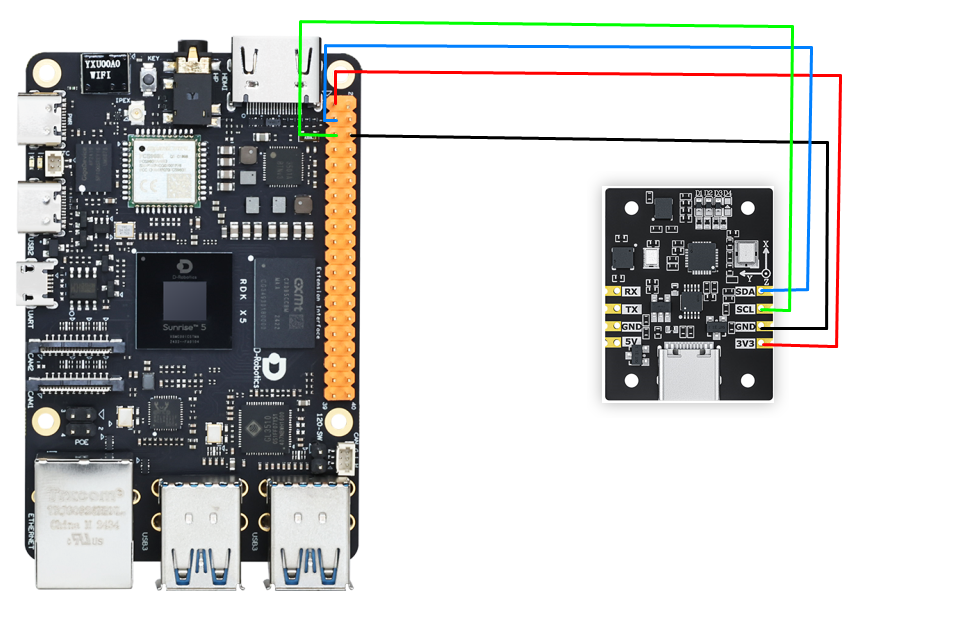
| IMU Attitude Sensor | RDK X5 (Physical Pins) |
|---|---|
| SDA | 3 |
| SCL | 5 |
| GND | GND |
| 3.3V | 3.3V |
2. Check Device Status
Check I2C Device
xxxxxxxxxxpython3 /app/40pin_samples/test_i2c.py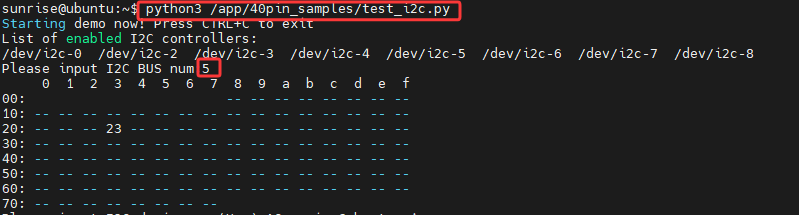
3. Install Driver Library
3.1 Download the Python driver library file
The latest version of the driver library, named YbImuLib.zip, is provided in the data folder.

3.2 Transferring files
Drag the compressed driver library file onto the Jetson desktop using WinSCP software.
The driver library file can be deleted after successful installation.
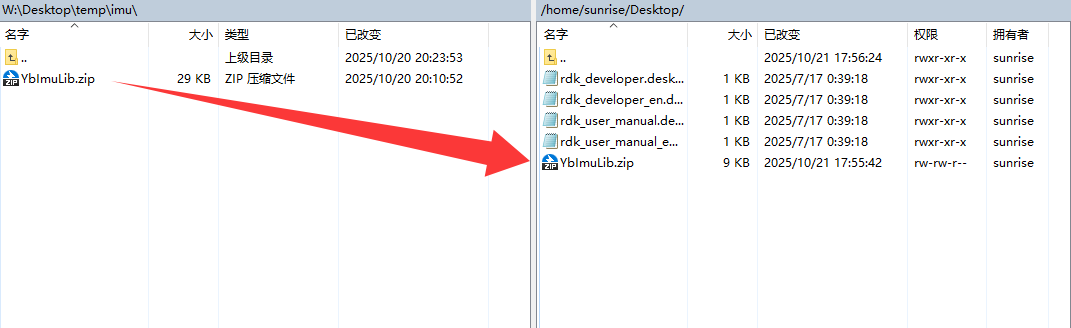
If you are unfamiliar with using WinSCP to transfer files, please refer to the following webpage for detailed WinSCP installation and operation instructions:
3.3 Installing Driver Libraries
Open the terminal on your Jetson Nano and enter the following command to extract the files.
Access the desktop and check if the file exists; the target file is highlighted in the red box.
xxxxxxxxxxcd ~/Desktop && ls
Unzip the file
xxxxxxxxxxunzip YbImuLib.zip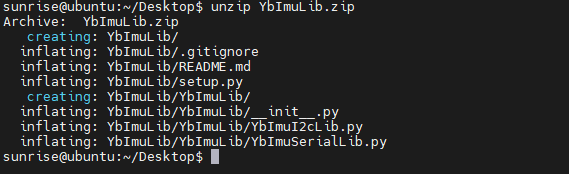
Enter the driver library folder
xxxxxxxxxxcd YbImuLibRun the installation command. If you see the installation version number displayed at the end, the installation was successful. This command will overwrite any previously installed Rosmaster_Lib driver library.
xxxxxxxxxxsudo python3 setup.py install
Install required libraries
xxxxxxxxxxsudo pip3 install pyserialsudo pip3 install smbus24. View IMU data
Refer to 3.2 File Transfer, use WinSCP to transfer the YbImu_ReadData_I2C.py file to the Jetson, and then run the command
xxxxxxxxxxpython3 YbImu_ReadData_I2C.py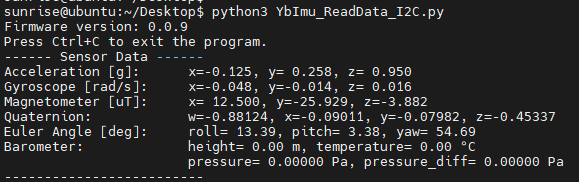
Note: The above data reads are for the 9-axis IMU. Data from the 6-axis IMU is not included (no magnetometer or barometer data). Data from the 9-axis IMU is not included (no barometer data).
5. Precautions
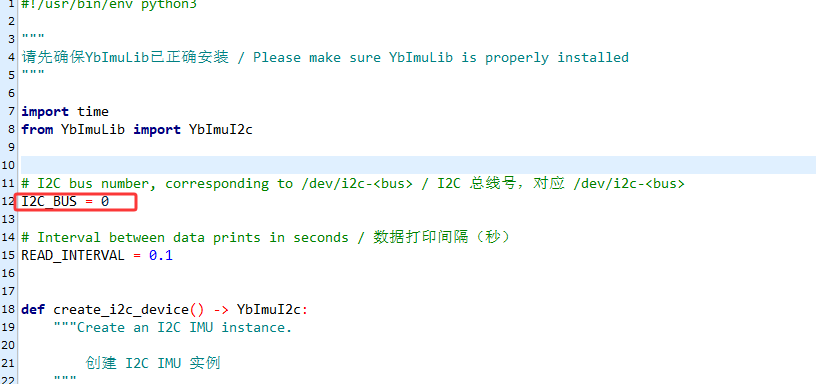
When using the RDK X3 motherboard, the I2C bus number needs to be modified according to the actual situation. The modification location is shown in the image below. It is usually bus number 1.