yahboom
HomeLearn
Solution
Blog
Online Store
About Us
EN/中文
Roboduino V2📖
0.Instruction manual
  • Instruction manual
1.Get started quickly
  • 01.Assembly of the Car
  • 02.Remote Control Car
  • 03.Common Problem Analysis
  • 04. Lithium Battery Pack and Charger Usage Guidelines
  • 05. Important Notes (Read Before Starting)
2.Environment Construction
  • 01.Serial port driver installation
  • 02.Arduino IDE Installation
  • 03.Arduino IDE usage
  • 04.Using third-party libraries
  • 05.Program compilation and upload
3.Basic car course
  • 01.RGB Control
  • 02.Serial Print
  • 03.KEY Read
  • 04.Buzzer control
  • 05.Logo Breath
  • 06.Servos Control
  • 07.Motor Control
  • 08.Ultrasonic Ranging
  • 09.Track Print
  • 10.Infrared Remote Print
  • 11.WIFI Camera
4.Advanced car course
  • 01.RGB Breath
  • 02.Play Music
  • 03.KEY Control RGB
  • 04.KEY Control Buzzer
  • 05.Serial Parse Data
  • 06.Parse Data Control Motor
  • 07.Parse Data Control RGB
  • 08.Parse Data Control Buzzer
  • 09.Parse Data Control Servo
5.Car motion control
  • 00.Mecanum wheel motion principle
  • 01.Car Vertical Movement
  • 02.Car Diagonal Movement
  • 03.Car Sideways Movement
  • 04.Car Rotational Movement
  • 05.Car Patrol
6.Comprehensive gameplay of car
  • 01.Car tracking
  • 02.Car Obstacle Avoid
  • 03.Car Follow Hand
  • 04.Car tracking Avoid
  • 05.Car Infrared Remote
  • 06.WiFi Control Car
  • 07.IR WiFi Control Car
7.AI vision course
  • 1. Cat(dog) detection
  • 2. Color recognition
  • 3. QR code instructions
  • 4. Person Recognition
  • 5. Face Detection
  • 6. Color Follows
  • 7. Face following
8.Expand peripherals
  • 01.Digital Tube Display
  • 02.Color Recognition
Download
  • Code
  • Library
  • Hardware manual
  • Software
  • 3D Model
  • Instruction Manual
Download ZIP

Welcome to Roboduino V2 repository

02.Arduino IDE Installation

Arduino IDE Installation

Arduino IDE InstallationArduino IDE downloadArduino IDE installationArduino IDE InitializationArduino IDE interface

Tutorial demonstrates installation on Windows platform!

It is recommended to use the Arduino IDE version we provide for installation. Our tutorial demonstrates and installs the Arduino IDE 2.3.2 version.

Arduino IDE download

Arduino IDE official website: https://www.arduino.cc/en/software
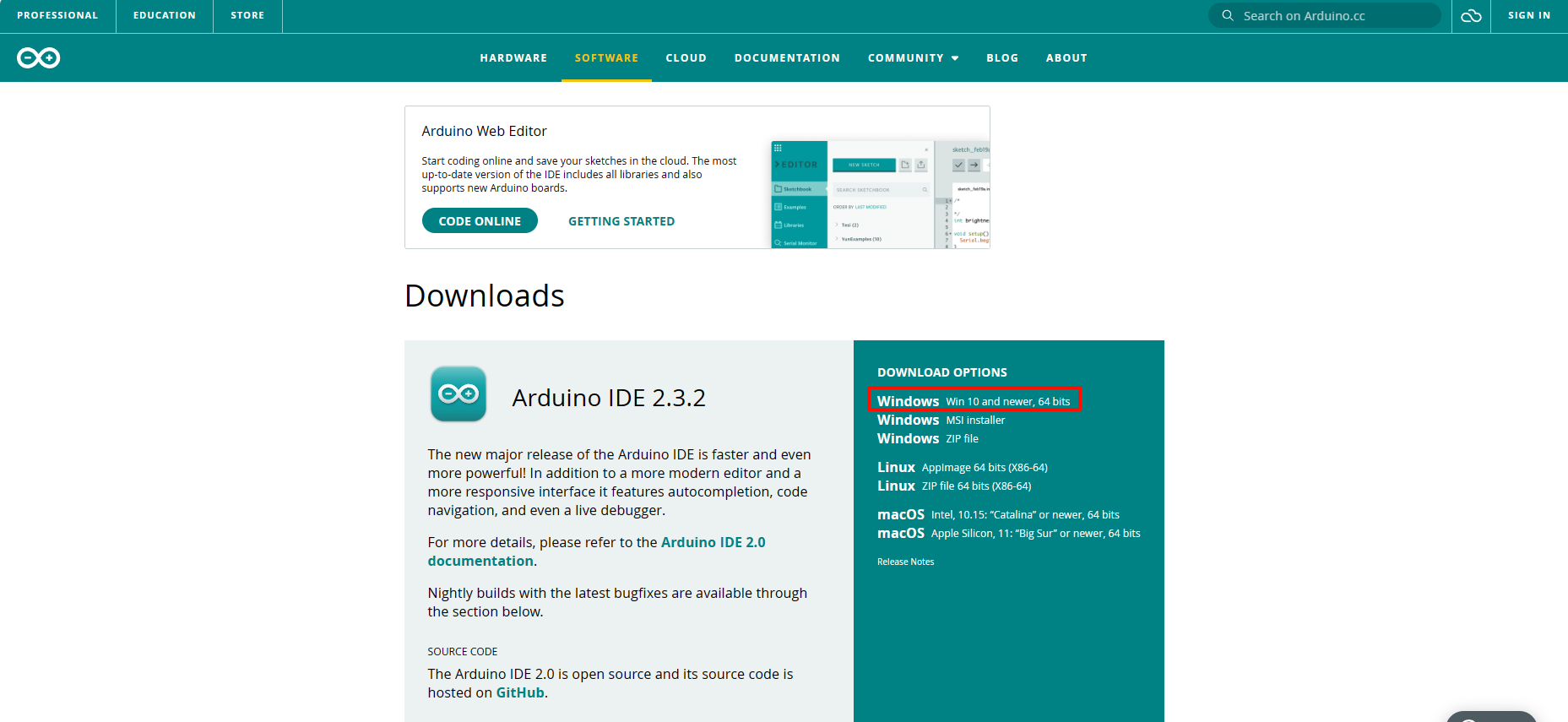
image-20240511162019160

Arduino IDE installation

The following is the installation using the software compression package we provide!

  • Open

Unzip and open the ArduinoIDE.exe in [Software Resources: Software] as an administrator.
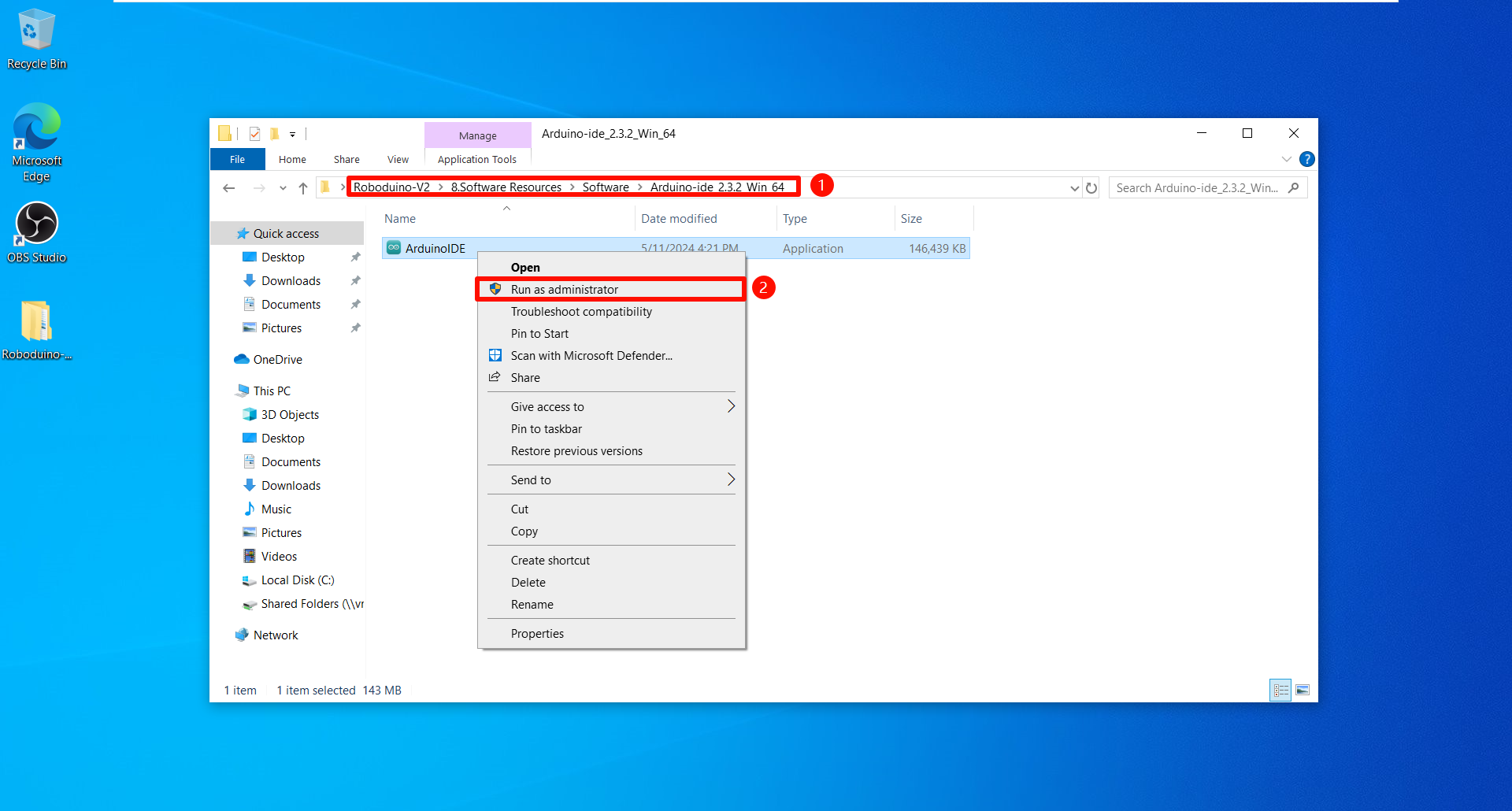
image-20240612190648753

  • Installation

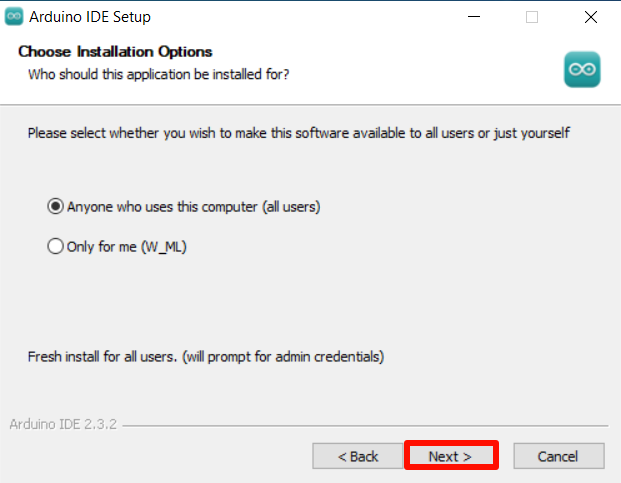
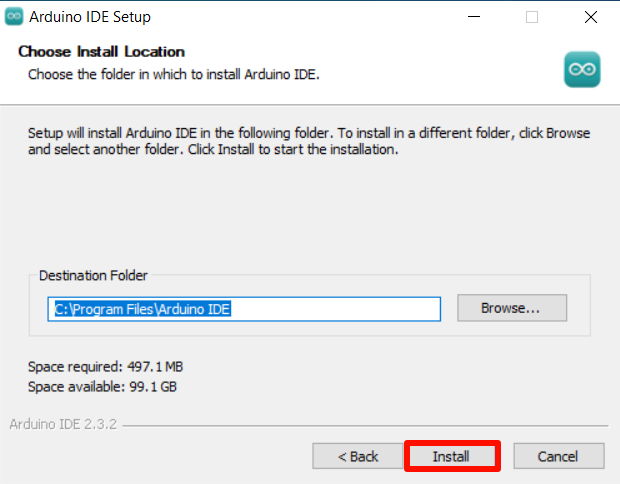
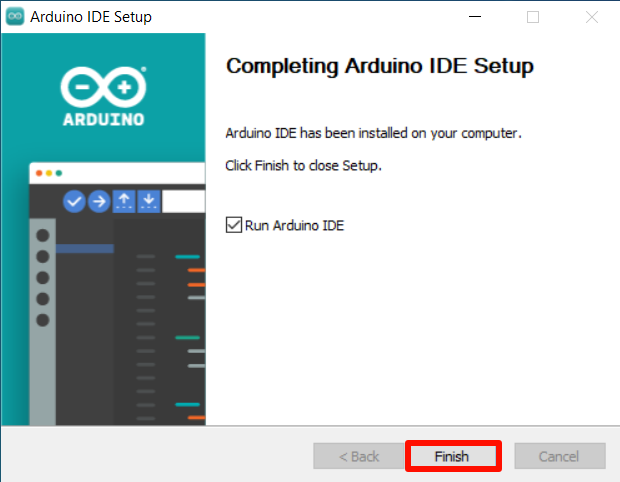
It is recommended to check the installation option according to the tutorial.
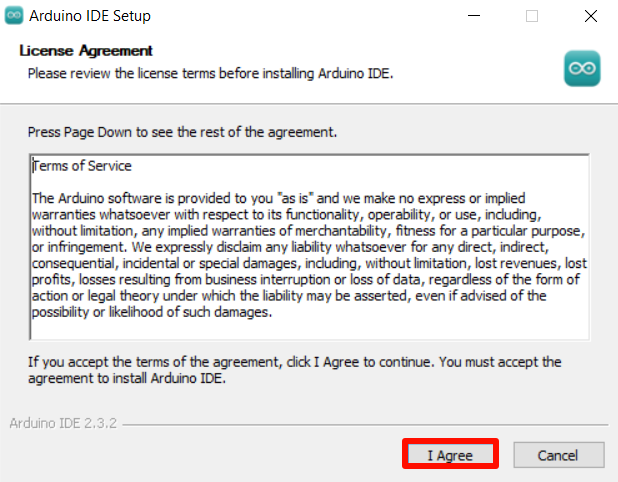
image-20240612190656774

image-20240612190703098

image-20240612190719373

image-20240612190727510

Arduino IDE Initialization

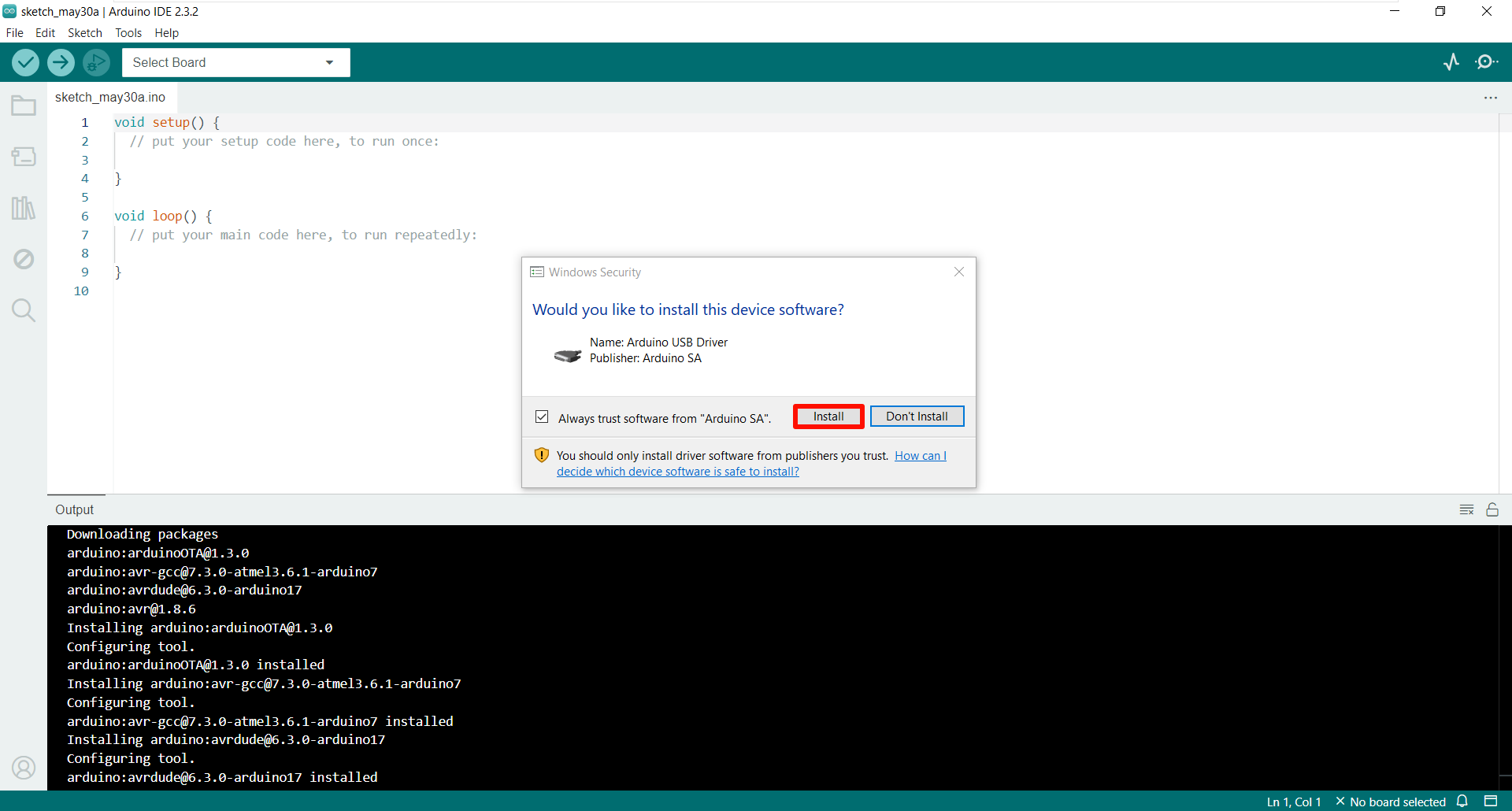
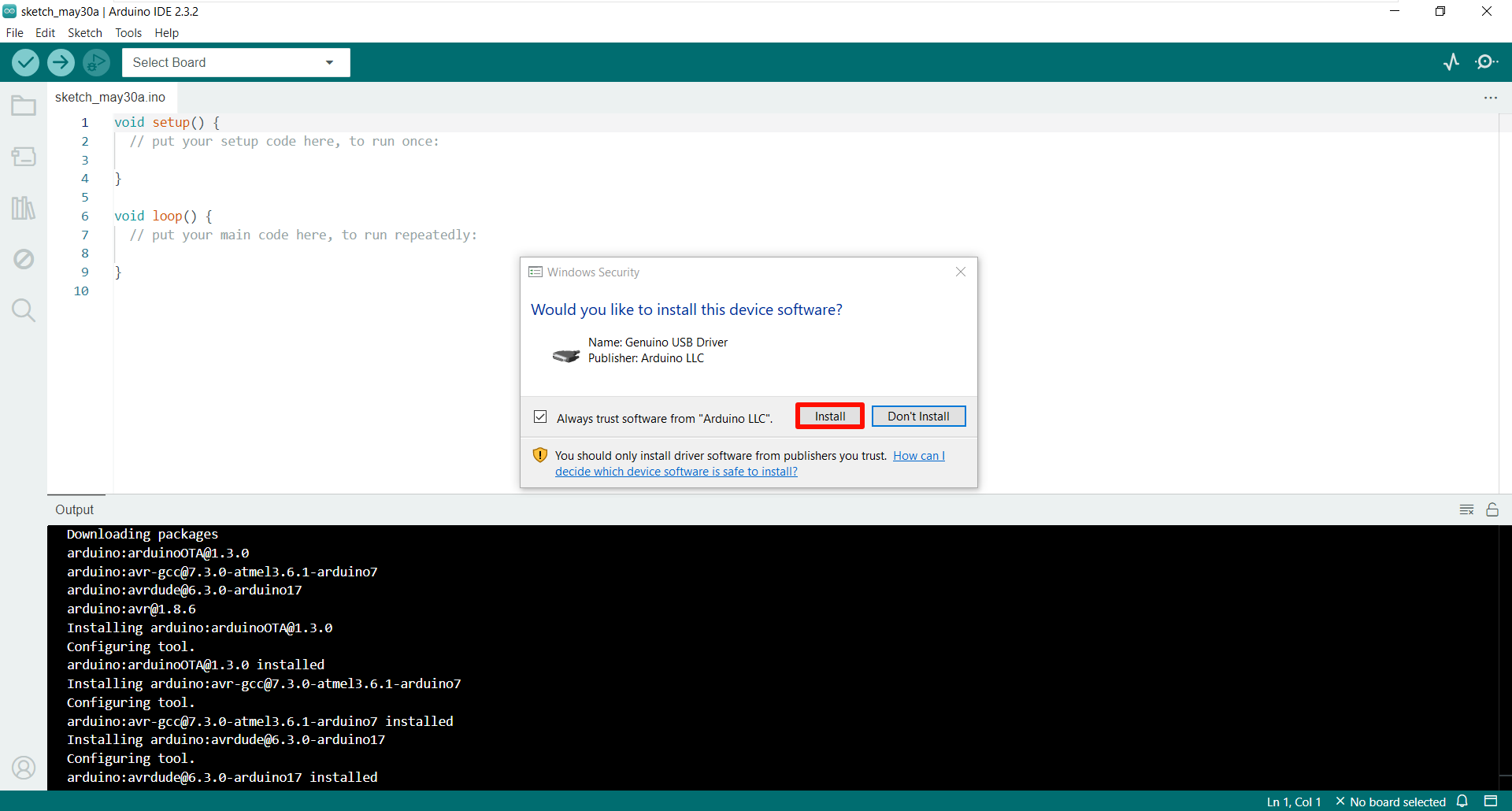
When using Arduino IDE for the first time, it will be initialized. The software will automatically install the necessary libraries and device drivers. Click Install and wait for the installation to complete!
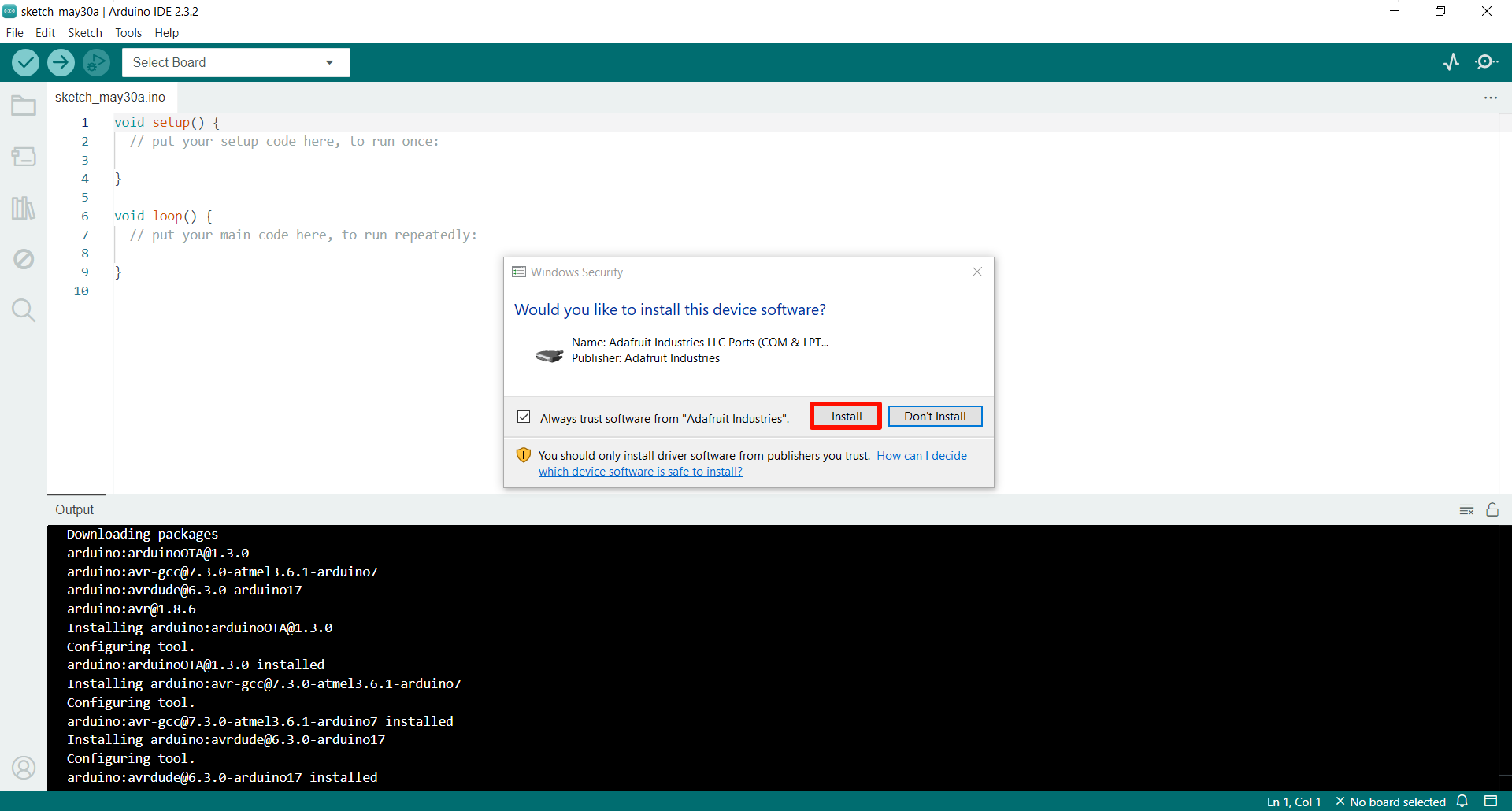
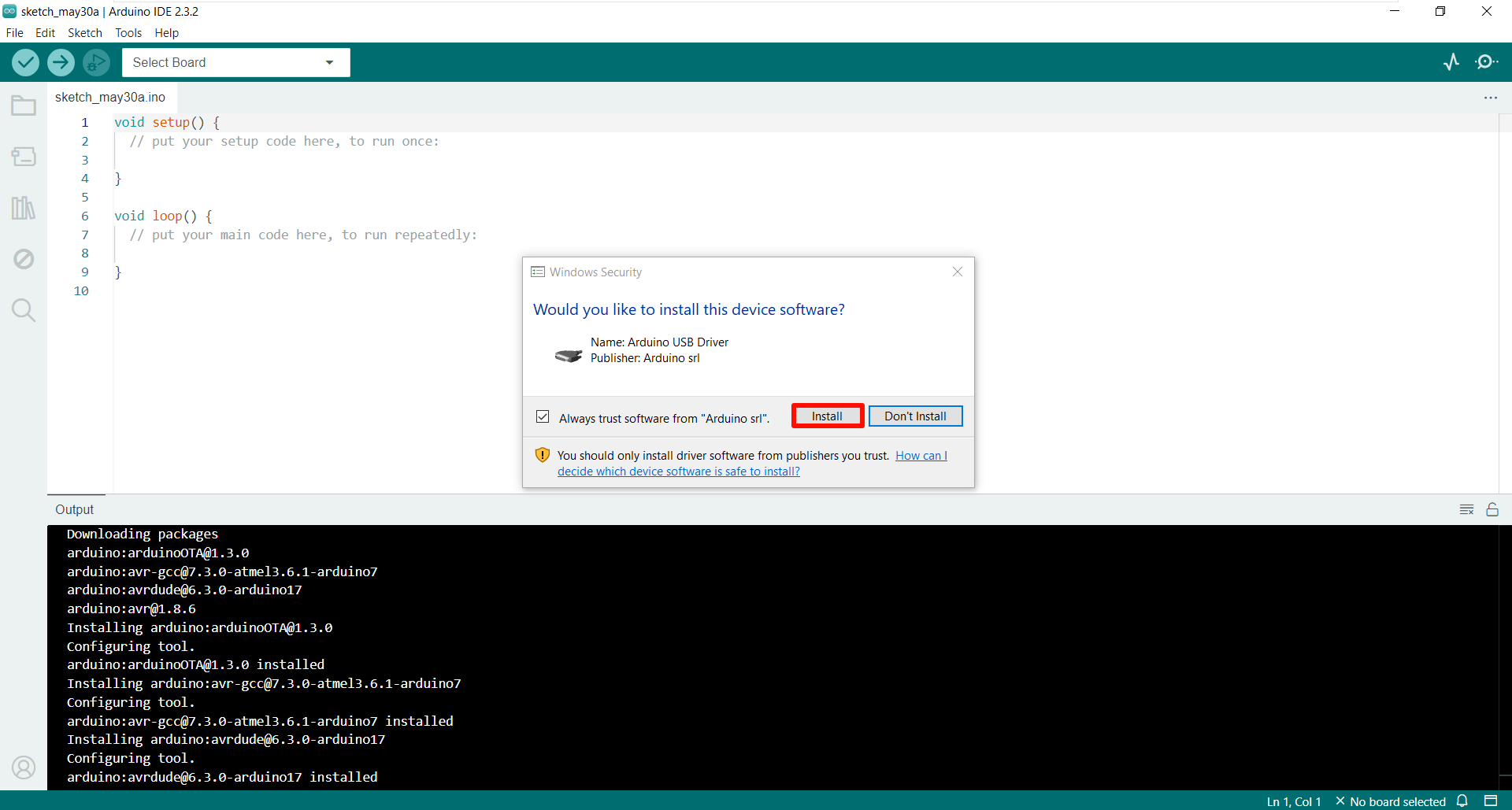
image-20240612190742053

image-20240612190755110

image-20240612190805122

image-20240612190818247

Arduino IDE interface

Wait for Arduino IDE to install the library by itself, then we can use Arduino IDE!
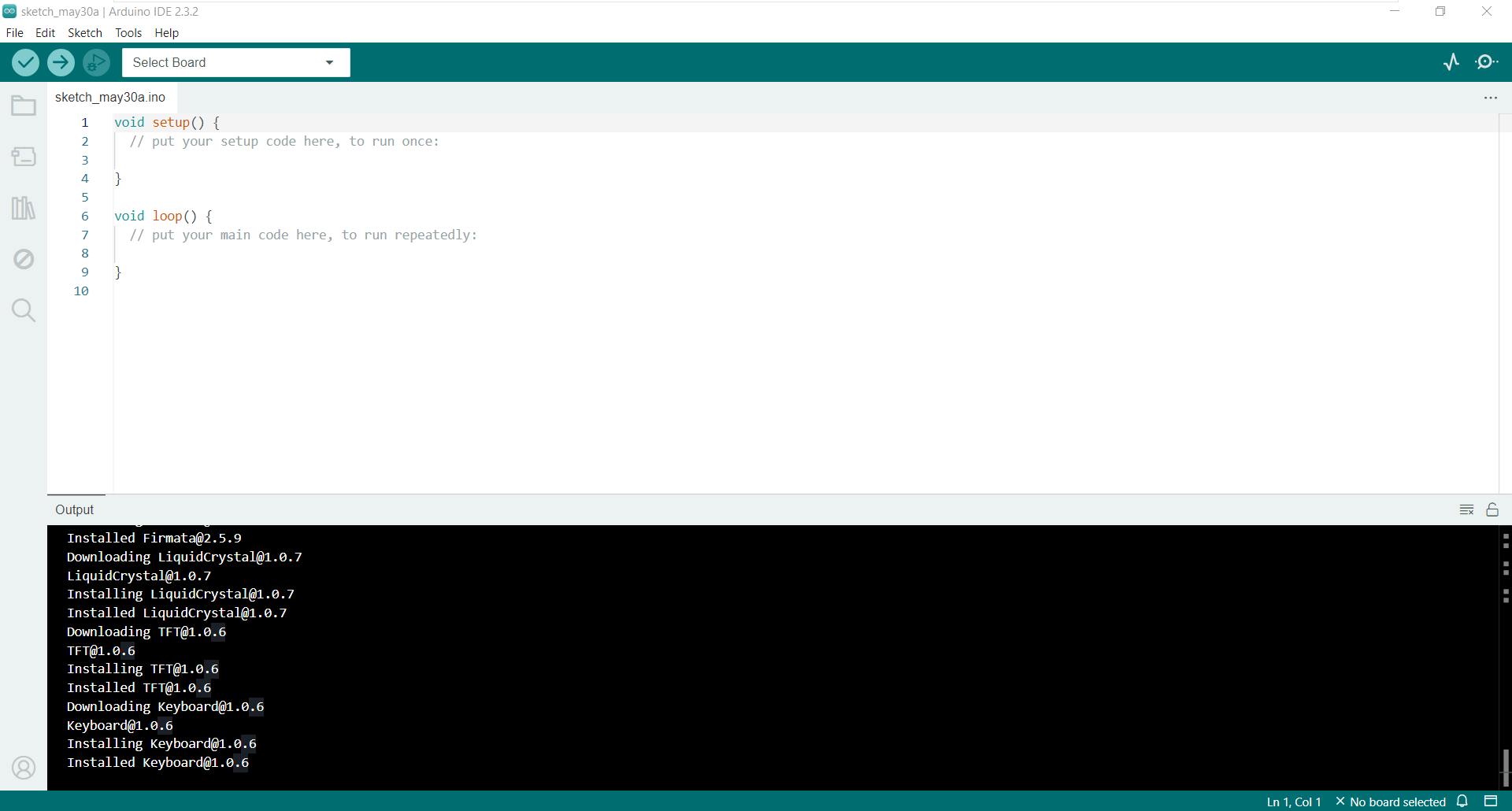
image-20240612190901650

Serial port driver installation
Arduino IDE usage

COMPANY

  • About us
  • Team Style
  • Blog

LEARNING & EXPLORATION

  • Tutorials
  • Edge AI hardware
  • Educational robots
  • Embedded intelligent hardware

WHERE TO BUY

  • Yahboom Online Store
  • Amazon
  • Alibaba
  • AliExpress
  • Mercado

TECHNOLOGY SUPPORT

  • Email: support@yahboom.com

BE A DISTRIBUTOR

  • Email: sales@yahboom.com
QR Code

Copyright © 2017-2026 Yahboom. All Rights Reserved.

EN/中文