Welcome to Roboduino V2 repository
03.Arduino IDE usage
Arduino IDE usage
Arduino IDE usageDevelopment board connectionCheck the serial port number corresponding to Arduino UNOSelect the development board modelCheck the serial port number corresponding to the development boardArduino IDE interfaceSwitch languageFileEditSketchToolsHelp
Development board connection
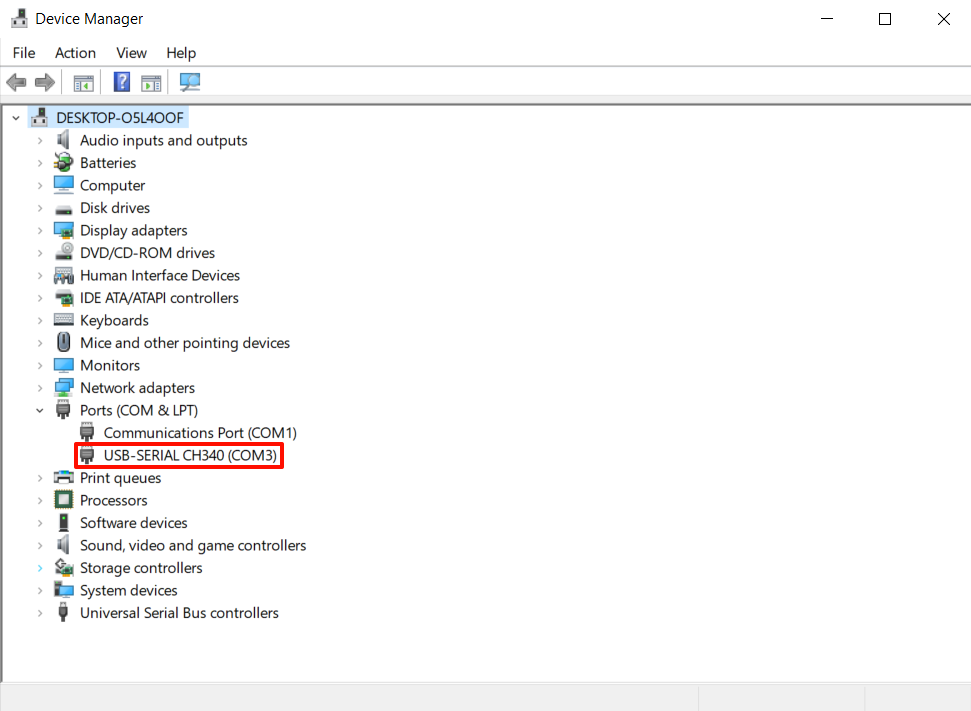
Check the serial port number corresponding to Arduino UNO
Here the serial port number corresponding to Arduino UNO is COM3
xxxxxxxxxxYou can check it in the device manager that comes with the system. The serial port number corresponding to Arduino UNO generally has CH340 characters!
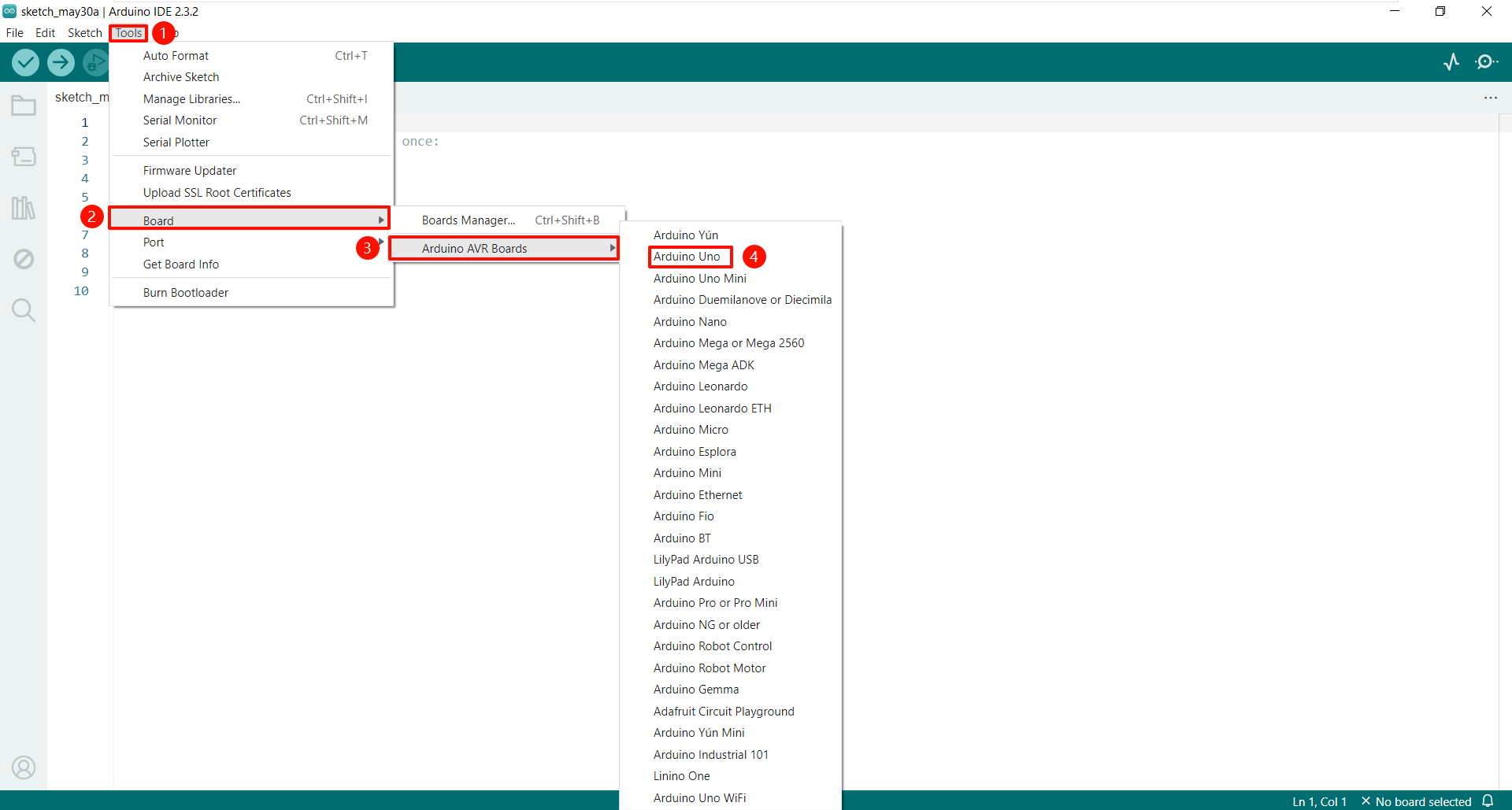
Select the development board model
We are using the Arduino Uno development board.
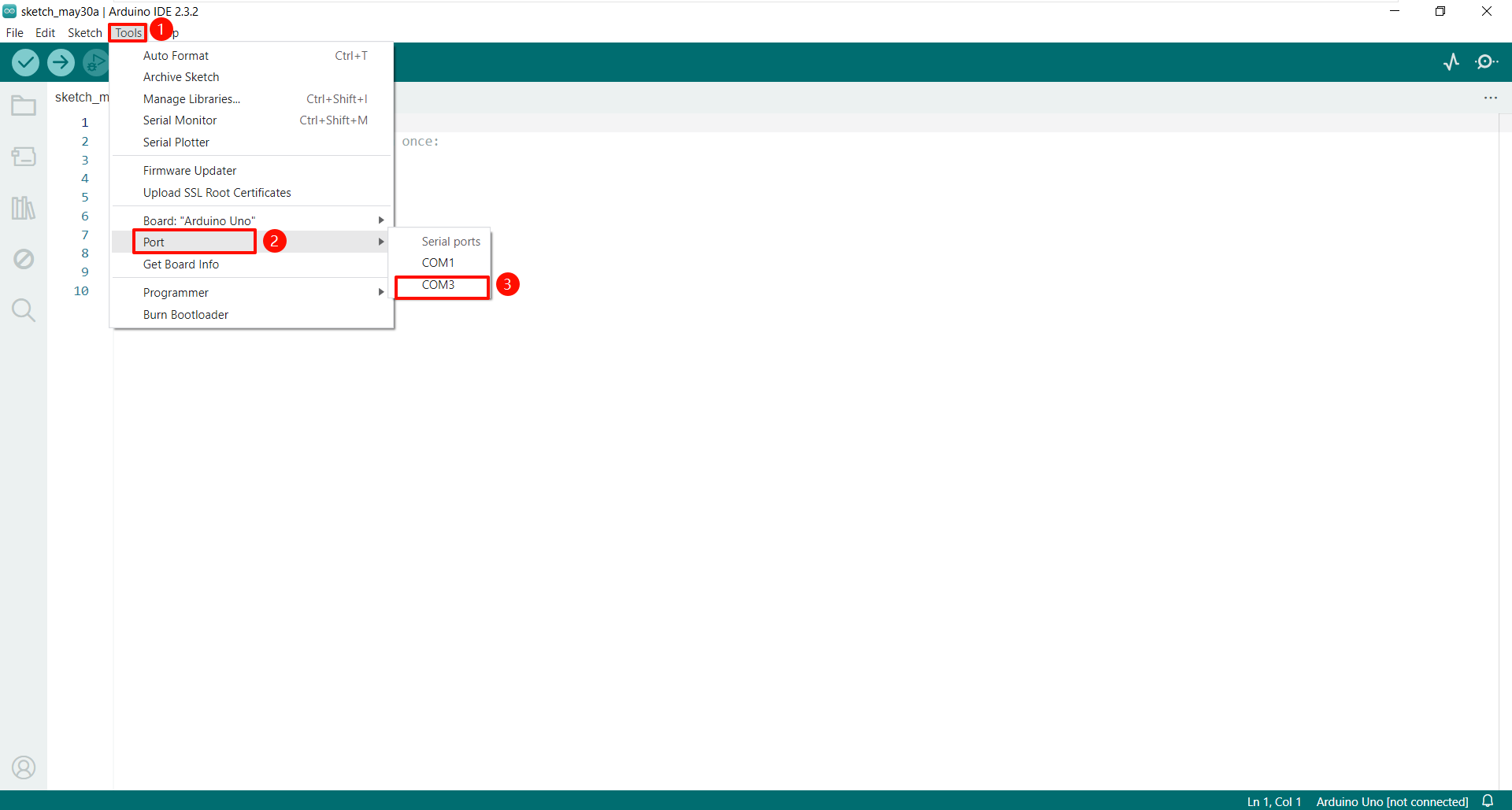
Check the serial port number corresponding to the development board
Here we choose COM3. Changing the computer and USB interface may cause the serial port number to change. We can use the above method to find the serial port number corresponding to Arduino UNO in the device manager.
Complete the above operations to successfully connect to the development board!
Arduino IDE interface
Switch language
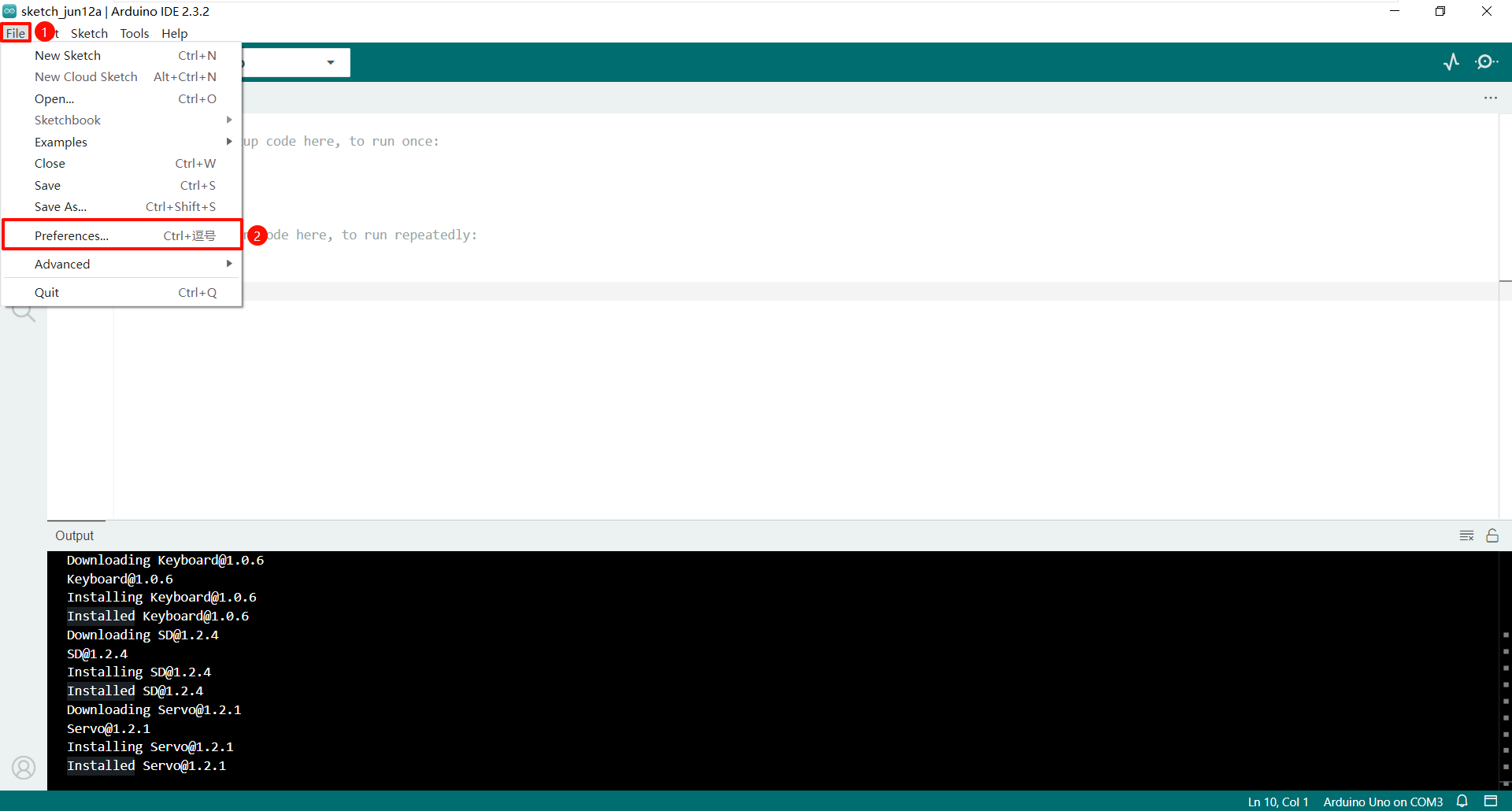
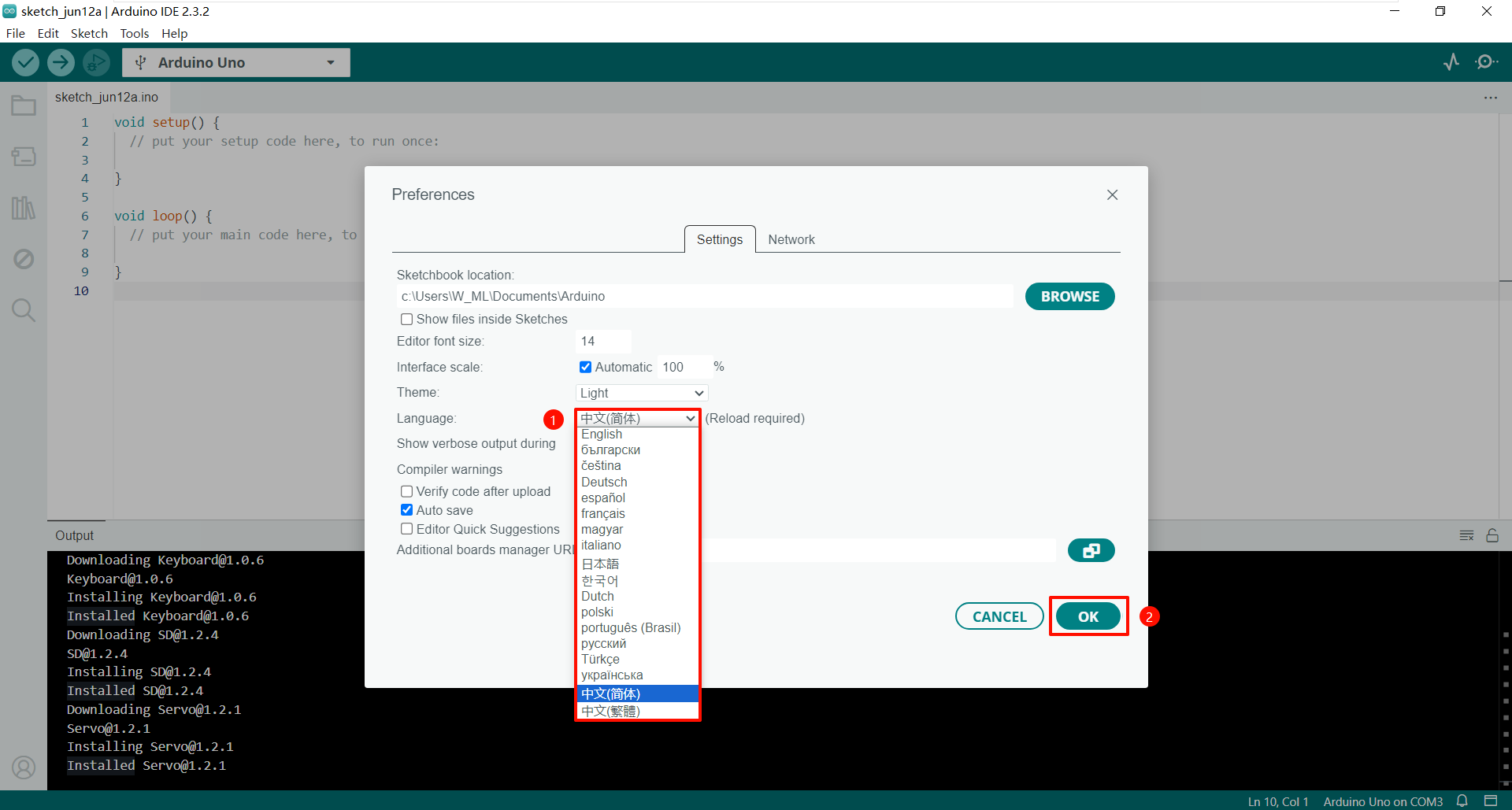
Select the language you are good at in File → Preferences...
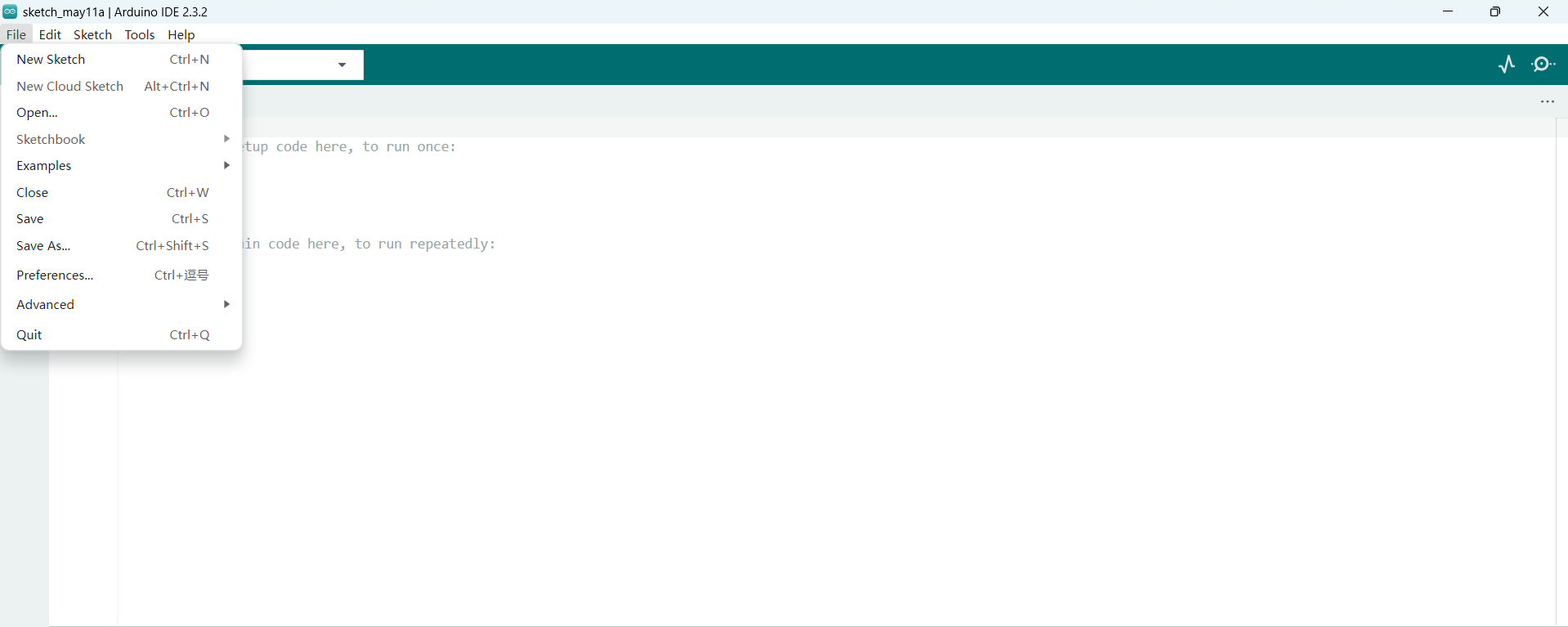
File
Project file management, basic examples, etc.
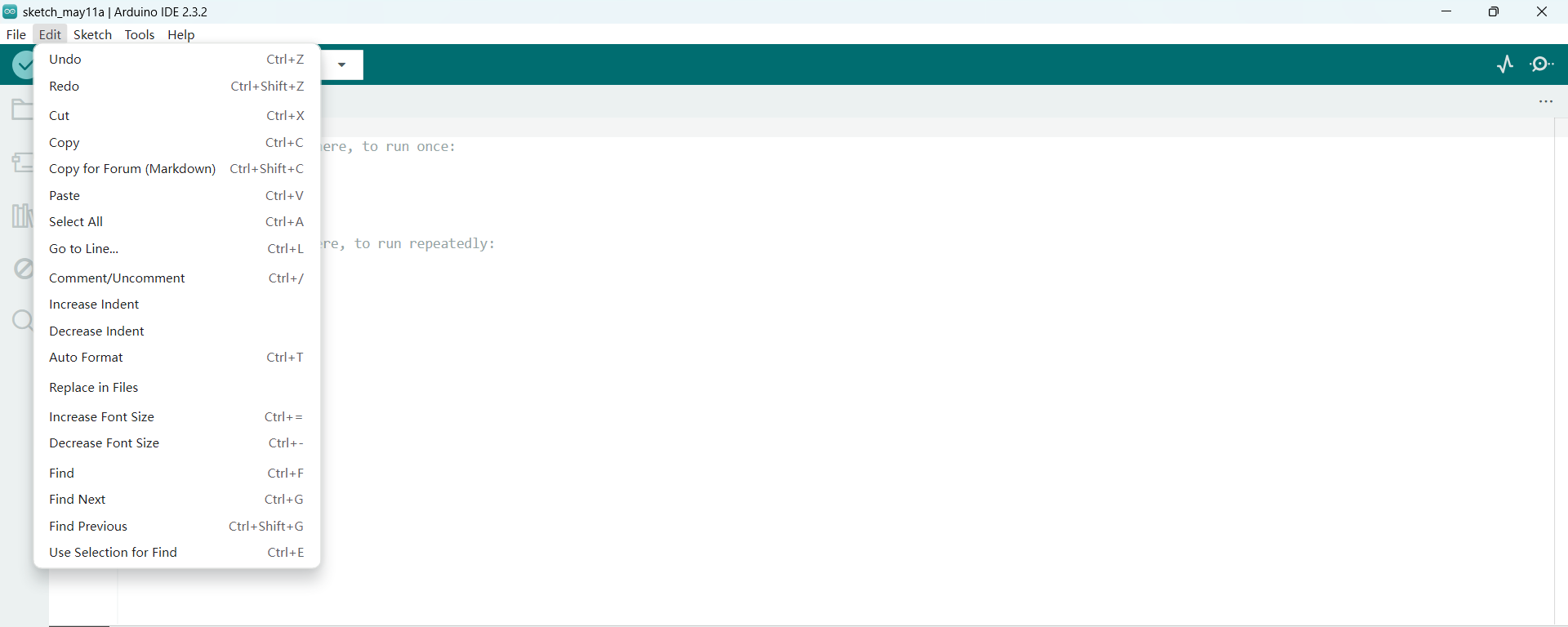
Edit
Edit code files and code display, etc.
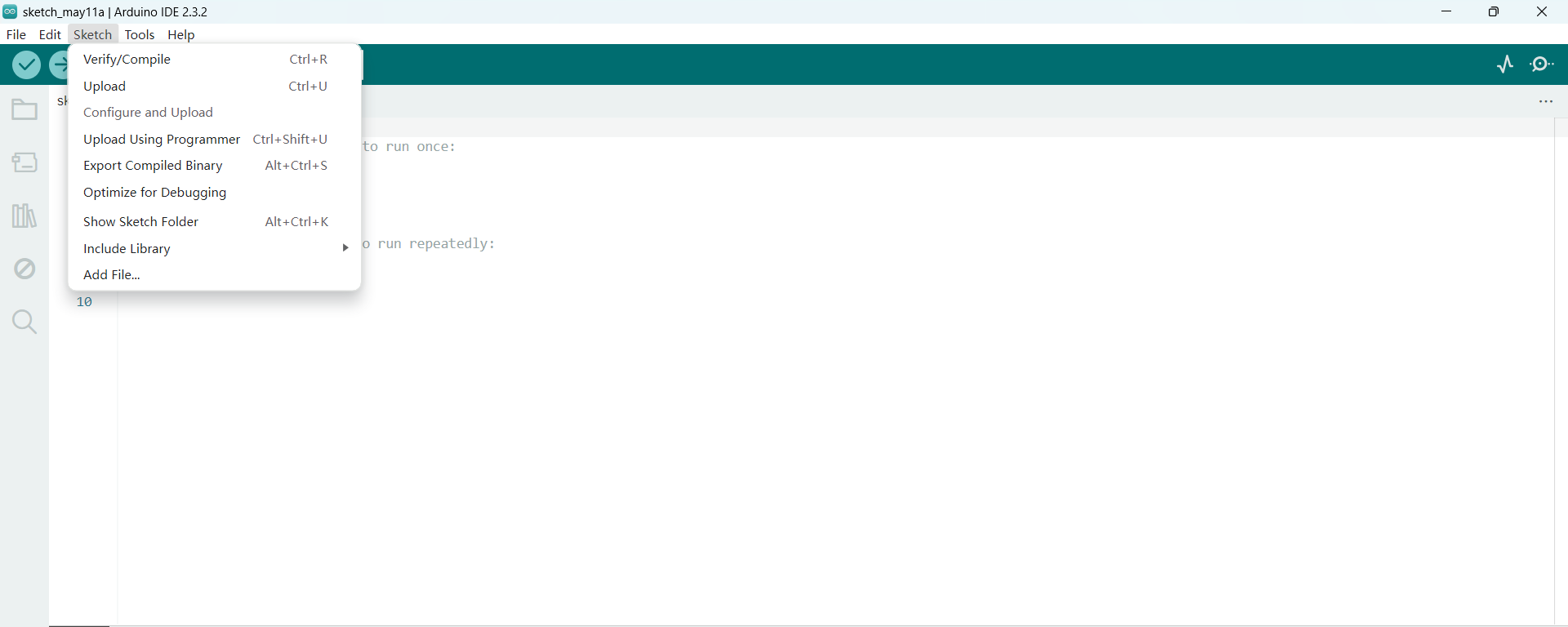
Sketch
Mainly used for compiling and debugging, uploading code and managing libraries, etc.
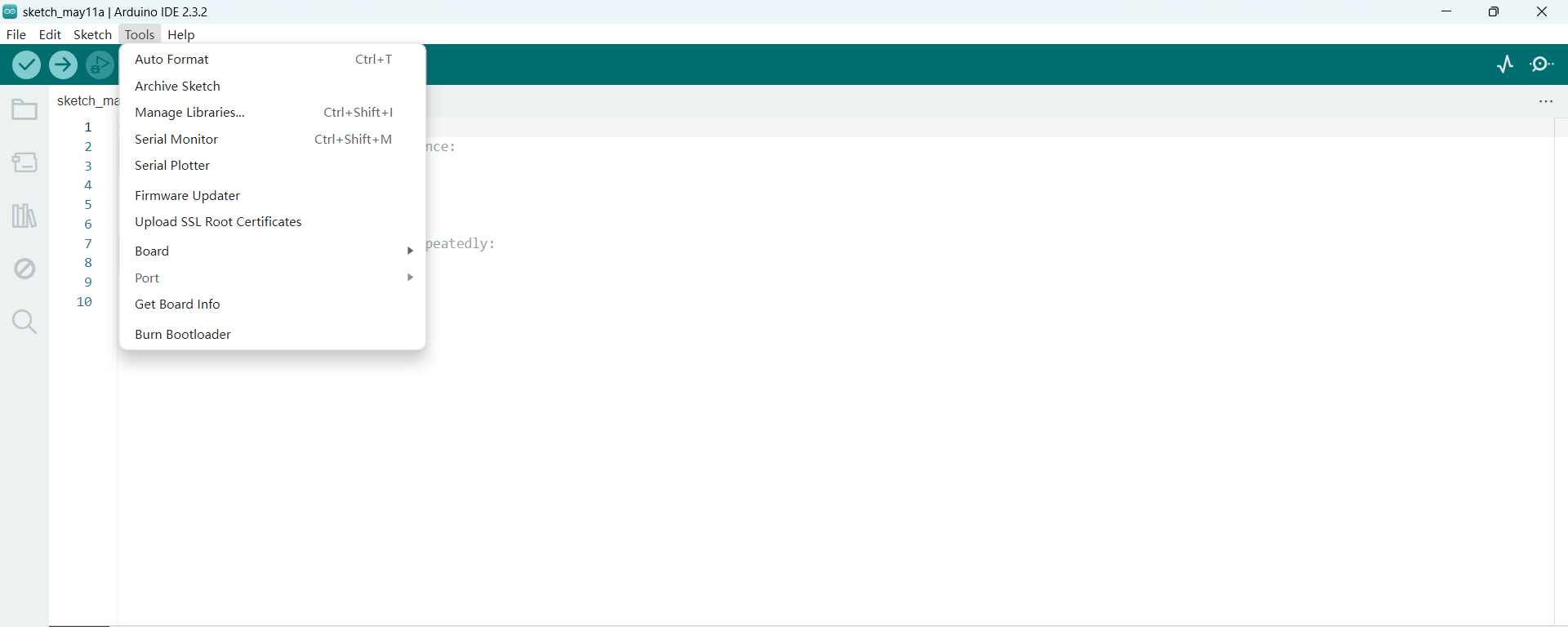
Tools
Development board connection, serial port control and software library management, etc.
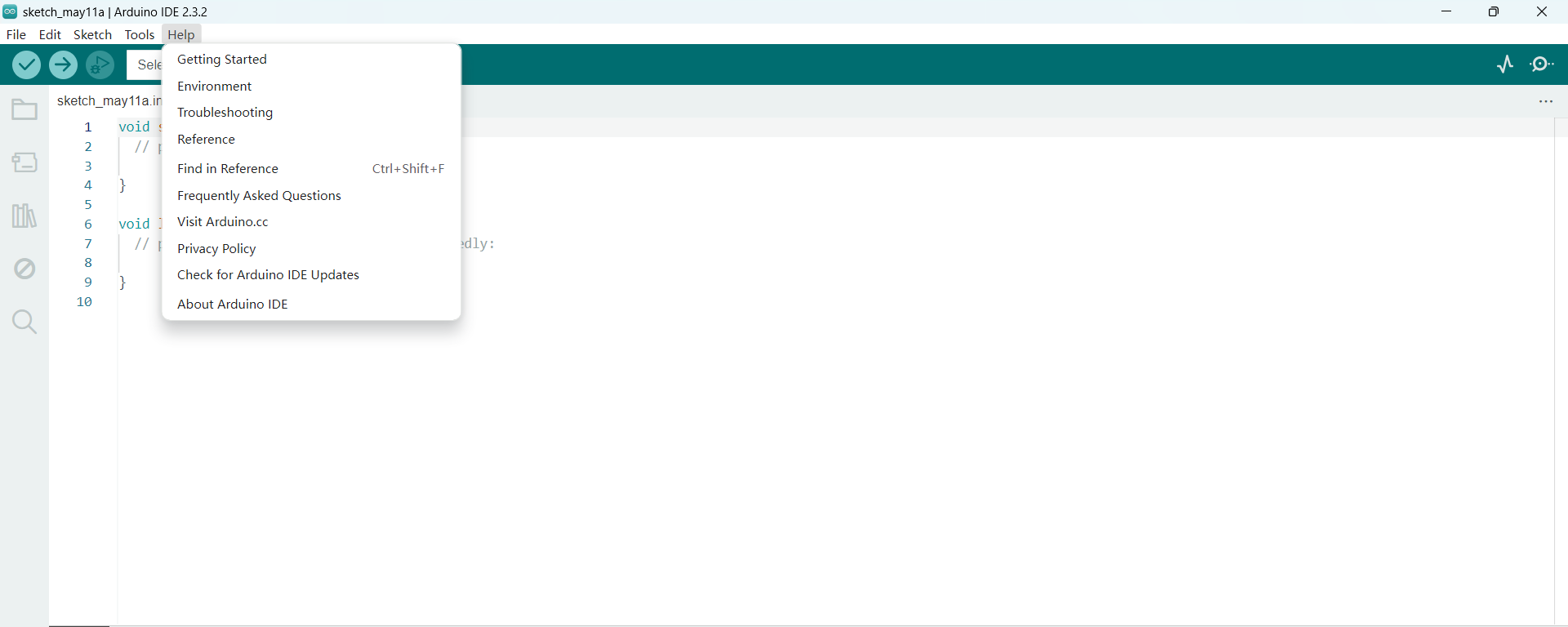
Help