Welcome to MicroROS Robot repository
1. Lidar avoid
Lidar avoid
Note: The virtual machine needs to be in the same LAN as the car, and the ROS_DOMAIN_ID needs to be consistent. You can check [Must read before use] to set the IP and ROS_DOMAIN_ID on the board.
1. Program function description
The car connects to the agent and runs the program. The radar on the car scans whether there are obstacles within the set range. If there are obstacles, it will automatically adjust its speed according to the location of the obstacles to avoid them. Parameters such as the radar detection range and obstacle avoidance detection distance can be adjusted through the dynamic parameter adjuster.
2. Start and connect to the agent
Taking the supporting virtual machine as an example, enter the following command to start the agent:
sudo docker run -it --rm -v /dev:/dev -v /dev/shm:/dev/shm --privileged --net=host microros/micro-ros-agent:humble udp4 --port 8090 -v4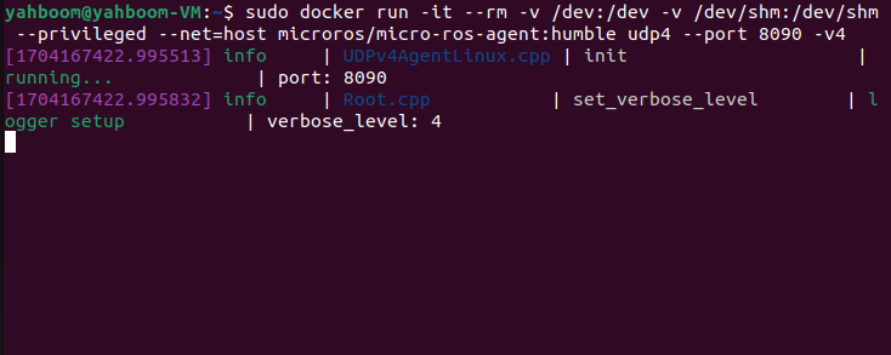
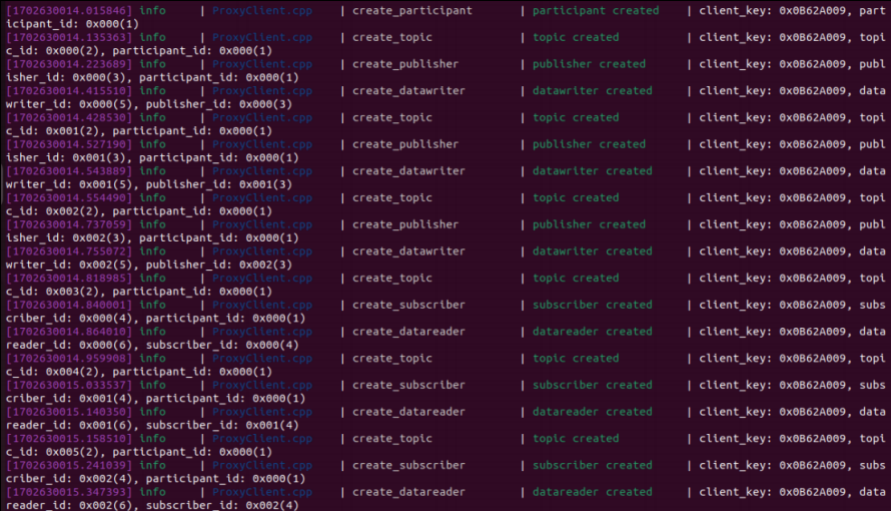
Then, turn on the car switch and wait for the car to connect to the agent. The connection is successful, as shown in the figure below.
3. Start the program
Enter the following command in the terminal to start:
xxxxxxxxxxros2 run yahboomcar_laser laser_Avoidance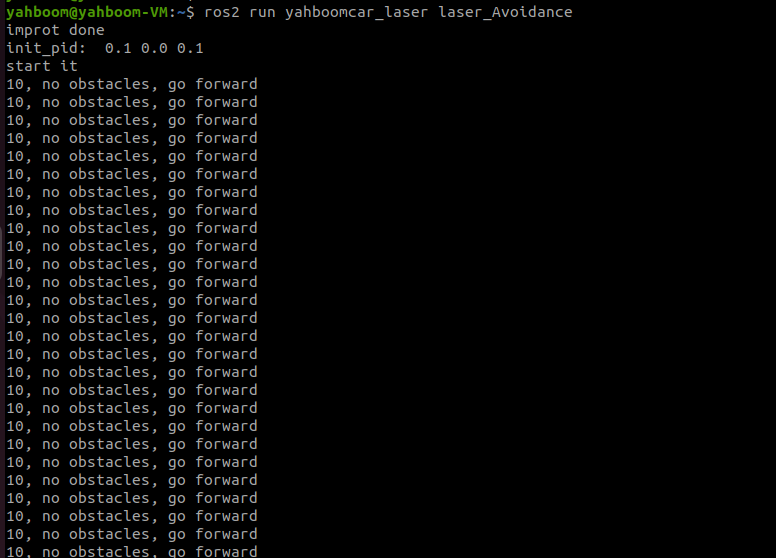
As shown in the picture above, if the radar on the car does not detect an obstacle, it will move forward. Some parameters can be set through the dynamic parameter adjuster and terminal input.
xxxxxxxxxxros2 run rqt_reconfigure rqt_reconfigure
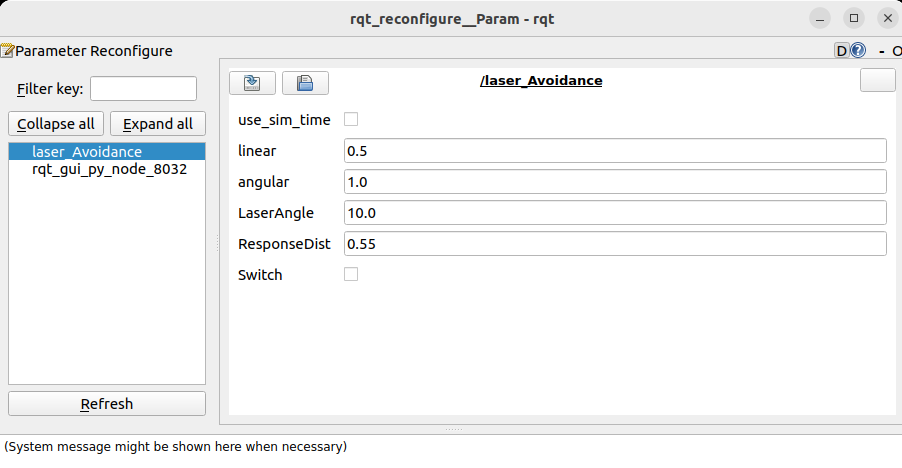
Note: There may not be the above nodes when you first open it. You can see all nodes after clicking Refresh. The displayed laser_Avoidance is the node of radar obstacle avoidance.
The above parameters are described as follows:
linera:Linear speed
angular:Angular velocity
LaserAngle:Radar detection angle
ResponseDist:Obstacle detection distance. When the detected object is within this range, it is considered an obstacle.
Switch:Game switch
After modifying the above parameters, you need to click on the blank space to transfer the parameters into the program.
4. Code analysis
Source code reference path (taking the supporting virtual machine as an example):
xxxxxxxxxx/home/yahboom/yahboomcar_ws/src/yahboomcar_laser/yahboomcar_laserlaser_Avoidance, the core code is as follows,
xxxxxxxxxx#Create a radar subscriber to subscribe to radar data and remote control data and a speed publisher to publish speed dataself.sub_laser = self.create_subscription(LaserScan,"/scan",self.registerScan,1)self.sub_JoyState = self.create_subscription(Bool,'/JoyState', self.JoyStateCallback,1)self.pub_vel = self.create_publisher(Twist,'/cmd_vel',1)#Radar callback function: processes subscribed radar dataranges = np.array(scan_data.ranges)for i in range(len(ranges)): angle = (scan_data.angle_min + scan_data.angle_increment * i) * RAD2DEG#Determine whether there are obstacles in front, left or right according to the set radar detection angle and obstacle detection distance.if angle > 180: angle = angle - 360if 20 < angle < self.LaserAngle: if ranges[i] < self.ResponseDist*1.5: self.Left_warning += 1if -self.LaserAngle < angle < -20: if ranges[i] < self.ResponseDist*1.5: self.Right_warning += 1if abs(angle) <= 20: if ranges[i] <= self.ResponseDist*1.5: self.front_warning += 1#According to the detected obstacles, the speed of the car is released so that the car can avoid the obstacles.if self.front_warning > 10 and self.Left_warning > 10 and self.Right_warning > 10: print ('1, there are obstacles in the left and right, turn right') twist.linear.x = self.linear twist.angular.z = -self.angular self.pub_vel.publish(twist) sleep(0.2) elif self.front_warning > 10 and self.Left_warning <= 10 and self.Right_warning > 10: print ('2, there is an obstacle in the middle right, turn left') twist.linear.x = self.linear twist.angular.z = self.angular self.pub_vel.publish(twist) sleep(0.2).....