Welcome to MicroROS Robot repository
4.Calibrate servo PTZ(ReadMe)
4.Calibrate servo PTZ(ReadMe)
- When the car is powered on, the steering gear pan tilt is at this angle
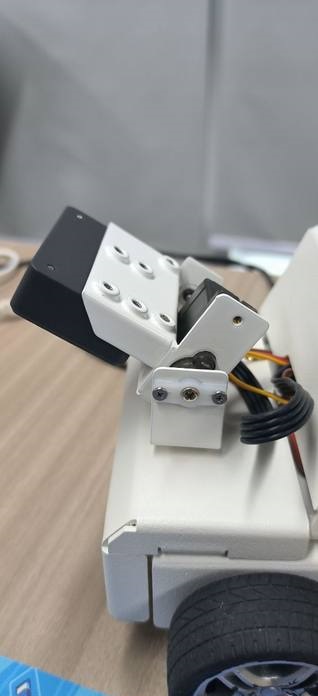
- After connecting the agent of the car to the Linux system, enter
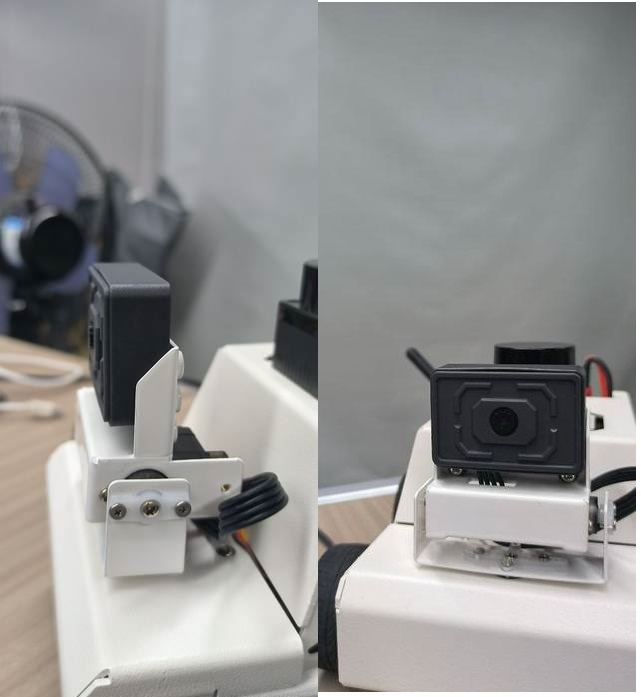
ros2 run yahboom_esp32_mediapipe control_servoAfter the servo moves, it will return to this angle, indicating that the angle of the servo pan tilt is installed correctly. Then remember to press Crtl+C to terminate the program and end the servo calibration.
Notice
- If the angle is not as shown in the above figure after the servo motor is in motion, it is necessary to reinstall the servo motor gimbal.
- Firstly, keep the above program running and reinstall the servo in the middle position without any power supply.
- After reinstallation, remember to press Crtl+C to terminate the program and end the servo calibration.