Welcome to MicroROS Robot repository
4.Autonomous driving line patrol
Autonomous driving line patrol
Note: The VM and ROS-wifi image transfer module must be consistent with the microROS control board ROS_DOMAIN_ID and set the value to 20. You can check [MicroROS control board Parameter configuration] to set the microROS control board ROS_DOMAIN_ID. Check the tutorial Connecting to MicroROS Agents to see if the ids are the same.
1、Program function specification
After the program starts, adjust the pitch Angle of the camera, move the camera down, so that the camera can see the line, then click the image window, press the r key to enter the color selection mode; Then in the area of the line in the screen, frame the color of the line that needs to be toured, and the processed image will be automatically loaded after releasing the mouse; Finally, press the space bar to enable the line patrol function. In the process of running, the car will stop and the buzzer will sound when encountering obstacles.
2、Program code reference path
After entering the docker container, the location of the feature source code is located,
/home/yahboom/yahboomcar_ws/src/yahboom_esp32ai_car/yahboom_esp32ai_car/follow_line.py
3、Program initiation
3.1、Start command
After entering the docker container, terminal type,
xxxxxxxxxxros2 run yahboom_esp32ai_car follow_line
If the Angle of the camera is not at this Angle, please press CTRL+C to end the program and run again, this is because the network delay causes the Angle of sending the steering gear to lose packets
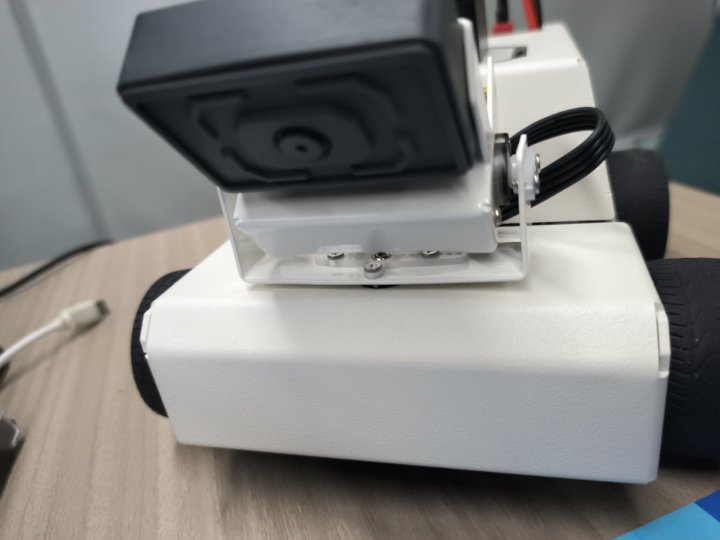
If the camera picture image appears upside down, you need to see 3. Camera picture correction (must see) document itself correction, the experiment is no longer described.
Take the green line as an example,
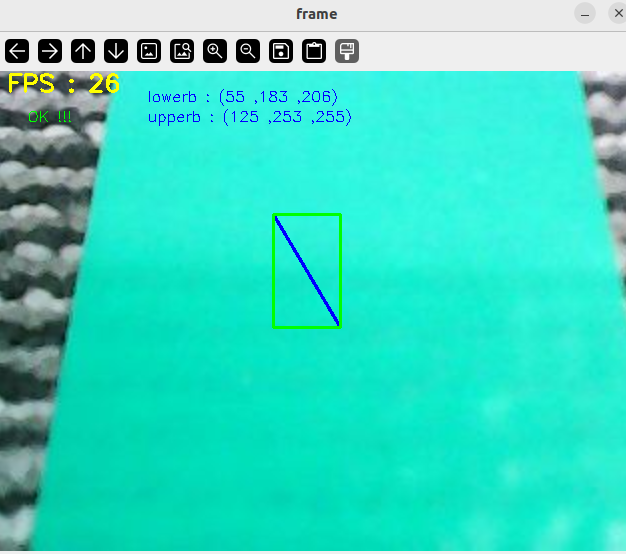
After pressing the r key, select the blue line area as shown in the figure above, and release the mouse after selecting.
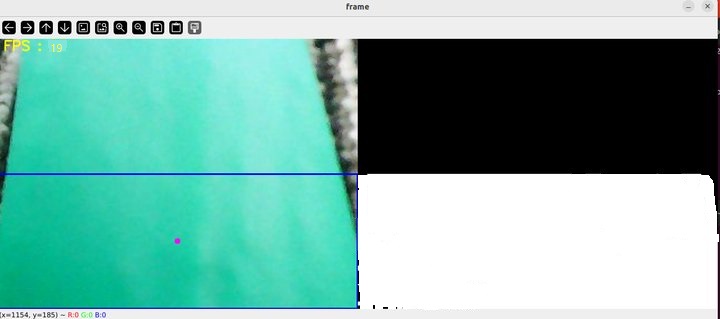
As shown above, the processed image shown on the right shows the green line. Because the pixel of the camera is only 200W, put the line in the middle of the image as much as possible, and then press the space bar to calculate the speed, and the car patrol line automatic driving.
3.2、Dynamic parameter regulation
Relevant parameters can be adjusted through dynamic parameterizers, and docker terminal input,
xxxxxxxxxxros2 run rqt_reconfigure rqt_reconfigure
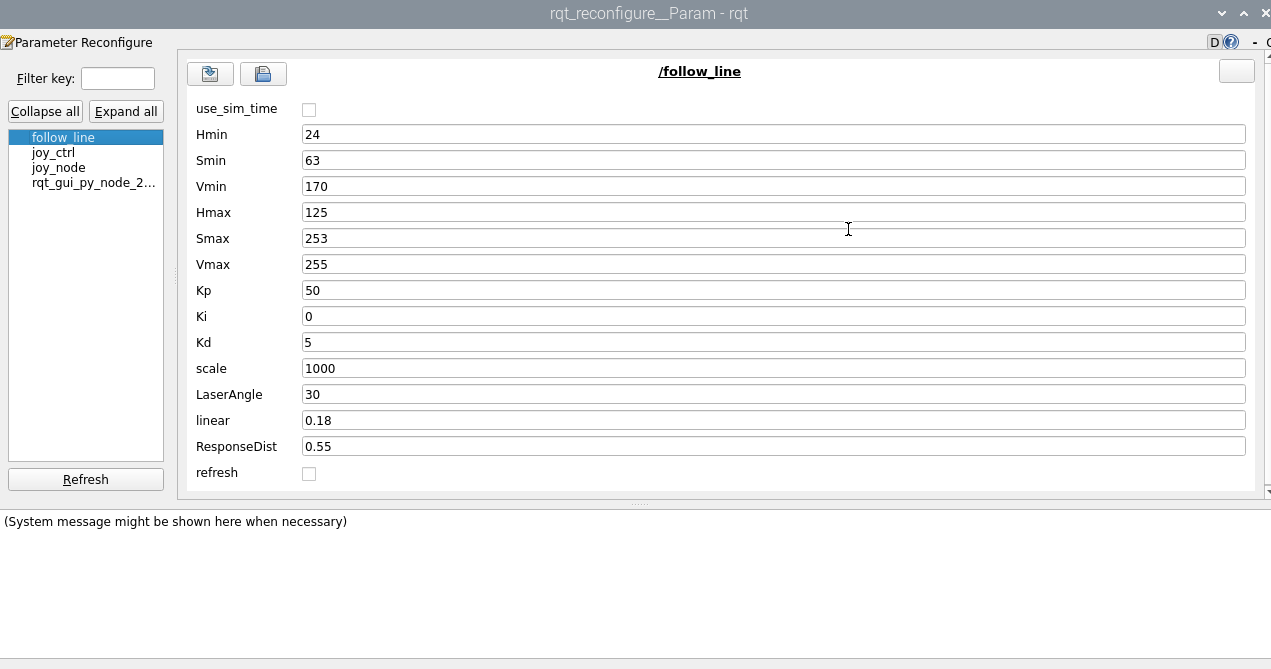
Adjustable parameters are,
| argument | Instructions |
|---|---|
| Kp | The p-value of PID |
| Ki | The i-value of PID |
| Kd | The d-value of PID |
| scale | PID adjusts the proportional coefficient |
| LaserAngle | Radar detects angles |
| linear | Magnitude of linear velocity |
| ResponseDist | Obstacle avoidance detection distance |
| refresh | Refresh parameter button |
4、Core code
Let's start with the principle of the patrol, through
- Calculate the offset between the center coordinates of the line and the center of the image,
- Calculate the value of the angular velocity based on the offset of the coordinates,
- Release speed drive dolly.
Calculate the center coordinates,
xxxxxxxxxx#Calculate the hsv valuergb_img, self.hsv_range = self.color.Roi_hsv(rgb_img, self.Roi_init)rgb_img, binary, self.circle = self.color.line_follow(rgb_img, self.hsv_range)Calculate the value of the angular velocity,
xxxxxxxxxx[z_Pid, _] = self.PID_controller.update([(point_x - 320)*1.0/16, 0])