Welcome to JetCobot repository
2.ROS installation
2.ROS installation
Select the corresponding ros version according to the Ubuntu system. For the corresponding relationship, please refer to [1. ROS Introduction]-[1.5. Release Version] to select.This course takes the installation of ROS-Noetic on Ubuntu20.04 as an example to explain how to install ros.
2.1 Set ros source
Terminal input,
sudo sh -c 'echo "deb http://packages.ros.org/ros/ubuntu $(lsb_release -sc) main" > /etc/apt/sources.list.d/ros-latest.list'2.2 Set the key
Terminal input,
xxxxxxxxxxsudo apt-key adv --keyserver 'hkp://keyserver.ubuntu.com:80' --recv-key C1CF6E31E6BADE8868B172B4F42ED6FBAB17C6542.3 Update source
Terminal input,
xxxxxxxxxxsudo apt update2.4 Install ROS-Noetic
What is installed here is the basic desktop version, terminal input,
xxxxxxxxxxsudo apt install ros-noetic-desktop -y2.5 Set up ROS environment
Add the path of ROS to the environment variable so that when you open the terminal in the future, you can find the running environment of ROS and enter it in the terminal.
xxxxxxxxxxecho "source /opt/ros/noetic/setup.bash" >> ~/.bashrc
Then reopen the terminal or source to refresh the environment variables, and enter in the terminal,
xxxxxxxxxxsource ~/.bashrc
2.6 Verification
Terminal input,
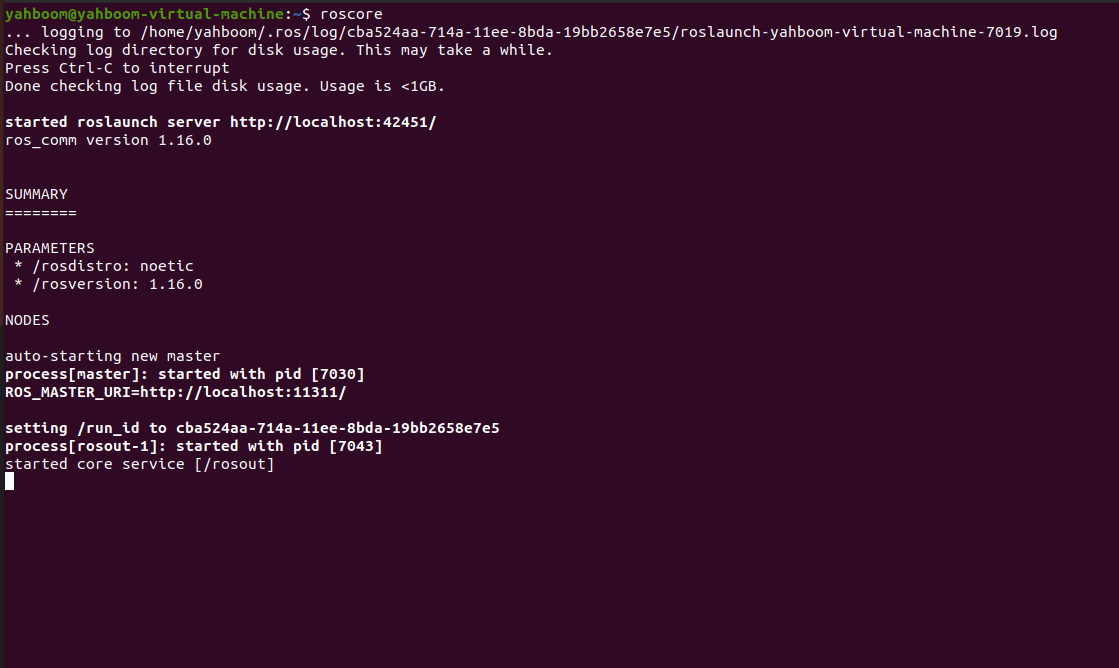
xxxxxxxxxxroscore
If the following screen appears, the installation can be successful.