Welcome to JetCobot repository
6.ROS+Opencv basics
ROS+Opencv basics
1. Overview
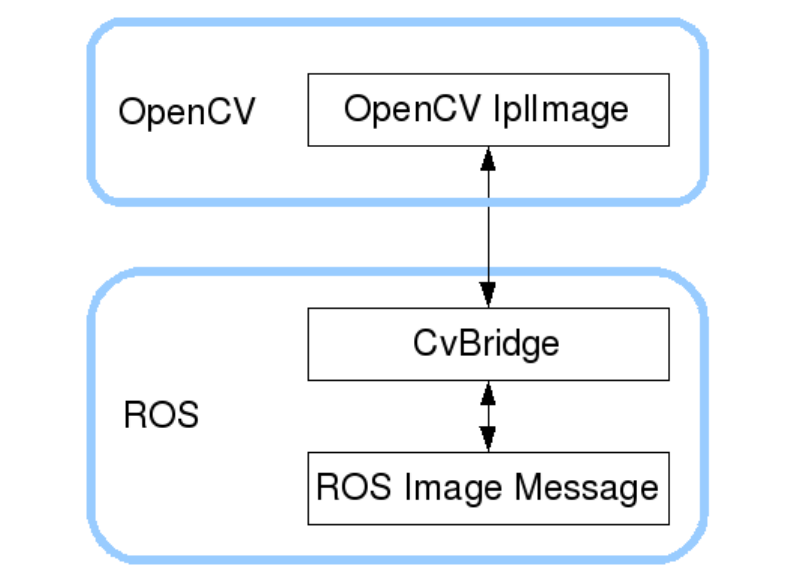
ROS has integrated Opencv 3.0 or higher during the installation process, so there is almost no need to consider the installation configuration. ROS transmits images in its own sensor_msgs/Image message format and cannot directly process images, but the provided [CvBridge] can perfectly convert and be converted image data formats.
[CvBridge] is a ROS library, which is equivalent to a bridge between ROS and Opencv.
The image data conversion between Opencv and ROS is shown in the figure below:
Although the installation configuration does not require much consideration, the use environment still needs to be configured, mainly the two files 【package.xml】 and 【CMakeLists.txt】. This feature package not only uses 【CvBridge】, but also requires 【Opencv】and 【PCL】, so they are configured together.
package.xml
Add the following content.
xxxxxxxxxx<build_depend>sensor_msgs</build_depend><build_export_depend>sensor_msgs</build_export_depend><exec_depend>sensor_msgs</exec_depend><build_depend>std_msgs</build_depend><build_export_depend>std_msgs</build_export_depend><exec_depend>std_msgs</exec_depend><build_depend>cv_bridge</build_depend><build_export_depend>cv_bridge</build_export_depend><exec_depend>cv_bridge</exec_depend><exec_depend>image_transport</exec_depend>【cv_bridge】:Image conversion dependency package.
- CMakeLists.txt
This file has a lot of configuration content. Please check the source file for specific content.
2. Start USB camera
Input following command
xxxxxxxxxxroslaunch usb_cam usb_cam-test.launch
View topic
xxxxxxxxxxrostopic list
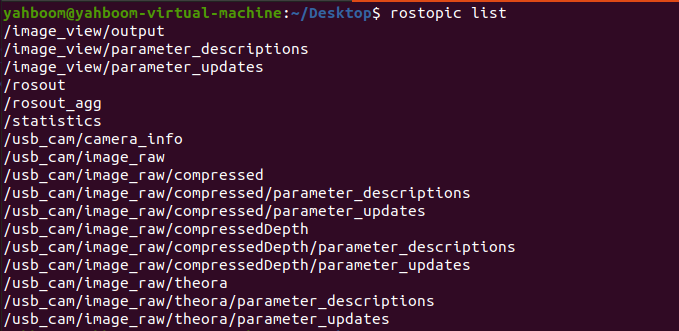
Commonly used ones are /usb_cam/image_raw and /usb_cam/image_raw/compressed. The former is a normal image, and the latter is a compressed image.
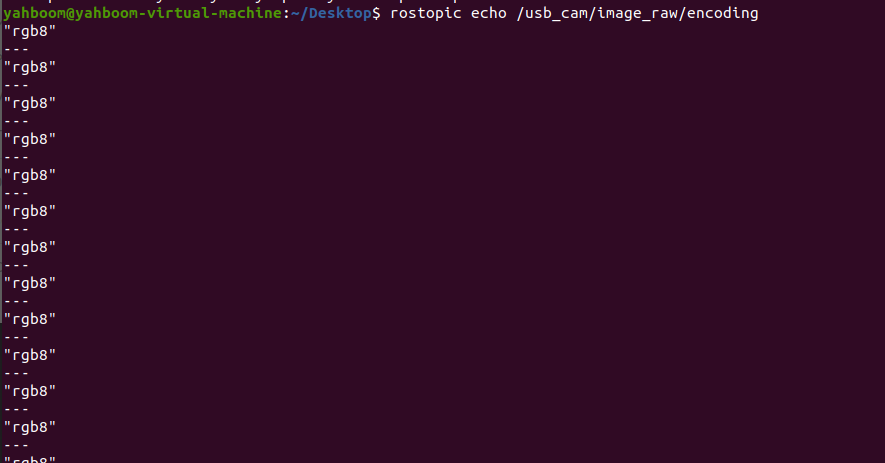
Check the encoding format of the topic: rostopic echo + 【topic】 + encoding, for example,
xxxxxxxxxxrostopic echo /usb_cam/image_raw/encoding
3. Start the color map subscription node
xxxxxxxxxxroslaunch usb_cam usb_cam-test.launchrosrun jetcobot_visual get_rgb_image
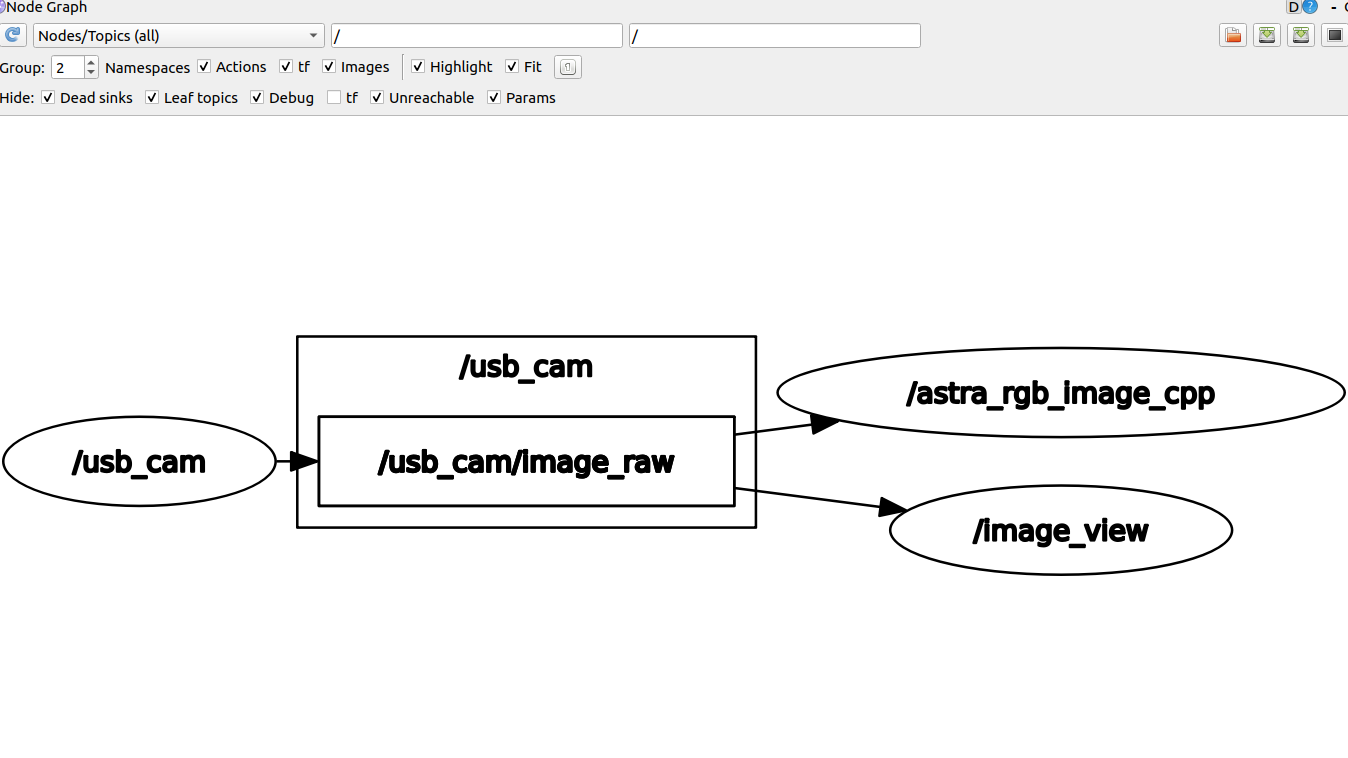
4. View node graph
Input following command
xxxxxxxxxxrqt_graph
5. About code
Code path:~/jetcobot_ws/src/jetcobot_visual/src/get_rgb_image.cpp
x//// Created by yahboom on 2021/4/29.//
using namespace std;using namespace cv;
void RGB_Callback(const sensor_msgs::ImageConstPtr &msg) { cv_bridge::CvImagePtr cv_ptr; try { cv_ptr = cv_bridge::toCvCopy(msg, sensor_msgs::image_encodings::BGR8); imshow("color_image", cv_ptr->image); waitKey(1); } catch (cv_bridge::Exception &e) { ROS_ERROR("cv_bridge exception: %s", e.what()); return; }}
int main(int argc, char **argv) { //ROS节点初始化 // The ROS node is initialized ros::init(argc, argv, "astra_rgb_image_cpp"); //创建节点句柄 // Create a node handle ros::NodeHandle n; //创建一个接收者. // Create a receiver. ros::Subscriber subscriber = n.subscribe<sensor_msgs::Image>("/usb_cam/image_raw", 10, RGB_Callback); //按照循环频率延时 // According to the cycle frequency delay ros::spin(); return 0;}