Welcome to RDK S600 Developer Kit repository
12.ROS2 meta-function package
12. ROS2 Metapackage Introduction
Note: The accompanying reference video uses the ROS Humble version, for reference only
1. Metapackage Overview
Completing a systematic function may involve multiple packages. For example, if you implement a robot navigation module, that module may include different sub-packages such as mapping, localization, path planning, etc. So when a caller wants to install that module, do they need to install each package one by one?
Obviously, installing packages one by one is inefficient. In ROS2, a method is provided to combine different packages into a single package. When installing a certain function module, you can directly use the packaged package. This package is called a metapackage.
MetaPackage is a concept from Linux's file management system. It is a virtual package in ROS2 that contains no substantial content, but it depends on other software packages. Through this method, other packages can be combined. We can think of it as a book's table of contents, telling us which sub-packages are in this package collection and where to download them.
For example: When installing ros2 with the sudo apt install ros-jazzy-desktop command, a metapackage is used. This metapackage depends on other packages in ROS2, and installing it will also install its dependencies.
Classic metapackage example: navigation2
navigation2 GitHub repository: GitHub - ros-navigation/navigation2: ROS 2 Navigation Framework and System
2. Purpose
Facilitate user installation. We only need this one package to organize and install other related software packages together.
3. Implementation
Create a new package:
ros2 pkg create pkg_metapackageModify the package.xml file and add packages that are depended on during execution:
x <package format="3"> <name>pkg_metapackage</name> <version>0.0.0</version> <description>TODO: Package description</description> <maintainer email="1461190907@qq.com">root</maintainer> <license>TODO: License declaration</license>
<buildtool_depend>ament_cmake</buildtool_depend>
<exec_depend>pkg_interfaces</exec_depend> <exec_depend>pkg_helloworld_py</exec_depend> <exec_depend>pkg_topic</exec_depend> <exec_depend>pkg_service</exec_depend> <exec_depend>pkg_action</exec_depend> <exec_depend>pkg_param</exec_depend>
<test_depend>ament_lint_auto</test_depend> <test_depend>ament_lint_common</test_depend>
<export> <build_type>ament_cmake</build_type> </export></package>
CMakeLists.txt content is as follows:
xxxxxxxxxxcmake_minimum_required(VERSION 3.5)project(pkg_metapackage)
if(CMAKE_COMPILER_IS_GNUCXX OR CMAKE_CXX_COMPILER_ID MATCHES "Clang")  add_compile_options(-Wall -Wextra -Wpedantic)endif()
find_package(ament_cmake REQUIRED)
ament_package()
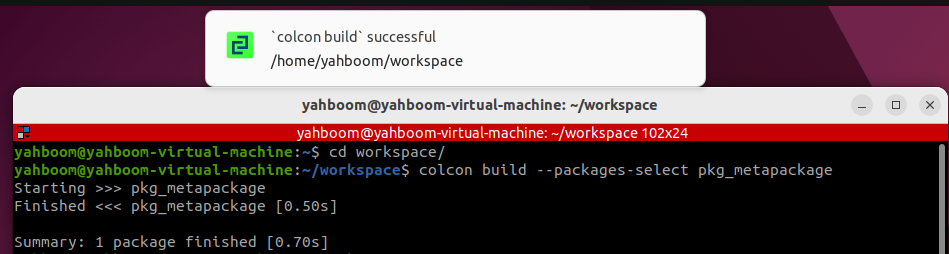
Build metapackage:
There will be no actual executable files:
xxxxxxxxxxcolcon build --packages-select pkg_metapackage