Welcome to AI View Depth camera repository
1. Camera usage instructions
1. Camera usage instructions
1. Error when using opencv and usb_cam to drive the camera
After using the launch command in the Orbbec_SDK function package to drive the camera, you will find that the camera cannot be driven by usb_cam, and the error shown in the figure below will be reported.
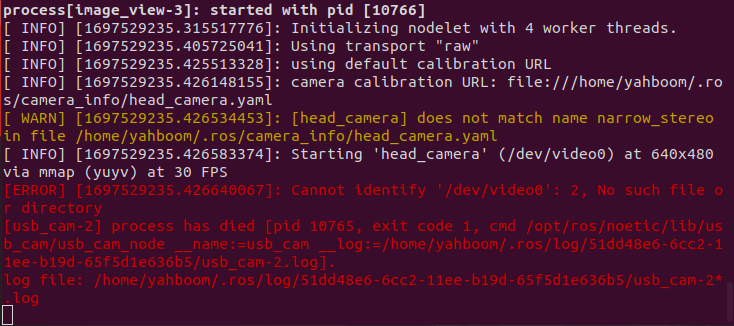
Solution: Re-plug the camera, and then use usb_cam to open the camera normally, including using opencv to open the camera. If the above error occurs, re-plug it. As long as the camera is driven by launch in Orbbec_SDK first and before using opencv to drive the camera, you need to re-plug it.
2. Virtual machine case demonstration
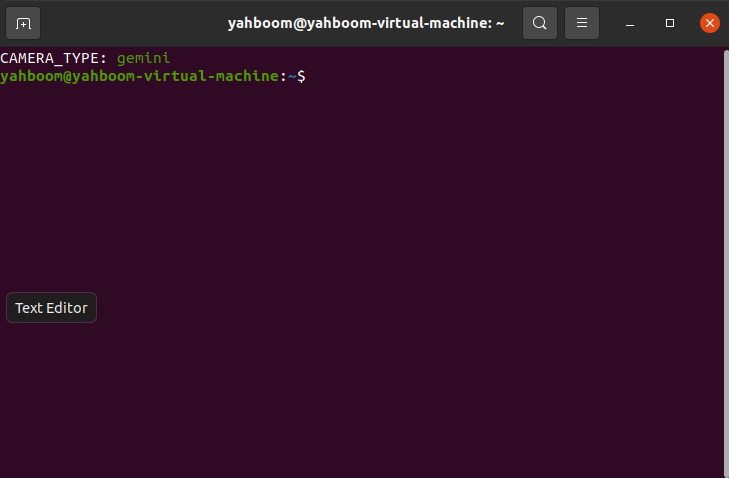
The cases in the virtual machine include SDKs for multiple cameras. Therefore, when matching the cases in the virtual machine experiment tutorial, you need to set the car camera file through the ~/.bashrc file. You need to set [CAMERA_TYPE] to the camera model you purchased. If you purchased a gemini camera, you need to change the value of [CAMERA_TYPE] to gemini. Input in the terminal, (astraproplus camera is set to astraproplus)
sudo gedit ~/.bashrc140 lines, [CAMERA_TYPE] is set to gemini.

Save and exit, restart a terminal, the terminal will print out the set camera type,
3. Source code description
We provide two sets of source code, one is the source code of the camera SDK only, and the other is the camera SDK and some demo codes in the tutorial.
orbbec_ws_src.tar.xz contains the function package for driving the camera and the function package for running demos with the virtual machine.
orbbec-ros-sdk.tar.xz contains only the function package for driving the camera.
opencv.zip contains only opencv related function packages