Welcome to AI View Depth camera repository
32.View point cloud data
32. View point cloud data
32.1. View depth point cloud
Terminal input,
xxxxxxxxxxroslaunch astra_camera gemini.launchView topic data,
xxxxxxxxxxrostopic list
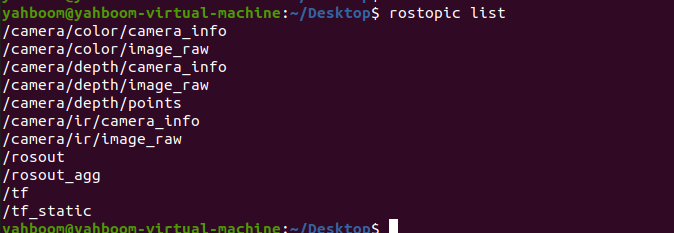
As shown in the figure above, the topic name of the depth point cloud is: /camera/depth/points, open rviz to view the point cloud,
xxxxxxxxxxrviz
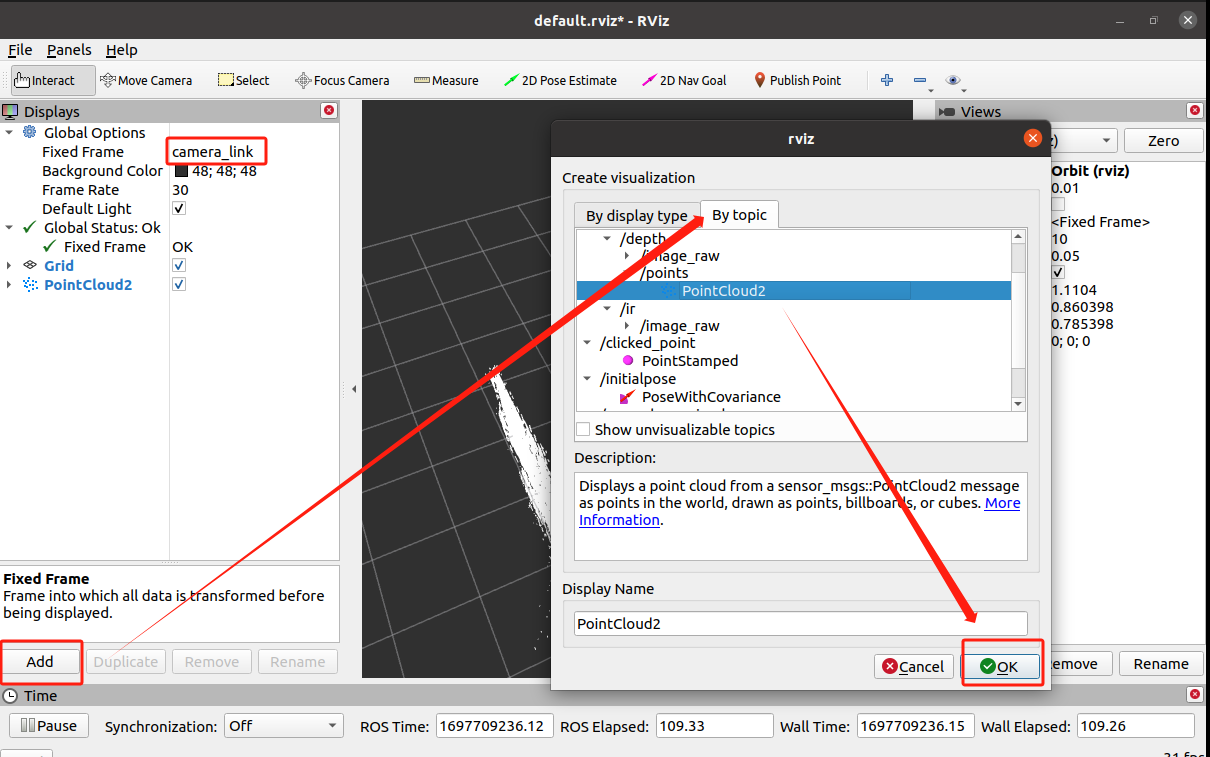
After opening, set it as shown in the figure below, change the Fixed Frame under Global Options to camera_link, then click [Add], select [By topic], select /depth/points/PointCloud2, and click OK to complete the setting.
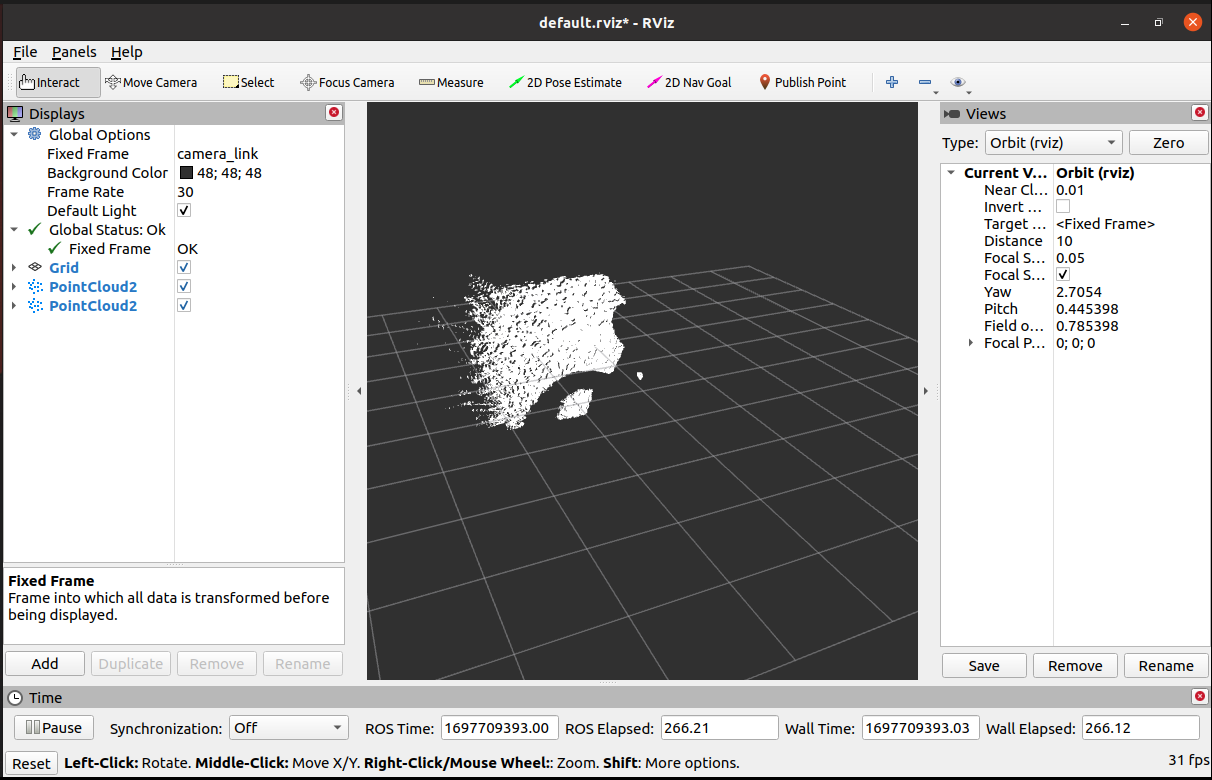
The displayed point cloud is as follows,