Welcome to MSPM0G3519 Development Board repository
15. K230 Target Tracking
K230 Target Tracking
K230 Target TrackingK230 and MSPM0 Communication1. Experimental Prerequisites2. Experimental Wiring3. Main Code Explanation4. Experimental Phenomenon
K230 and MSPM0 Communication
1. Experimental Prerequisites
This tutorial uses the MSPM0G3519 development board. The corresponding example path is 【14.export\MSPM0-K230\15_k230_nano_tracker】.
K230 needs to run the 【14.export\CanmvIDE-K230\15.nano_tracker.py】 program to start the experiment. It is recommended to download as an offline running program.
Items needed:
Windows system computer MSPM0G3519 development board K230 vision module (with TF card burned with image) Two type-C data cables Connecting cables
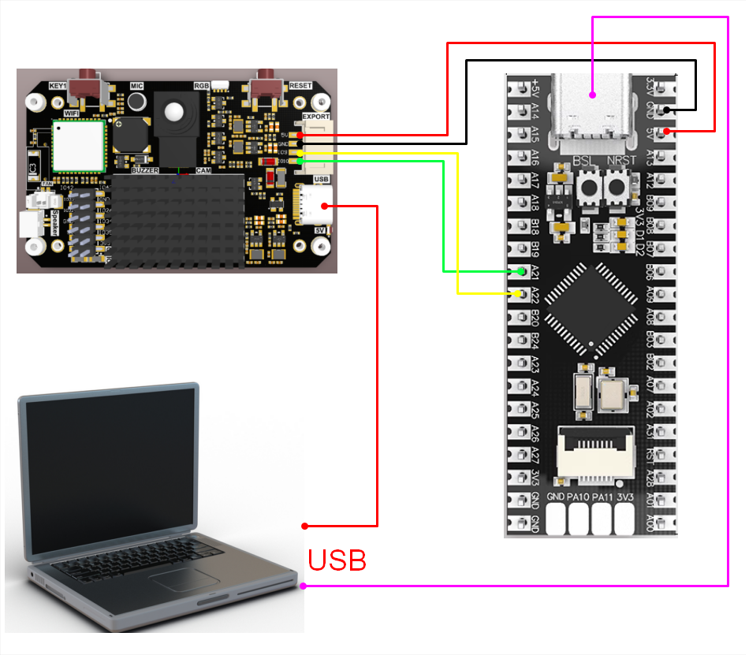
2. Experimental Wiring
| K230 Vision Module | MSPM0 Development Board |
|---|---|
| 5V | VCC |
| GND | GND |
| TXD(IO9) | A22 |
| RXD(IO10) | A21 |
3. Main Code Explanation
void Pto_Data_Parse(uint8_t *data_buf, uint8_t num){ uint8_t pto_head = data_buf[0]; uint8_t pto_tail = data_buf[num-1]; if (!(pto_head == PTO_HEAD && pto_tail == PTO_TAIL)) { sprintf(print_buf, "pto error:pto_head=0x%02x , pto_tail=0x%02x\n", pto_head, pto_tail); uart0_send_string(print_buf); return; } uint8_t data_index = 1; uint8_t field_index[PTO_BUF_LEN_MAX] = {0}; int i = 0; int values[PTO_BUF_LEN_MAX] = {0}; for (i = 1; i < num-1; i++) { if (data_buf[i] == ',') { data_buf[i] = 0; field_index[data_index] = i; data_index++; } } for (i = 0; i < data_index; i++) { values[i] = Pto_Char_To_Int((char*)data_buf+field_index[i]+1); } uint8_t pto_len = values[0]; if (pto_len != num) { sprintf(print_buf, "pto_len error:%d , data_len:%d\n", pto_len, num); uart0_send_string(print_buf); return; } uint8_t pto_id = values[1]; if (pto_id != PTO_FUNC_ID) { sprintf(print_buf, "pto_id error:%d, func_id:%d\n", pto_id, PTO_FUNC_ID); uart0_send_string(print_buf); return; } int x = values[2]; int y = values[3]; int w = values[4]; int h = values[5]; sprintf(print_buf, "tracker:x:%d, y:%d, w:%d, h:%d\n", x, y, w, h); uart0_send_string(print_buf);}The above function is for parsing K230 data. Only data conforming to the specific protocol can be parsed to get the corresponding data.
Where:
x: is the x-coordinate of the upper-left corner of the recognized box
y: is the y-coordinate of the upper-left corner of the recognized box
w: is the width of the recognized box
h: is the height of the recognized box
4. Experimental Phenomenon
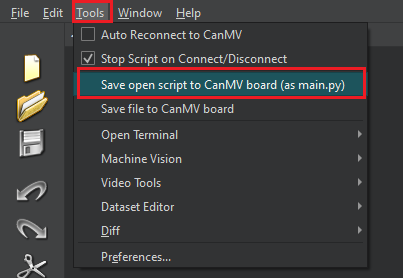
After connecting the cables, the K230 vision module runs offline Connect K230 to Canmv IDE, open the corresponding program, click 【Save open script to CanMV board (as main.py)】 in the toolbar, then restart K230.
When K230 is powered on, a green box will appear on the screen. Please align the green box with the target to track (ultrasonic sensor is used here as an example). Wait a few seconds. When the green box turns red, it means the target has been detected. At this time, you can move the target object and see the red box following the movement.
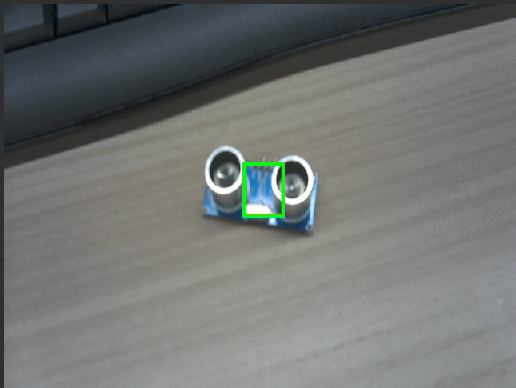
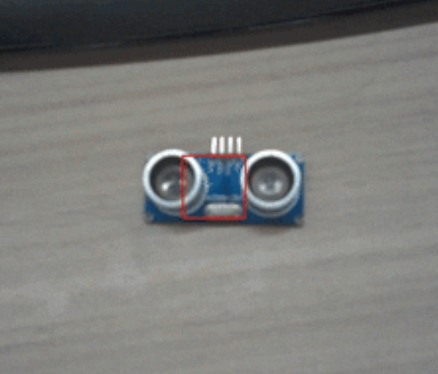
Note: Do not move the tracked object too quickly, otherwise tracking may fail.
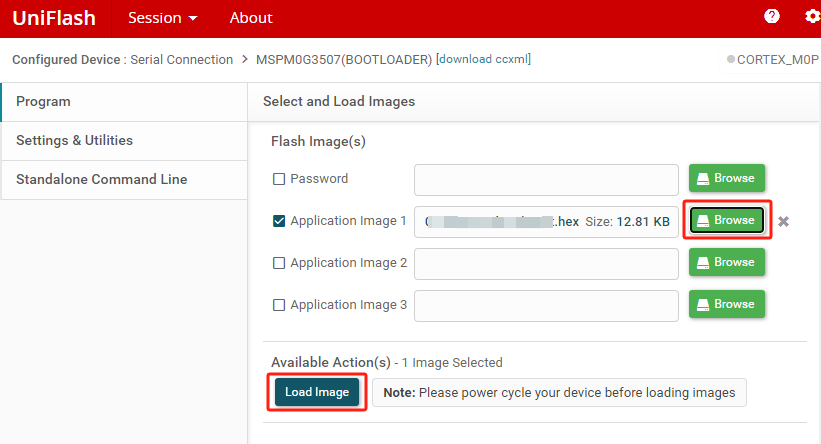
MSPM0 burns the hex file generated by the example.
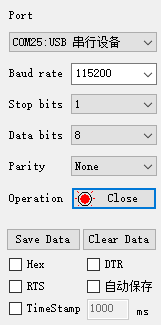
Set the serial assistant interface as shown in the figure
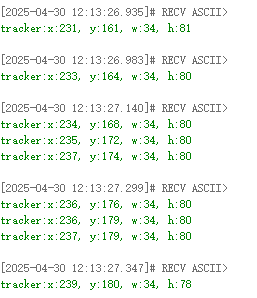
When the K230 camera image recognizes the target object, the serial assistant will print the information transmitted by K230 to MSPM0.
Where:
x: is the x-coordinate of the upper-left corner of the recognized box
y: is the y-coordinate of the upper-left corner of the recognized box
w: is the width of the recognized box
h: is the height of the recognized box
As shown in the figure below