Welcome to MSPM0G3519 Development Board repository
2. MSPM0_K210 Barcode Recognition
MSPM0_K210 Barcode Recognition
1. K210 and MSPM0 Communication
1.1 Experiment Prerequisites
This tutorial uses the MSPM0G3519 development board. K210 needs to run the program in K210-AI(MSPM0) to start the experiment.
MSPM0G3519 *1
K210 vision module *1 (with SD card (with AI model), camera)
USB to TTL module *1
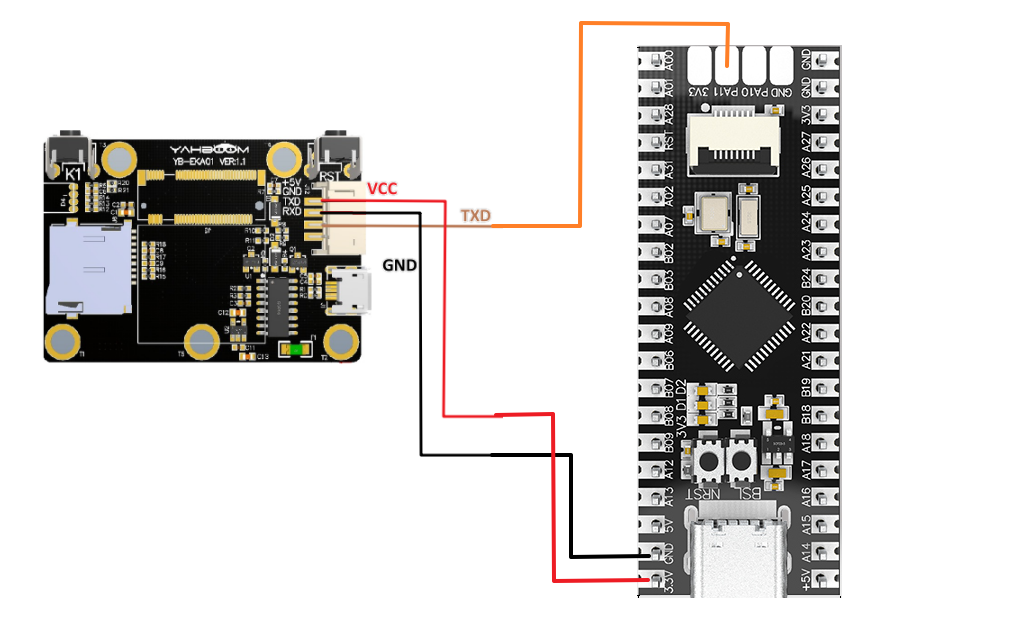
1.2 Experiment Wiring
Method 1: Use USB to TTL module
| MSPM0G | K210 Vision Module |
|---|---|
| RX | TXD |
| GND | GND |
| VCC | 5V |
| MSPM0G | USB to TTL Module |
|---|---|
| TX | RXD |
| GND | GND |
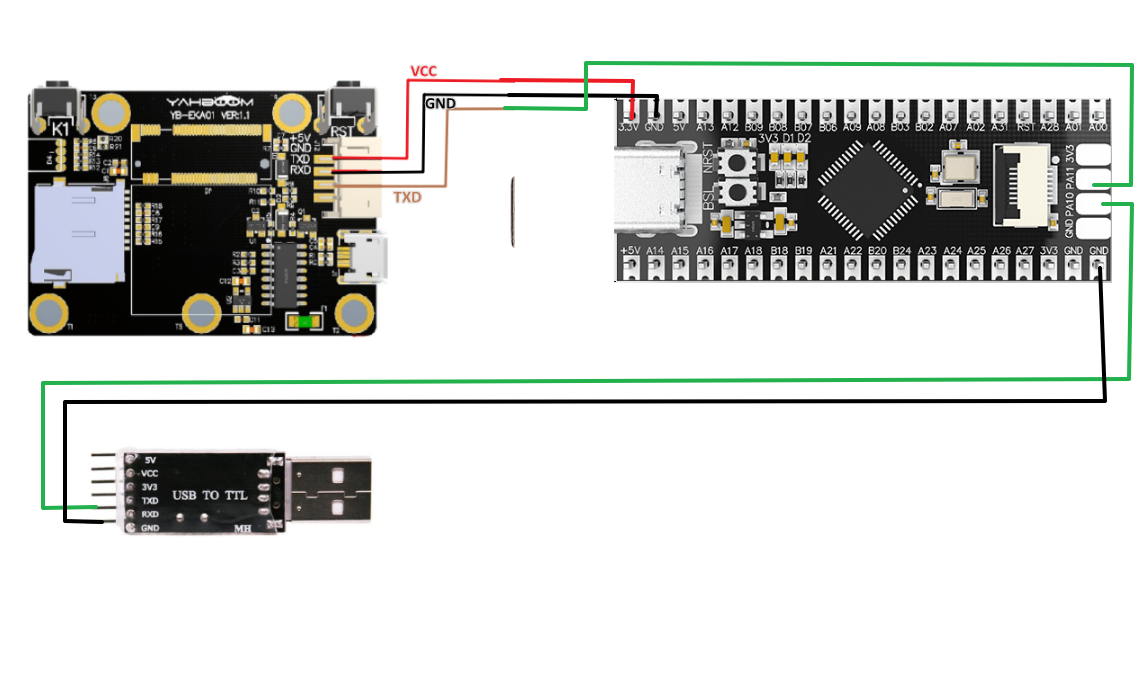
Method 2: Use onboard Type-C port
1.3 Main Code Explanation
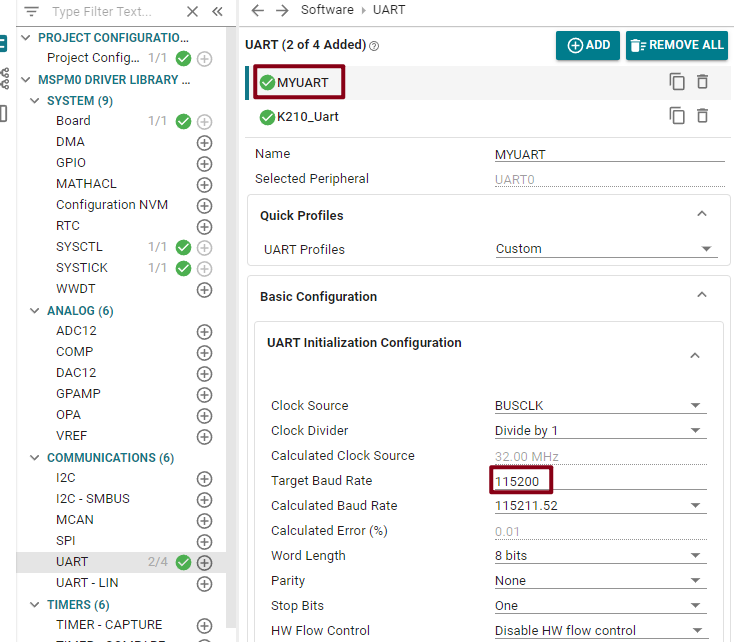
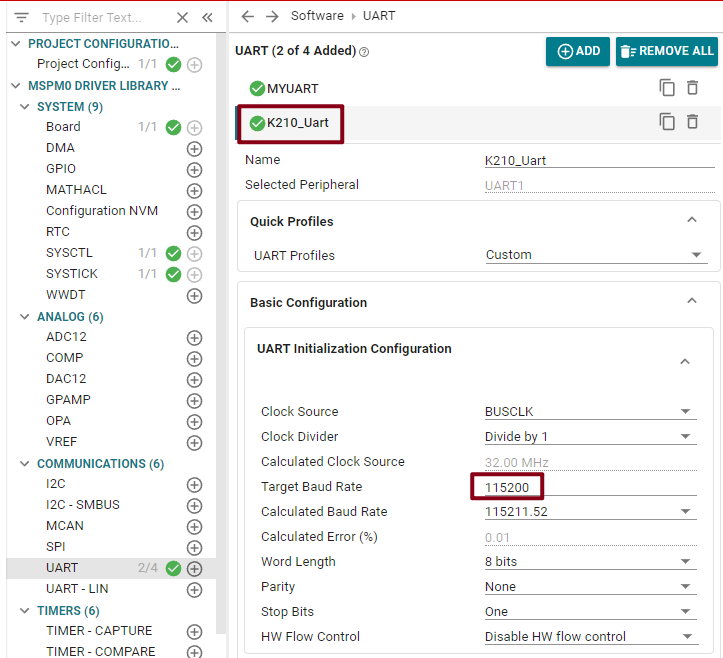
This example sets the serial port print baud rate to 115200 bps, and the K210 module connection baud rate to 115200 bps.
xint main(void){SYSCFG_DL_init();NVIC_ClearPendingIRQ(MYUART_INST_INT_IRQN);// Clear serial interrupt flagNVIC_EnableIRQ(MYUART_INST_INT_IRQN);// Enable serial interruptwhile (1){if (k210_msg.class_n != 0)// If class number is not empty{if(k210_msg.class_n == 2){sprintf(buff_com,"x=%d,y=%d,w=%d,h=%d\r\n",k210_msg.x,k210_msg.y,k210_msg.w,k210_msg.h);uart0_send_string(buff_com);sprintf(buff_com,"str = %s\r\n",k210_msg.msg_msg);uart0_send_string(buff_com);k210_msg.class_n = 0;}}delay_ms(500);}}
Through the above program, if running this example, the k210_msg structure members will have corresponding values and be printed through serial port.
k210_msg: is the structure that receives information. Its main members are:
x: is the x-coordinate of the upper-left corner of the recognized box (range: 0-240)
y: is the y-coordinate of the upper-left corner of the recognized box (range: 0-320)
w: is the width of the recognized box (range: 0-240)
h: is the height of the recognized box (range: 0-320)
id: is the recognized label
class_n: class number
msg_msg[20]: valid data
After data reception function and processing, each member of k210_msg will store valid information. If you want secondary development, you can directly call k210_msg members.
Note: Keil project source code must be placed under SDK path for compilation.
1.4 Experimental Phenomenon
After connecting the wires, run the K210 vision module offline K210 offline running method
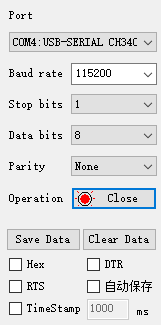
Set the serial assistant interface as shown in the figure.
Then run the barcode recognition example. The serial assistant will print important information transmitted by K210 to MSPM0G, as shown in the figure.
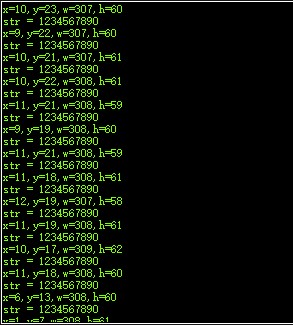
Barcode recognition only transmits 5 member variables of k210_msg: x, y, w, h, msg.