Welcome to MicroROS Self-balancing Car repository
5.Line speed calibration
Line speed calibration
Note: The virtual machine needs to be in the same LAN as the car, and the ROS_DOMAIN_ID needs to be the same. You can check [Must-read before use] to set the IP and ROS_DOMAIN_ID on the board.
1. Program function description
The car connects to the proxy, runs the program, and adjusts the parameters here to calibrate the car's line speed through the dynamic parameter regulator. The intuitive manifestation of calibrating the line speed is to let the car go straight forward for 1 meter to see how far it actually runs and whether it is within the error range.
xxxxxxxxxxNote: Before running the program, the car needs to be restarted in a stable standing position to ensure that all sensors are reset
2. Start and connect the agent
Take the supporting virtual machine as an example, enter the following command to start the agent,
xxxxxxxxxxsudo docker run -it --rm -v /dev:/dev -v /dev/shm:/dev/shm --privileged --net=host microros/micro-ros-agent:humble udp4 --port 8899 -v4 
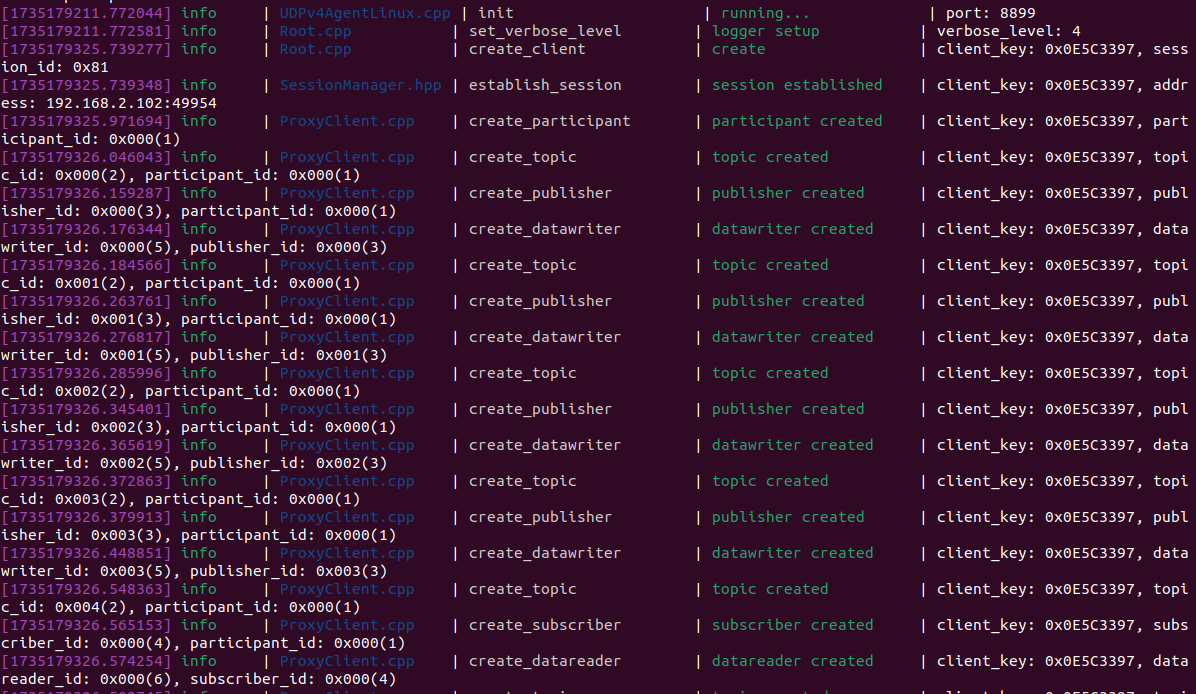
Then, turn on the car switch and wait for the car to connect to the proxy. The connection is successful as shown in the figure below.
3. Start the program
3.1 Run the command
Take the matching virtual machine as an example, input in the terminal,
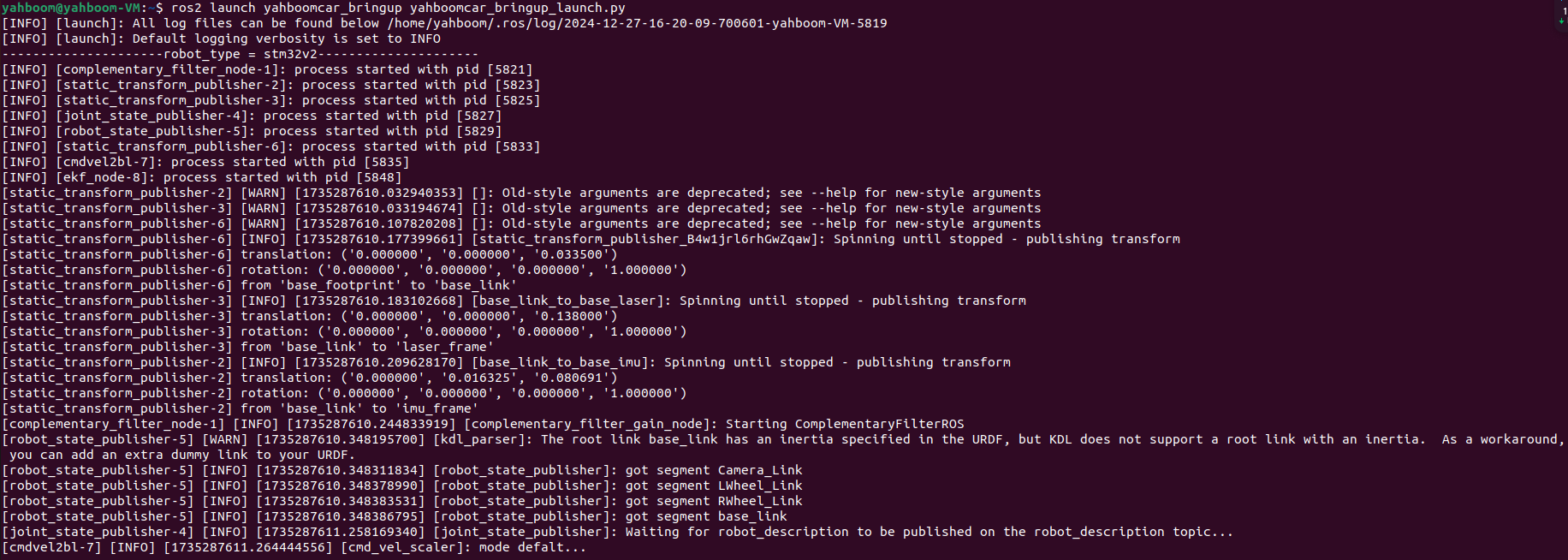
xxxxxxxxxxros2 launch yahboomcar_bringup yahboomcar_bringup_launch.pyFirst, start the car to process the underlying data program. The program will publish the TF transformation of odom->base_footprint. With this TF transformation, we can calculate "how far the car has traveled".
Then, start the car linear speed calibration program, input in the terminal,
xxxxxxxxxxros2 run yahboomcar_bringup calibrate_linear 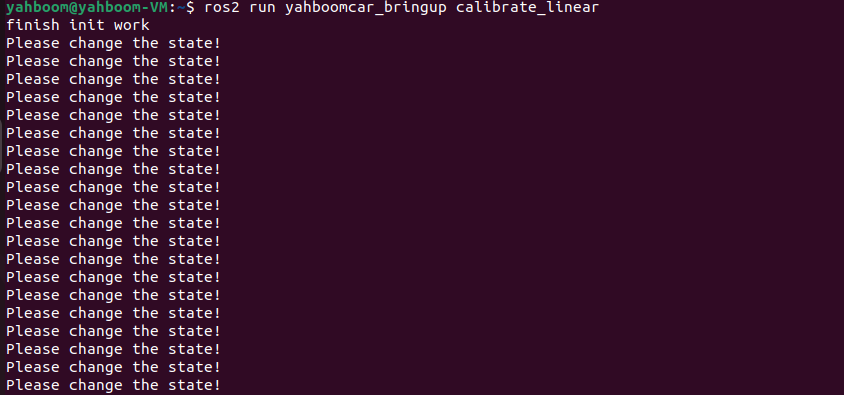
Finally, open the dynamic parameter regulator, input in the terminal,
xxxxxxxxxxros2 run rqt_reconfigure rqt_reconfigure
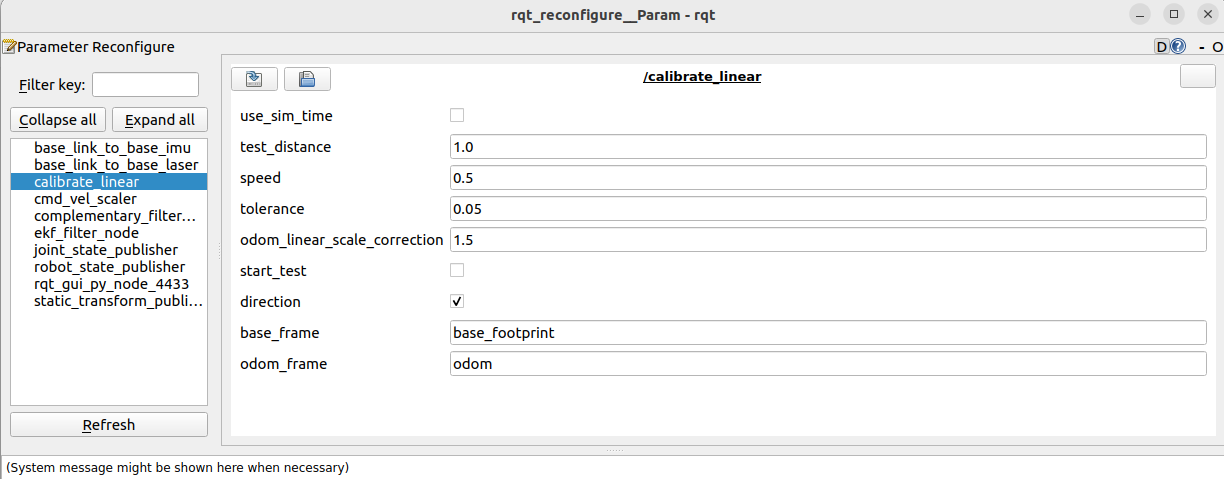
Note: The above nodes may not be available when you first open it. Click Refresh to see all the nodes. The calibrate_linear node displayed is the node for calibrating linear speed.
If conversion or other errors occur, this is due to network delay. The coordinate conversion of odom is not successful. You need to restart the car and connect to the agent again.

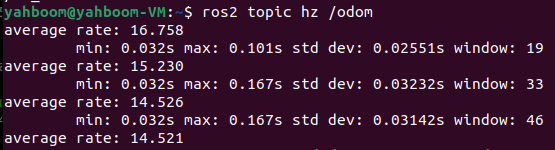
When the network is normal, the frequency of the odometer
4. Start calibration
In the rqt_reconfigure interface, select the calibrate_linear node. There is a start_test below. Click the box on the right to start calibration. The other parameters of the rqt interface are as follows:
test_distance: the distance of the calibration test. Here, the test is to walk forward 1 meter;
speed: the linear speed;
tolerance: the tolerance of the error;
odom_linear_scale_correction: linear velocity proportional coefficient. If the test result is not ideal, modify this value;
start_test: test switch;
direction: can be ignored. This value is used for the McLen structure car. After modification, the linear velocity of left and right movement can be calibrated;
base_frame: the name of the base coordinate system;
odom_frame: the name of the odometer coordinate system.
Click start_test to start calibration. The car will listen to the TF transformation of base_footprint and odom, calculate the theoretical distance traveled by the car, and issue a stop command when the error is less than tolerance.
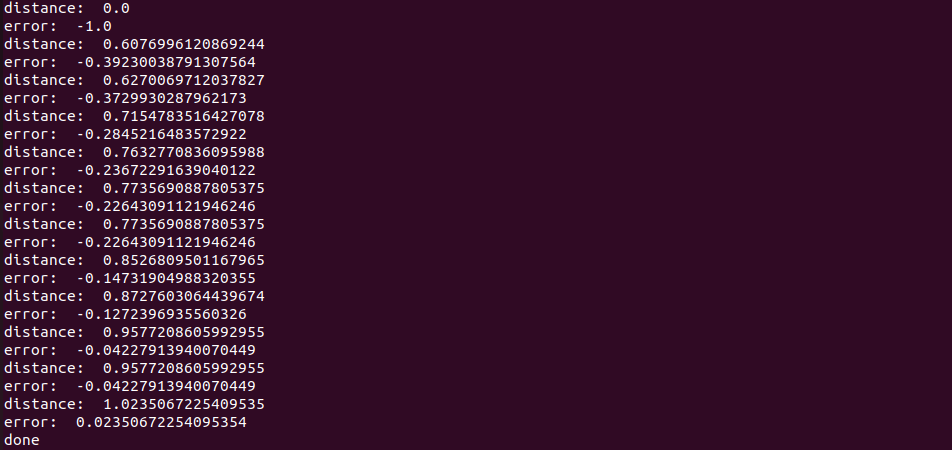
If the actual distance traveled by the car is not 1m, then modify the odom_linear_scale_correction parameter in rqt. After modification, click on the blank space, click start_test again, reset start_test, and then click start_test again to calibrate. The same is true for modifying other parameters. You need to click the blank space below to write the modified parameters. You can also record the parameters, modify the source code directly, and recompile and update the environment.
5. Code analysis
Source code reference path (taking the supporting virtual machine as an example):
xxxxxxxxxx/home/yahboom/yahboomcar_ws/src/yahboomcar_bringup/yahboomcar_bringupcalibrate_linear.py,核心代码如下,
xxxxxxxxxx#Monitor TF transformation of base_footprint and odomdef get_position(self): try: now = rclpy.time.Time() trans = self.tf_buffer.lookup_transform(self.odom_frame,self.base_frame,now) #print("trans: ",trans) return trans except (LookupException, ConnectivityException, ExtrapolationException): self.get_logger().info('transform not ready') raise return#Calculate the straight distance and errordef on_timer(self): move_cmd = Twist() #self.get_param() self.start_test = self.get_parameter('start_test').get_parameter_value().bool_value self.odom_linear_scale_correction = self.get_parameter('odom_linear_scale_correction').get_parameter_value().double_value self.direction = self.get_parameter('direction').get_parameter_value().bool_value self.test_distance = self.get_parameter('test_distance').get_parameter_value().double_value self.tolerance = self.get_parameter('tolerance').get_parameter_value().double_value self.speed = self.get_parameter('speed').get_parameter_value().double_value self.speed = self.speed * 45 if self.speed >45:self.speed = 45 if self.start_test: self.position.x = self.get_position().transform.translation.x self.position.y = self.get_position().transform.translation.y distance = sqrt(pow((self.position.x - self.x_start), 2) + pow((self.position.y - self.y_start), 2)) distance *= self.odom_linear_scale_correction print("distance: ",distance) error = distance - self.test_distance print("error: ",error)