Welcome to MicroROS Self-balancing Robot Car repository
6.Gesture control car movement
Gesture control of the basic movement of the car
Note: The virtual machine, ROS-wifi image transmission module and ESP32 communication board ROS_DOMAIN_ID need to be consistent, and both must be set to 20. You can view [ESP32 communication board parameter configuration] to set the ESP32 communication board ROS_DOMAIN_ID, and view the tutorial [Connecting MicroROS Agent] to determine whether the ID is consistent.
Before running the experiment, please make sure that the microros balance car and ROS-wifi image transmission module have correctly enabled the agent on the virtual machine (linux with humbleROS2 system)
1. Program function description
After the function is enabled, the camera captures the image and recognizes the gesture to control the movement of the car.
| Gesture “5” | Car moves forward |
|---|---|
| Fist (palm facing forward) | Car moves backward |
| Gesture “1” | Car moves left |
| Gesture “2” | Car moves right |
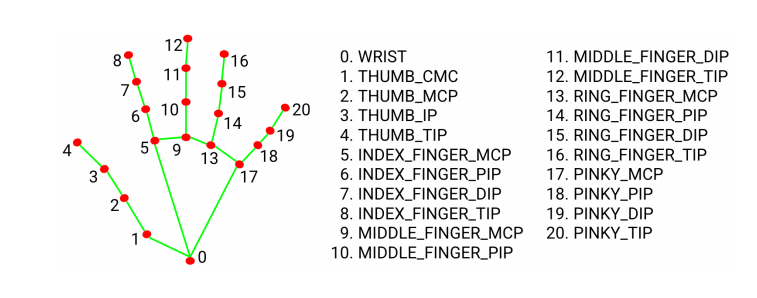
MediaPipe Hands infers the 3D coordinates of 21 hand value joints from one frame
2. Program code reference path
The source code of this function is located at,
/home/yahboom/yahboomcar_ws/src/yahboom_esp32ai_car/yahboom_esp32ai_car/HandCtrl.py
3. Program startup
3.1, Start command
Terminal input,
xxxxxxxxxx#Start chassis driverros2 launch yahboomcar_bringup yahboomcar_bringup_launch.pyxxxxxxxxxx#Start gesture control programros2 run yahboom_esp32ai_car HandCtrlIf the camera image is inverted, you need to see 3. Camera image correction (select) document to correct it yourself, this experiment will not be described.
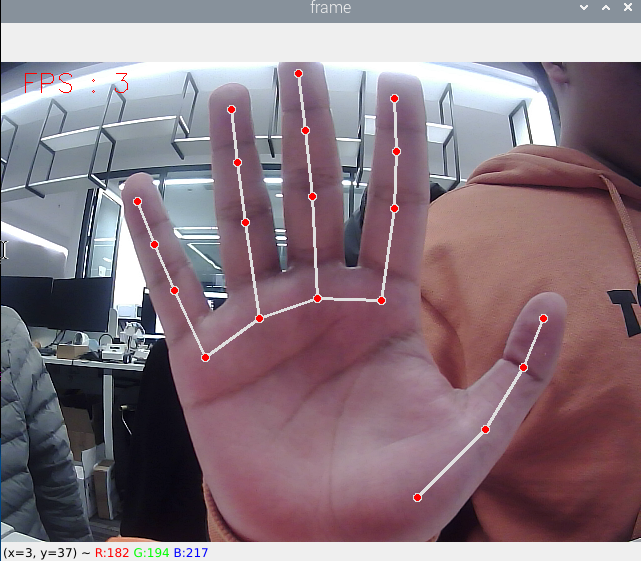
Turn on this function, then put your hand in front of the camera, the screen will draw the shape of the finger, and after the program recognizes the gesture, it will send the speed to the chassis, thereby controlling the movement of the car.
4. Core code
4.1. HandCtrl.py
Import key libraries
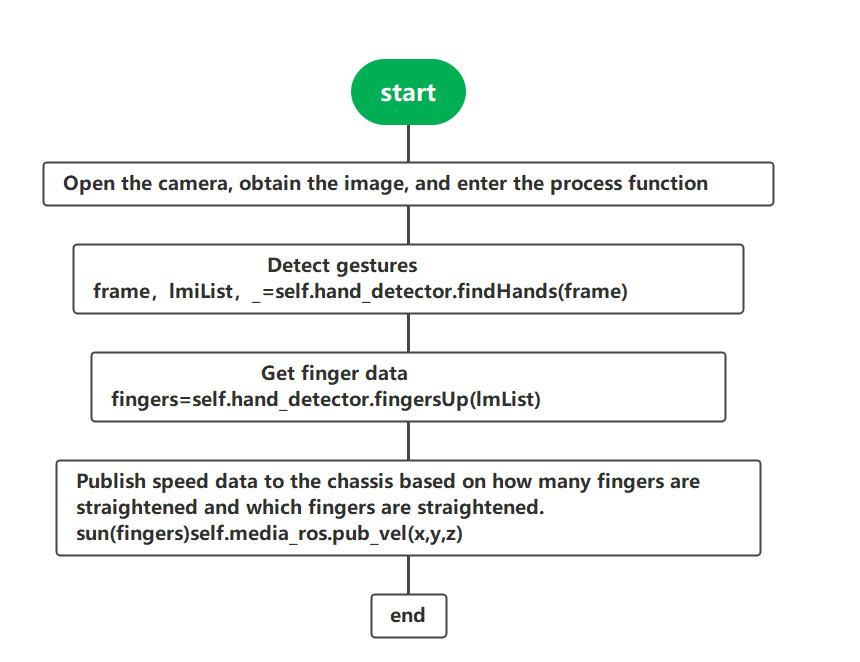
xxxxxxxxxxfrom media_library import * #This library contains functions for detecting hands and getting gesturesGet finger data
xxxxxxxxxxframe, lmList, _ = self.hand_detector.findHands(frame)fingers = self.hand_detector.fingersUp(lmList)sum(fingers)fingers[]It can be seen that the hand is detected first, the value of lmList is obtained, and then the fingersUp function is passed. The fingersUp function is used to detect which fingers are straightened. The value of straightened fingers is 1. The specific code here can also be seen in the media_library.py function, which has a detailed explanation. In fact, it is to judge the xy value of the finger joint to determine when it is straightened. The sum(fingers) function is used to calculate the number of straightened fingers. fingers[] can be used to enumerate fingers. For example, the index finger is represented by fingers[1].
Publish speed to chassis
xxxxxxxxxxself.media_ros.pub_vel(x,y,z) #This function is also in media_library.py4.2, Flowchart