yahboom
HomeTutorialsProduct
Solution
Blog
Online Store
About Us
EN/中文
Store
MicroROS Self-balancing Car📖
01.Introduction
  • 0.Unboxing and Reviewing
  • 1. Must read before use - learning route
  • 2. Introduction to LiDAR
  • 3. Balance car interface description
  • 4. Analysis of common problems
  • 5. Robot charging and battery precautions
02.Assembly tutorial
  • Robot assembly steps
03.Preparation
  • 0.Quick Start (Must Read)
  • 1.Write firmware
  • 2.How to install and use VM
  • 3.ESP32 communication board configuration parameters
  • 4.Connect to microROS agent
04.ROS-WiFi module configuration
  • 0.Serial port configuration WiFi instructions
  • 1.Use ROS-WiFi cam module(must read)
  • 2.Connect to ROS-WiFi cam module agent
  • 3.Camera image correction (optional)
05.Quick start control
  • 1.Keyboard remote control
  • 2.Handle remote control
06.ROS+OpenCV course
  • 1.OpenCV Getting started
  • 2.Geometric transformation
  • 3.Image processing and drawing text line segments
  • 4.Image beautification
07.Mediapipe course
  • 1. Hand detection
  • 2. Posture detection
  • 3. Overall inspection
  • 4. Face detection
  • 5. Face recognition
  • 6. Facial effects
  • 7. 3D object recognition
  • 8. Brush
  • 9. Finger control
  • 10. Gesture recognition
08.Robot basic course
  • 1.Robot information release
  • 2.Robot keyboard control
  • 3.Robot handle control
  • 4.Robot state estimation
  • 5.Line speed calibration
  • 6.Angular velocity calibration
  • 7.Robot URDF model
09.Lidar course
  • 1.Lidar avoid
  • 2.Lidar following
  • 3.Lidar guard
  • 5.Gmapping mapping
  • 6.Cartographer mapping
  • 7.Navigation2 navigation avoid
  • 8.Navigation2 fast relocation navigation
  • 9.ROS Robot APP mapping
  • 10.ROS Robot APP navigation
10.Robot visual interaction
  • 1.Color tracking
  • 2.Object recognition and tracking
  • 3.Face recognition tracking
  • 4.Autonomous driving line patrol
  • 5.QR code motion control
  • 6.Gesture control car movement
  • 7.Palm control car movement
  • 8.Gesture control car action group
  • 9.Palm recognition and tracking
  • 10.Human body posture recognition and tracking
11.Multi-machine course
  • 1.Multi-machine handle control
  • 2.Multi-machine keyboard control
  • 3.Multi-machine navigation
  • 4.Multi-machine rapid relocation navigation
12.STM32 balancing case
01.Environment construction and development
  • 13.Window Watchdog (WWDG)
  • 01.MDK-ARM installation
  • 02.STM32CubeIDE installation
  • 03.Common driver installation
  • 04.Download the program
  • 05.MDK-ARM project usage
  • 06.Program simulation
02.STM32 getting started course
  • 01.Project creation
  • 02.LED Control(GPIO)
  • 03.Buzzer control(GPIO)
  • 04.Button control(EXTI)
  • 05.Serial communication(USART)
  • 06.Voltage detection(ADC)
  • 07.Basic timer(TIM)
  • 08.Universal timer(TIM)
  • 09.Advanced Timer(TIM)
  • 10.I2C Communication(I2C)-OLED
  • 11.SPI communication(SPI)-2.4G handle
  • 12.Independent Watchdog (IWDG)
  • 14.DMA-USART
  • 15.DMA-I2C
03.STM32 expansion course
  • 01.Battery voltage detection (ADC)
  • 02.Ultrasonic module-measuring distance (TIM)
  • 03.Motor drive+encoder (TIM)
  • 04.OLED Data-Display(I2C)
  • 05.MPU6050-Data Read (I2C)
04.Robot car PID control course
  • 01.PID basic concept
  • 02.PID example analysis
  • 03.P, PI, PD controller theory
  • 04.Position PID
  • 05.Incremental PID
  • 06.Cascade PID
  • 07.Balance principle of car
  • 08.Car upright control (PD)
  • 09.Car speed ​​control (PI)
  • 10.Car steering control (PD)
  • 11.Got angle and angular velocity (DMP algorithm)
  • 12.Got angle and angular velocity (Kalman filter algorithm)
  • 13.Got angle and angular velocity(Complementary filter algorithm)
05.Robot car basic course
  • 01.Car parameter adjustment
  • 02.Ultrasonic obstacle avoidance
  • 03.Ultrasonic follow
  • 04.Bluetooth remote control
  • 05.Load balance
  • 06.Radar obstacle avoidance
  • 07.Radar guard
  • 08.Radar follow
  • 09.Radar patrol
  • 10.Radar wall following go in a straight line
  • 11.Radar tracking wall multiple walls
06.Robot car LQR control
  • Balance car LQR high-level control
07.Circuit design
  • 01.Overall circuit design
  • 02.STM32 minimum system
  • 03.Serial port circuit design
  • 04.Power circuit design
  • 05.MPU6050 Circuit Design
  • 06.Motor drive circuit design
08.Mathematical model
  • Balance car mathematical model
13.Linux basic course
  • 1.Introduction to Linux system
  • 2.Ubuntu file system
  • 3.Ubuntu common commands
  • 4.Ubuntu common editors
  • 5.Ubuntu software operation commands
  • 6.Virtual machine installation
  • 7.SSH remote control
  • 8.VNC remote control
  • 9.Transfer files remotely
  • 10.Driver library and communication
  • 11.Static IP and hotspot mode
  • 12.Bind device ID
  • 13.Capacity expansion and resource allocation
  • 14.Update system software sources
  • 15.Set root user password
  • 16.sudo free password
  • 17.Connect to WiFi network
  • 18.View system version
  • 19.Customized service management
  • 20.Back up system image
14.Docker course
  • 1. Overview and installation
  • 2. Common commands
  • 3. Docker images deeply understand and publish images
  • 4. Docker hardware interaction and data processing
  • 5. Enter the bot's docker container
15.ROS2 basic course
  • 1.Introduction to ROS2
  • 2.ROS2 install Humble
  • 3.ROS2 development environment
  • 4.ROS2 workspace
  • 5.ROS2 function package
  • 6.ROS2 node
  • 7.ROS2 topic communication
  • 8.ROS2 service communication
  • 9.ROS2 action communication
  • 10.ROS2 custom interface message
  • 11.ROS2 parameter service case
  • 12.ROS2 meta-function package
  • 13.ROS2 distributed communication
  • 14.ROS2 DDS
  • 15.ROS2 time related API
  • 16.ROS2 common command tools
  • 17.ROS2 rviz2 use
  • 18.ROS2 rqt toolbox
  • 19.ROS2 Launch startup file configuration
  • 20.ROS2 recording and playback tool
  • 21.ROS2 URDF model
  • 22.ROS2 Gazebo simulation platform
  • 23.ROS2 TF2 coordinate transformation
Download
  • RemoteCtrl_APP(Android)
  • Mapping_APP(iOS_Android)
  • Code
  • Hardware Information
  • software tools
  • 3D model file
  • Instruction manual
  • VM image file
  • ROS2_Basic_VM
Download ZIP

Welcome to MicroROS Self-balancing Car repository

16.ROS2 common command tools

16. ROS2 Common Command Tools

1. Package Management Tool ros2 pkg

1.1. ros2 pkg create

Function: Creates a package. When creating a package, you must specify the package name, compilation method, dependencies, etc.

Format:

xxxxxxxxxx
ros2 pkg create <package_name> --build-type <build-type> --dependencies <dependencies>

In the ros2 command:

  • pkg: Indicates the functions associated with the package;
  • create: Indicates the creation of a package;
  • package_name: Required: The name of the new package;
  • build-type: Required: Indicates whether the newly created package is C++ or Python. If using C++ or C, follow ament_cmake; if using Python, follow ament_python;
  • dependencies: Optional: Indicates the package's dependencies. C++ packages must include rclcpp; Python packages must include rclpy, as well as other required dependencies.

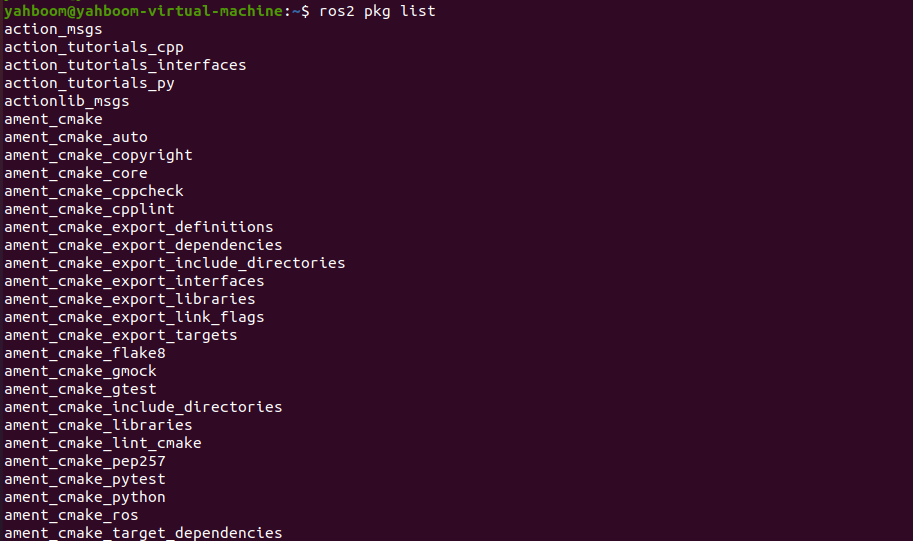
1.2, ros2 pkg list

Function: View the list of packages in the system

Format:

xxxxxxxxxx
ros2 pkg list

image-20230427154146879

1.3. ros2 pkg executables

Function: View all executable files in a package

Format:

xxxxxxxxxx
ros2 pkg executables pkg_name

image-20230427154419005

2. Node Run ros2 run

Function: Run the node program in the package

Format:

xxxxxxxxxx
ros2 run pkg_name node_name
  • pkg_name: Package name
  • node_name: The name of the executable program
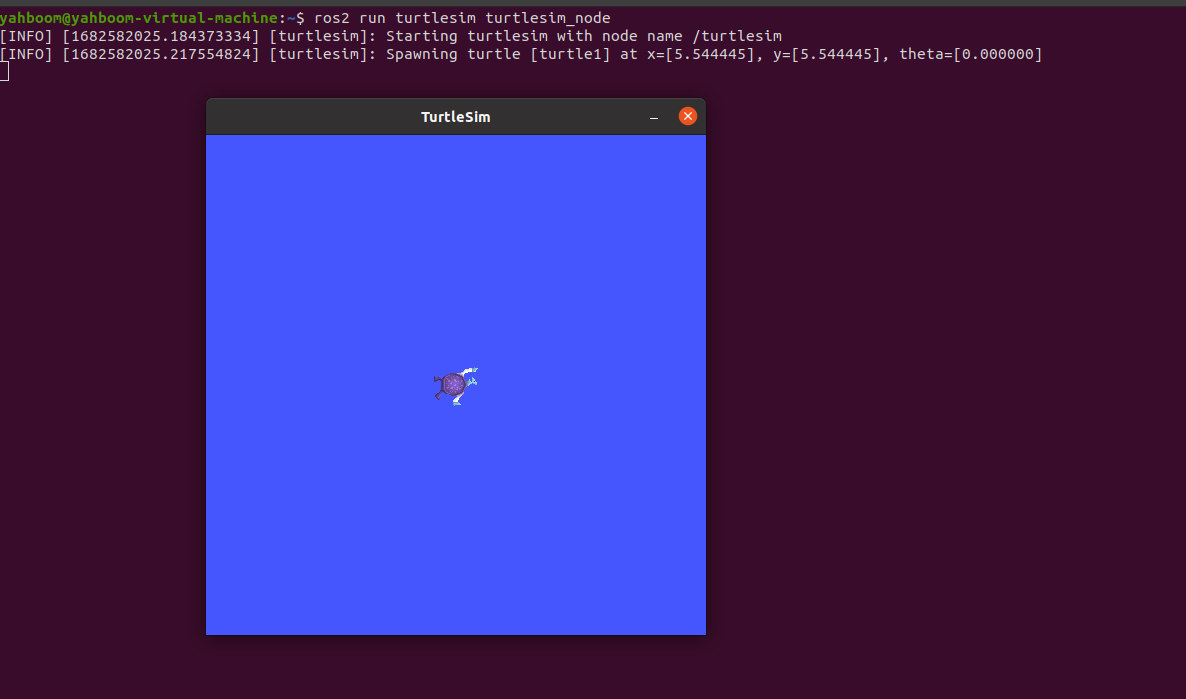
image-20230427155359745

3. Node-Related Tools: ros2 node

3.1. ros2 node list

Function: Lists all node names in the current domain

Format:

xxxxxxxxxx
ros2 node list

image-20230427155655753

3.2. ros2 node info

Function: View detailed node information, including subscriptions, published messages, enabled services, and actions.

Format:

xxxxxxxxxx
ros2 node info node_name
  • node_name: The name of the node to be viewed.
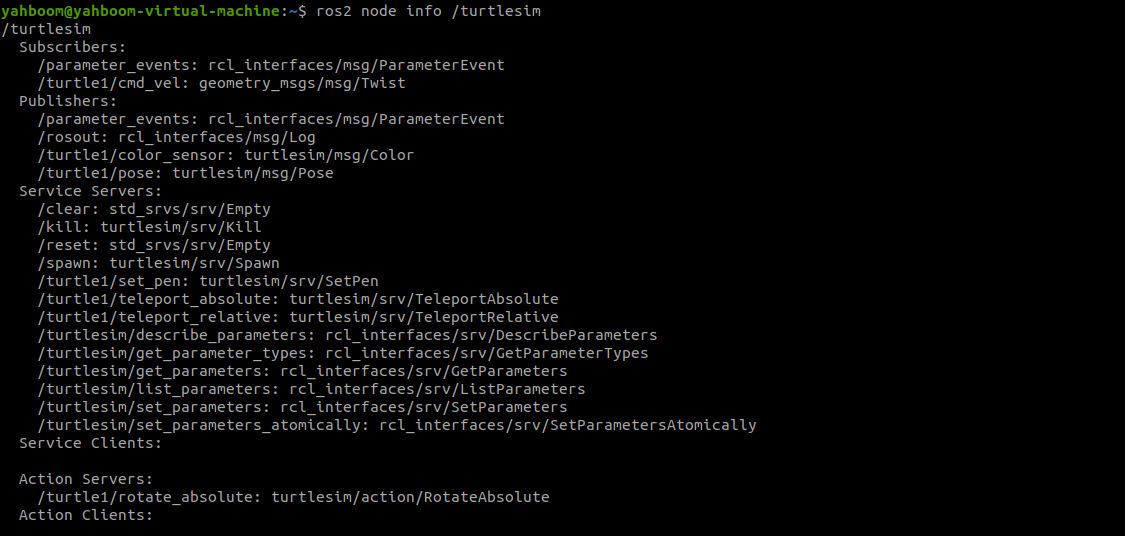
image-20230427160001101

4. Topic-Related Tools: ros2 topic

4.1. ros2 topic list

Function: List all topics in the current domain

Format:

xxxxxxxxxx
ros2 topic list

image-20230427160351051

4.2. ros2 topic info

Function: Display topic message type and number of subscribers/publishers

Format:

xxxxxxxxxx
ros2 topic info topic_name
  • topic_name: The name of the topic to be queried.

image-20230427160625594

4.3, ros2 topic type

Function: View the message type of a topic

Format:

xxxxxxxxxx
ros2 topic type topic_name
  • topic_name: The name of the topic type to be queried.

image-20230427161056536

4.4, ros2 topic hz

Function: Display the average publishing frequency of a topic.

Format:

xxxxxxxxxx
ros2 topic hz topic_name
  • topic_name: The name of the topic whose frequency you want to query.
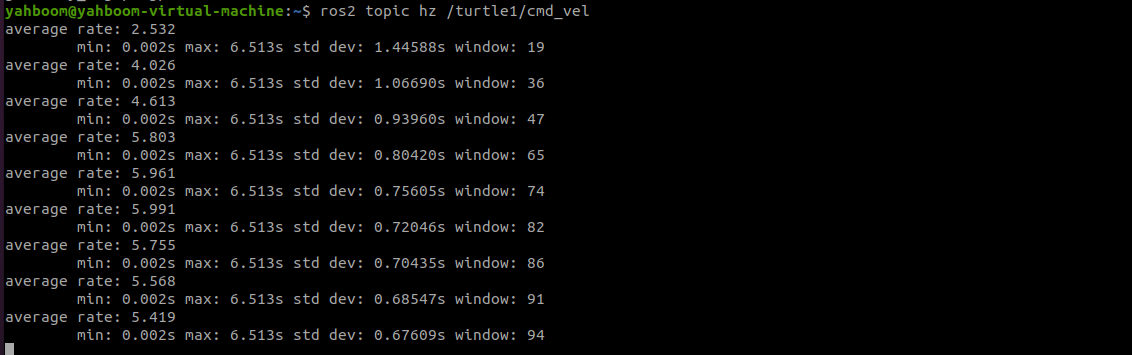
image-20230427161721650

4.5, ros2 topic echo

Function: Print topic messages on the terminal, similar to a subscriber.

Format: ros2 topic echo topic_name

  • topic_name: The name of the topic whose messages you want to print.
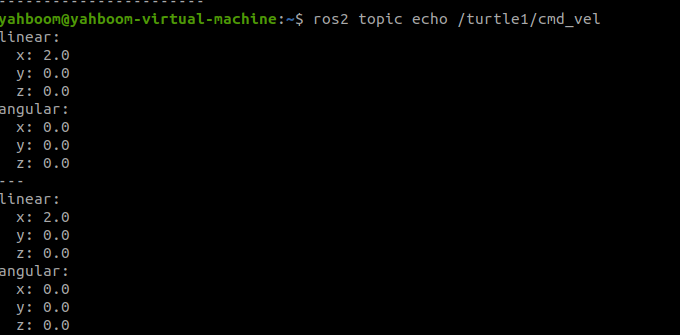
image-20230427162312888

4.5, ros2 topic pub

Function: Publish a message on a specified topic on the terminal.

Format:

xxxxxxxxxx
ros2 topic pub topic_name message_type message_content
  • topic_name: The name of the topic whose messages you want to publish.
  • message_type: The data type of the topic.
  • message_content: Message content

The default is to publish at a 1Hz frequency. The following parameters can be set:

  • Parameter -1 to publish only once, ros2 topic pub -1 topic_name message_type message_content
  • Parameter -t count to publish count times, ros2 topic pub -t count topic_name message_type message_content
  • Parameter -r count to publish at a count Hz frequency, ros2 topic pub -r count topic_name message_type message_content

Example:

  • Publish velocity commands via the command line
  • Note that there is a space after each colon; otherwise, a format error will be displayed.
xxxxxxxxxx
ros2 topic pub turtle1/cmd_vel geometry_msgs/msg/Twist "{linear: {x: 0.5, y: 0.0, z: 0.0}, angular: {x: 0.0, y: 0.0, z: 0.2}}"
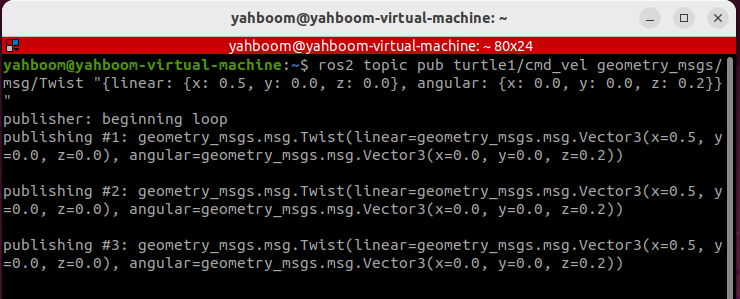
image-20250905163149992

5. Interface-Related Tools: ros2 interface

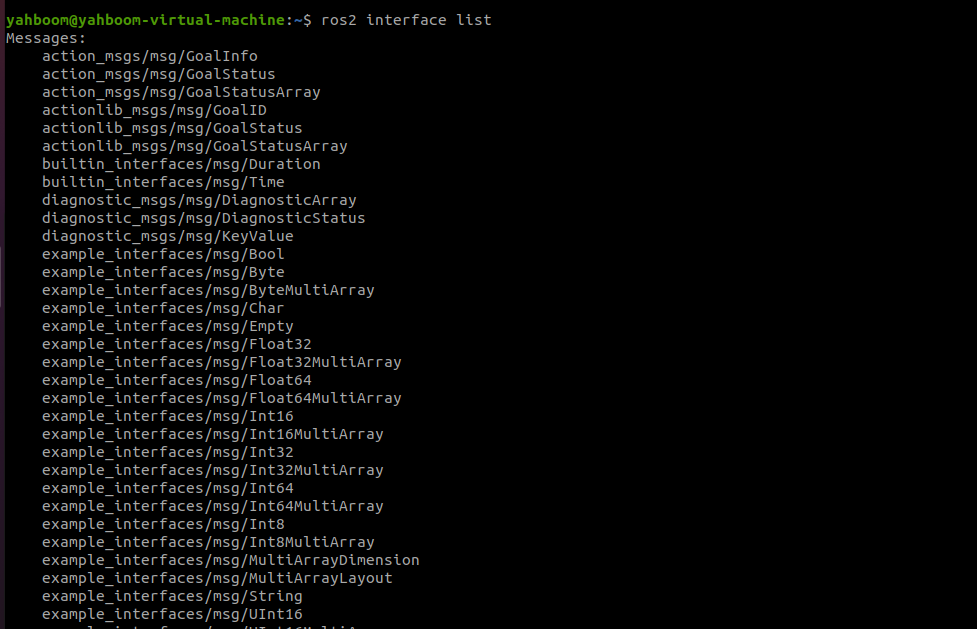
5.1. ros2 interface list

Function: Lists all interfaces in the current system, including topics, services, and actions.

Format:

xxxxxxxxxx
ros2 interface list

image-20230427164755075

5.2. ros2 interface show

Function: Displays the detailed information of a specified interface

Format:

xxxxxxxxxx
ros2 interface show interface_name
  • interface_name: The name of the interface to be displayed
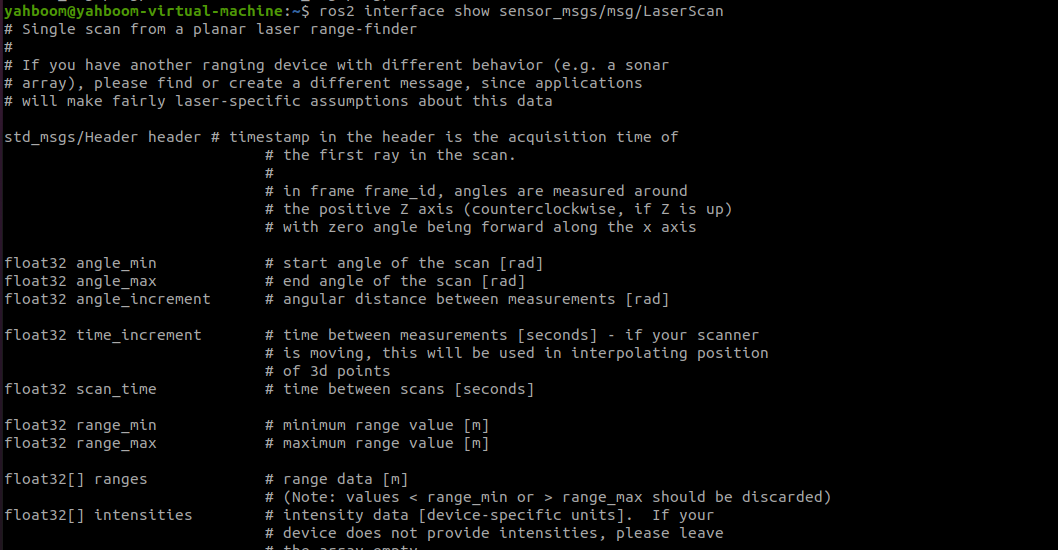
image-20230427165057647

6. Service-Related Tools ros2 service

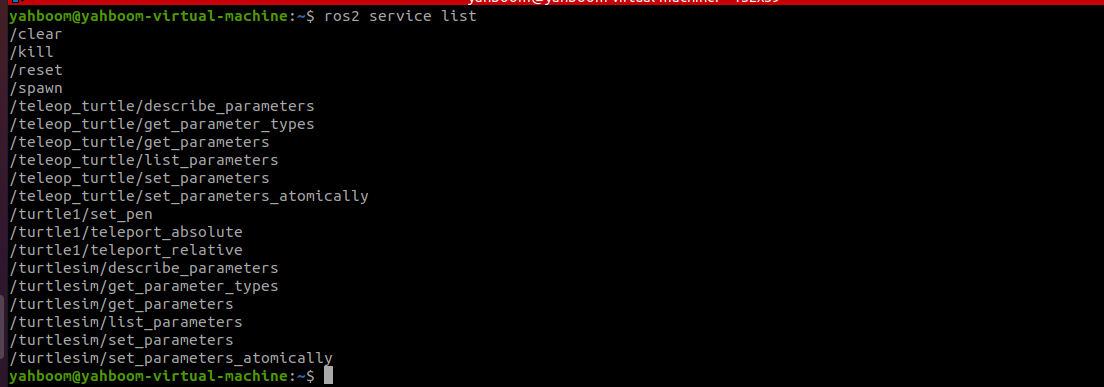
6.1. ros2 service list

Function: Lists all services in the current domain

Format:

xxxxxxxxxx
ros2 interface show interface_name

image-20230427172236875

6.2, ros2 service call

Function: Call a specified service

Format:

xxxxxxxxxx
ros2 interface call service_name service_Type arguments
  • service_name: The service to be called
  • service_type: The service data type
  • arguments: The parameters required to provide the service

For example, to call the turtle spawn service

xxxxxxxxxx
ros2 service call /spawn turtlesim/srv/Spawn "{x: 2, y: 2, theta: 0.2, name: 'turtle10'}"
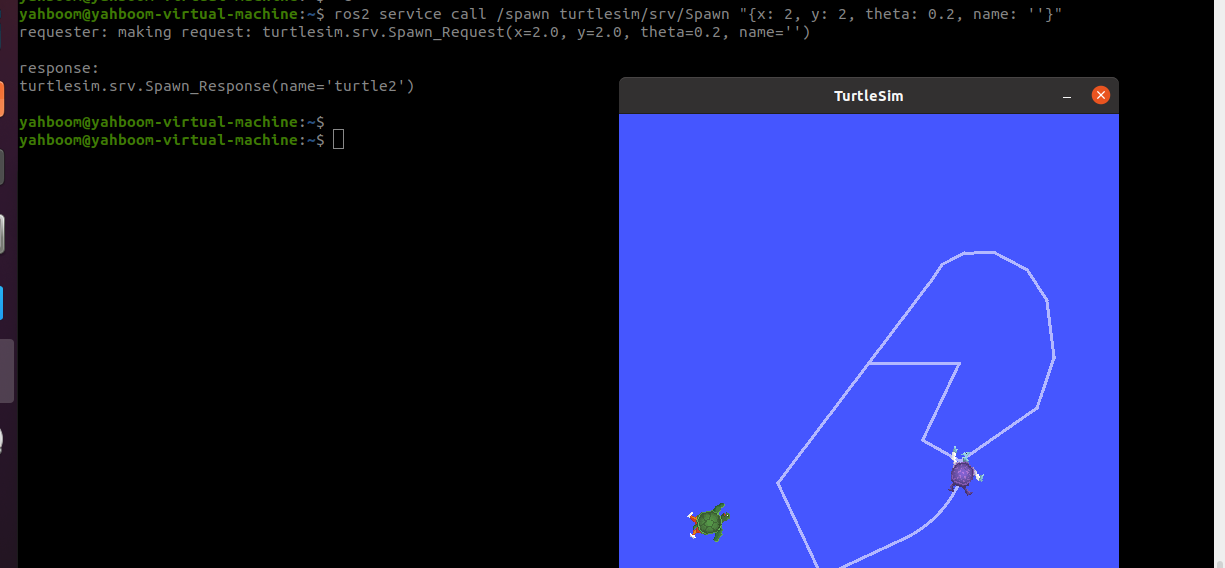
image-20230427173625631

ROS2 time related API
ROS2 rviz2 use

COMPANY

  • About us
  • Team Style
  • Blog

LEARNING & EXPLORATION

  • Tutorials
  • Edge AI hardware
  • Educational robots
  • Embedded intelligent hardware

WHERE TO BUY

  • Yahboom Online Store
  • Amazon
  • Alibaba
  • AliExpress
  • Mercado

TECHNOLOGY SUPPORT

  • Email: support@yahboom.com

BE A DISTRIBUTOR

  • Email: sales@yahboom.com
QR Code

Copyright © 2017-2026 Yahboom. All Rights Reserved.

EN/中文