yahboom
HomeLearn
Solution
Blog
Online Store
About Us
EN/中文
Wheeled Chassis Kit📖
0.Chassis installation course
  • Installation Video-1
  • Installation Video-2
  • Installation Video-3
1.4-channel motor drive module tutorials
Motor introduction and commissioning
  • 1. Motor introduction and usage
  • 2.PC host
IIC communication
  • For Arduino
  • For ESP32
  • For JetsonNANO
  • For MSPM0
  • For PICO2
  • For RDK X5
  • For RPi5
  • For STM32
USART communication
  • For Arduino
  • For ESP32
  • For JetsonNANO
  • For MSPM0
  • For PICO2
  • For RDK X5
  • For RPi5
  • For STM32
2.Kinematic analysis
  • Kinematic Analysis of Two-wheel Drive Vehicles
  • Kinematic Analysis of Four-wheel Drive Vehicles
3.MSPM0 chassis tutorials(MSPM0G3507/MSPM0G3519)
MSPM0 Basic Course
  • 1. Introduction to MSPM0
Development environment construction
  • 01.CCS Theia Development
  • 02.MDK Arm Development
  • 03.UniFlash Downloader
  • 04.DAP-LINK download program
  • 05.Program simulation and debugging
  • 06.Engineering transplantation
Keil basic case
  • 1. Turn on the LED light
  • 2. System delay
  • 3. Button control
  • 4. External interruption
  • 5. Serial communication
  • 6. Timer
  • 7. PWM breathing light
  • 8. ADC acquisition
  • 9. DMA transfer
  • 10. Get MPU6050 data (I2C)
  • 11. LCD Display (SPI)
CCS basic case
  • 1. Turn on the LED light
  • 2. System delay
  • 3. Button control
  • 4. External interruption
  • 5. Serial communication
  • 6. Timer
  • 7. PWM breathing light
  • 8. ADC acquisition
  • 9. DMA transfer
  • 10. Get MPU6050 data (I2C)
  • 11. LCD Display (SPI)
MSPM0 Robot Expansion Board Example
  • 1. Introduction to MSPM0 robot expansion board
  • 2. Customize buttons
  • 3. Drive the buzzer
MSPM0 Sensor extension information
  • 01.3-channel tracking
  • 02.4-channel tracking
  • 03.8-channel tracking
  • 04.CCD tracking
  • 05.Electric PTZ control
  • 06.2.4G handle control
  • 07.Servo ultrasonic avoid
  • 08.Bluetooth remote control
  • 09.K210-Automatic Driving
  • 10.K210-Color follow
  • 11.K210-Number recognition
  • 12.K210-Color reaction
  • 13.K210-Road signs
  • 14.K210-Machine code following
  • 15.K210-QR code recognition
  • 16.K230-Visual tracking
  • 17.K230-Color tracking
  • 18.K230-Color response
  • 19.K230-Road sign recognition
  • 20.K230-Machine code tracking
  • 21.K230-QR code recognition action
  • 22.K230-Autonomous avoid
  • 23.K230-License plate tracking
  • 24.K230-Face tracking
  • 25.K230-Gaze direction tracking
  • 26.K230-Palm tracking
  • 27.K230-Target tracking
  • 28.K230-Human body tracking
  • 29.K230-OCR character recognition action
4.STM32 chassis tutorials
  • 01.3-channel tracking
  • 02.4-channel tracking
  • 03.8-channel tracking
  • 04.CCD tracking
  • 05.Electric PTZ control
  • 06.2.4G handle control
  • 07.Servo ultrasonic avoid
  • 08.Bluetooth remote control
  • 09.K210-Automatic Driving
  • 10.K210-Color follow
  • 11.K210-Number recognition
  • 12.K210-Color Reaction
  • 13.K210-Road signs
  • 14.K210-Machine code following
  • 15.K210-QR code recognition
  • 16.K230-Visual tracking
  • 17.K230-Color tracking
  • 18.K230-Color response
  • 19.K230-Road sign recognition
  • 20.K230-Machine code tracking
  • 21.K230-QR code recognition action
  • 22.K230-Autonomous avoid
  • 23.K230-License plate tracking
  • 24.K230-Face tracking
  • 25.K230-Gaze direction tracking
  • 26.K230-Palm tracking
  • 27.K230-Target tracking
  • 28.K230-Human body tracking
  • 29.K230-OCR character recognition action
5.Expand course
  • 1.Autonomous driving car
  • 2.Vehicle-mounted balance ball motion control systemnew
Download
  • Code
  • 3D_Model_File
Download ZIP

Welcome to Wheeled Chassis Kit repository

03.UniFlash Downloader

UniFlash download program (serial port download)

UniFlash download program (serial port download)1. Download UniFlash2. Install uniflash3. Install CH340 serial port driver4. Open Uniflash and set parameters5. Burning program6. Frequently asked questions

1. Download UniFlash

Search for uniflash on the official website to download, or you can get it from our network disk.

Download address: UNIFLASH Software programming tool | TI.com

Choose a version that supports your own development environment. My development environment is Win10, so I choose to download the Windows version installer here.
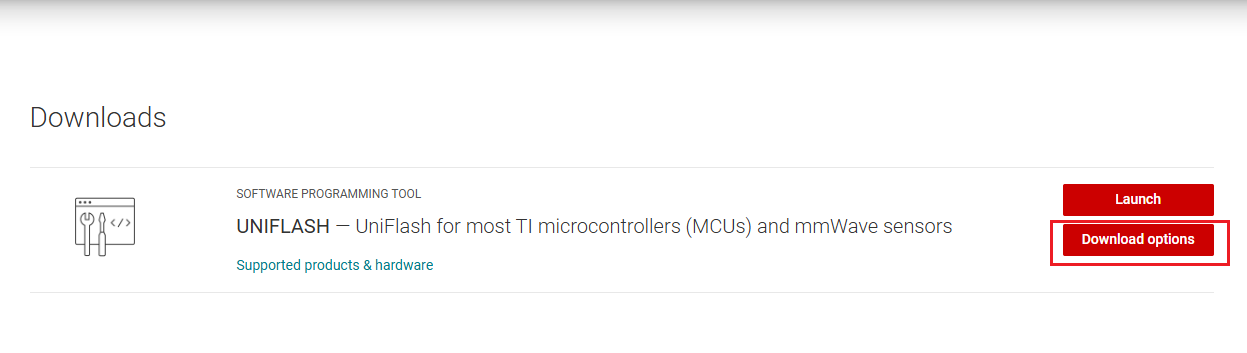
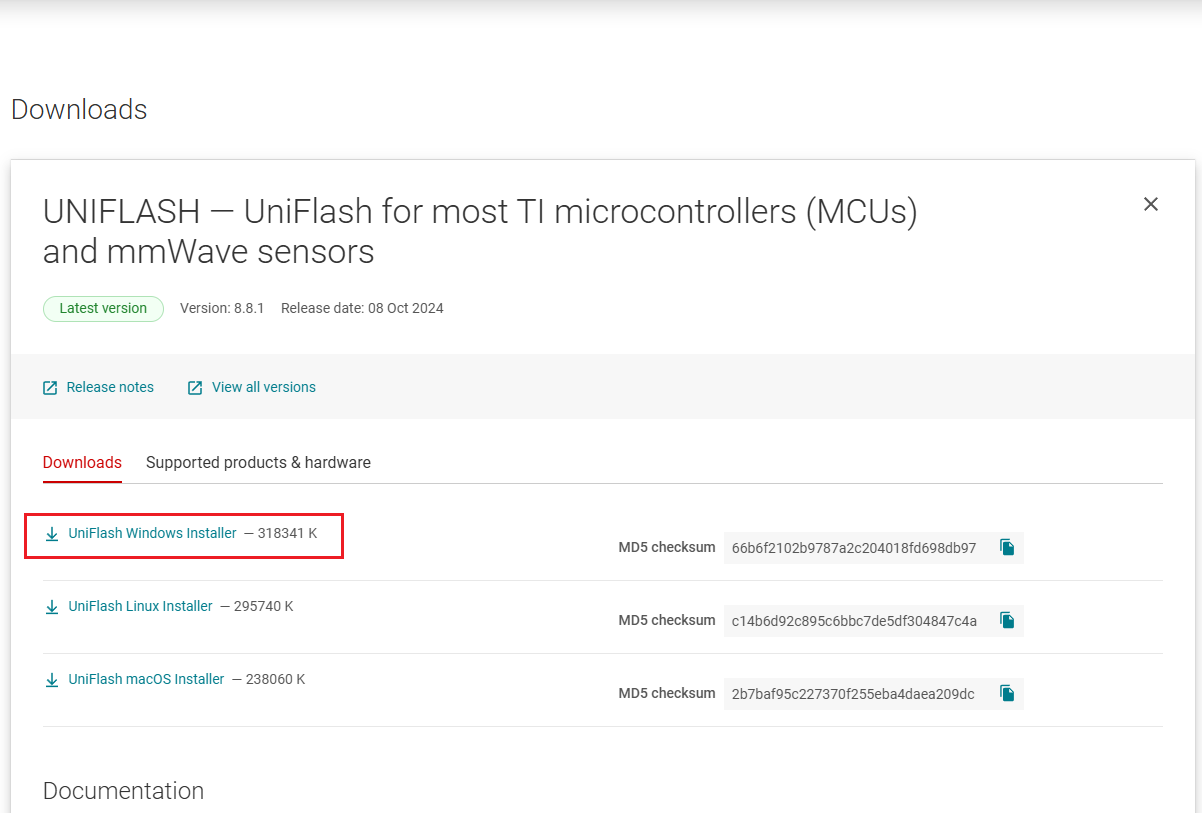
image-20241203192509892

image-20241115111025330

2. Install uniflash

  • Double-click the downloaded uniflash_sl.x.exe file

image-20241115111632806

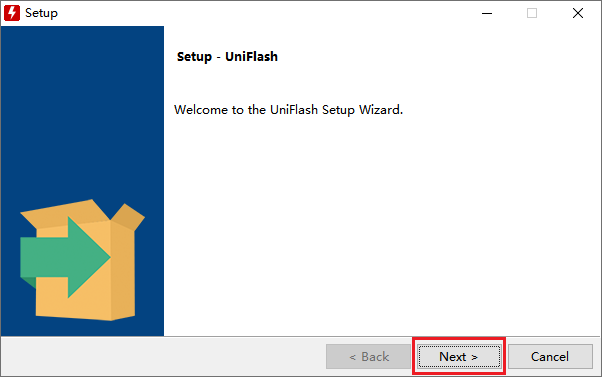
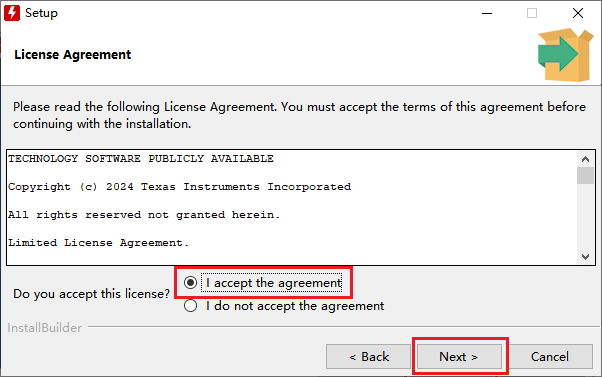
  • Click NEXT

image-20241115195413540

image-20241115195536485

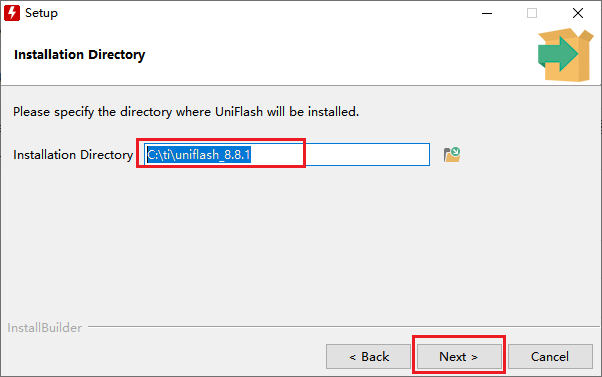
  • Choose your own installation path

image-20241115195703914

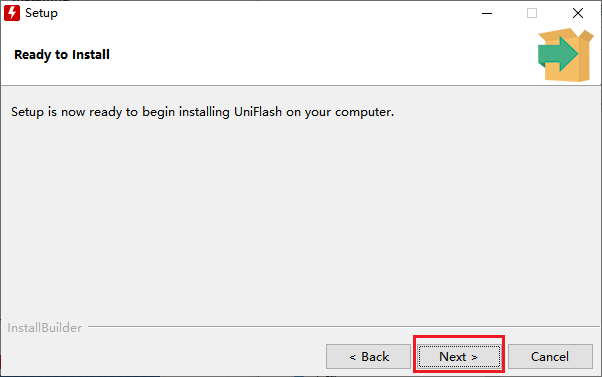
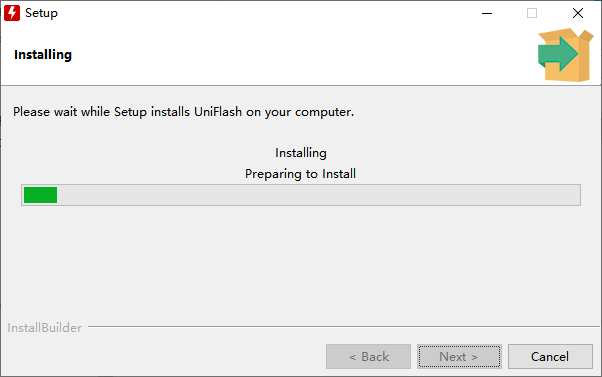
  • Click NEXT to start the installation

image-20241115195852904

  • Choose to create a desktop shortcut, and the installation is complete
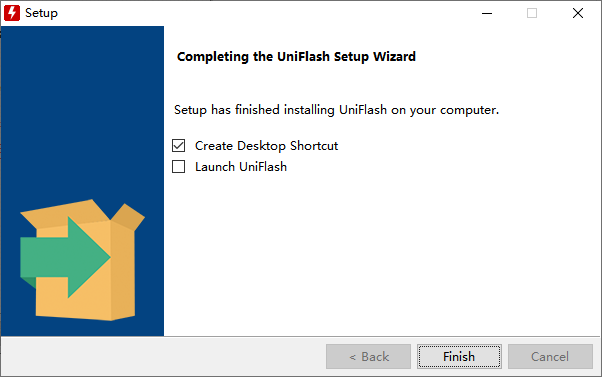
image-20241116100527904

3. Install CH340 serial port driver

CH340 driver download address: CH341SER.EXE - NanjingQinhengMicroelectronics

The steps to install the serial port driver are relatively simple. Just double-click SETUP.EXE in the installation package and click "Install".
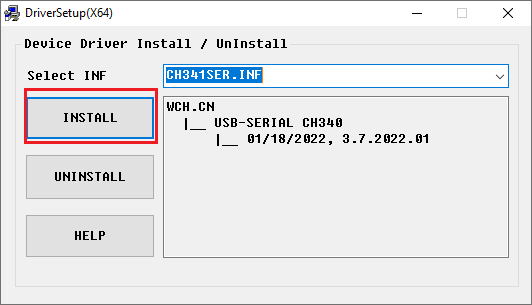
img

The installation is successful as shown in the figure below.
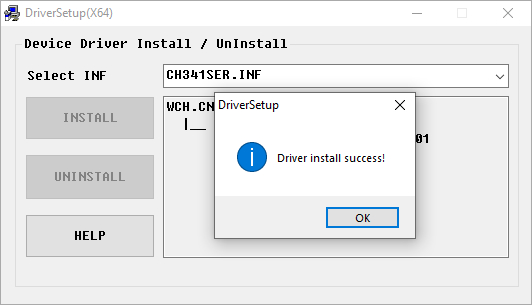
img

Turn on the power, connect the MSPM0 motherboard and the computer via USB, open the device manager, and the port will display CH340 (COMX, X is the port number)
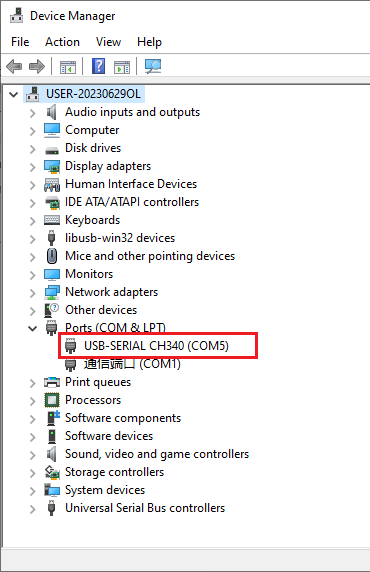
img

4. Open Uniflash and set parameters

Double-click UniFlash 8.8.1 to open it.

image-20241116111036244

Search for MSPM0G3507 in the search box of the New Configuration column, and select the MSPM0G3507 with Serial that supports serial port download.
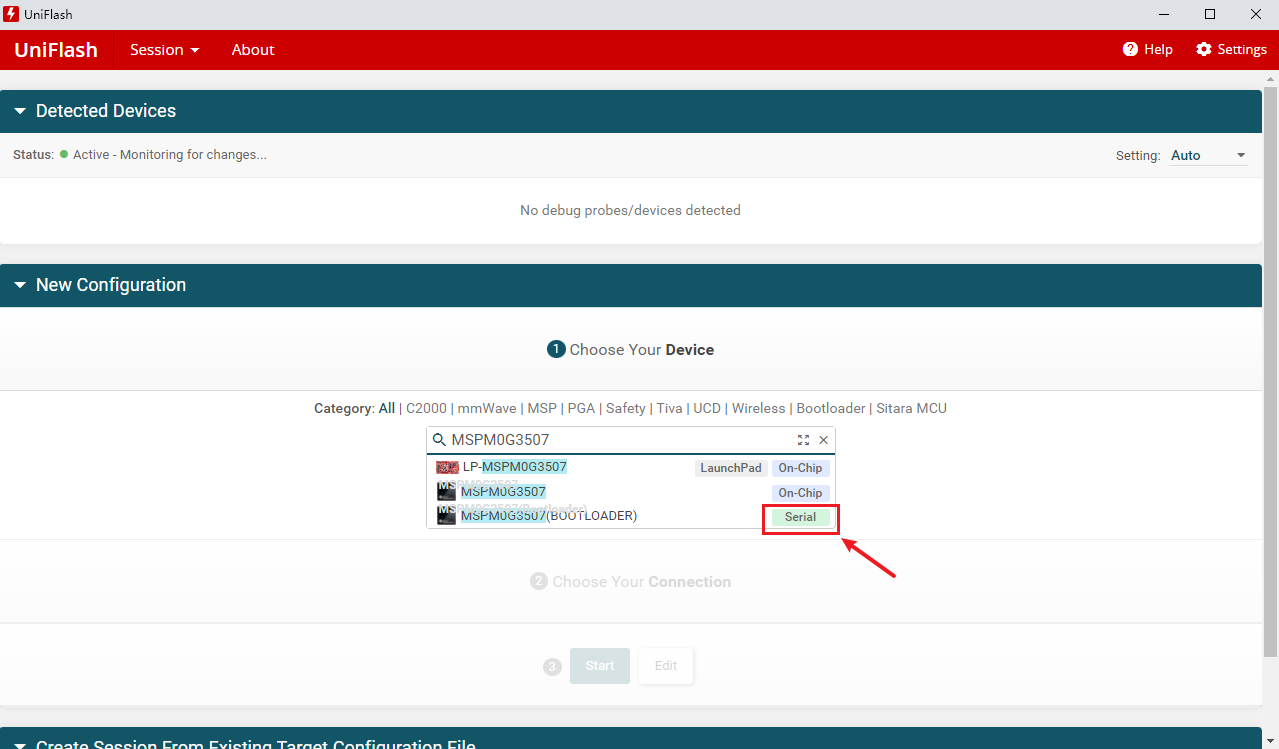
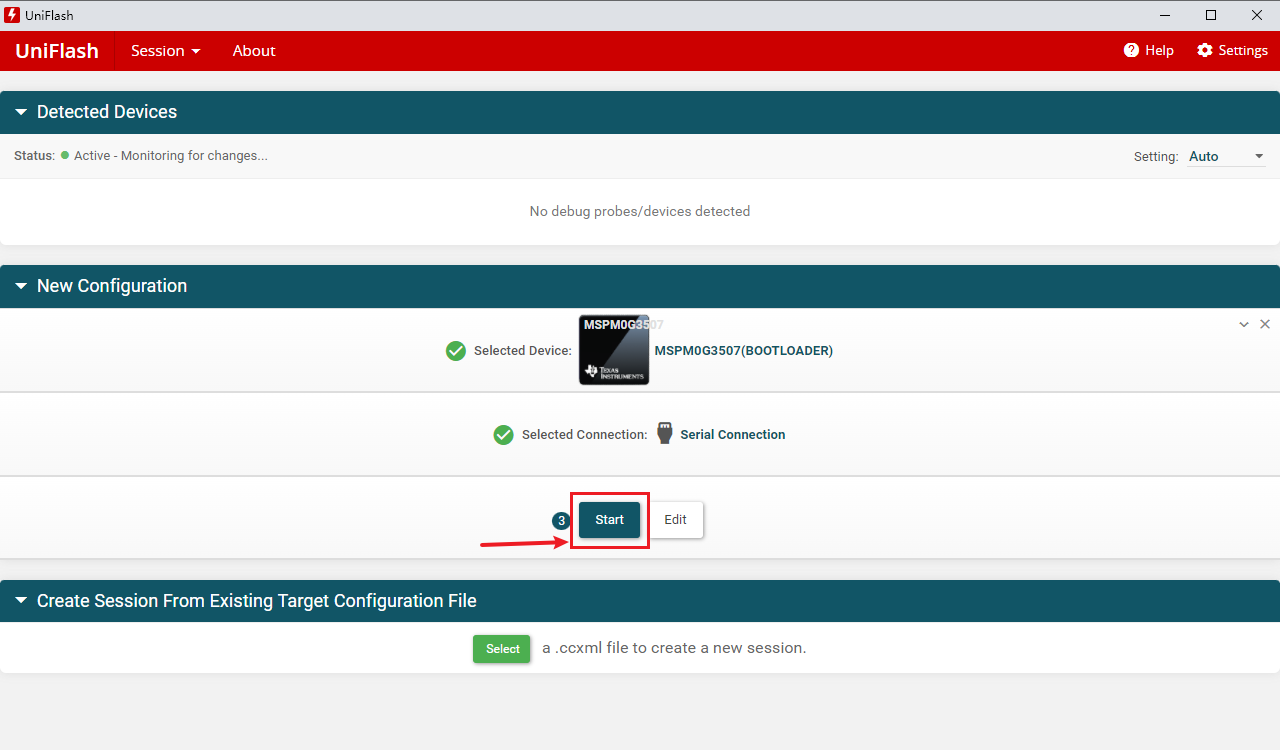
image-20241116111606451

image-20241116112426313

Just use the TYPE-C data cable to connect to the TYPE-C interface of the development board.
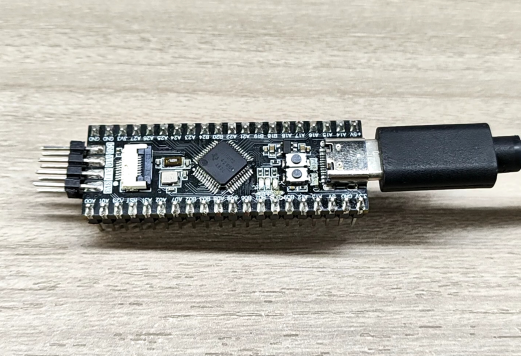
Snipaste_2024-11-16_11-40-03

In the Program column, select the binary file generated by the code, which supports .hex and .bin files, manually enter the serial port number of the device, and select the baud rate 9600.
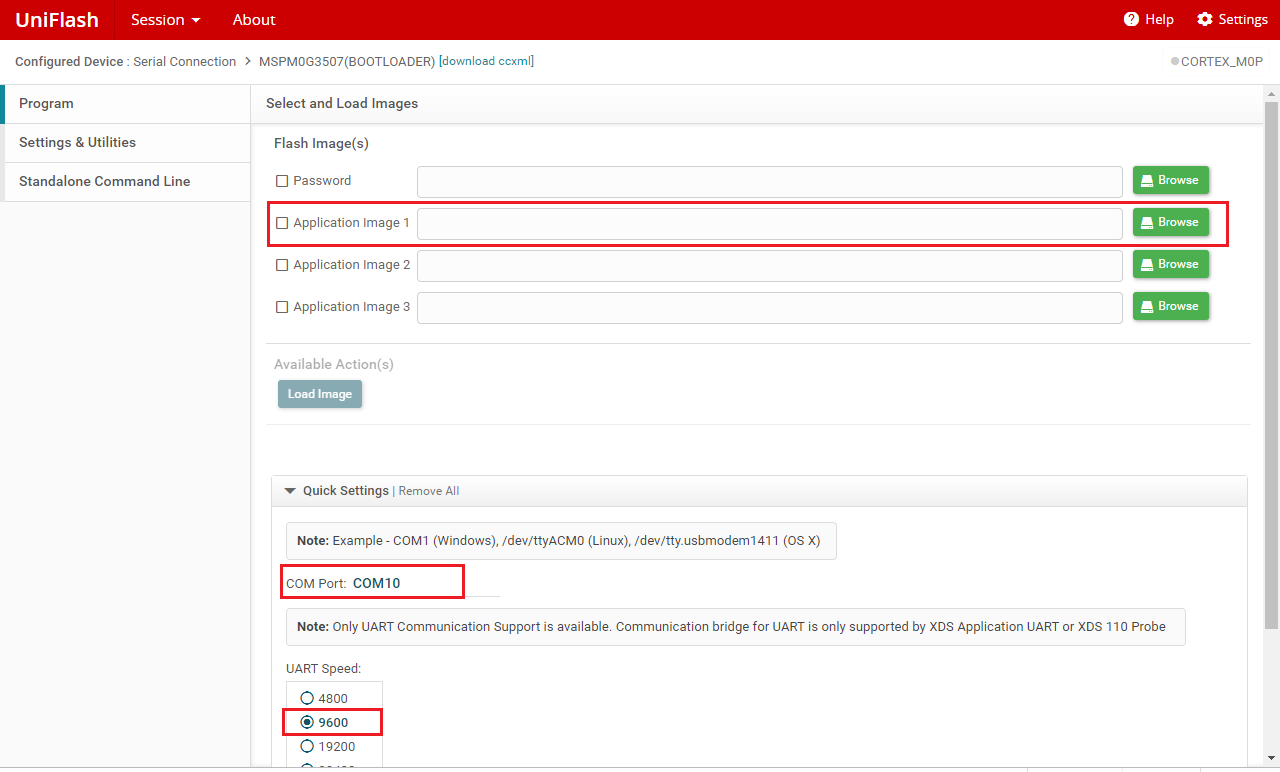
image-20241116114935939

In the Erase setting of the Settings & Utilities column, select Erase main memory only
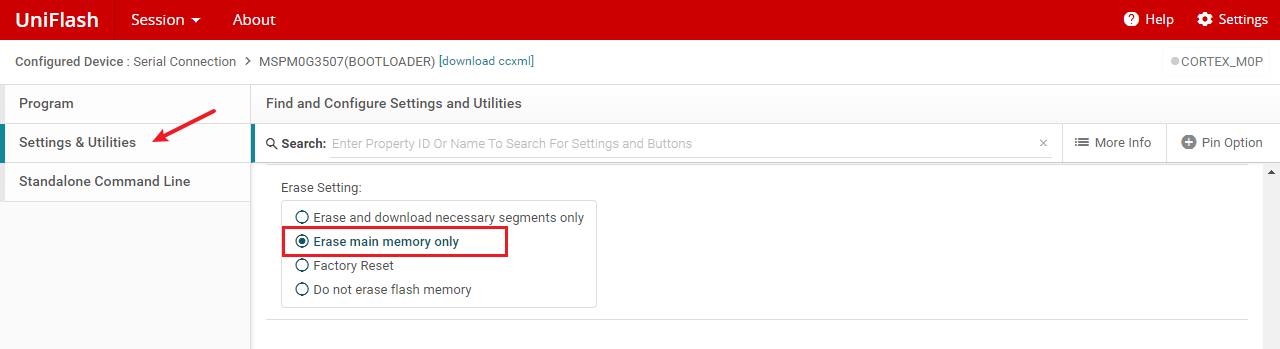
image-20241116115249702

5. Burning program

After the development board is connected to the computer, press and hold the BSL button, which is the PA18 button, and then press the RST button. Release the RST button for about 1S, and then release the BSL button. At this time, it enters the burning mode.
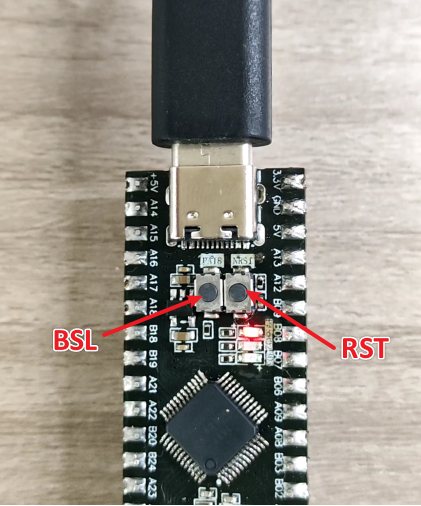
image-20241116142931986

After entering the burning mode, click Load image to download.

Note: The download must be performed within 10 seconds after the development board enters the burning mode, otherwise the download will fail.
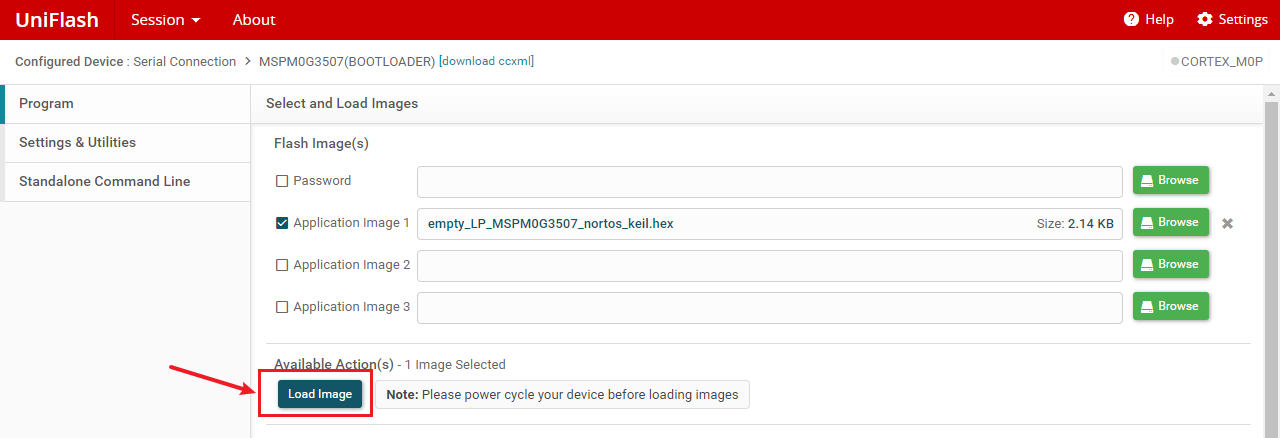
image-20241116121631693

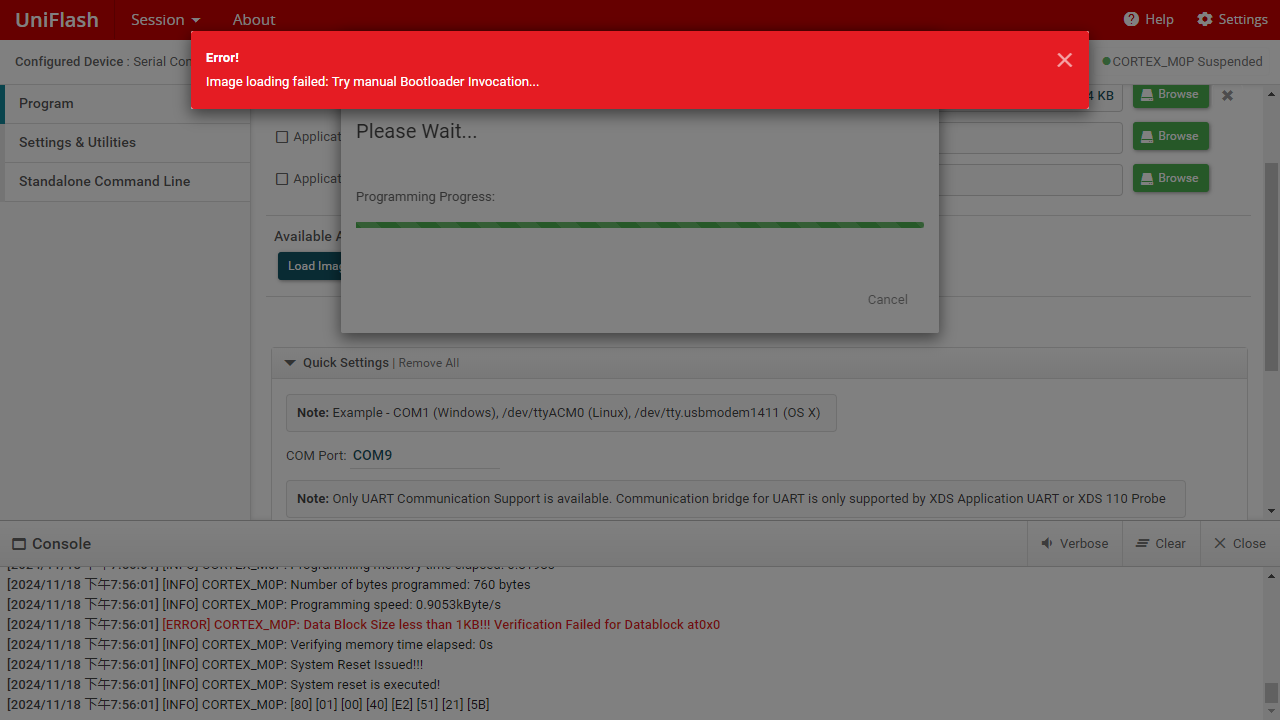
When the same error as the following image appears, Image loading felled: Try manual Bootloader invocation..., the download has actually been successful. This is a bug in the download software.
6. Frequently asked questions

  1. Download error Image loading felled: Try manual Bootloader invocation...

image-20241118195610288

A: This is a bug in the download software. It has actually been downloaded.

  1. Download error Image loading failed: Flash Generic, Loading lmages... Error: -9
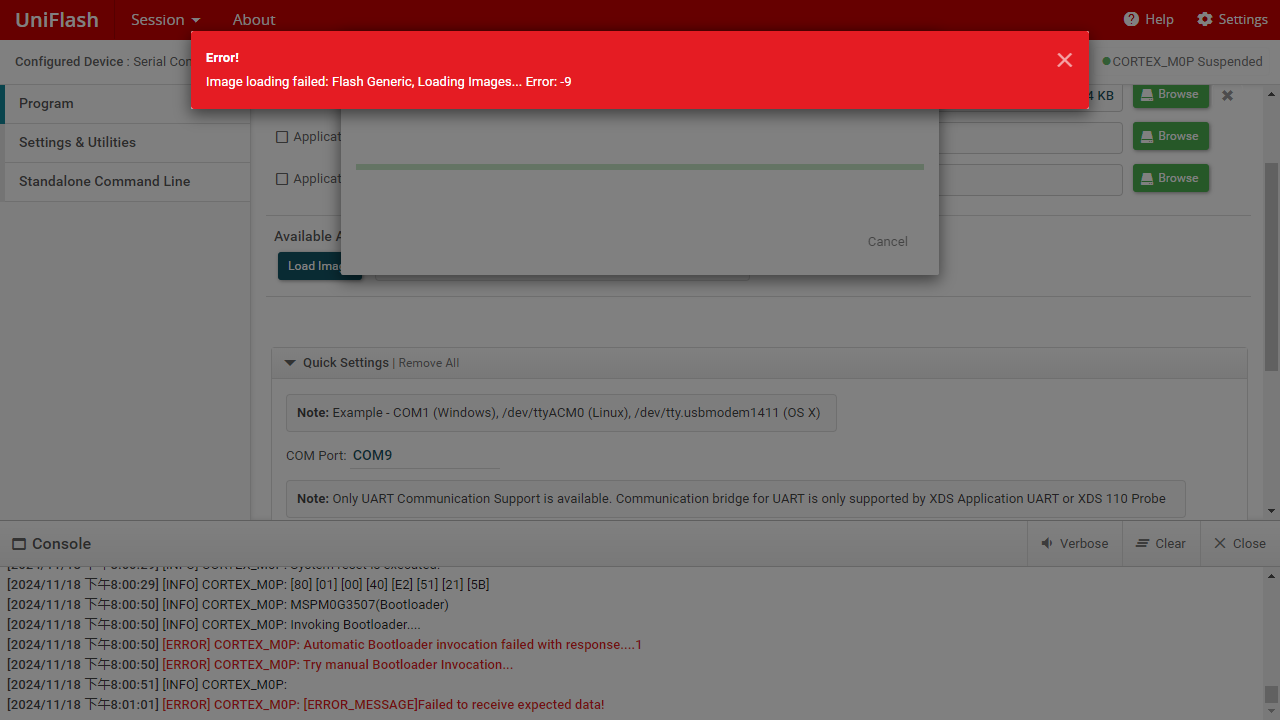
image-20241118195731358

A: The chip has not entered the burning mode. You need to keep pressing the BSL(PA18) button, then press the RST button for about 1s and release it, and finally release the BSL(PA18) button to enter the burning mode.

  1. Download error Image loading failed: Flash Generic, Loading lmages... Error: -6
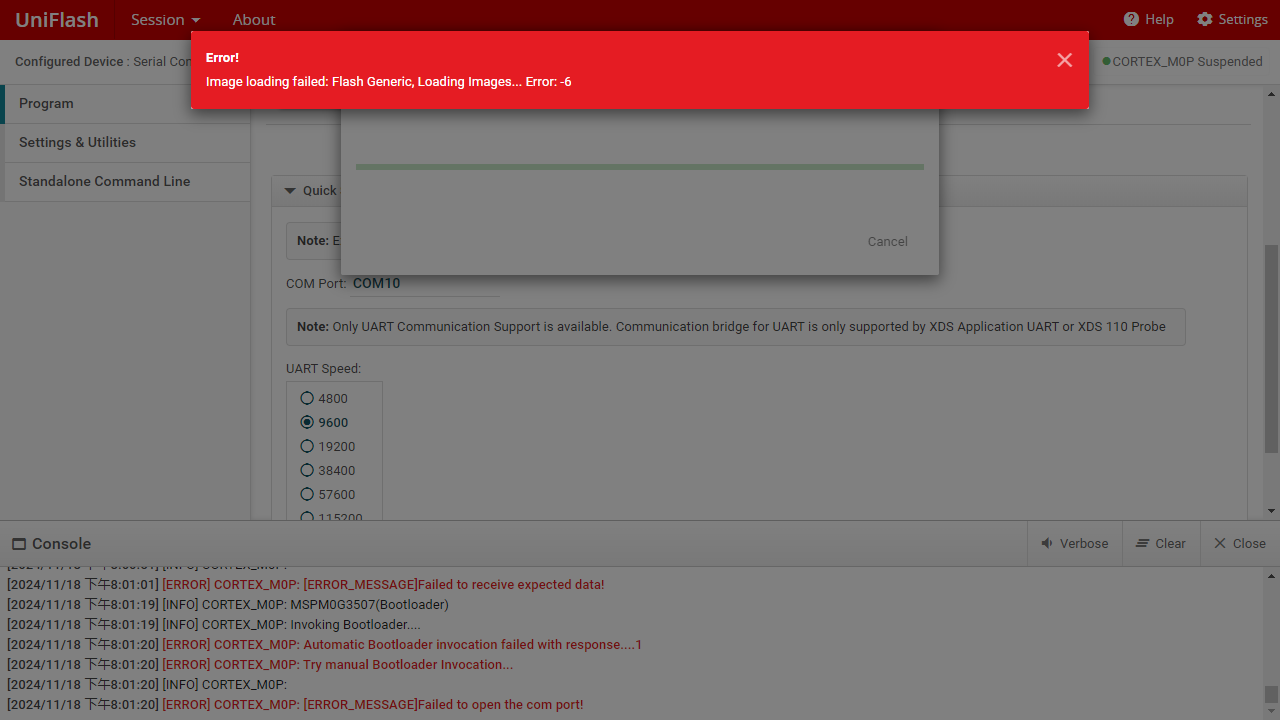
image-20241118200127954

A: The correct download port is not selected or the port is occupied. You can check the current port number of MSPM0 in the device manager and then manually enter it into the COM Port column.
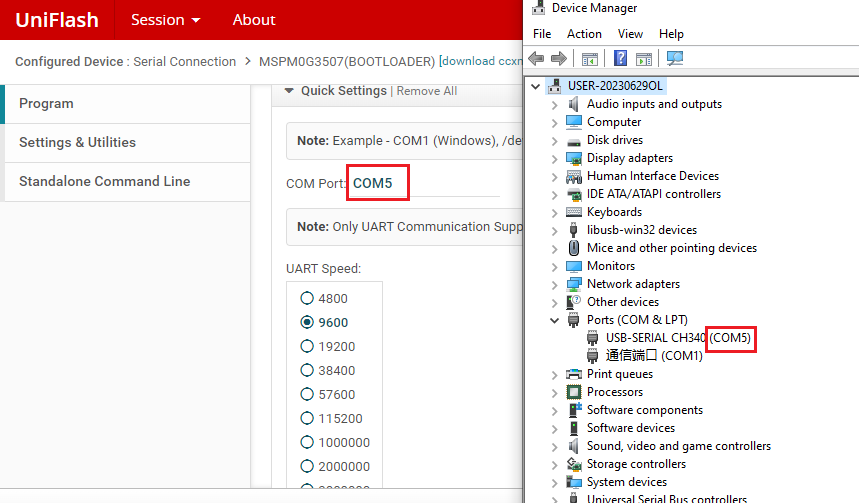
image-20241118200503777

  1. Download error Image loading failed: Flash Generic, Loading lmages... Error. -3
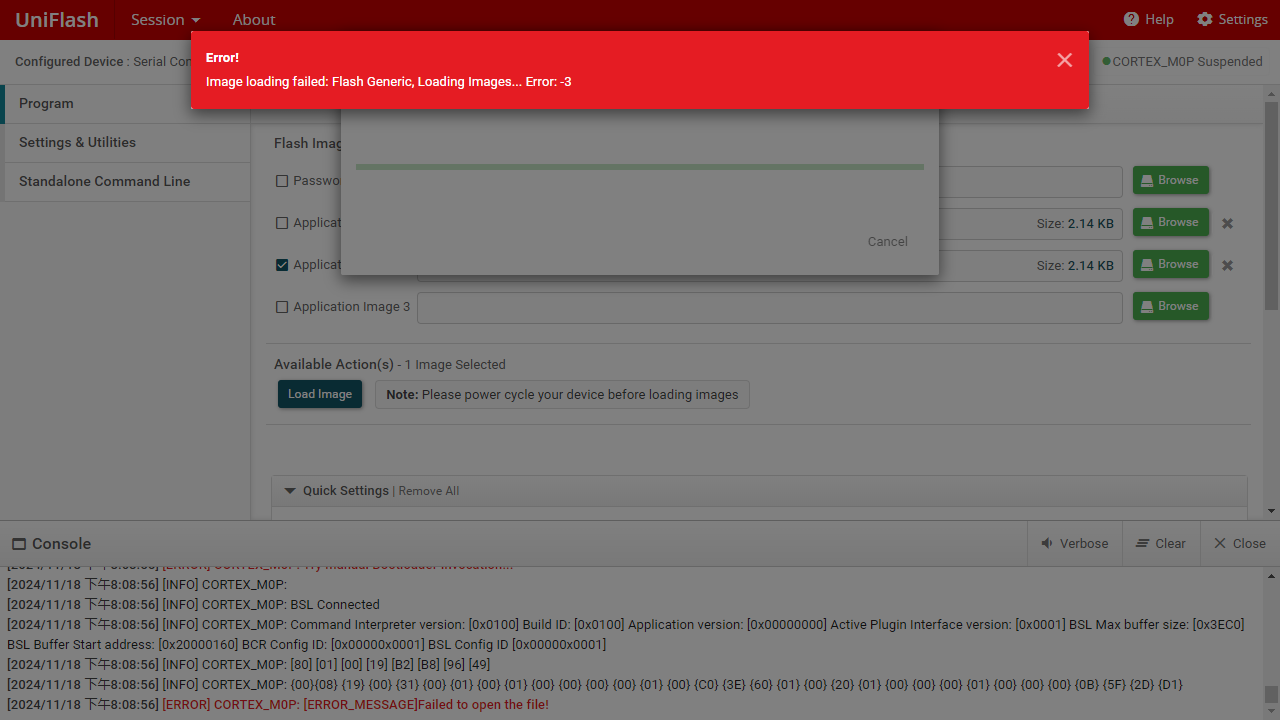
image-20241118200902795

A: The burned program cannot be in the Chinese path, it must be placed in the English path.

  1. Download error Image loading failed: Flash Generic, Loading lmages... Error. -1
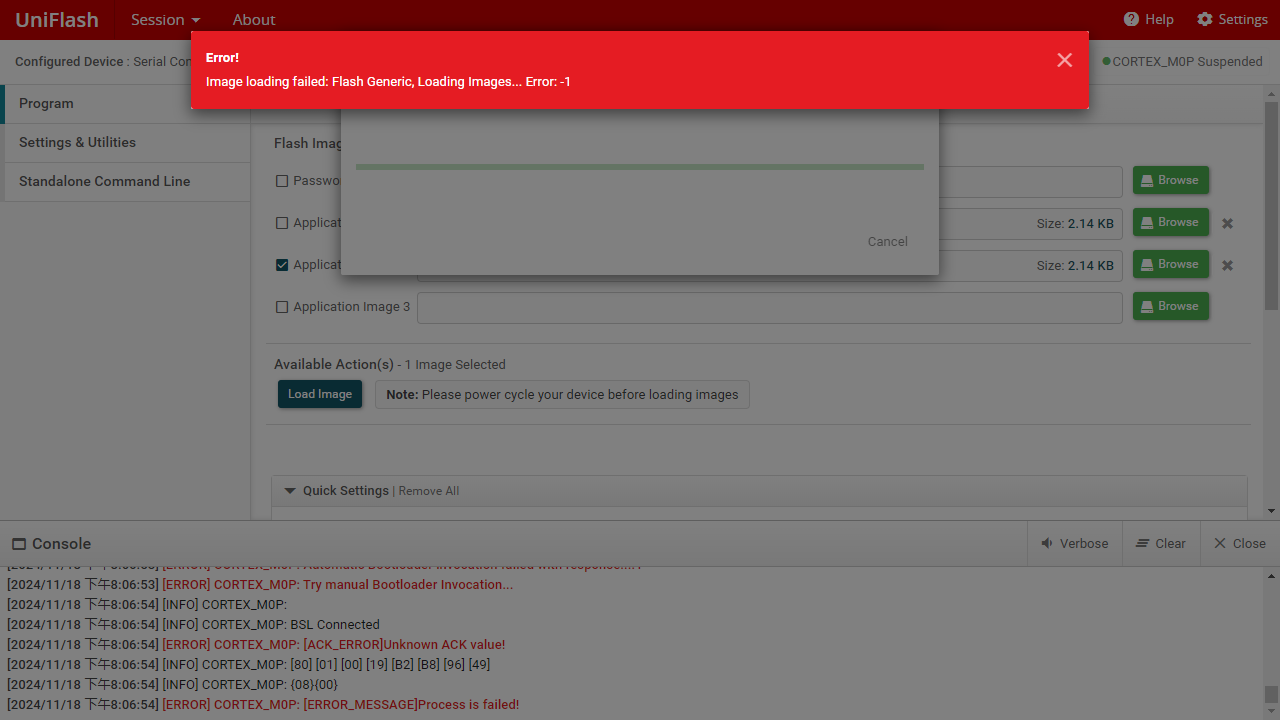
image-20241118200659014

A:For accidental events, just re-burn.

MDK Arm Development
DAP-LINK download program

COMPANY

  • About us
  • Team Style
  • Blog

LEARNING & EXPLORATION

  • Tutorials
  • Edge AI hardware
  • Educational robots
  • Embedded intelligent hardware

WHERE TO BUY

  • Yahboom Online Store
  • Amazon
  • Alibaba
  • AliExpress
  • Mercado

TECHNOLOGY SUPPORT

  • Email: support@yahboom.com

BE A DISTRIBUTOR

  • Email: sales@yahboom.com
QR Code
QR Code

Copyright © 2017-2026 Yahboom. All Rights Reserved.

EN/中文