Welcome to Jetson AGX Orin repository
当製品の日本語版マニュアル資料は、こちらからご取得ください。
01.Barcode Recognition
Barcode Recognition
Barcode RecognitionHardware ConnectionInstall Driver LibrariesExample CodeRunning the ProgramProgram ResultsOptional Operation: Generate Barcode
Hardware Connection
Plug the USB camera into the motherboard's USB port. Open the system terminal and enter the following command to check the camera's device number. If /dev/video0 appears, it's working correctly.
xxxxxxxxxxls /dev/video*

Install Driver Libraries
xxxxxxxxxxsudo apt install libzbar-devsudo pip3 install pyzbarsudo pip3 install python-barcode
Example Code
xxxxxxxxxximport cv2 as cvfrom pyzbar.pyzbar import decodeimport timeimport numpy as npfrom PIL import Image, ImageDraw, ImageFontdef decodeDisplay(image):gray = cv.cvtColor(image, cv.COLOR_BGR2GRAY)barcodes = decode(gray)for barcode in barcodes:# 提取条形码的边界框的位置# Extract the position of the boundary box of the barcode(x, y, w, h) = barcode.rectcv.rectangle(image, (x, y), (x + w, y + h), (225, 0, 0), 5)encoding = 'UTF-8'# 画出来,就需要先将它转换成字符串# to draw it, you need to convert it to a stringbarcodeData = barcode.data.decode(encoding)barcodeType = barcode.type# 绘出图像上数据和类型# Draw the data and type on the imagepilimg = Image.fromarray(image)# 创建画笔# create brushdraw = ImageDraw.Draw(pilimg) # 图片上打印 Print on picture# # 参数1:打印坐标,参数2:文本,参数3:字体颜色# Parameter 1: print coordinates, parameter 2: text, parameter 3: font colordraw.text((x, y - 25), str(barcode.data, encoding), fill=(255, 0, 0))# # PIL图片转cv2 图片# PIL picture to CV2 pictureimage = cv.cvtColor(np.array(pilimg), cv.COLOR_RGB2BGR)# 向终端打印条形码数据和条形码类型# Print barcode data and barcode type to terminalprint("[INFO] Found {} barcode: {}".format(barcodeType, barcodeData))return imageif __name__ == '__main__':capture = cv.VideoCapture(0)cv_edition = cv.__version__if cv_edition[0] == '3': capture.set(cv.CAP_PROP_FOURCC, cv.VideoWriter_fourcc(*'XVID'))else: capture.set(cv.CAP_PROP_FOURCC, cv.VideoWriter.fourcc('M', 'J', 'P', 'G'))capture.set(cv.CAP_PROP_FRAME_WIDTH, 640)capture.set(cv.CAP_PROP_FRAME_HEIGHT, 480)print ("capture get FPS : ",capture.get(cv.CAP_PROP_FPS))while capture.isOpened():start = time.time()ret, frame = capture.read()action = cv.waitKey(10) & 0xFFframe = decodeDisplay(frame)end = time.time()fps = 1 / (end - start)text = "FPS : " + str(int(fps))cv.putText(frame, text, (30, 30), cv.FONT_HERSHEY_SIMPLEX, 0.6, (100, 200, 200), 1)cv.imshow('frame', frame)if action == ord('q') or action == 113: breakcapture.release()cv.destroyAllWindows()
Running the Program
Open your desktop terminal and run the program:
xxxxxxxxxxcd ~/content_recognition/barcodepython3 barcode_parsing_usb.py
Note: Because the program requires a display screen, do not run it in a remote SSH terminal. Please use the native desktop or VNC remote desktop to run the program.
Program Results
After the program runs, it automatically opens the USB camera. Point the camera at the barcode, and it will outline the barcode and print the barcode information in the terminal.
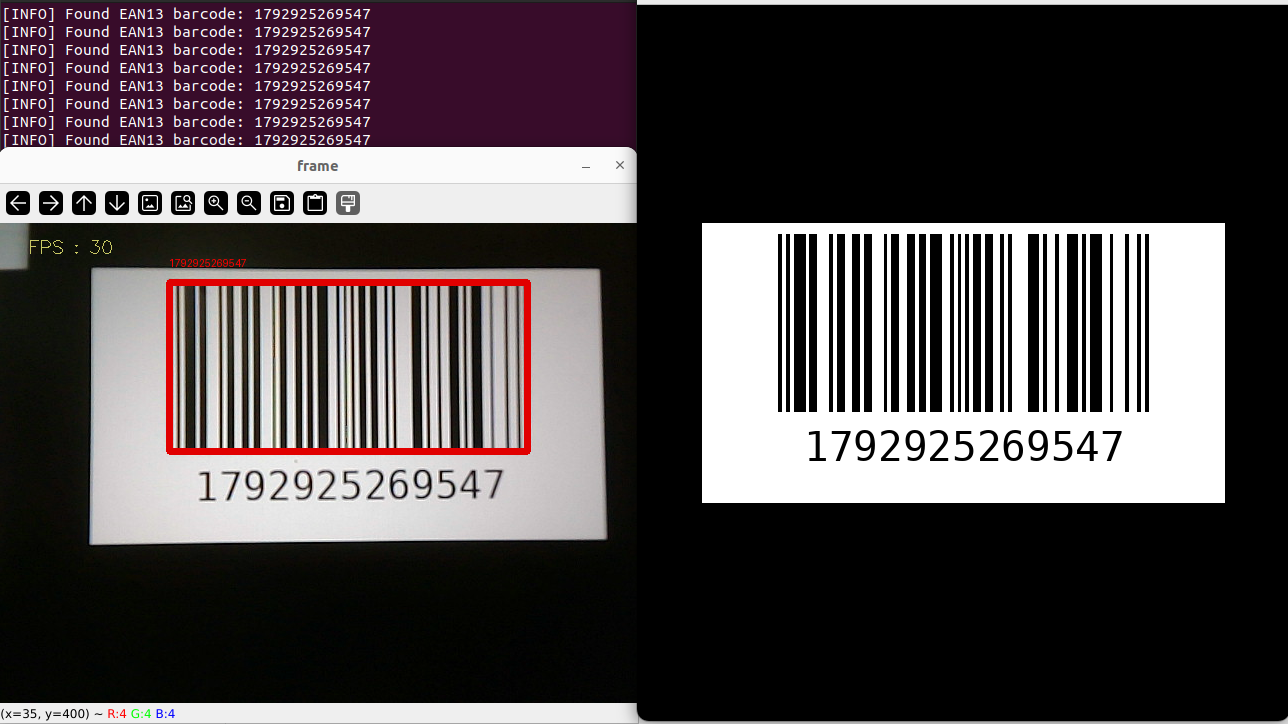
Barcode Example Image:
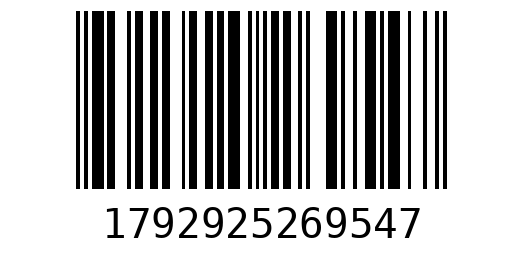
Optional Operation: Generate Barcode
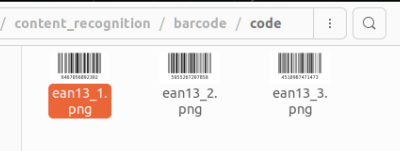
Open the terminal and run the following command to regenerate the barcode in the code directory.
xxxxxxxxxxcd ~/content_recognition/barcodepython3 barcode_create.py