Welcome to Jetson AGX Orin repository
当製品の日本語版マニュアル資料は、こちらからご取得ください。
02.QR Code Recognition
QR Code Recognition
QR Code RecognitionHardware ConnectionInstall DependenciesCreate a QR CodeRunning the ProgramProgram EffectFrequently Asked Questions'PIL.Image' has no attribute 'Resampling'
A QR code (Quick Response Code) is a matrix barcode composed of squares that can be used to store various information.
Hardware Connection
Plug the USB camera into the motherboard's USB port. Open the system terminal and enter the following command to check the camera's device number. If /dev/video0 appears, it indicates that the camera is working correctly.
xxxxxxxxxxls /dev/video*

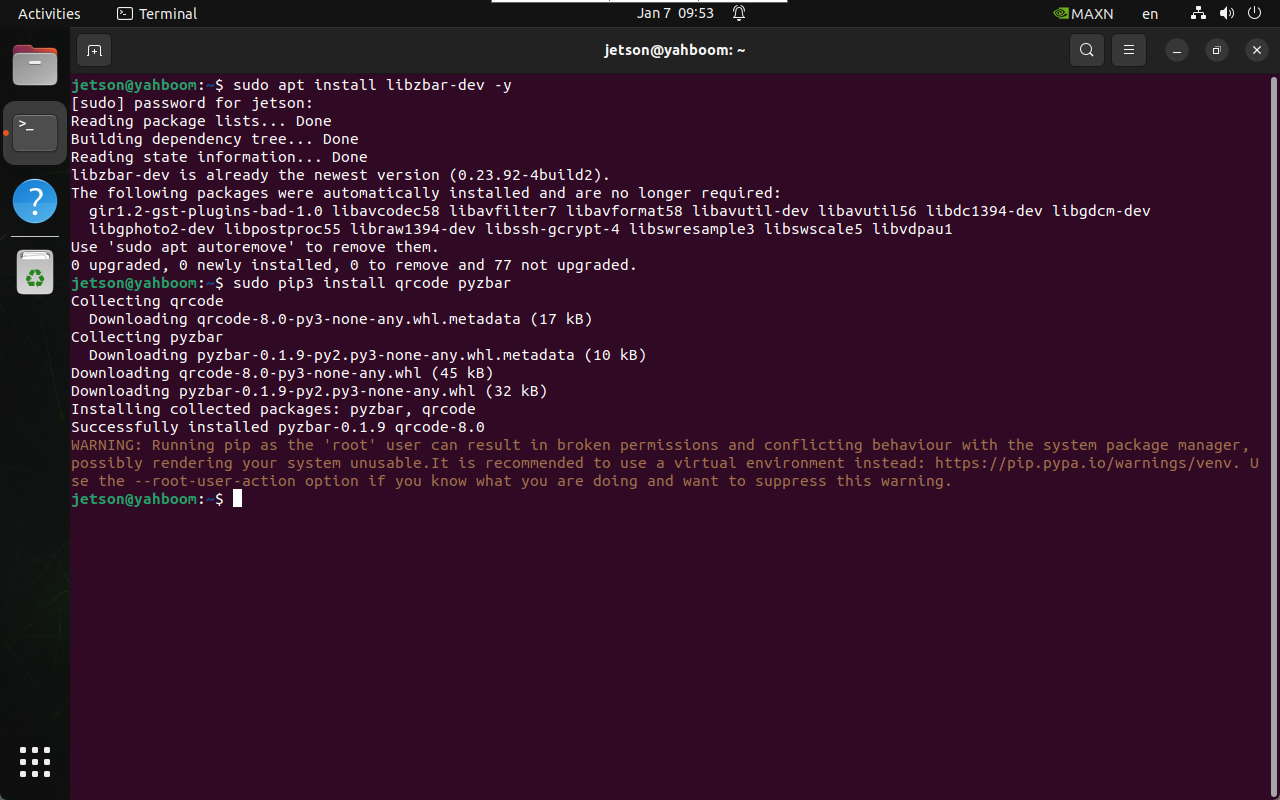
Install Dependencies
xxxxxxxxxxsudo apt install libzbar-dev -ysudo pip3 install qrcode pyzbar
Create a QR Code
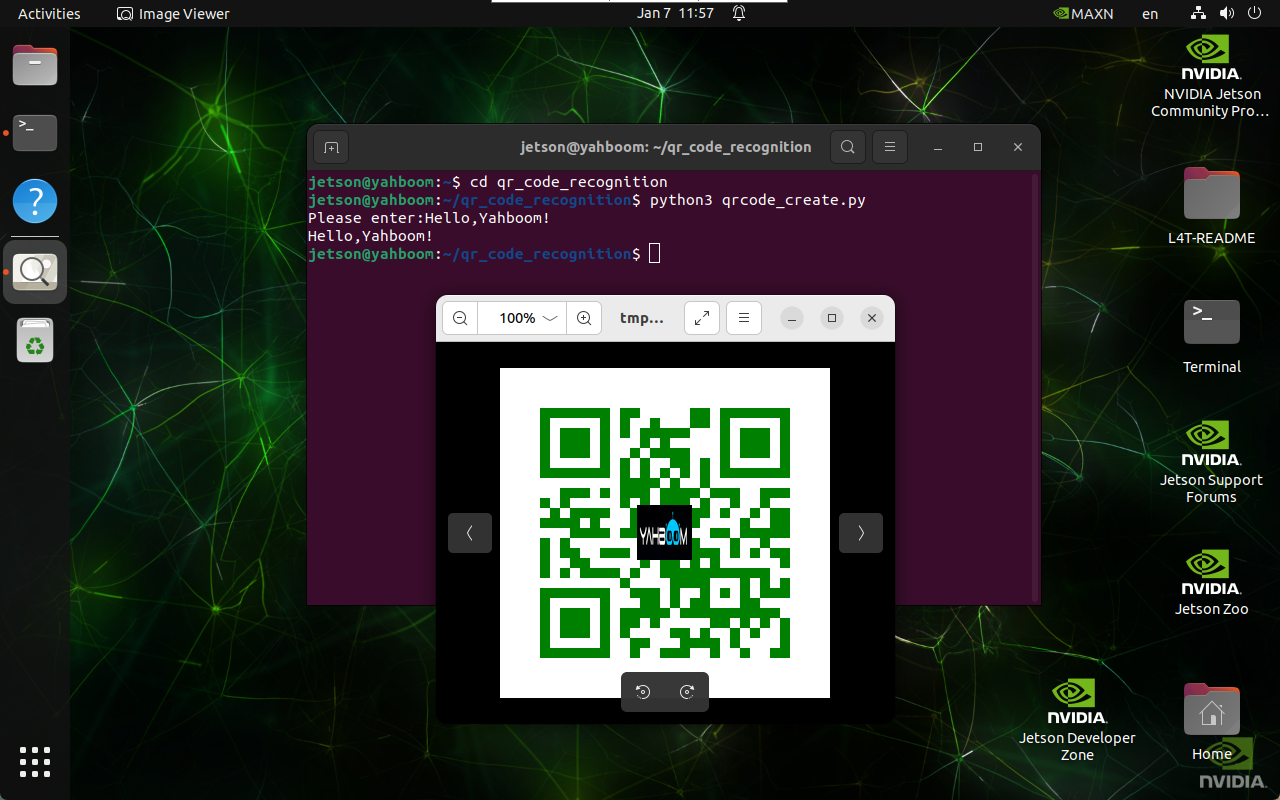
xxxxxxxxxxcd ~/qr_code_recognitionpython3 qrcode_create.py
After running the command, enter the hidden information of the QR code: The generated image is located in the /home/jetson/qr_code_recognition/figures folder
Running the Program
xxxxxxxxxxcd ~/qr_code_recognitionpython3 qrcode_parsing_usb.py
Note: Because the program requires a display screen, do not run the program in a remote SSH terminal. Please use the native desktop or VNC remote desktop to run the program.
Program Effect
After the program runs, it automatically opens the USB camera. Point the camera at the QR code, and the QR code will be outlined and the information printed in the terminal.
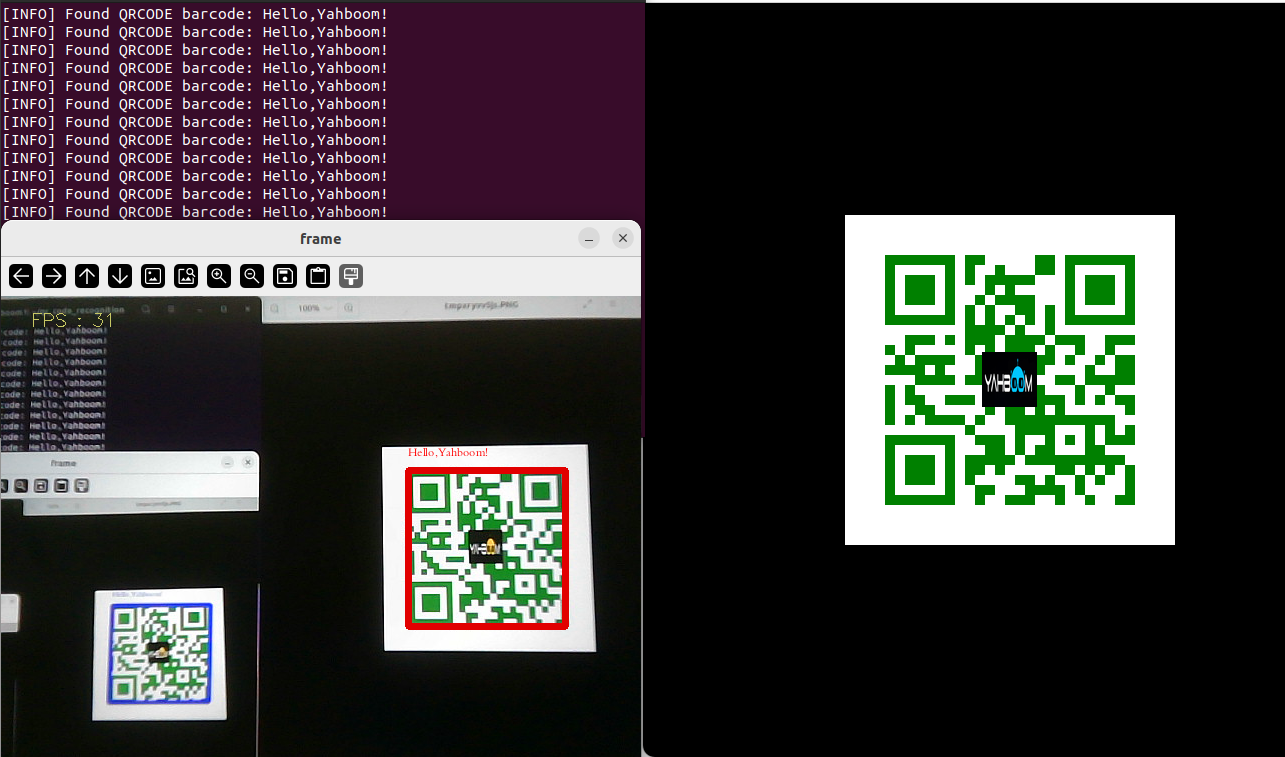
QR code example image:

Frequently Asked Questions
'PIL.Image' has no attribute 'Resampling'
xxxxxxxxxxsudo pip3 install --upgrade pillow