Welcome to Jetson Orin NX SUPER repository
当製品の日本語版マニュアル資料は、こちらからご取得ください。
05.Serial communication
Serial communication
Serial communication1. GPIO pin diagram2. Serial port test2.1. Install cutecom2.2. Use cutecom3. Experimental effect
1. GPIO pin diagram
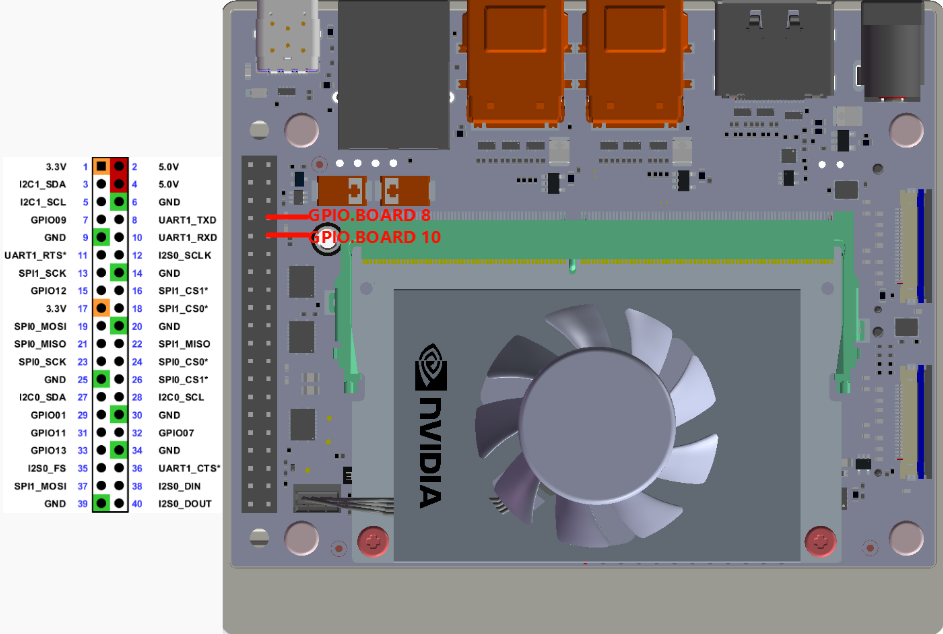
GPIO.BOARD pin 8 corresponds to GPIO.BCM 14, GPIO.BOARD pin 10 corresponds to GPIO.BCM 15:
2. Serial port test
2.1. Install cutecom
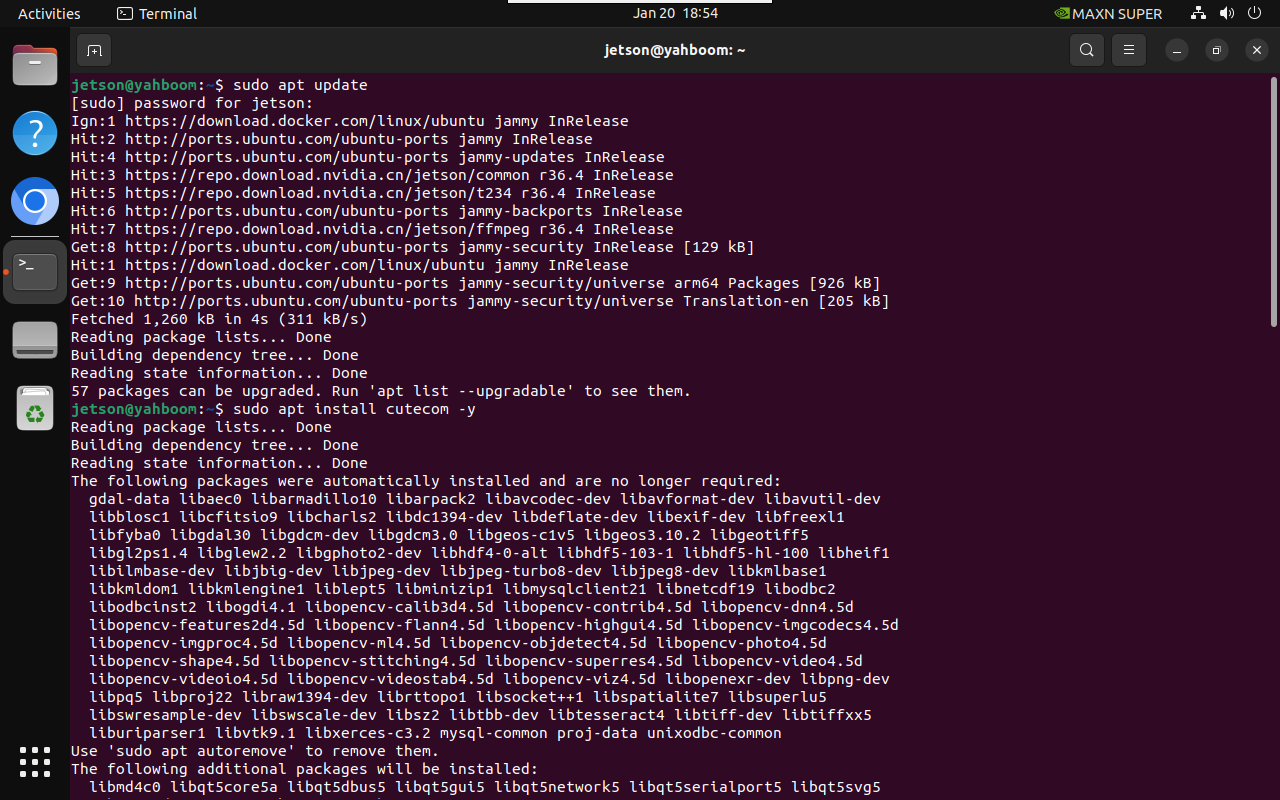
sudo apt updatesudo apt install cutecom -y
2.2. Use cutecom
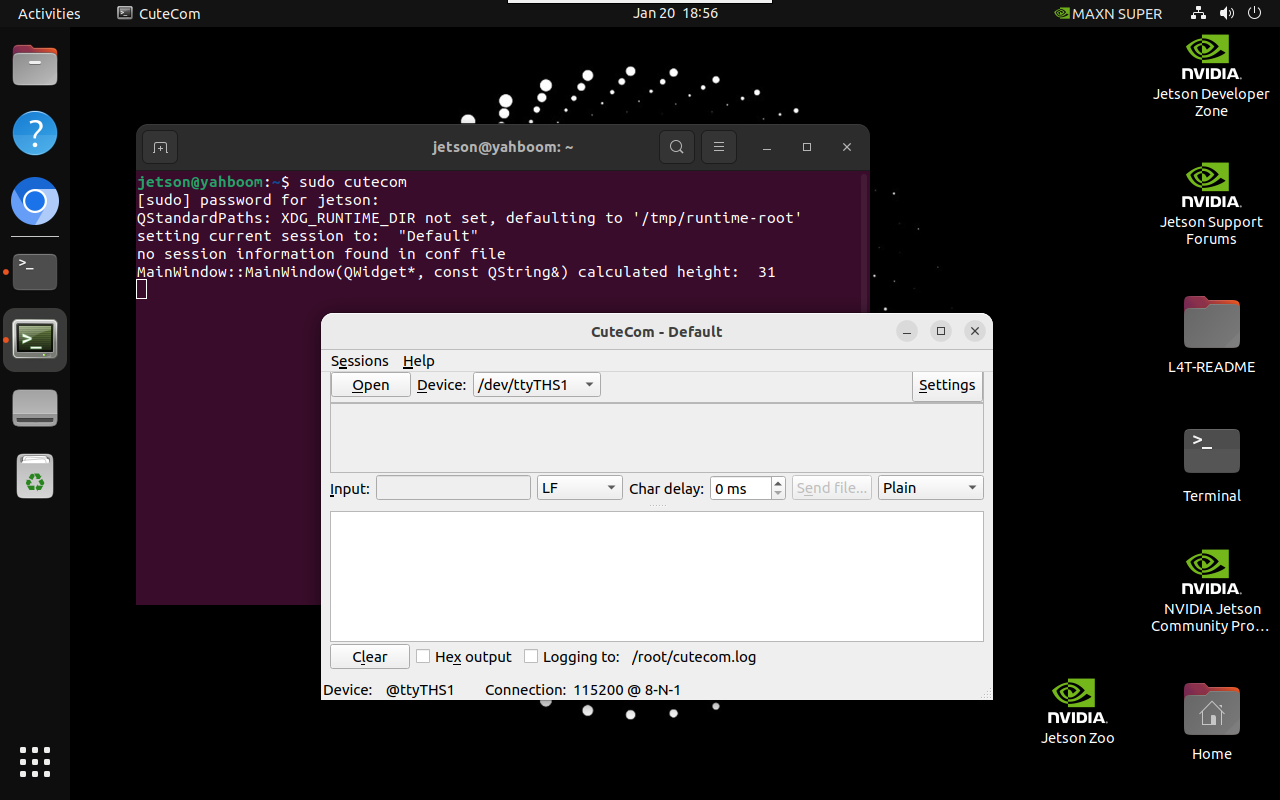
Start cutecom in the terminal:
xxxxxxxxxxsudo cutecom
3. Experimental effect
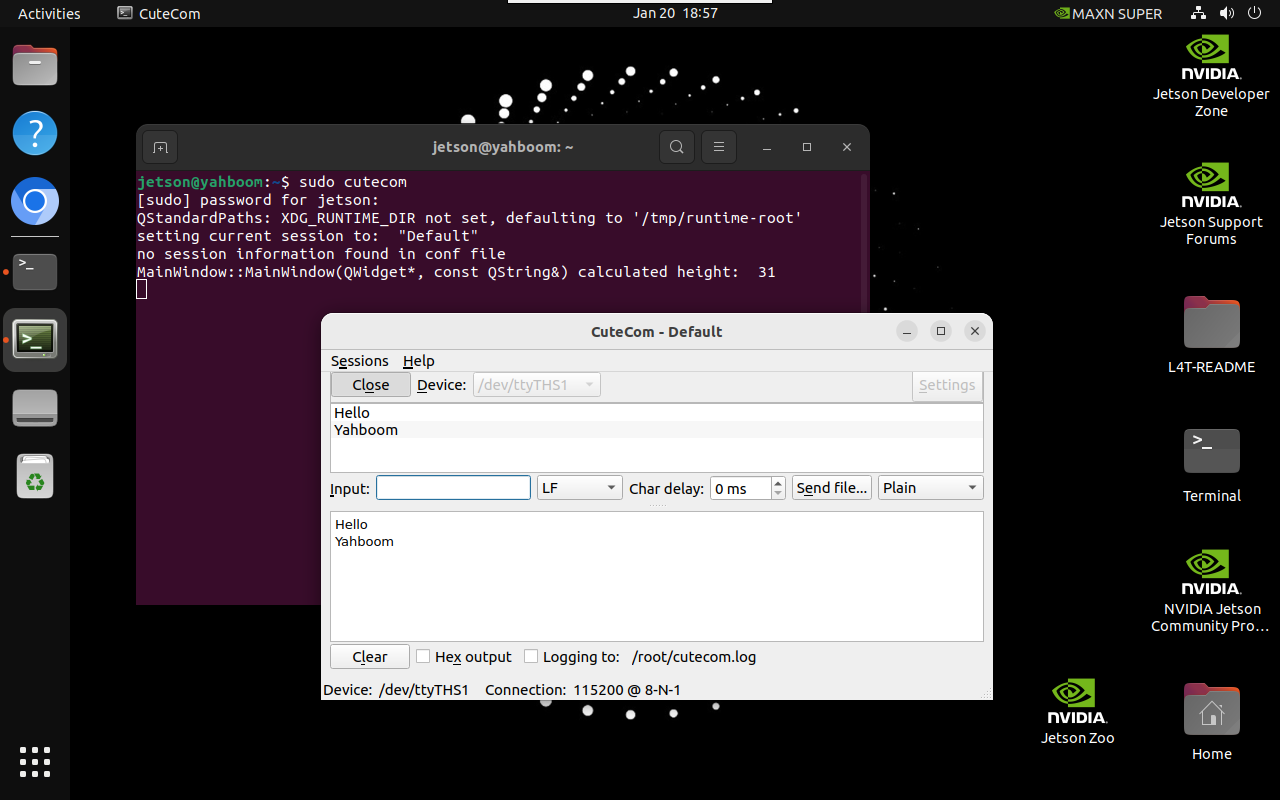
Use a jumper cap or Dupont wire to short-circuit GPIO.BOARD 8 and GPIO.BOARD 10 pins.
Use cutecom to open the /dev/ttyTHS1 serial port number: Enter the data to be sent by the serial port in Input, the upper window displays the data sent by the /dev/ttyTHS1 serial port, and the lower window displays the data received by /dev/ttyTHS1:
Note: Do not connect incorrectly or cause the pins to short-circuit, as mistakes may damage the motherboard hardware!