Welcome to Jetson Orin NX SUPER repository
当製品の日本語版マニュアル資料は、こちらからご取得ください。
05.Pose estimation
Pose Estimation
Pose Estimation1. Model Introduction2. Pose Estimation: ImageEffect Preview3. Pose Estimation: VideoEffect Preview4. Pose Estimation: Real-time Detection4.1. USB CameraEffect Preview4.2. CSI CameraEffect PreviewReference Materials
Use Python to demonstrate Ultralytics: Pose Estimation effects on images, videos, and real-time detection.
1. Model Introduction
Pose estimation is a task that involves identifying the location of specific points in an image (usually called keypoints). Keypoints can represent various parts of an object, such as joints, landmarks, or other significant features. The position of keypoints is typically represented by a set of 2D [x, y] or 3D [x, y, visible] coordinates.
The output of a pose estimation model is a set of points representing the keypoints of objects in the image, usually including confidence scores for each point. When you need to identify specific parts of objects in a scene and their positional relationships to each other, pose estimation is a good choice.
In the default pose model of YOLO26, there are 17 keypoints, each representing different parts of the human body. Here is the mapping of each index to the corresponding body joint:
- Nose
- Left eye
- Right eye
- Left ear
- Right ear
- Left shoulder
- Right shoulder
- Left elbow
- Right elbow
- Left wrist
- Right wrist
- Left hip
- Right hip
- Left knee
- Right knee
- Left ankle
- Right ankle
2. Pose Estimation: Image
Use yolo26n-pose_ncnn_model to predict images in the ultralytics26 folder (not built-in ultralytics images).
Enter the code folder:
cd /home/jetson/ultralytics/yahboom_demo
Run the code:
xxxxxxxxxxpython3 03.pose_image.py
Effect Preview

Example code:
xfrom ultralytics import YOLO# Load a modelmodel = YOLO("/home/jetson/ultralytics/yolo26n-pose.engine") # pretrained yolo26n-pose model# Run batched inference on a list of imagesresults = model("/home/jetson/ultralytics/ultralytics/assets/people.jpg") # return a list of Results objects# Process results listfor result in results: # boxes = result.boxes # Boxes object for bounding box outputs # masks = result.masks # Masks object for segmentation masks outputs keypoints = result.keypoints # Keypoints object for pose outputs # probs = result.probs # Probs object for classification outputs # obb = result.obb # Oriented boxes object for OBB outputs result.show() # display to screen result.save(filename="/home/jetson/ultralytics/output/people_output.jpg") # save to disk3. Pose Estimation: Video
Use yolo26n-pose_ncnn_model to predict videos in the ultralytics26 folder (not built-in ultralytics videos).
Enter the code folder:
xxxxxxxxxxcd /home/jetson/ultralytics/yahboom_demo
Run the code:
xxxxxxxxxxpython3 03.pose_video.py
Effect Preview
yolo recognition output video location: /home/jetson/ultralytics/output/
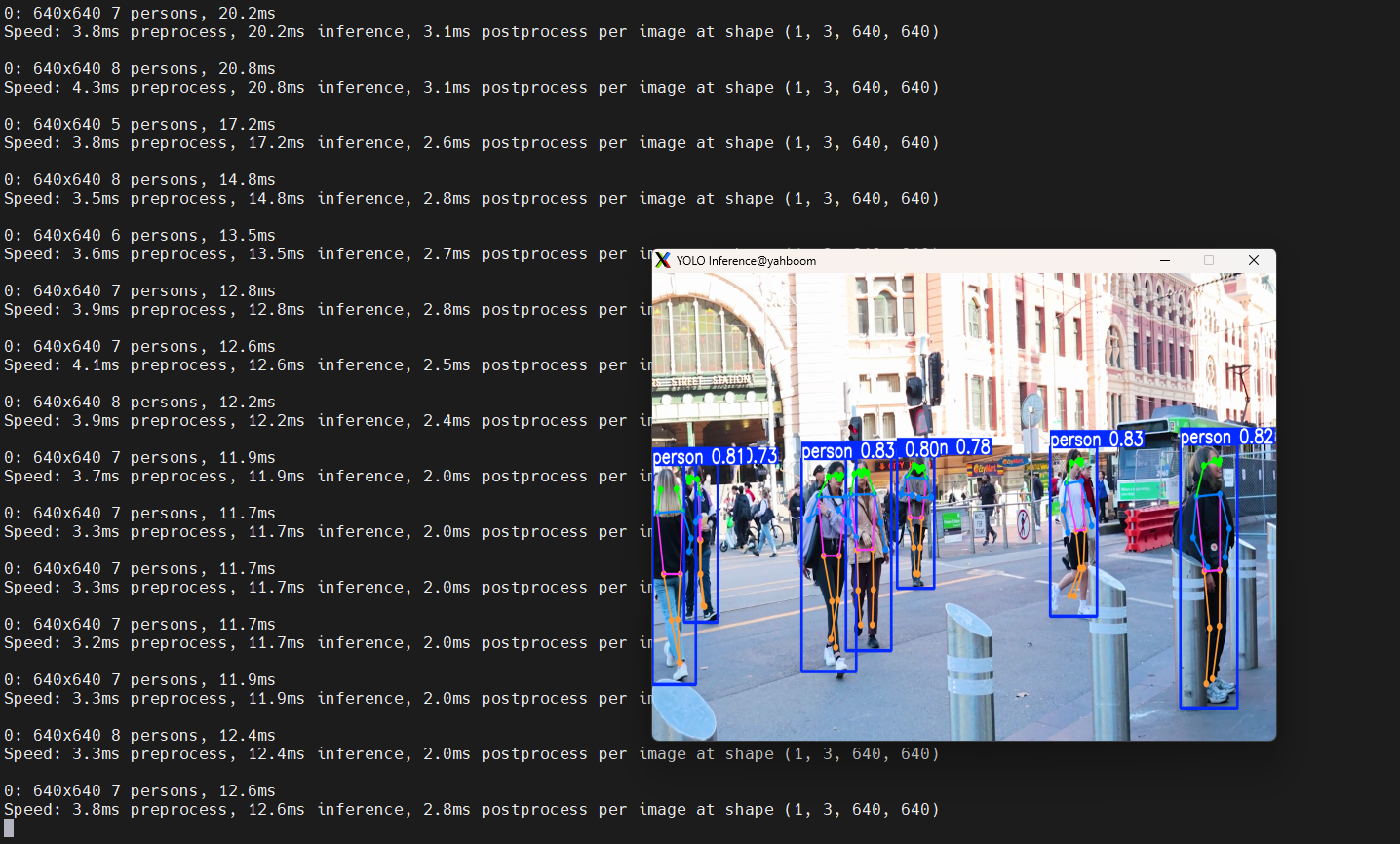
Example code:
xxxxxxxxxximport cv2from ultralytics import YOLO# Load the YOLO modelmodel = YOLO("/home/jetson/ultralytics/yolo26n-pose.engine") # Open the video filevideo_path = "/home/jetson/ultralytics/ultralytics/videos/people.mp4"cap = cv2.VideoCapture(video_path)# Get the video frame size and frame rateframe_width = int(cap.get(cv2.CAP_PROP_FRAME_WIDTH))frame_height = int(cap.get(cv2.CAP_PROP_FRAME_HEIGHT))fps = int(cap.get(cv2.CAP_PROP_FPS))# Define the codec and create a VideoWriter object to output the processed videooutput_path = "/home/jetson/ultralytics/output/03.people_animals_output.mp4"fourcc = cv2.VideoWriter_fourcc(*'mp4v') # You can use 'XVID' or 'mp4v' depending on your platformout = cv2.VideoWriter(output_path, fourcc, fps, (frame_width, frame_height))# Loop through the video frameswhile cap.isOpened(): # Read a frame from the video success, frame = cap.read() if success: # Run YOLO inference on the frame results = model(frame) # Visualize the results on the frame annotated_frame = results[0].plot() # Write the annotated frame to the output video file out.write(annotated_frame) # Display the annotated frame cv2.imshow("YOLO Inference", cv2.resize(annotated_frame, (640, 480))) # Break the loop if 'q' is pressed if cv2.waitKey(1) & 0xFF == ord("q"): break else: # Break the loop if the end of the video is reached break# Release the video capture and writer objects, and close the display windowcap.release()out.release()cv2.destroyAllWindows()4. Pose Estimation: Real-time Detection
4.1. USB Camera
Use yolo26n-pose_ncnn_model to predict USB camera footage.
Enter the code folder:
xxxxxxxxxxcd /home/jetson/ultralytics/yahboom_demo
Run the code: Click on the preview screen, press q key to terminate the program!
xxxxxxxxxxpython3 03.pose_camera_usb.py
Effect Preview
yolo recognition output video location: /home/jetson/ultralytics/output/
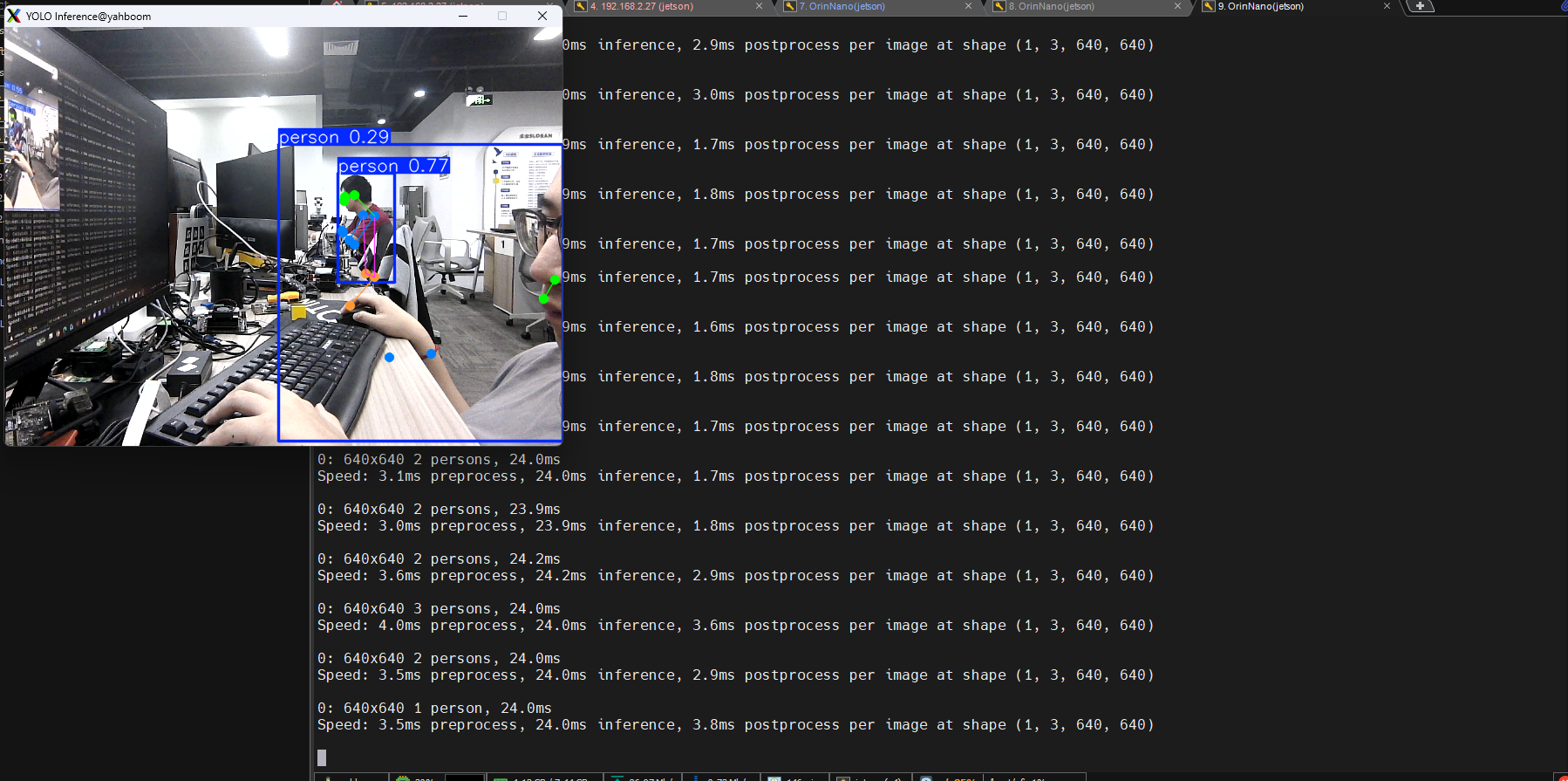
Example code:
xxxxxxxxxximport cv2from ultralytics import YOLO# Load the YOLO modelmodel = YOLO("/home/jetson/ultralytics/yolo26n-pose.engine")# Open the cammeracap = cv2.VideoCapture(0)cap.set(6, cv2.VideoWriter.fourcc('M', 'J', 'P', 'G'))cap.set(cv2.CAP_PROP_FRAME_WIDTH, 640)cap.set(cv2.CAP_PROP_FRAME_HEIGHT, 480)# Get the video frame size and frame rateframe_width = int(cap.get(cv2.CAP_PROP_FRAME_WIDTH))frame_height = int(cap.get(cv2.CAP_PROP_FRAME_HEIGHT))fps = int(cap.get(cv2.CAP_PROP_FPS))# Define the codec and create a VideoWriter object to output the processed videooutput_path = "/home/jetson/ultralytics/output/03.pose_camera_usb.mp4"fourcc = cv2.VideoWriter_fourcc(*'mp4v') # You can use 'XVID' or 'mp4v' depending on your platformout = cv2.VideoWriter(output_path, fourcc, fps, (frame_width, frame_height))# Loop through the video frameswhile cap.isOpened(): # Read a frame from the video success, frame = cap.read() if success: # Run YOLO inference on the frame results = model(frame) # Visualize the results on the frame annotated_frame = results[0].plot() # Write the annotated frame to the output video file out.write(annotated_frame) # Display the annotated frame cv2.imshow("YOLO Inference", cv2.resize(annotated_frame, (640, 480))) # Break the loop if 'q' is pressed if cv2.waitKey(1) & 0xFF == ord("q"): break else: # Break the loop if the end of the video is reached break# Release the video capture and writer objects, and close the display windowcap.release()out.release()cv2.destroyAllWindows()4.2. CSI Camera
Use yolo26n-pose_ncnn_model to predict CSI camera footage.
Enter the code folder:
xxxxxxxxxxcd /home/jetson/ultralytics/yahboom_demo
Run the code: Click on the preview screen, press q key to terminate the program!
xxxxxxxxxxpython3 03.pose_camera_csi.py
Effect Preview
yolo recognition output video location: /home/jetson/ultralytics/output/
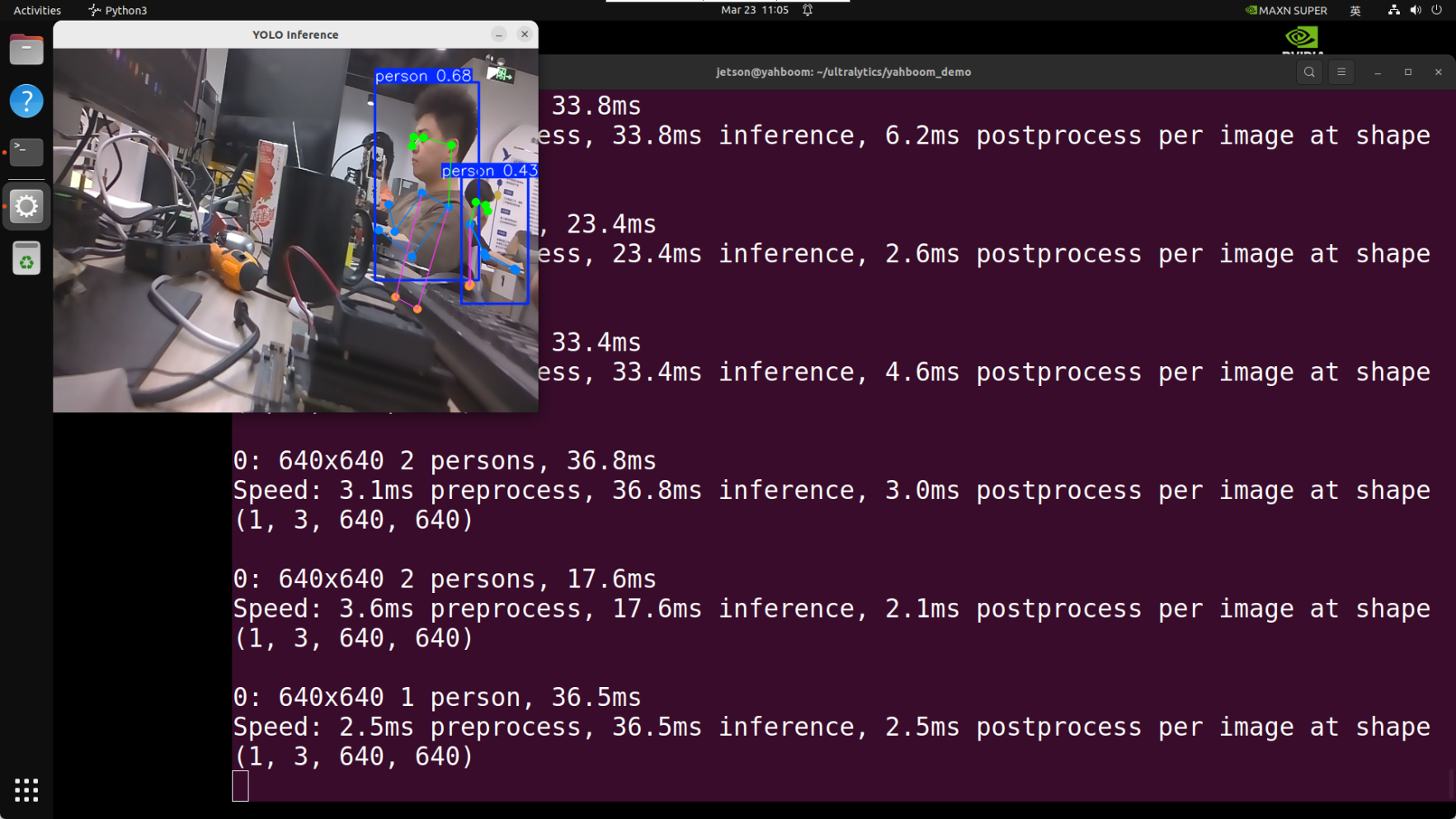
Example code:
xxxxxxxxxximport cv2from ultralytics import YOLOfrom jetcam.csi_camera import CSICamera# Load the YOLO modelmodel = YOLO("/home/jetson/ultralytics/yolo26n-pose.engine")# Open the camera (CSI Camera)cap = CSICamera(capture_device=0, width=640, height=480)# Get the video frame size and frame rateframe_width = 640frame_height = 480fps = 30# Define the codec and create a VideoWriter object to output the processed videooutput_path = "/home/jetson/ultralytics/output/03.pose_camera_csi.mp4"fourcc = cv2.VideoWriter_fourcc(*'mp4v') # You can use 'XVID' or 'mp4v' depending on your platformout = cv2.VideoWriter(output_path, fourcc, fps, (frame_width, frame_height))# Loop through the video frameswhile True: # Read a frame from the camera frame = cap.read() if frame is not None: # Run YOLO inference on the frame results = model(frame) # Visualize the results on the frame annotated_frame = results[0].plot() # Write the annotated frame to the output video file out.write(annotated_frame) # Display the annotated frame cv2.imshow("YOLO Inference", cv2.resize(annotated_frame, (640, 480))) # Break the loop if 'q' is pressed if cv2.waitKey(1) & 0xFF == ord("q"): break else: # Break the loop if no frame is received (camera error or end of stream) print("No frame received, breaking the loop.") break# Release the video capture and writer objects, and close the display windowcap.release()out.release()cv2.destroyAllWindows()