Welcome to Jetson Orin NX SUPER repository
当製品の日本語版マニュアル資料は、こちらからご取得ください。
06.Image classification
Image Classification
Image Classification1. Model Introduction2. Image Classification: ImageEffect Preview3. Image Classification: VideoEffect Preview4. Image Classification: Real-time Detection4.1. USB CameraEffect Preview4.2. CSI CameraEffect PreviewReference Materials
Use Python to demonstrate Ultralytics: Image classification effects on images, videos, and real-time detection.
1. Model Introduction
Image classification is the simplest of the three tasks, involving assigning an entire image to one of a set of predefined categories.
The output of an image classifier is a single class label and confidence score. When you only need to know which category an image belongs to, without needing to know the position or exact shape of objects in that category, image classification is very useful.
2. Image Classification: Image
Use yolo26n-cls_ncnn_model to predict images in the ultralytics26 folder (not built-in ultralytics images).
Enter the code folder:
cd /home/jetson/ultralytics/yahboom_demo
Run the code:
xxxxxxxxxxpython3 04.classification_image.py
Effect Preview
yolo recognition output image location: /home/jetson/ultralytics/output/

Example code:
xfrom ultralytics import YOLO# Load a modelmodel = YOLO("/home/jetson/ultralytics/yolo26n-cls.engine")# Run batched inference on a list of imagesresults = model("/home/jetson/ultralytics/assets/bus.jpg") # return a list of Results objects# Process results listfor result in results: # boxes = result.boxes # Boxes object for bounding box outputs # masks = result.masks # Masks object for segmentation masks outputs # keypoints = result.keypoints # Keypoints object for pose outputs probs = result.probs # Probs object for classification outputs # obb = result.obb # Oriented boxes object for OBB outputs # Print classification results print("Top 1 class:", probs.top1) print("Top 5 classes:", probs.top5) print("Class names:", [model.names[i] for i in probs.top5]) result.show() # display to screen result.save(filename="/home/jetson/ultralytics/output/bus_classification.jpg") # save to disk3. Image Classification: Video
Use yolo26n-cls_ncnn_model to predict videos in the ultralytics26 folder (not built-in ultralytics videos).
Enter the code folder:
xxxxxxxxxxcd /home/jetson/ultralytics/yahboom_demo
Run the code:
xxxxxxxxxxpython3 04.classification_video.py
Effect Preview
yolo recognition output video location: /home/jetson/ultralytics/output/
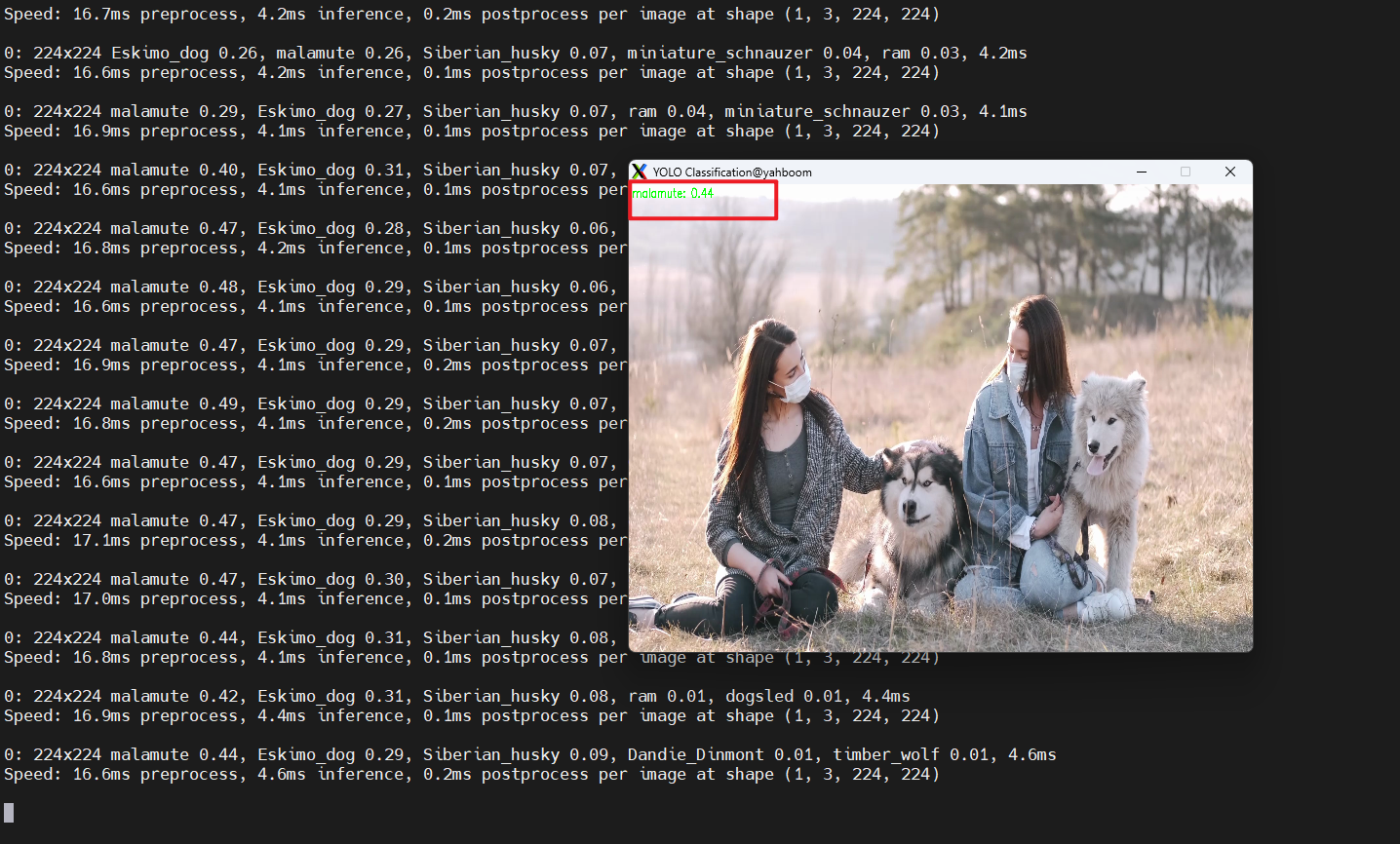
Example code:
xxxxxxxxxximport cv2from ultralytics import YOLO# Load the YOLO classification modelmodel = YOLO("/home/jetson/ultralytics/yolo26n-cls.engine")# Open the video filevideo_path = "/home/jetson/ultralytics/ultralytics/videos/people_animals.mp4"cap = cv2.VideoCapture(video_path)# Get the video frame size and frame rateframe_width = int(cap.get(cv2.CAP_PROP_FRAME_WIDTH))frame_height = int(cap.get(cv2.CAP_PROP_FRAME_HEIGHT))fps = int(cap.get(cv2.CAP_PROP_FPS))# Define the codec and create a VideoWriter object to output the processed videooutput_path = "/home/jetson/ultralytics/output/04.classification_video_output.mp4"fourcc = cv2.VideoWriter_fourcc(*'mp4v') # You can use 'XVID' or 'mp4v' depending on your platformout = cv2.VideoWriter(output_path, fourcc, fps, (frame_width, frame_height))# Loop through the video frameswhile cap.isOpened(): # Read a frame from the video success, frame = cap.read() if success: # Run YOLO classification inference on the frame results = model(frame) # Get classification results probs = results[0].probs top1_class = probs.top1 conf = probs.top1conf.item() class_name = model.names[top1_class] # Add classification label to the frame label = f"{class_name}: {conf:.2f}" cv2.putText(frame, label, (10, 30), cv2.FONT_HERSHEY_SIMPLEX, 1, (0, 255, 0), 2) # Write the annotated frame to the output video file out.write(frame) # Display the annotated frame cv2.imshow("YOLO Classification", cv2.resize(frame, (640, 480))) # Break the loop if 'q' is pressed if cv2.waitKey(1) & 0xFF == ord("q"): break else: # Break the loop if the end of the video is reached break# Release the video capture and writer objects, and close the display windowcap.release()out.release()cv2.destroyAllWindows()4. Image Classification: Real-time Detection
4.1. USB Camera
Use yolo26n-cls_ncnn_model to predict USB camera footage.
Enter the code folder:
xxxxxxxxxxcd /home/jetson/ultralytics/yahboom_demo
Run the code: Click on the preview screen, press q key to terminate the program!
xxxxxxxxxxpython3 04.classification_camera_usb.py
Effect Preview
yolo recognition output video location: /home/jetson/ultralytics/output/
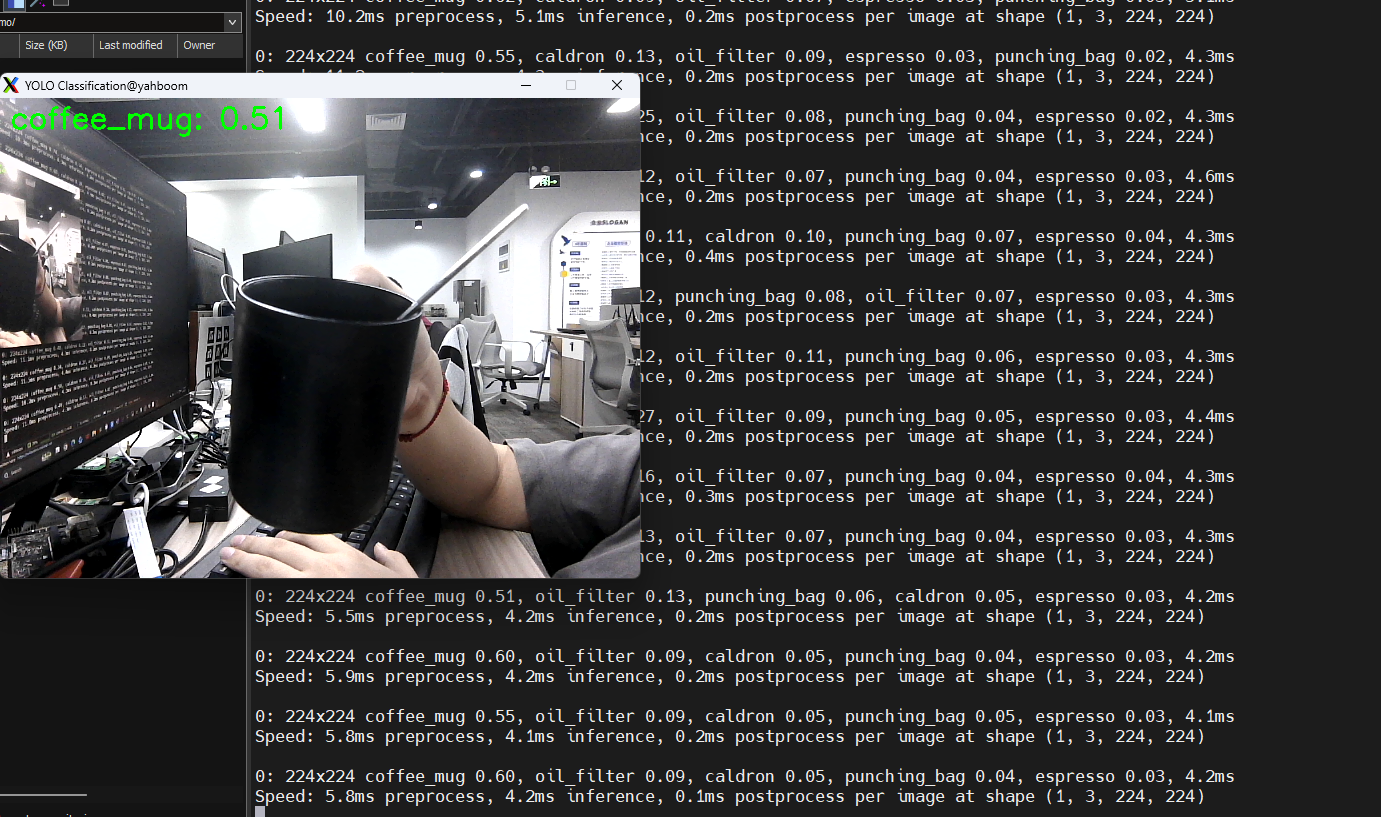
Example code:
xxxxxxxxxximport cv2from ultralytics import YOLO# Load the YOLO classification modelmodel = YOLO("/home/jetson/ultralytics/yolo26n-cls.engine")# Open the cameracap = cv2.VideoCapture(0)cap.set(6, cv2.VideoWriter.fourcc('M', 'J', 'P', 'G'))cap.set(cv2.CAP_PROP_FRAME_WIDTH, 640)cap.set(cv2.CAP_PROP_FRAME_HEIGHT, 480)# Get the video frame size and frame rateframe_width = int(cap.get(cv2.CAP_PROP_FRAME_WIDTH))frame_height = int(cap.get(cv2.CAP_PROP_FRAME_HEIGHT))fps = int(cap.get(cv2.CAP_PROP_FPS))# Define the codec and create a VideoWriter object to output the processed videooutput_path = "/home/jetson/ultralytics/output/04.classification_camera_usb.mp4"fourcc = cv2.VideoWriter_fourcc(*'mp4v') # You can use 'XVID' or 'mp4v' depending on your platformout = cv2.VideoWriter(output_path, fourcc, fps, (frame_width, frame_height))# Loop through the video frameswhile cap.isOpened(): # Read a frame from the video success, frame = cap.read() if success: # Run YOLO classification inference on the frame results = model(frame) # Get classification results probs = results[0].probs top1_class = probs.top1 conf = probs.top1conf.item() class_name = model.names[top1_class] # Add classification label to the frame label = f"{class_name}: {conf:.2f}" cv2.putText(frame, label, (10, 30), cv2.FONT_HERSHEY_SIMPLEX, 1, (0, 255, 0), 2) # Write the annotated frame to the output video file out.write(frame) # Display the annotated frame cv2.imshow("YOLO Classification", cv2.resize(frame, (640, 480))) # Break the loop if 'q' is pressed if cv2.waitKey(1) & 0xFF == ord("q"): break else: # Break the loop if the end of the video is reached break# Release the video capture and writer objects, and close the display windowcap.release()out.release()cv2.destroyAllWindows()4.2. CSI Camera
Use yolo26n-cls_ncnn_model to predict CSI camera footage.
Enter the code folder:
xxxxxxxxxxcd /home/jetson/ultralytics/yahboom_demo
Run the code: Click on the preview screen, press q key to terminate the program!
xxxxxxxxxxpython3 04.classification_camera_csi.py
Effect Preview
yolo recognition output video location: /home/jetson/ultralytics/output/
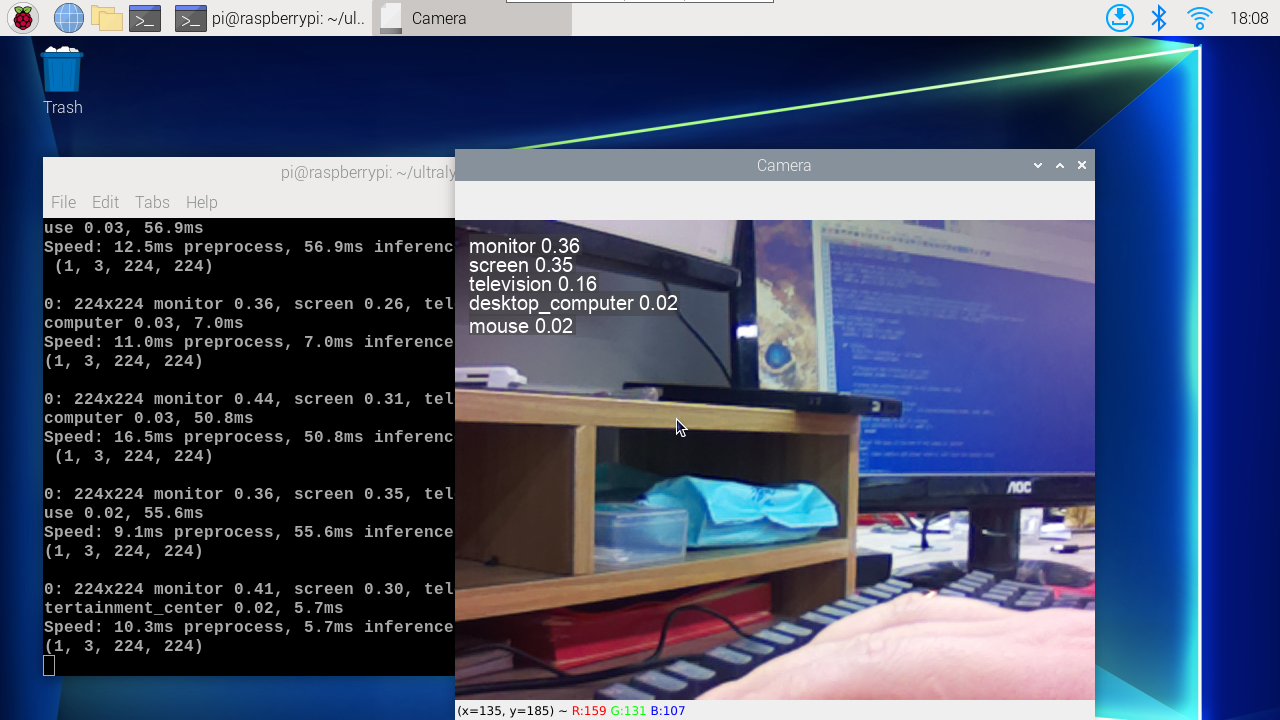
Example code:
xxxxxxxxxximport cv2from ultralytics import YOLOfrom jetcam.csi_camera import CSICamera# Load the YOLO classification modelmodel = YOLO("/home/jetson/ultralytics/yolo26n-cls.engine")# Open the camera (CSI Camera)cap = CSICamera(capture_device=0, width=640, height=480)# Get the video frame size and frame rateframe_width = 640frame_height = 480fps = 30# Define the codec and create a VideoWriter object to output the processed videooutput_path = "/home/jetson/ultralytics/output/04.classification_camera_csi.mp4"fourcc = cv2.VideoWriter_fourcc(*'mp4v') # You can use 'XVID' or 'mp4v' depending on your platformout = cv2.VideoWriter(output_path, fourcc, fps, (frame_width, frame_height))# Loop through the video frameswhile True: # Read a frame from the camera frame = cap.read() if frame is not None: # Run YOLO classification inference on the frame results = model(frame) # Get classification results probs = results[0].probs top1_class = probs.top1 conf = probs.top1conf.item() class_name = model.names[top1_class] # Add classification label to the frame label = f"{class_name}: {conf:.2f}" cv2.putText(frame, label, (10, 30), cv2.FONT_HERSHEY_SIMPLEX, 1, (0, 255, 0), 2) # Write the annotated frame to the output video file out.write(frame) # Display the annotated frame cv2.imshow("YOLO Classification", cv2.resize(frame, (640, 480))) # Break the loop if 'q' is pressed if cv2.waitKey(1) & 0xFF == ord("q"): break else: # Break the loop if no frame is received (camera error or end of stream) print("No frame received, breaking the loop.") break# Release the video capture and writer objects, and close the display windowcap.release()out.release()cv2.destroyAllWindows()