Welcome to Jetson ORIN NANO SUPER repository
当製品の日本語版マニュアル資料は、こちらからご取得ください。
2. AI Calorie Estimation
OpenClaw AI Diet Calorie Estimation Tutorial
Before starting, please complete the [01-Hardware Configuration], [02-openclaw API-KEY Configuration], [03-openclaw Model Switching], [04-AI Voice Interaction Configuration], [05-Three Dialogue Solution Configuration Tests] under the
Prerequisitesdirectory. If you are currently only using TUI / whatsapp, you can skip04for now. This article assumes the basic environment has been prepared and only expands on the diet calorie estimation project itself.
1. Tutorial Objectives
This article demonstrates OpenClaw's natural language capabilities in diet analysis scenarios through "photo recognition + large model estimation".
Understand how to use cameras and visual models for plate analysis
Communicate with OpenClaw through three methods: whatsapp, TUI, and voice code
Complete four project scenarios: plate photo, food recognition, calorie estimation, health advice
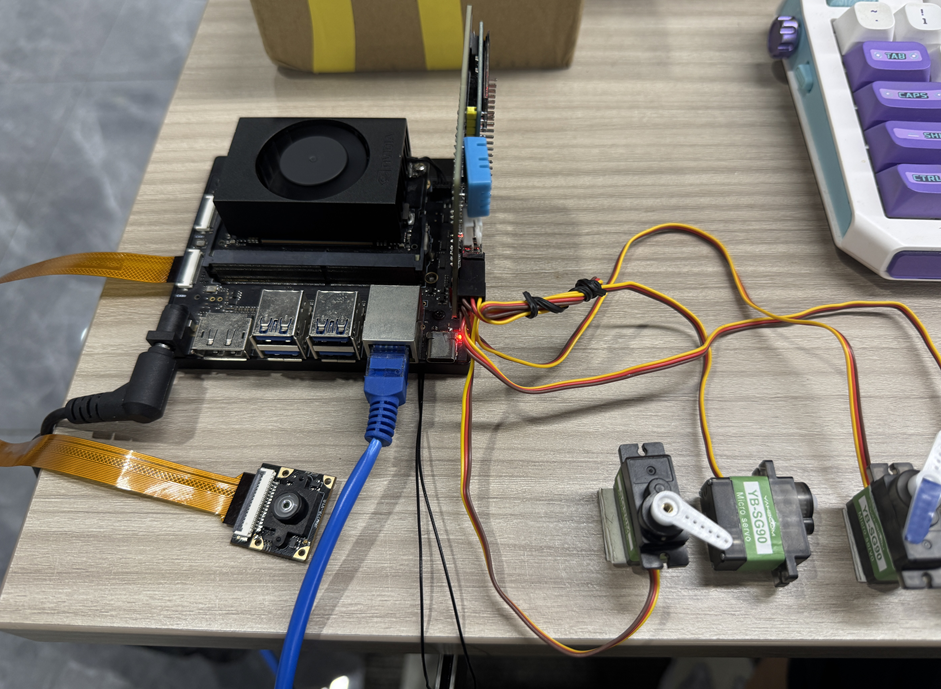
2. Hardware Preparation
OpenClaw mainboard
CSI camera module
OLED display
[Optional] AI voice module + speakerWiring diagram
3. Software Preparation
Code entry points that will be used in the tutorial
Camera photo command:
/home/jetson/hardware_hal_demo/cameraPhoto CLI:
/home/jetson/hardware_hal_demo/cli/seewhatImage output directory:
/home/jetson/hardware_hal_demo/cliVoice entry:
/home/jetson/voice_to_openclaw/src/main.py
In this project, the real "calorie estimation" is mainly completed by large models, so it is recommended to ensure the following two pipelines are normal first:
Camera can complete photo capture
Visual model can complete image description
Note: Calorie estimation is more suitable as a demonstration and daily reference, not suitable as medical-grade or nutritionist-level precise measurement results.
4. Test Project Basic Capabilities
Before starting this project, please complete one openclaw tui basic dialogue self-check; if you haven't done it yet, see [05-Three Dialogue Solution Configuration Tests]. After passing, enter TUI to verify the basic capabilities in the project.
First enter OpenClaw TUI:
openclaw tui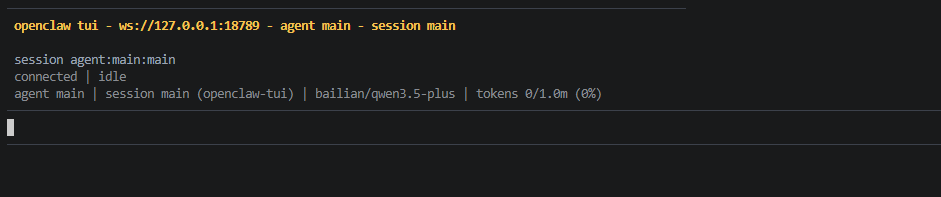
Then you can first do the most basic photo and recognition test, for example:
Help me take a lunch photo
Look at what's on this plate
5. Three Solutions for Communicating with OpenClaw
| Solution | Suitable Scenarios | Advantages | Recommended Positioning |
|---|---|---|---|
| Remote diet recording, classroom demonstrations | Convenient for remote viewing results after taking photos | Demonstrate "visual + dialogue" capability | |
| TUI | Local debugging, model joint debugging | Most direct, easiest to verify analysis results | First run through photo and description chain |
| Voice code | Voice Q&A, life assistant experience | Closer to daily usage method | As complete demonstration solution |
If optional AI voice module + speaker are selected, whatsapp dialogue, tui, whatsapp dialogue need to broadcast OpenClaw's reply content. You can run the following program in terminal. AI voice module dialogue does not need to run repeatedly
Modify whether to enable broadcast parameter
xxxxxxxxxx/home/jetson/voice_to_openclaw/.env
xxxxxxxxxxENABLE_TTS=true #This parameter controls whether to broadcast. After modification and saving, run the following program in terminalTerminal input
xxxxxxxxxxcd ~/voice_to_openclawsource .venv/bin/activatepython -m src.openclaw_session_tts
5.1 whatsapp Solution
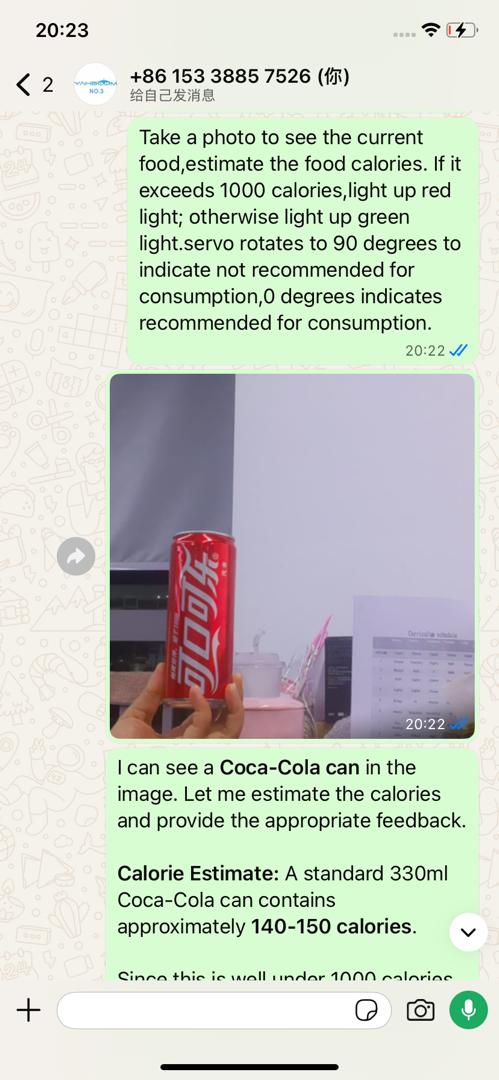
For whatsapp connection and robot creation steps, please directly refer to [05-Three Dialogue Solution Configuration Tests]. After creation, you can remotely initiate diet analysis in whatsapp, for example:
Take a photo to see current food, estimate the food calories. If it exceeds 1000 calories, light up red light, otherwise light up green light. Servo rotates to 90 degrees to indicate not recommended for consumption, 0 degrees indicates recommended for consumption
5.2 TUI Solution
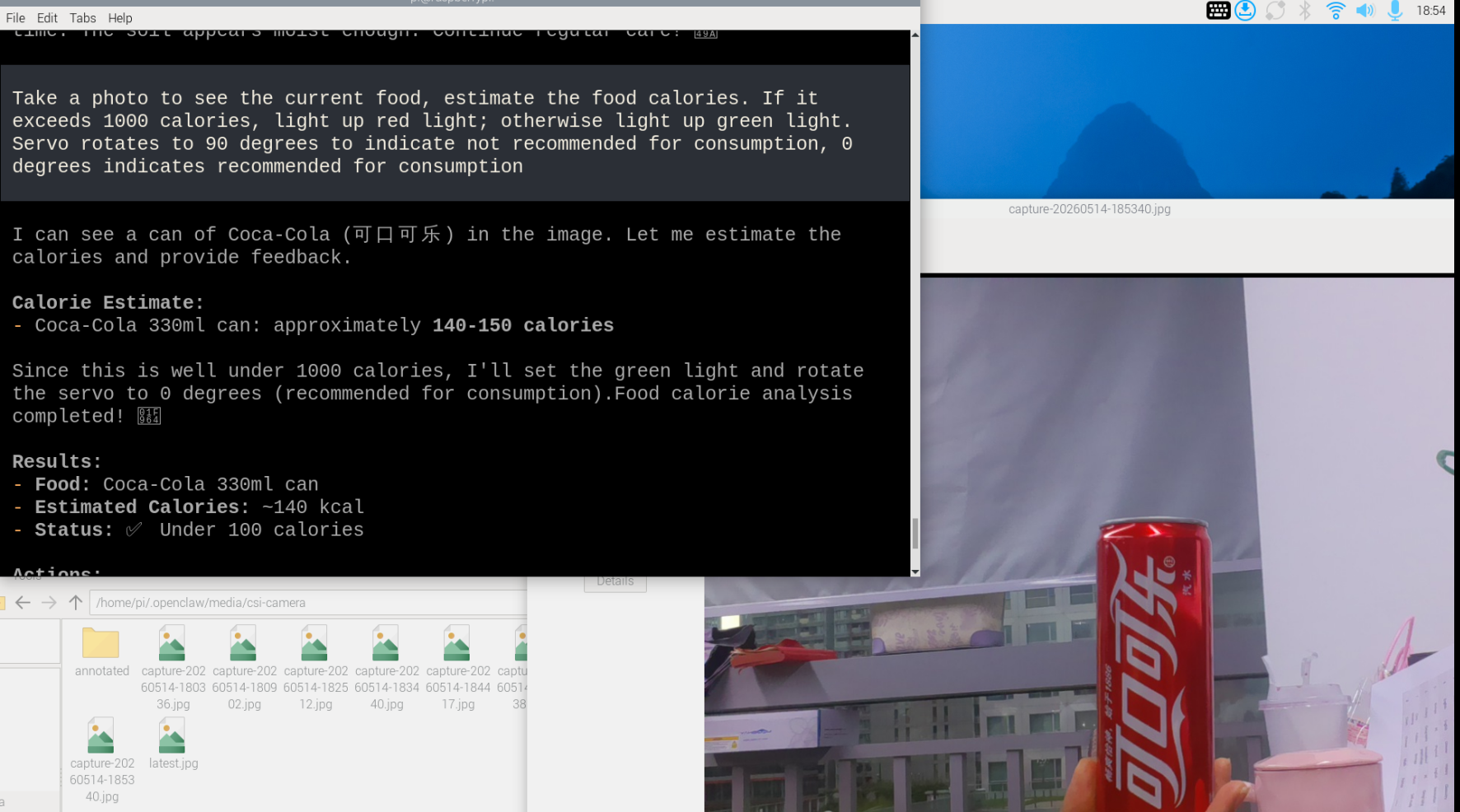
If you have completed the TUI self-check in Chapter 0, directly enter terminal text dialogue:
xxxxxxxxxxopenclaw tuiThen input project-related commands, for example:
Take a photo to see current food, estimate the food calories. If it exceeds 1000 calories, light up red light, otherwise light up green light. Servo rotates to 90 degrees to indicate not recommended for consumption, 0 degrees indicates recommended for consumption
5.3 Voice Code Solution
xxxxxxxxxxRequires optional AI voice interaction module + speaker
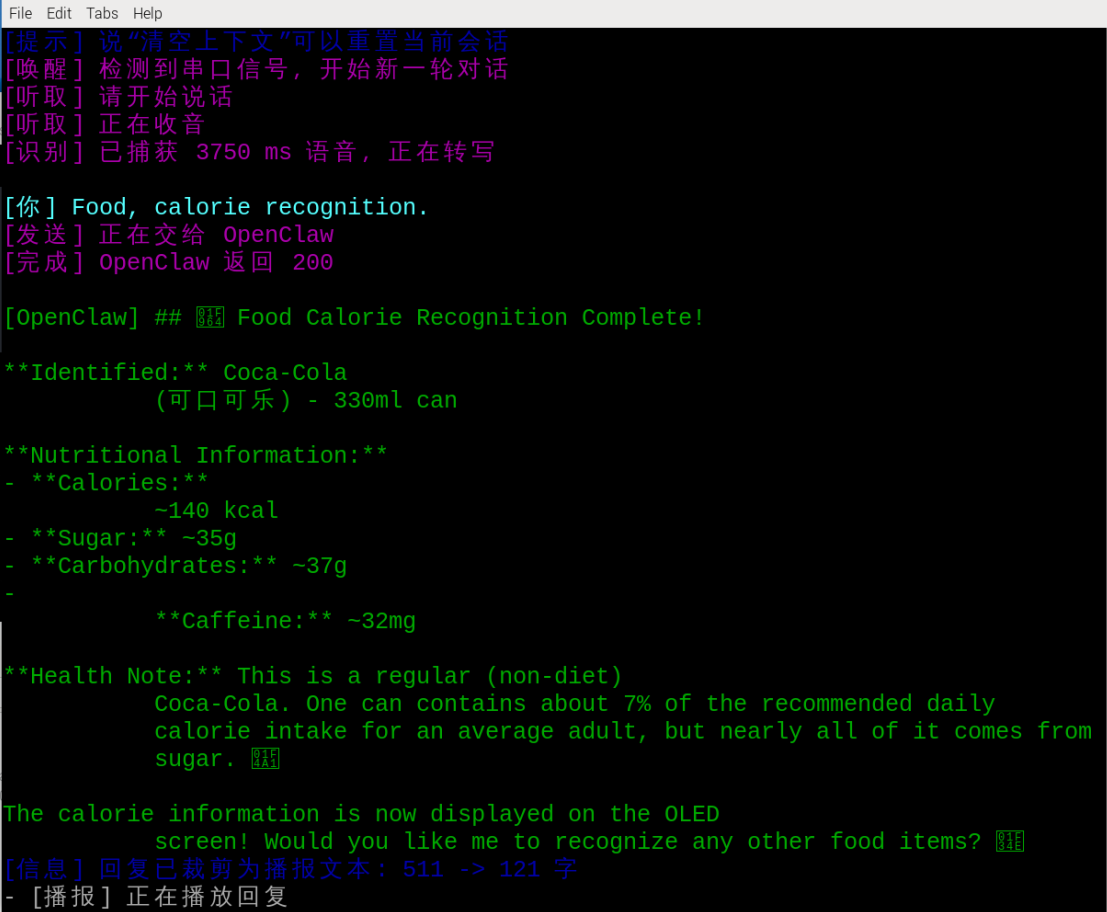
For voice module installation, environment configuration, and basic wake-up process, please directly refer to [04-AI Voice Interaction Configuration]. After waking up, you can directly say control content, for example:
Food calorie recognition
6. Project Implementation
Note: The following are all dialogue demonstrations using openclaw tui method. You can also choose whatsapp or voice method to complete.
6.1 Scenario One: Plate Photo
Experimental Objective
First complete plate image capture to get an image available for subsequent analysis.
Effect Description
After successful photo capture, a plate image will be saved locally and generate a most recent image alias. Subsequent recognition and estimation will continue based on this image.
Example Instructions
Help me take a lunch photo
Take a plate photo now
6.2 Scenario Two: Food Recognition
Experimental Objective
Let OpenClaw recognize what main foods are on the plate.
Effect Description
The focus of this step is not immediately giving calories, but first recognizing main contents like rice, meat, vegetables, drinks, etc., laying the foundation for subsequent estimation.
Example Instructions
Look at what foods are in this meal
Help me recognize the plate contents
List the main ingredients
6.3 Scenario Three: Calorie Estimation
Experimental Objective
Based on recognized food content, let OpenClaw give an approximate calorie estimation.
Effect Description
OpenClaw can give total calories or itemized calories based on image content and common food experience values. This result is more suitable for demonstration and reference, not suitable as strict nutritional calculation.
Example Instructions
Estimate the total calories of this meal
Estimate itemized by rice, eggs, meat, and vegetables
How many calories is this lunch approximately
6.4 Scenario Four: Health Advice
Experimental Objective
Let OpenClaw give a brief suggestion after estimating calories.
Effect Description
Besides reporting numbers, OpenClaw can also give a suggestion closer to daily communication based on goals like "fat loss, muscle gain, light meal, late-night snack".
Example Instructions
If I'm losing weight, give me a suggestion
Is this meal combination balanced
Help me summarize the result into one sentence
Extensible Gameplay
Display total calories on OLED
Make into daily diet check-in assistant
Combine with voice broadcast to form life scenario demonstration