Welcome to STM32-BoardCar repository
7. Infrared remote control
Infrared remote control
Infrared remote control1、software-hardware2、Brief principle2.1、Hardware schematic diagram2.2、Physical connection diagram2.3、Principle of control3、Engineering configuration3.1、Notes3.2、Pin configuration4、Main FunctionUser function5、Experimental phenomenon
This tutorial demonstrates: Print the key value of infrared remote control via serial port (USART1)
1、software-hardware
STM32F103CubeIDE
STM32 robot expansion board
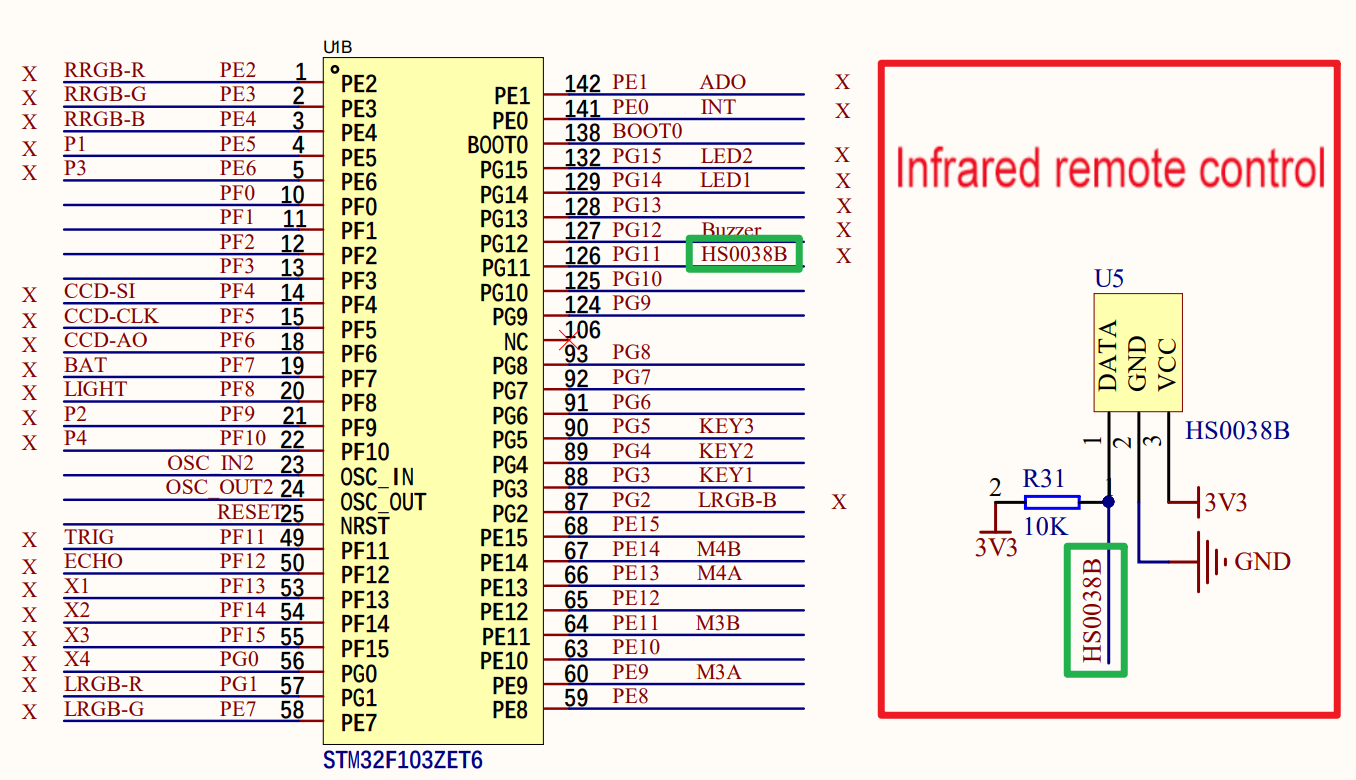
The infrared receiver (HS0038B) is integrated on the development board
Type-C cable or ST-Link
Download or simulate the program of the development board
2、Brief principle
2.1、Hardware schematic diagram
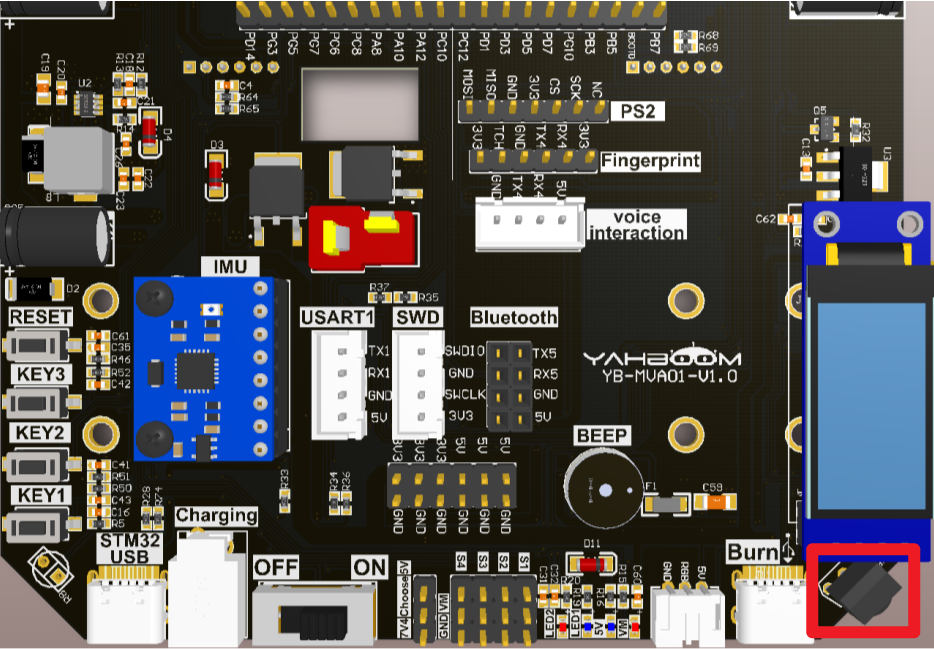
2.2、Physical connection diagram
Integrated infrared receiver (HS0038B) on the development board
2.3、Principle of control
The receiving of infrared data is triggered by interruption, and the data is judged to be 0 or 1 according to the high level time of the output pin of the infrared receiver, so as to realize the data reading of the key value of the infrared remote control.
NEC protocol
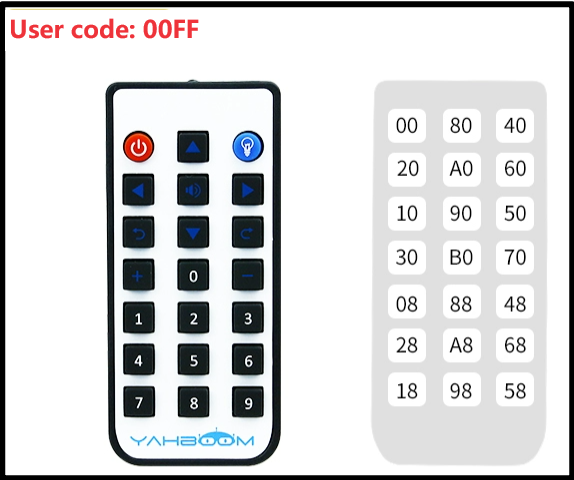
The remote control attached to the development board uses the NEC protocol with a carrier frequency of 38KHz.
| Format | Role |
|---|---|
| Boot code | Identifies the beginning of the instruction |
| Address code (user code) | Identifies the device address of the remote control |
| Address inverse code | Enhance data transmission reliability |
| Data code | Specific remote control instructions |
| Data inverse code | Data inverse code |

- Infrared remote control
0:38KHz carrier of 560us + 560us of the carrier-free interval composition
1:38KHz carrier of 560us + carrier-free interval composition of 1680us
- Infrared receiver
0:560us low level + 560us high level
1:560us low level + 1680us high level
When the IR receiver receives the IR carrier signal, the DATA output pin of HS0038B outputs a low level
When the IR receiver does not receive the IR carrier signal, the DATA output pin of HS0038B outputs a high level
| Infrared receiver (development board integrated) | Corresponding pin |
|---|---|
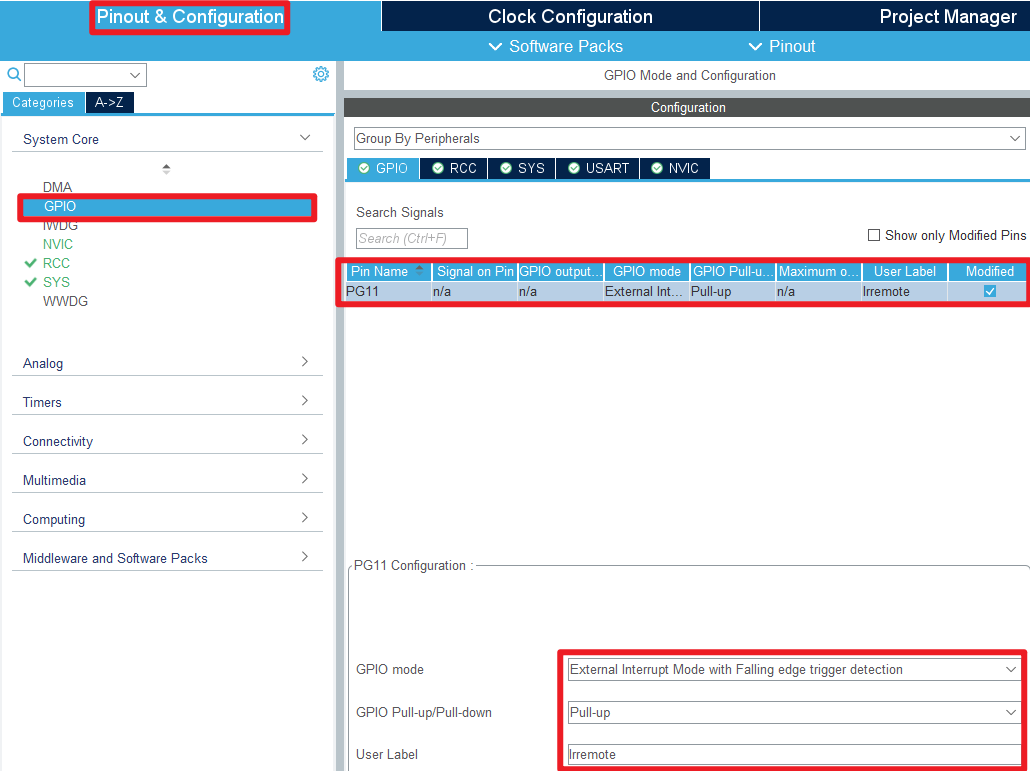
| HS0038B | PG11(Infrared receiver signal output pin) |
3、Engineering configuration
Project Configuration: Prompts for configuration options in the STM32CubeIDE project configuration process
3.1、Notes
Omitted project configuration: New project, chip selection, project configuration, SYS for pin configuration, RCC configuration, clock configuration, and project configuration content
The project configuration part, which is not omitted, is the key point to configure in this tutorial.
Please refer to [2, development environment construction and use: STM32CubeIDE installation - Use] to understand how to configure the omitted part of the project
3.2、Pin configuration
- GPIO
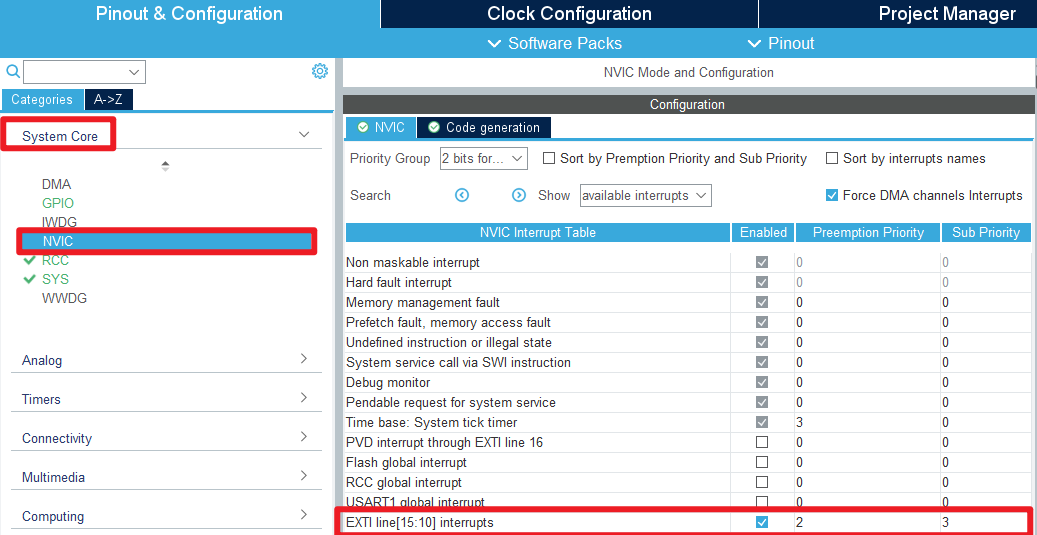
- USART
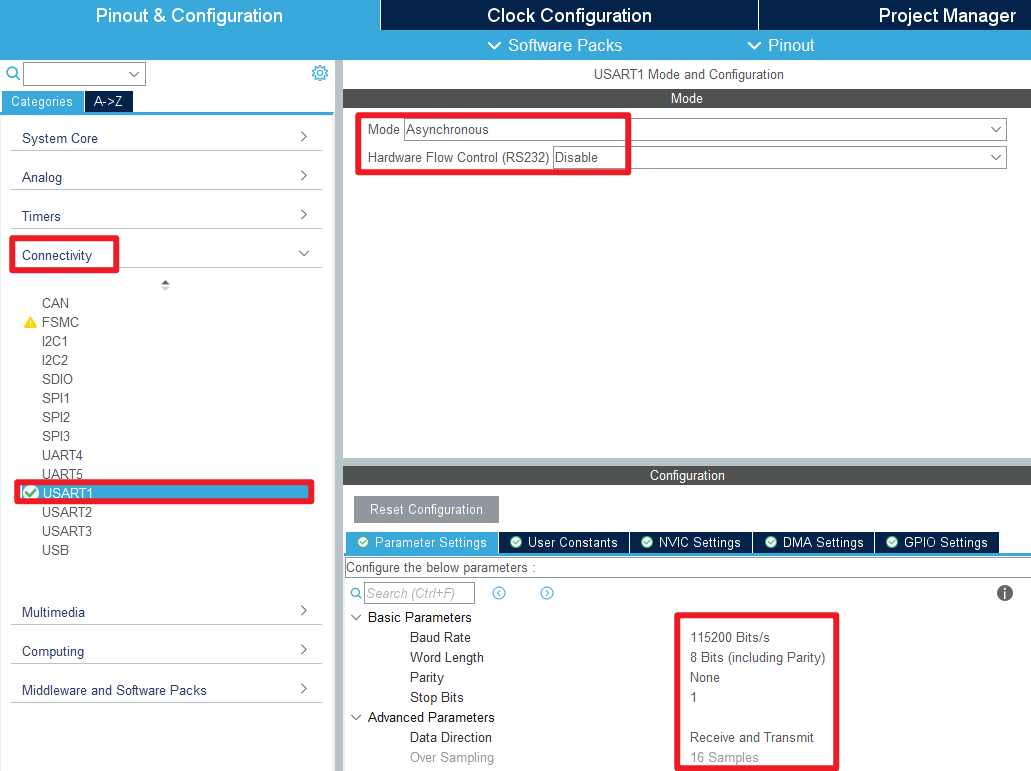
- NVIC
- Generating code

4、Main Function
This paper mainly introduces the functional code written by users. Detailed code can be opened by yourself in the project file we provide, and enter the Bsp folder to view the source code. .
User function
Many of the common HAL library functions were covered in Chapter 3, but they will not be covered here.
function:InfraredRecvLowTime
| Function prototypes | uint16_t InfraredRecvLowTime(void) |
|---|---|
| Functional Description | Calculate the duration of the low level |
| Input parameters | None |
| Return value | Count value (about 17us for one count) |
function:InfraredRecvHighTime
| Function prototypes | uint16_t InfraredRecvHighTime(void) |
|---|---|
| Functional Description | Calculate the duration of the high level |
| Input parameters | None |
| Return value | Count value (about 17us for one count) |
function:InfraredDataRecv
| Function prototypes | uint8_t InfraredDataRecv(void) |
|---|---|
| Functional Description | Obtain infrared remote control data |
| Input parameters | None |
| Return value | The corresponding key value of the remote control |
5、Experimental phenomenon
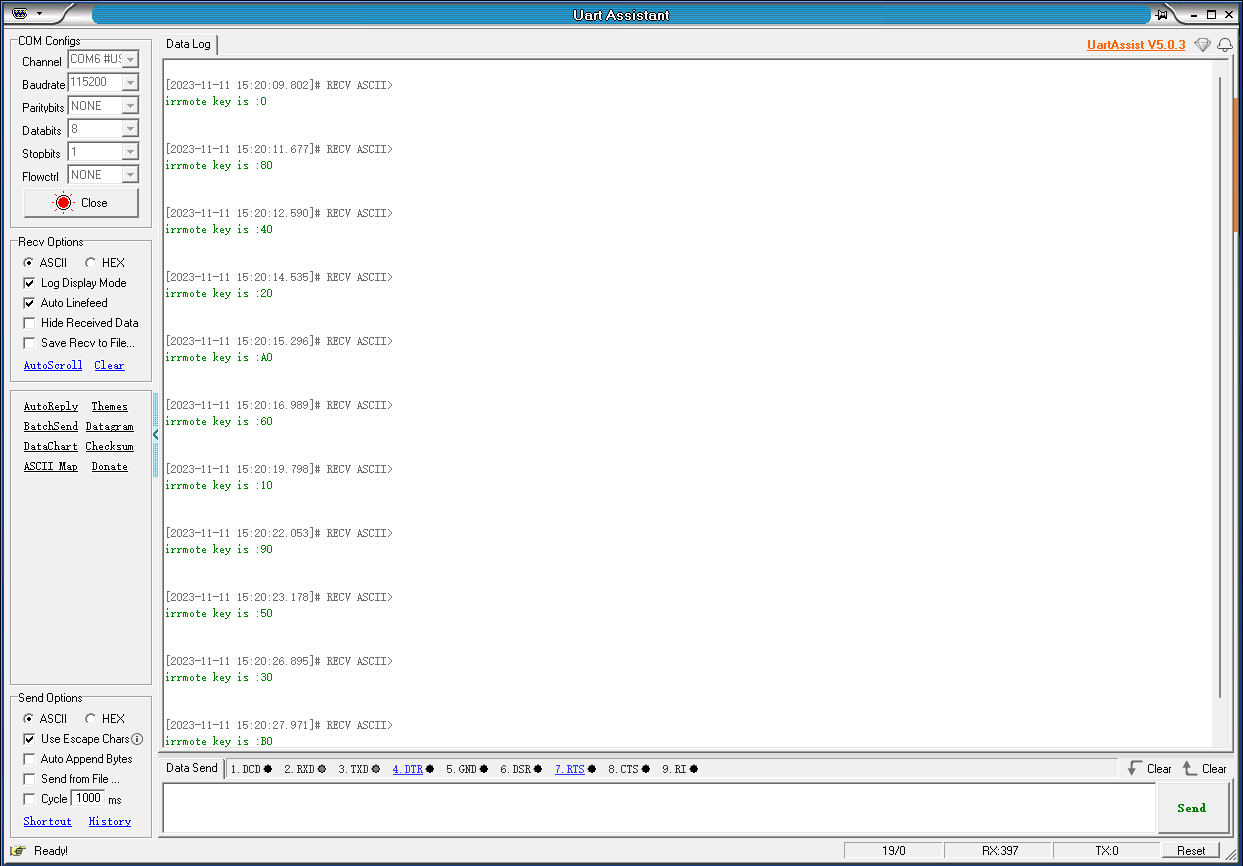
After downloading the program successfully, press the RESET button of the development board to observe the phenomenon of serial debugging assistant
xxxxxxxxxxProgram download can refer to [2, development environment construction and use: program download and simulation]
phenomenon:
Press different key values on the infrared remote control, and the serial port will print data corresponding to different key values.