yahboom
HomeLearn
Solution
Blog
Online Store
About Us
EN/中文
RDK X5 MagicBox📖
1.RDK MagicBox
  • 1. RDK MagicBox Official Materials
  • 2. Troubleshooting boot failure
  • 3. Linux memory query
2.RDK MagicBox Introduction
  • 1. Introduction to RDK MagicBox
  • 2. Write System File
  • 3. Hardware Interface Description
3.RDK MagicBox User Guide
1. Quick Start
  • Quick Start
2. Basic Peripheral Usage
  • Basic Peripheral Usage
3. Algorithm Development
  • 1. Stereo Depth Estimation
  • 2. Gesture Interaction
  • 3. Voice Interaction
4.RDK MagicBox Basic Settings
  • 1.Network configuration
  • 2.Remote login
  • 3.Update system
  • 4.srpi-config user guide
  • 5.config. txt configuration file
  • 6.Self-startup setting
  • 7.RDK exclusive command usage
  • 8.Linux command usage
  • 9.GPIO readwrite operation
  • 10.Image classification algorithm
  • 11.Use USB camera
  • 12.MIPI Camera Usage
5.RDKX5 Magicbox Basic Development Course
For C language
  • 1. Camera Image Acquisition and Display
  • 2. Camera Image Local Saving
  • 3. Camera Image Acquisition and Encoding
  • 4. Video File Decoding and Display
  • 5. RTSP Stream Decoding
  • 6. VPS Scaling Example
  • 7. Target Detection Algorithm — focs
  • 8. Target Detection Algorithm — YOLOv5s
  • 9. Using CAN
For Python language
  • 1. Prerequisites Before Using Pin Functions
  • 2. Using GPIO
  • 3. Using PWM
  • 4. Use serial port
  • 5. Using I2C
  • 6. Using SPI
For Linux Development
  • Linux Development Guide
6.Online AI Model Course
Online AI Model Course(Text Interaction)
  • 0. Preparation before use
  • 1. OpenRouter Large Model API Aggregation Platform
  • 2. Multimodal Visual Understanding Application
  • 3. Multimodal Visual Positioning Application
  • 4. Multimodal Table Scanning Application
  • 5. Multimodal Autonomous Agent Application
Online AI Model Course(Voice Interaction)
  • 1. Online Speech‑to‑Text (ASR)
  • 2. Online Text‑to‑Speech (TTS)
  • 3. AI Large Model Voice Interaction
  • 4. Multimodal Visual Voice Interaction
  • 5. Multimodal Visual Positioning Application
  • 6. Multimodal Table Scanning Application
  • 7. Multimodal Autonomous Agent Application
  • 8. AI Large Model Online Voice Assistant
7.OpenClaw Embodied AI Development
  • 1. Introduction to OpenClaw
  • 2. OpenClaw Deployment
  • 3. OpenClaw Whatsapp Plugin Application
  • 4. OpenClaw WebChat Interaction
  • 5. OpenClaw TUI Interaction
  • 6. OpenClaw Tool Introduction
  • 7. OpenClawGate Gateway User Manual
  • 8. OpenClaw Plugin Feature Introduction
  • 9. OpenClaw ClawHub Introduction (skill installation)
  • 10. OpenClaw Application - File Management
  • 11. OpenClaw Application - Camera
  • 12. OpenClaw Application - Browser Control
  • 13. OpenClaw Application - Script Execution
  • 14. OpenClaw Application - AI‑programmed Status Light Control
  • 15. OpenClaw Application - AI‑programmed Servo Control
  • 16. OpenClaw Application - Dedicated AI Assistant
8.ROS2 Basic Tutorial
  • 1.Introduction to ROS2
  • 2.ROS2 install Humble
  • 3.ROS2 development environment
  • 4.ROS2 workspace
  • 5.ROS2 function package
  • 6.ROS2 node
  • 7.ROS2 topic communication
  • 8.ROS2 service communication
  • 9.ROS2 action communication
  • 10.ROS2 custom interface message
  • 11.ROS2 parameter service case
  • 12.ROS2 meta-function package
  • 13.ROS2 distributed communication
  • 14.ROS2 DDS
  • 15.ROS2 time related API
  • 16.ROS2 common command tools
  • 17.ROS2 rviz2 use
  • 18.ROS2 rqt toolbox
  • 19.ROS2 Launch startup file configuration
  • 20.ROS2 recording and playback tool
  • 21.ROS2 URDF model
  • 22.ROS2 Gazebo simulation platform
  • 23.ROS2 TF2 coordinate transformation
Download
  • Code
  • Software_tools
  • SystemFile
Download ZIP

Welcome to RDK X5 MagicBox repository

16.ROS2 common command tools

16. ROS2 Common Command Tools

1. Package Management Tool ros2 pkg

1.1. ros2 pkg create

Function: Creates a package. When creating a package, you must specify the package name, compilation method, dependencies, etc.

Format:

xxxxxxxxxx
ros2 pkg create <package_name> --build-type <build-type> --dependencies <dependencies>

In the ros2 command:

  • pkg: Indicates the functions associated with the package;
  • create: Indicates the creation of a package;
  • package_name: Required: The name of the new package;
  • build-type: Required: Indicates whether the newly created package is C++ or Python. If using C++ or C, follow ament_cmake; if using Python, follow ament_python;
  • dependencies: Optional: Indicates the package's dependencies. C++ packages must include rclcpp; Python packages must include rclpy, as well as other required dependencies.

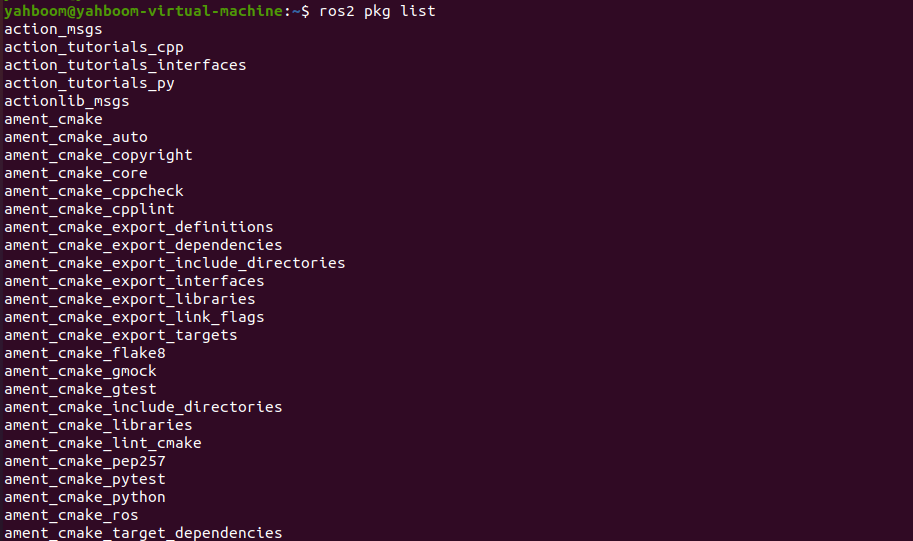
1.2, ros2 pkg list

Function: View the list of packages in the system

Format:

xxxxxxxxxx
ros2 pkg list

image-20230427154146879

1.3. ros2 pkg executables

Function: View all executable files in a package

Format:

xxxxxxxxxx
ros2 pkg executables pkg_name

image-20230427154419005

2. Node Run ros2 run

Function: Run the node program in the package

Format:

xxxxxxxxxx
ros2 run pkg_name node_name
  • pkg_name: Package name
  • node_name: The name of the executable program
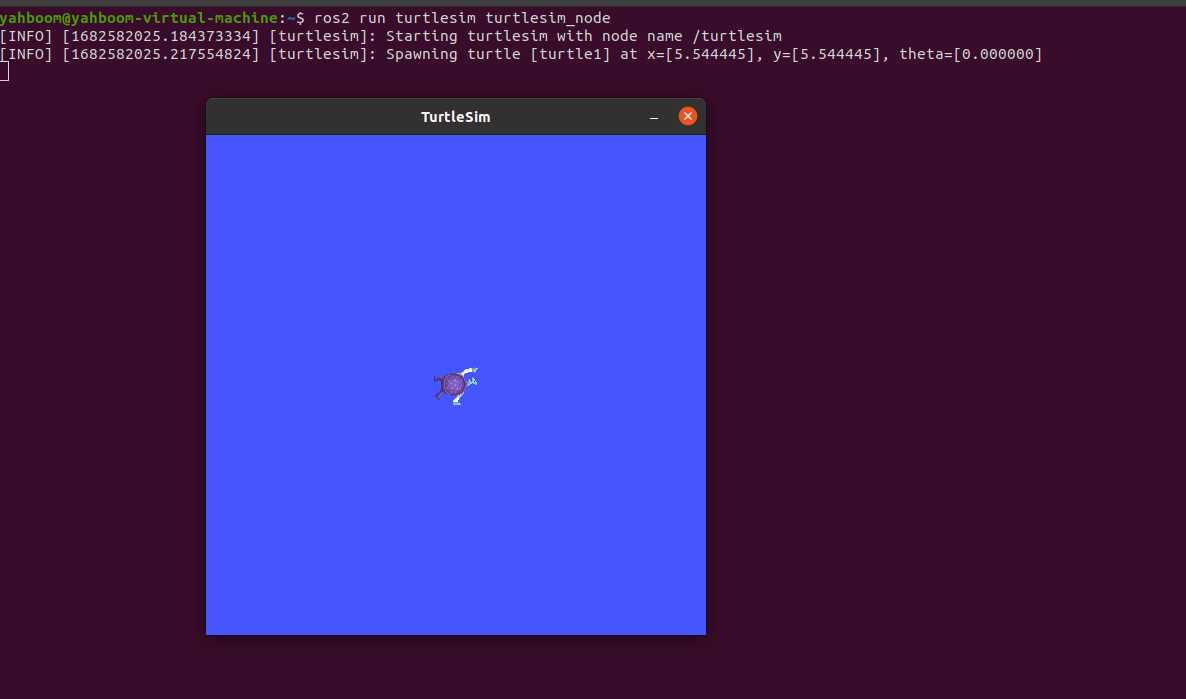
image-20230427155359745

3. Node-Related Tools: ros2 node

3.1. ros2 node list

Function: Lists all node names in the current domain

Format:

xxxxxxxxxx
ros2 node list

image-20230427155655753

3.2. ros2 node info

Function: View detailed node information, including subscriptions, published messages, enabled services, and actions.

Format:

xxxxxxxxxx
ros2 node info node_name
  • node_name: The name of the node to be viewed.
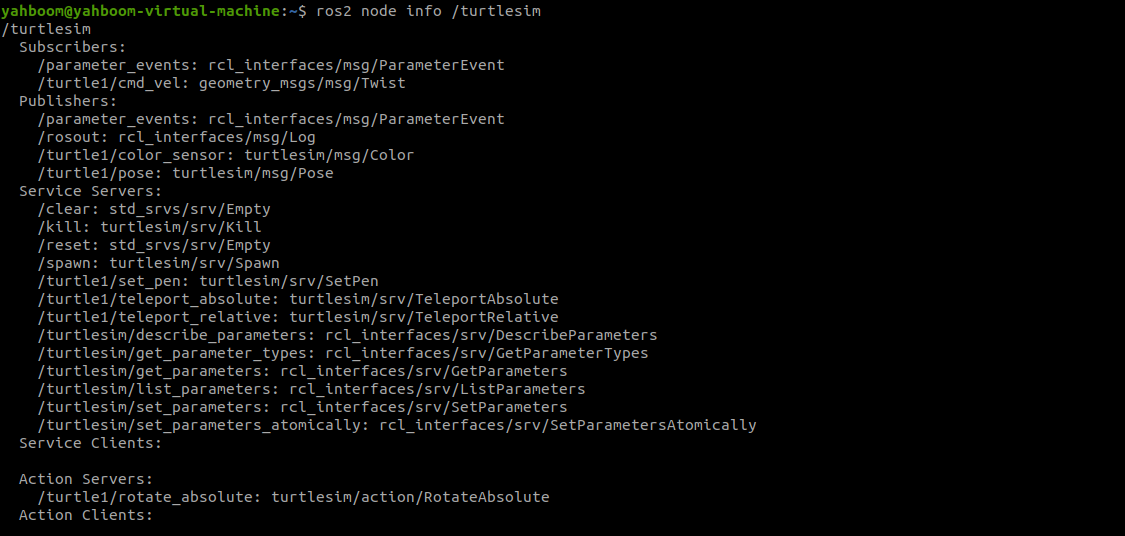
image-20230427160001101

4. Topic-Related Tools: ros2 topic

4.1. ros2 topic list

Function: List all topics in the current domain

Format:

xxxxxxxxxx
ros2 topic list

image-20230427160351051

4.2. ros2 topic info

Function: Display topic message type and number of subscribers/publishers

Format:

xxxxxxxxxx
ros2 topic info topic_name
  • topic_name: The name of the topic to be queried.

image-20230427160625594

4.3, ros2 topic type

Function: View the message type of a topic

Format:

xxxxxxxxxx
ros2 topic type topic_name
  • topic_name: The name of the topic type to be queried.

image-20230427161056536

4.4, ros2 topic hz

Function: Display the average publishing frequency of a topic.

Format:

xxxxxxxxxx
ros2 topic hz topic_name
  • topic_name: The name of the topic whose frequency you want to query.
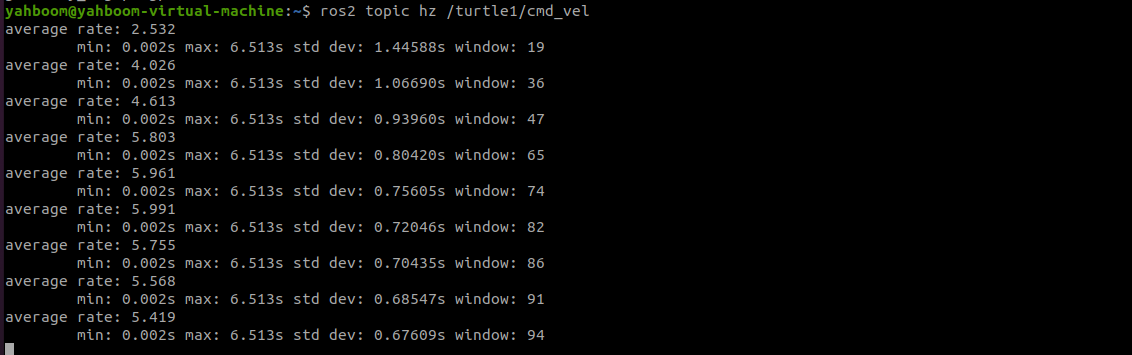
image-20230427161721650

4.5, ros2 topic echo

Function: Print topic messages on the terminal, similar to a subscriber.

Format: ros2 topic echo topic_name

  • topic_name: The name of the topic whose messages you want to print.
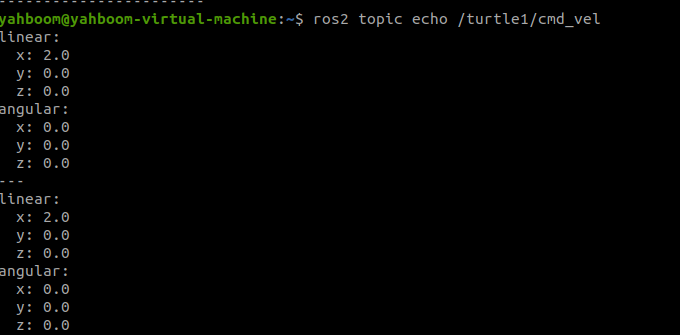
image-20230427162312888

4.5, ros2 topic pub

Function: Publish a message on a specified topic on the terminal.

Format:

xxxxxxxxxx
ros2 topic pub topic_name message_type message_content
  • topic_name: The name of the topic whose messages you want to publish.
  • message_type: The data type of the topic.
  • message_content: Message content

The default is to publish at a 1Hz frequency. The following parameters can be set:

  • Parameter -1 to publish only once, ros2 topic pub -1 topic_name message_type message_content
  • Parameter -t count to publish count times, ros2 topic pub -t count topic_name message_type message_content
  • Parameter -r count to publish at a count Hz frequency, ros2 topic pub -r count topic_name message_type message_content

Example:

  • Publish velocity commands via the command line
  • Note that there is a space after each colon; otherwise, a format error will be displayed.
xxxxxxxxxx
ros2 topic pub turtle1/cmd_vel geometry_msgs/msg/Twist "{linear: {x: 0.5, y: 0.0, z: 0.0}, angular: {x: 0.0, y: 0.0, z: 0.2}}"
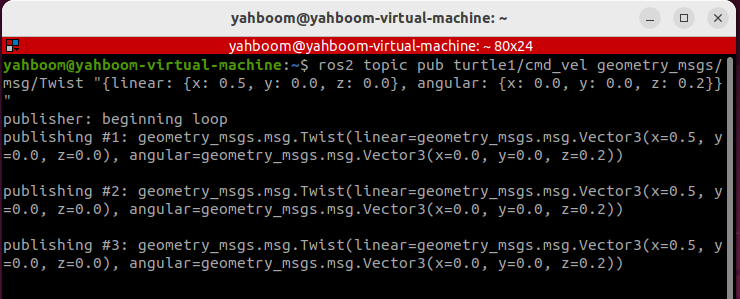
image-20250905163149992

5. Interface-Related Tools: ros2 interface

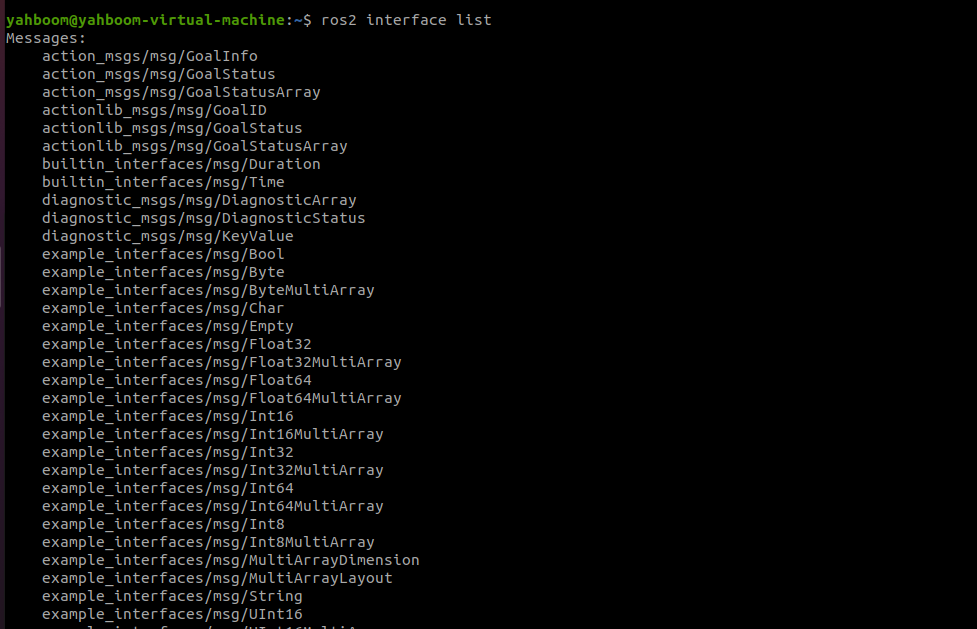
5.1. ros2 interface list

Function: Lists all interfaces in the current system, including topics, services, and actions.

Format:

xxxxxxxxxx
ros2 interface list

image-20230427164755075

5.2. ros2 interface show

Function: Displays the detailed information of a specified interface

Format:

xxxxxxxxxx
ros2 interface show interface_name
  • interface_name: The name of the interface to be displayed
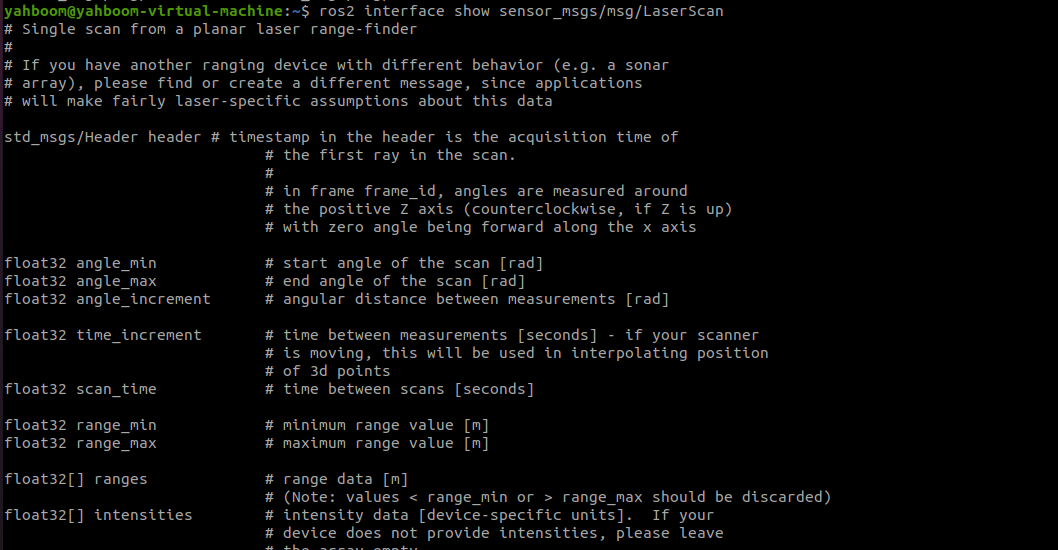
image-20230427165057647

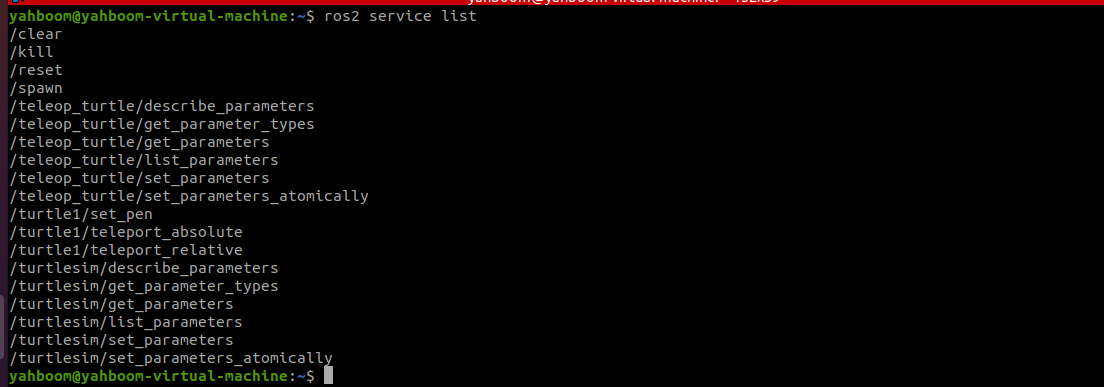
6. Service-Related Tools ros2 service

6.1. ros2 service list

Function: Lists all services in the current domain

Format:

xxxxxxxxxx
ros2 interface show interface_name

image-20230427172236875

6.2, ros2 service call

Function: Call a specified service

Format:

xxxxxxxxxx
ros2 interface call service_name service_Type arguments
  • service_name: The service to be called
  • service_type: The service data type
  • arguments: The parameters required to provide the service

For example, to call the turtle spawn service

xxxxxxxxxx
ros2 service call /spawn turtlesim/srv/Spawn "{x: 2, y: 2, theta: 0.2, name: 'turtle10'}"
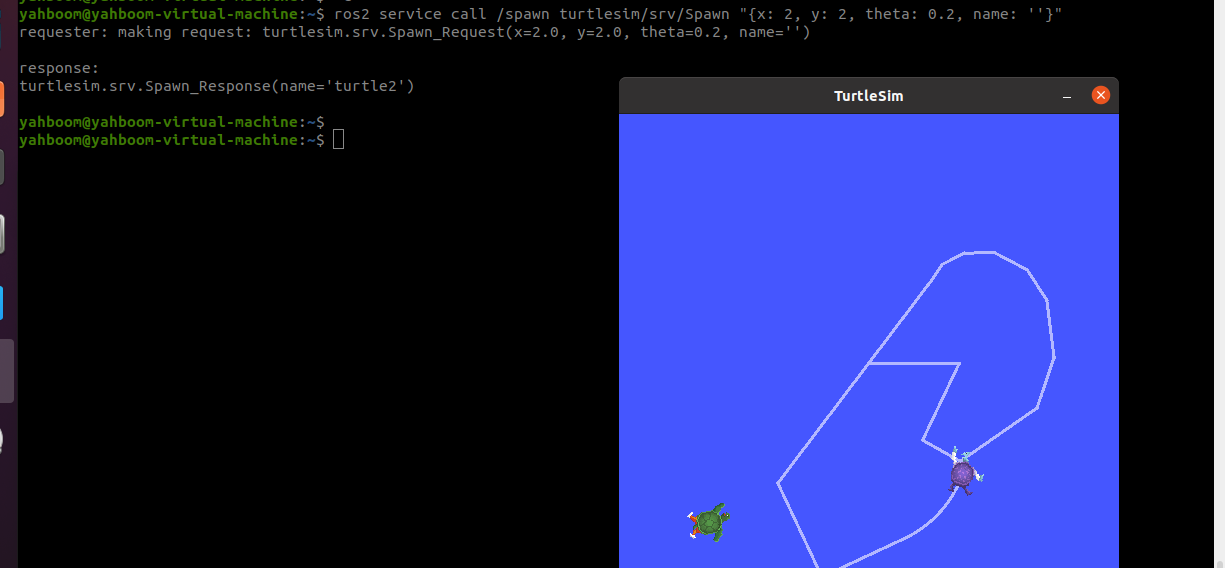
image-20230427173625631

ROS2 time related API
ROS2 rviz2 use

COMPANY

  • About us
  • Team Style
  • Blog

LEARNING & EXPLORATION

  • Tutorials
  • Edge AI hardware
  • Educational robots
  • Embedded intelligent hardware

WHERE TO BUY

  • Yahboom Online Store
  • Amazon
  • Alibaba
  • AliExpress
  • Mercado

TECHNOLOGY SUPPORT

  • Email: support@yahboom.com

BE A DISTRIBUTOR

  • Email: sales@yahboom.com
QR Code
QR Code

Copyright © 2017-2026 Yahboom. All Rights Reserved.

EN/中文