yahboom
HomeLearn
Solution
Blog
Online Store
About Us
EN/中文
RDK X5 MagicBox📖
1.RDK MagicBox
  • 1. RDK MagicBox Official Materials
  • 2. Troubleshooting boot failure
  • 3. Linux memory query
2.RDK MagicBox Introduction
  • 1. Introduction to RDK MagicBox
  • 2. Write System File
  • 3. Hardware Interface Description
3.RDK MagicBox User Guide
1. Quick Start
  • Quick Start
2. Basic Peripheral Usage
  • Basic Peripheral Usage
3. Algorithm Development
  • 1. Stereo Depth Estimation
  • 2. Gesture Interaction
  • 3. Voice Interaction
4.RDK MagicBox Basic Settings
  • 1.Network configuration
  • 2.Remote login
  • 3.Update system
  • 4.srpi-config user guide
  • 5.config. txt configuration file
  • 6.Self-startup setting
  • 7.RDK exclusive command usage
  • 8.Linux command usage
  • 9.GPIO readwrite operation
  • 10.Image classification algorithm
  • 11.Use USB camera
  • 12.MIPI Camera Usage
5.RDKX5 Magicbox Basic Development Course
For C language
  • 1. Camera Image Acquisition and Display
  • 2. Camera Image Local Saving
  • 3. Camera Image Acquisition and Encoding
  • 4. Video File Decoding and Display
  • 5. RTSP Stream Decoding
  • 6. VPS Scaling Example
  • 7. Target Detection Algorithm — focs
  • 8. Target Detection Algorithm — YOLOv5s
  • 9. Using CAN
For Python language
  • 1. Prerequisites Before Using Pin Functions
  • 2. Using GPIO
  • 3. Using PWM
  • 4. Use serial port
  • 5. Using I2C
  • 6. Using SPI
For Linux Development
  • Linux Development Guide
6.Online AI Model Course
Online AI Model Course(Text Interaction)
  • 0. Preparation before use
  • 1. OpenRouter Large Model API Aggregation Platform
  • 2. Multimodal Visual Understanding Application
  • 3. Multimodal Visual Positioning Application
  • 4. Multimodal Table Scanning Application
  • 5. Multimodal Autonomous Agent Application
Online AI Model Course(Voice Interaction)
  • 1. Online Speech‑to‑Text (ASR)
  • 2. Online Text‑to‑Speech (TTS)
  • 3. AI Large Model Voice Interaction
  • 4. Multimodal Visual Voice Interaction
  • 5. Multimodal Visual Positioning Application
  • 6. Multimodal Table Scanning Application
  • 7. Multimodal Autonomous Agent Application
  • 8. AI Large Model Online Voice Assistant
7.OpenClaw Embodied AI Development
  • 1. Introduction to OpenClaw
  • 2. OpenClaw Deployment
  • 3. OpenClaw Whatsapp Plugin Application
  • 4. OpenClaw WebChat Interaction
  • 5. OpenClaw TUI Interaction
  • 6. OpenClaw Tool Introduction
  • 7. OpenClawGate Gateway User Manual
  • 8. OpenClaw Plugin Feature Introduction
  • 9. OpenClaw ClawHub Introduction (skill installation)
  • 10. OpenClaw Application - File Management
  • 11. OpenClaw Application - Camera
  • 12. OpenClaw Application - Browser Control
  • 13. OpenClaw Application - Script Execution
  • 14. OpenClaw Application - AI‑programmed Status Light Control
  • 15. OpenClaw Application - AI‑programmed Servo Control
  • 16. OpenClaw Application - Dedicated AI Assistant
8.ROS2 Basic Tutorial
  • 1.Introduction to ROS2
  • 2.ROS2 install Humble
  • 3.ROS2 development environment
  • 4.ROS2 workspace
  • 5.ROS2 function package
  • 6.ROS2 node
  • 7.ROS2 topic communication
  • 8.ROS2 service communication
  • 9.ROS2 action communication
  • 10.ROS2 custom interface message
  • 11.ROS2 parameter service case
  • 12.ROS2 meta-function package
  • 13.ROS2 distributed communication
  • 14.ROS2 DDS
  • 15.ROS2 time related API
  • 16.ROS2 common command tools
  • 17.ROS2 rviz2 use
  • 18.ROS2 rqt toolbox
  • 19.ROS2 Launch startup file configuration
  • 20.ROS2 recording and playback tool
  • 21.ROS2 URDF model
  • 22.ROS2 Gazebo simulation platform
  • 23.ROS2 TF2 coordinate transformation
Download
  • Code
  • Software_tools
  • SystemFile
Download ZIP

Welcome to RDK X5 MagicBox repository

1. OpenRouter Large Model API Aggregation Platform

OpenRouter Large Model API Aggregation Platform - Text Interaction

OpenRouter Large Model API Aggregation Platform - Text InteractionConcept Introduction1.1 What is "OpenRouter"?2. Practical Operations2.1 Obtaining API Credentials2.2 Step-by-Step Guide with Images2.3 Configuration File Modification

Concept Introduction

1.1 What is "OpenRouter"?

OpenRouter is a Large Model API Aggregation Platform. You can think of it as a "universal remote control for large language models". Normally, if you want to use OpenAI's GPT-4, Anthropic's Claude-3, and Google's Gemini, you would need to register accounts on three separate platforms, obtain three sets of API keys, and write three different sets of API call code tailored to each platform's unique format.

OpenRouter solves this problem. It provides a unified API interface (compatible with OpenAI's API format). With just one OpenRouter API key, you can access all the models mentioned above plus hundreds of other open-source and closed-source models through a single entry point.

The core advantages of integrating OpenRouter into the largemodel project are:

  • Ultimate Flexibility: You can seamlessly switch between GPT, Claude, Llama, and any other model by simply changing the model name in the configuration file, without modifying any code.
  • Cost Efficiency: OpenRouter provides clear pricing for each model, making it easy to compare and select the most cost-effective model for specific tasks.
  • Explore Cutting-Edge Models: Many new and excellent open-source models are added to OpenRouter first, allowing developers to quickly try out new releases.

In the largemodel project, you can enable this powerful aggregation platform by configuring the llm_platform parameter to openrouter.

2. Practical Operations

2.1 Obtaining API Credentials

  1. Register for OpenRouter: Visit OpenRouter.ai and register an account using Google or email. If the link is broken, you need to search for the "OpenRouter" platform yourself.
  2. Add Credits: OpenRouter uses a prepaid model. You need to add a small amount of credits (e.g., $5) on the "Credits" page before you can start using it. Alternatively, you can use their free models directly, but there are rate limits.
  3. Create an API Key: On the "Keys" page, click "Create Key" to generate a new API key, and immediately copy and save it.

2.2 Step-by-Step Guide with Images

  1. First, visit the following website. If the link is broken, you need to search for the "OpenRouter" platform yourself and then look for keywords related to large language models.
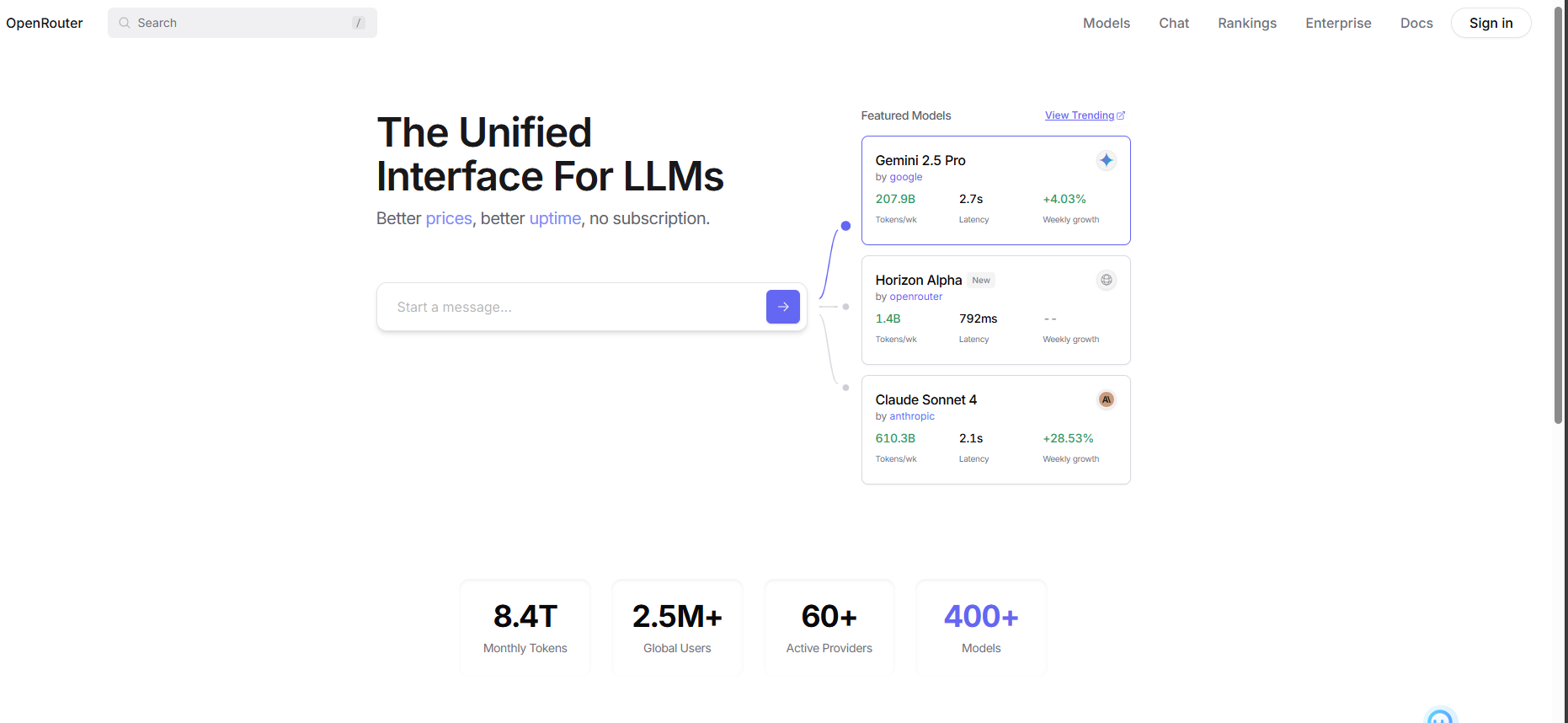
OpenRouter

image-20250801163705985

  1. Register and log in to your account
  2. After registering, click to enter the Model Plaza
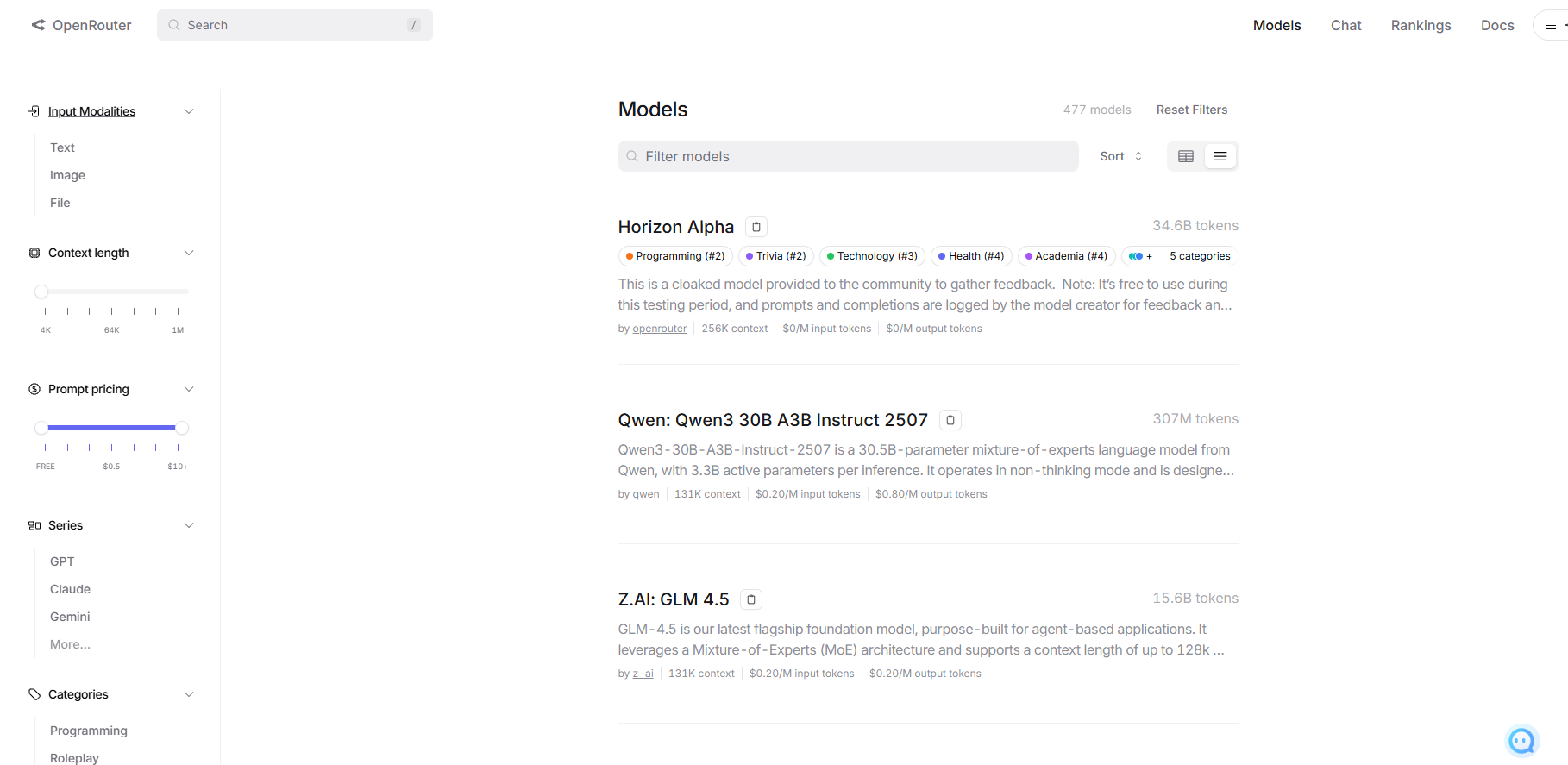
image-20250801165400079

  1. You can type "free" in the search bar to find models that can be called for free.
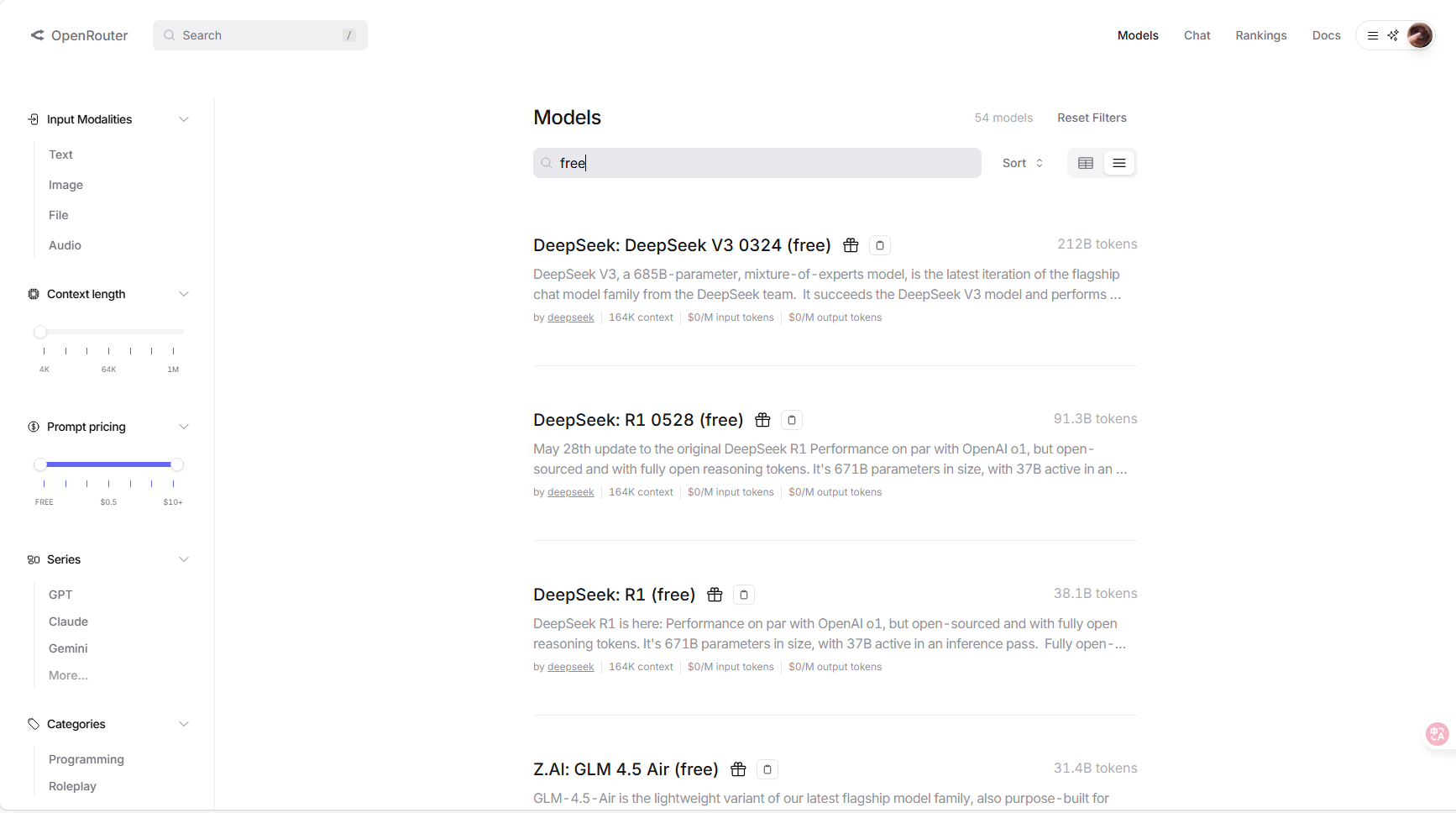
image-20250807175353717

  1. Hover your mouse over the clipboard icon next to a model, and you can see the name to use when calling the model. Click to copy it.
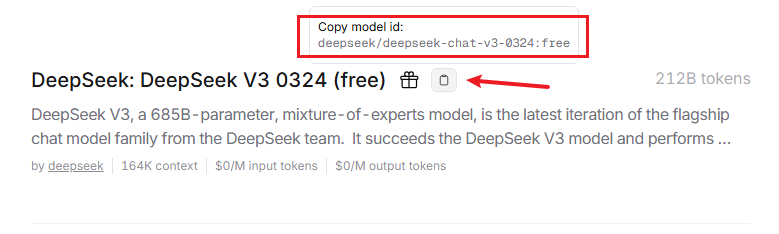
image-20250807175436229

  1. Move your mouse to the avatar in the upper right corner, and a menu will expand. You can click on "Keys" to create a key.
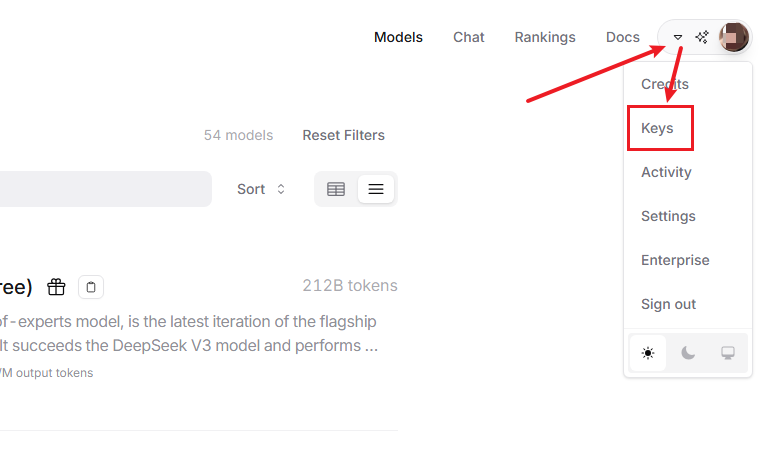
image-20250807180439598

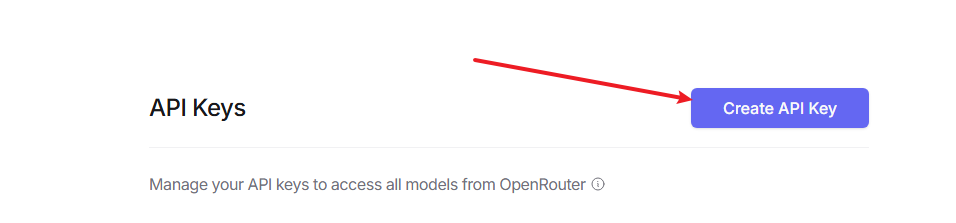
  1. Click to apply for an API key

image-20250807180556227

  1. After applying, you will receive an API key string
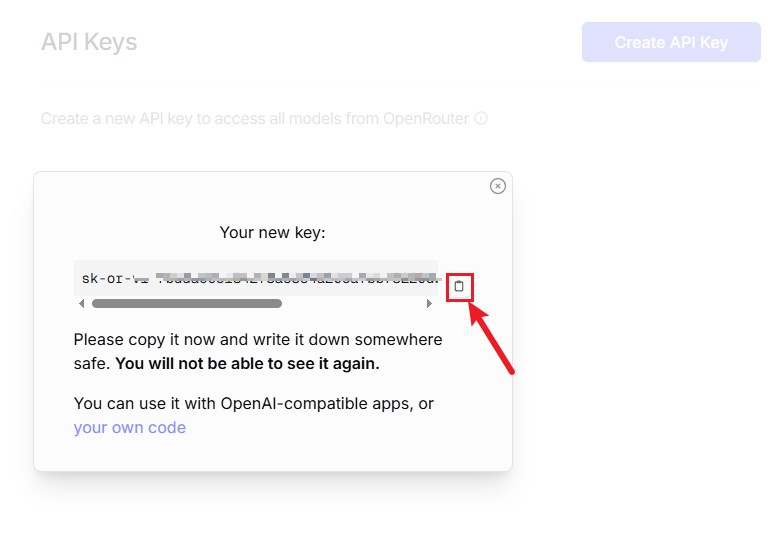
image-20250801171806192

2.3 Configuration File Modification

  1. Open large_model_interface.yaml:

    vim ~/yahboomcar_ws/src/largemodel/config/large_model_interface.yaml

    Then replace sk-xxxxxxxxxx in openrouter_api_key with the API key you just copied.

    openrouter_model is used to configure the large model for conversations.

    xxxxxxxxxx
    # OpenRouter Platform Configuration
    openrouter_api_key: "sk-xxxxxxxxxxxxxxxxxxx"
    openrouter_model: "moonshotai/kimi-k2:free" # Model to use, e.g., "google/gemini-pro-vision"
  2. Open yahboom.yaml:

    xxxxxxxxxx
    vim ~/yahboomcar_ws/src/largemodel/config/yahboom.yaml
  3. Switch Platform: Change the llm_platform parameter to openrouter.

    xxxxxxxxxx
    llm_platform: 'openrouter'

After switching the platform parameter, go back to the workspace and recompile for the changes to take effect.

Preparation before use
Multimodal Visual Understanding Application

COMPANY

  • About us
  • Team Style
  • Blog

LEARNING & EXPLORATION

  • Tutorials
  • Edge AI hardware
  • Educational robots
  • Embedded intelligent hardware

WHERE TO BUY

  • Yahboom Online Store
  • Amazon
  • Alibaba
  • AliExpress
  • Mercado

TECHNOLOGY SUPPORT

  • Email: support@yahboom.com

BE A DISTRIBUTOR

  • Email: sales@yahboom.com
QR Code

Copyright © 2017-2026 Yahboom. All Rights Reserved.

EN/中文