Welcome to Rider Pi Robot repository
2.Q&A(For cm5)
Q&A
This tutorial is specific to CM5 version; CM4 version users can skip this step. This document only covers operational instructions; for program-related information, please refer to the main program source code.
Path:
xxxxxxxxxx/home/pi/RaspberryPi-CM5/demos/realtime_dialog #All files under this pathExplanation
The functions of the buttons on the car screen
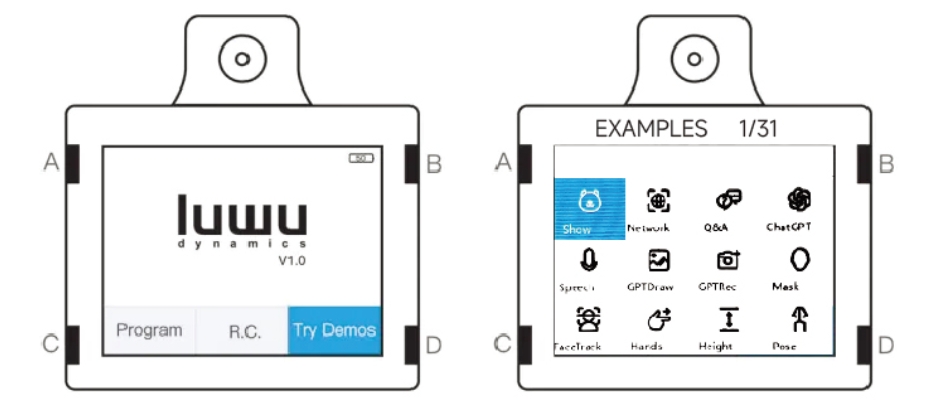
For example:
A: Move left
B: Move right
C: Back button
D: Confirm button
Operation Steps
- First, ensure the main startup program is running normally. It usually starts automatically upon startup. If you have closed it, you can restart the car or enter the following command to temporarily enable the main program.
If the main program is already running, do not enter the following command; simply skip it, otherwise it will cause screen errors.
xxxxxxxxxxsource ~/.bashrc cd ~/RaspberryPi-CM5 python3 kill.pyThis will launch the large program.
- Then enter the example program and open the Q&A section.
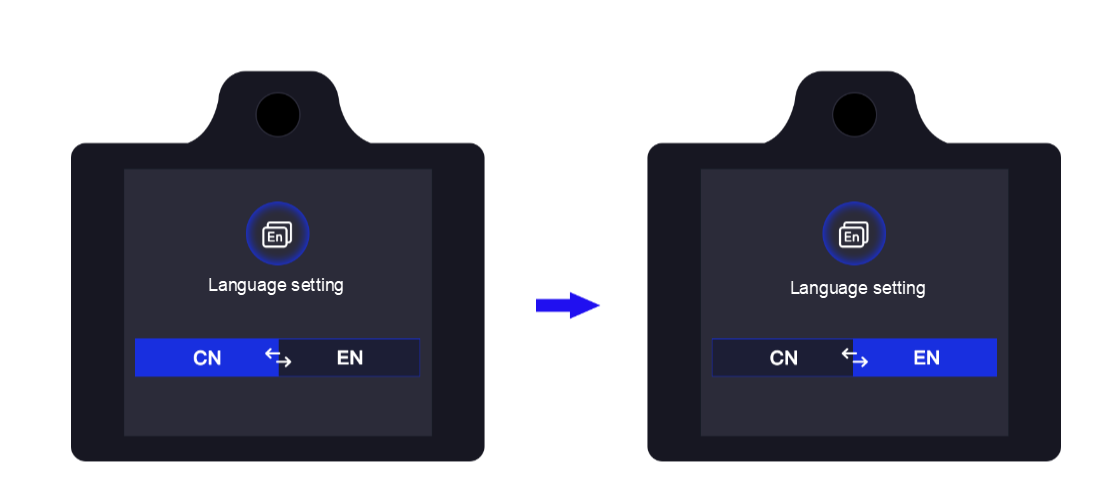
To switch languages, go to the language settings interface.
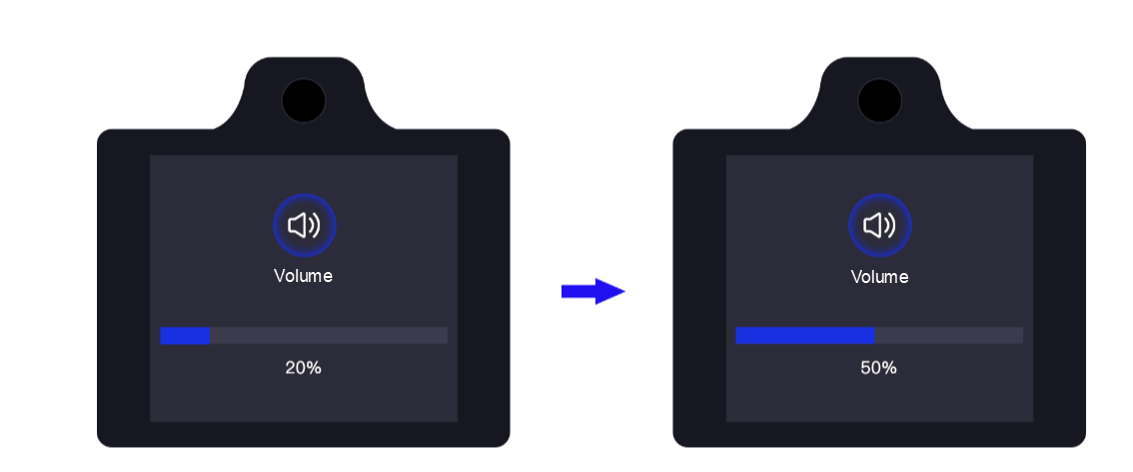
If the volume is too low or there is no sound, you need to turn it up in the volume settings interface.
- With internet access, press and hold the button in the upper left corner of the screen to ask a question, then release the button. The robot can answer your question.
Make sure the robot is connected to the internet.