Welcome to DOFBOT-Ultra repository
3. Text Large Model + robotic arm control
Text Large Model + Robotic Arm Control
Please ensure that the web control program backend process is not running in the background. To close it, refer to the [Get Started Quickly - 2. Access the Terminal] section in [Disable the Auto-Start Web Control Backend Process]. After closing, please restart DofbotUltra!!!
The web control program backend process must be closed before starting this function.
1. Function Description
After the program starts, input a series of action commands via voice. The large model will plan the action functions corresponding to the action commands and execute all commands in sequence.
2. Startup
Raspberry Pi version needs to enter docker to run the command.
xxxxxxxxxxros2 launch largemodel largemodel_control.launch.py text_chat_mode:=False
After waking up the module, give voice commands to control the robotic arm. The currently supported robotic arm control commands are as follows:
Individual servo control: Set servo x to y degrees, x ranges from 1-6, y ranges from 0-180. For example, set servo 1 to 120 degrees.
Individual robotic arm action: Arm up/down/left/right, grip pose, tracking pose. For example, set the arm to grip pose, arm stretch upward.
Robotic arm motion group control: Arm dance/clap/nod/shake head. For example, please nod your head.
Change robotic arm end position: Arm adjust x cm up/down/left/right/forward/backward. For example, move the arm up 3 cm.
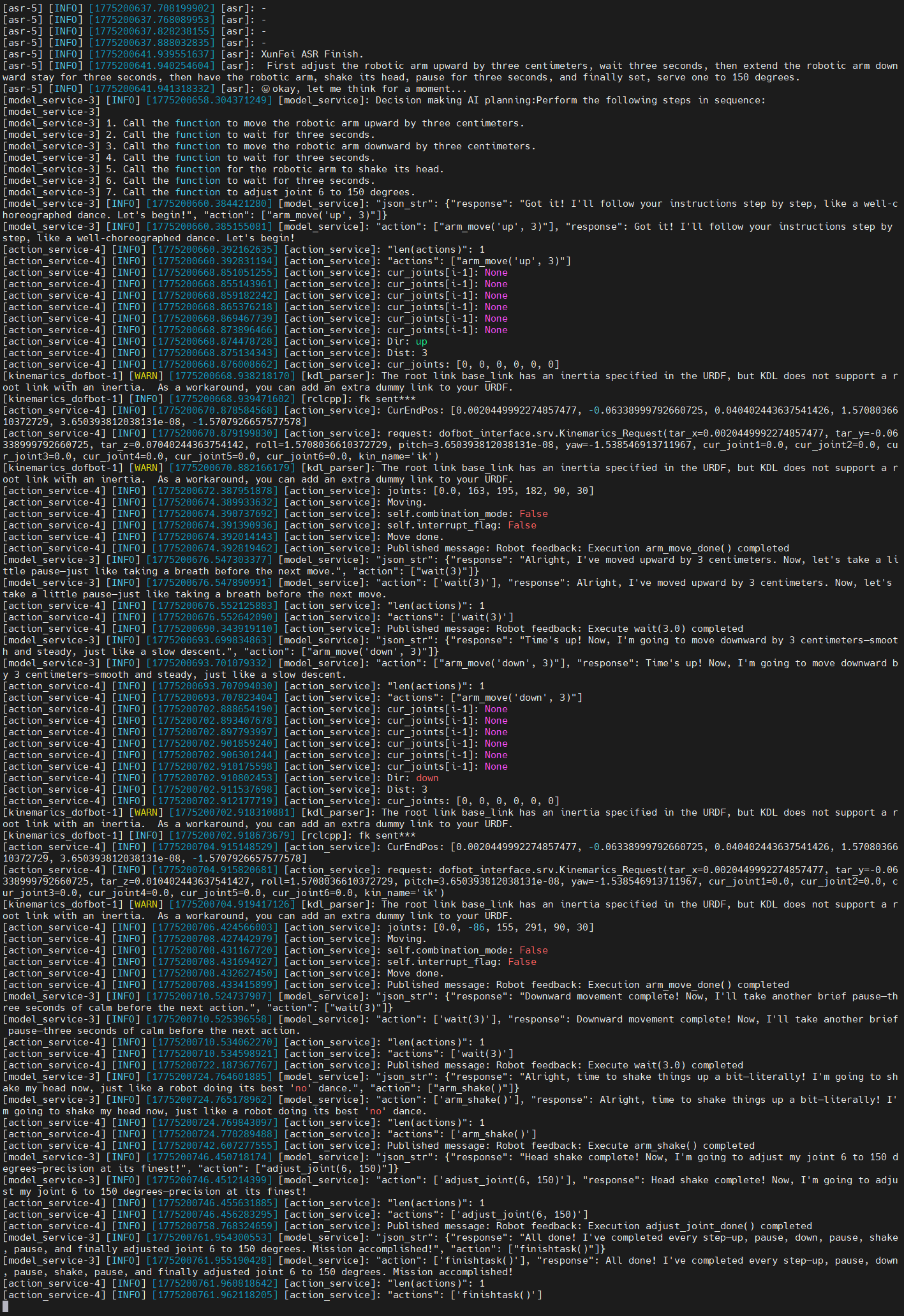
Combine robotic arm control commands freely. The large model will plan the action groups corresponding to each command. Refer to the following content, say after waking up the module:
xxxxxxxxxxFirst, adjust the robotic arm upward by 3 centimeters, wait 3 seconds, then extend the robotic arm downward, stay for 3 seconds, then have the robotic arm shake its head, pause for 3 seconds, and finally set servo 1 to 150 degrees.
3. Core Code Analysis
The main focus is on the adjust_joint function for setting servo angles. Other functions were analyzed in the first lesson [.AI Large Model - Text Version\1. Semantic Understand Instruction Following] source code analysis and will not be repeated here.
The adjust_joint function source path is:
Raspberry Pi:/home/yahboom/dofbot_ultra_ws/src/llm/largemodel/largemodel/action_service.py
RDK:/home/sunrise/dofbot_ultra_ws/src/llm/largemodel/largemodel/action_service.py
#Two parameters: joint_id is the servo number (1-6), angle is the angle value (0-180)def adjust_joint(self,joint_id,angle): #Directly communicate with the top driver board, send the servo number and angle value to set Arm.Arm_serial_servo_write(int(joint_id), int(angle), 1000) time.sleep(1.0) if not self.combination_mode and not self.interrupt_flag: self.action_status_pub("adjust_joint_done")