Welcome to DOFBOT-Ultra repository
9. MoveIt Trajectory Planning
MoveIt Trajectory Planning
Please ensure that the web control program backend process is not running in the background. To close it, refer to the [Get Started Quickly - 2. Access the Terminal] section in [Disable the Auto-Start Web Control Backend Process]. After closing, please restart DofbotUltra!!!
MoveIt Trajectory Planning1. Usage Environment2. Drive Real Robot2.1. Start Real Robot2.2. Start MoveIt23. Trajectory Planning3.1. Visualization3.2. Launch Command
1. Usage Environment
Motherboard: VMware Workstation virtual machine Ubuntu 22.04 image
ROS2: Humble
2. Drive Real Robot
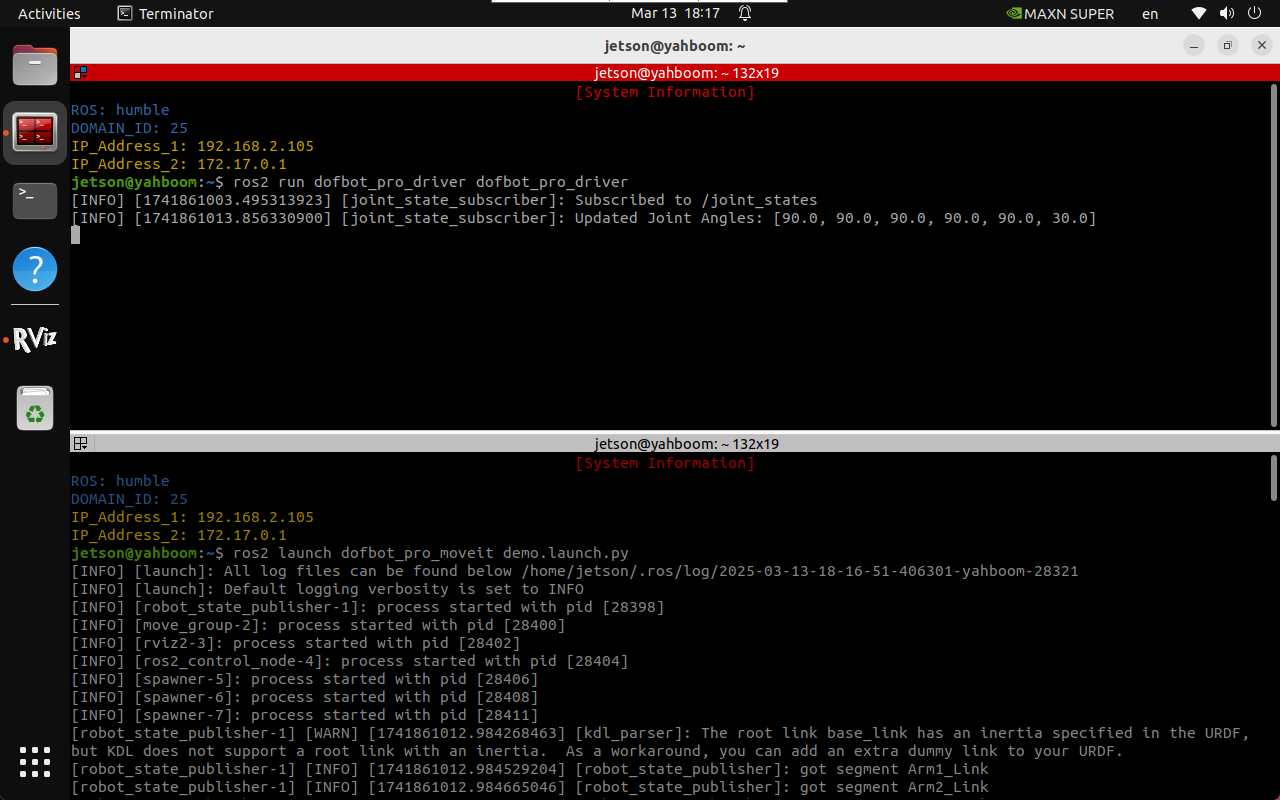
Driving the real robot is accomplished by subscribing to the MoveIt2 /joint_states topic, converting the joint state information of the arm into control commands for the real robot.
Note: Since the real robot does not have obstacle avoidance functionality, some poses may hit obstacles. Therefore, planned arm motions should be as reasonable as possible and avoid positions with obstacles.
(It is recommended to use preset poses for demonstrating driving the real robot.)
2.1. Start Real Robot
ros2 run dofbot_ultra_driver dofbot_ultra_driver
2.2. Start MoveIt2
xxxxxxxxxxros2 launch dofbot_ultra_moveit demo.launch.py
3. Trajectory Planning
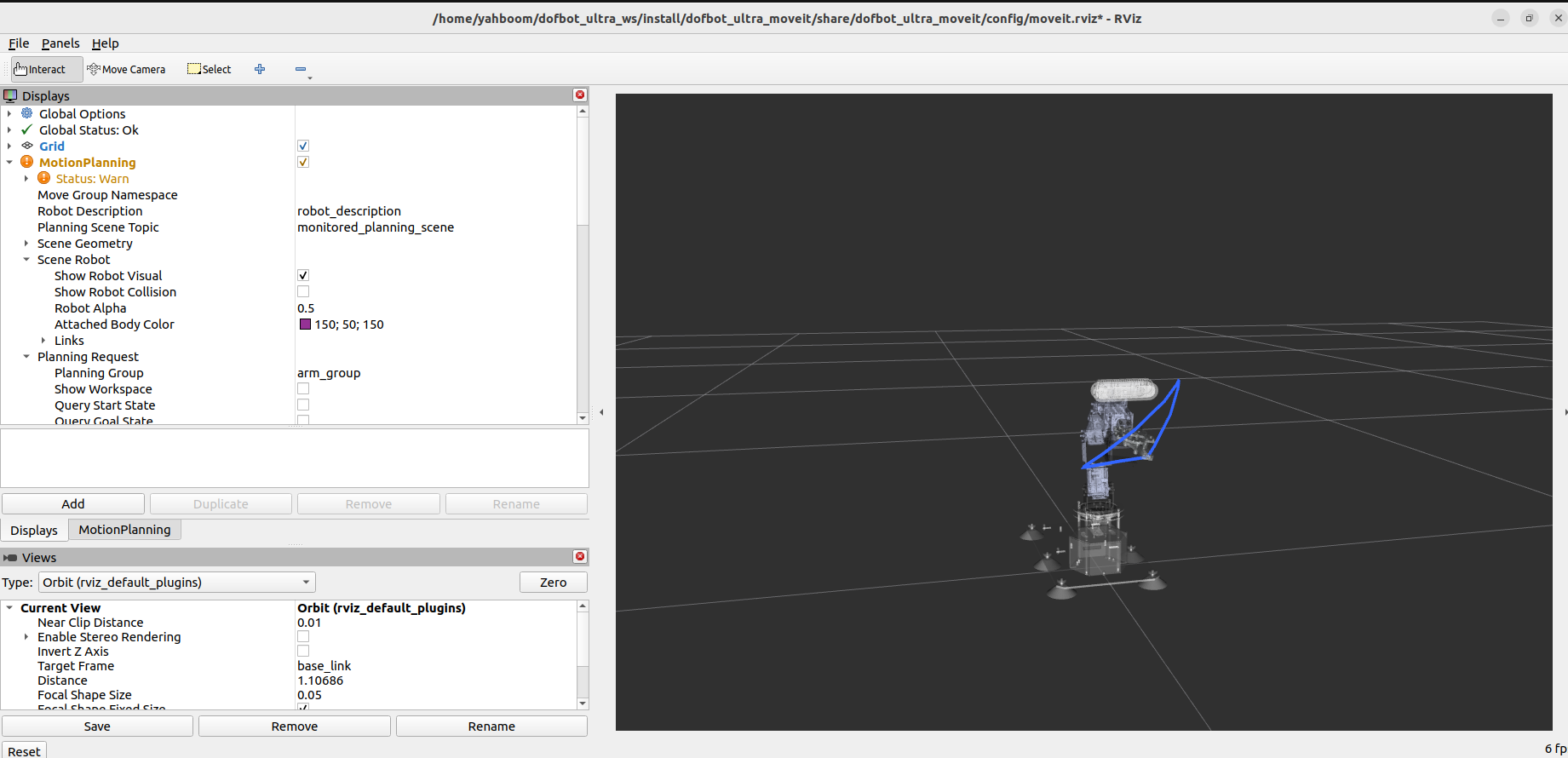
After the program runs, the arm will plan a trajectory to the target position, and the arm end effector will draw the motion trajectory in RViz2.
3.1. Visualization
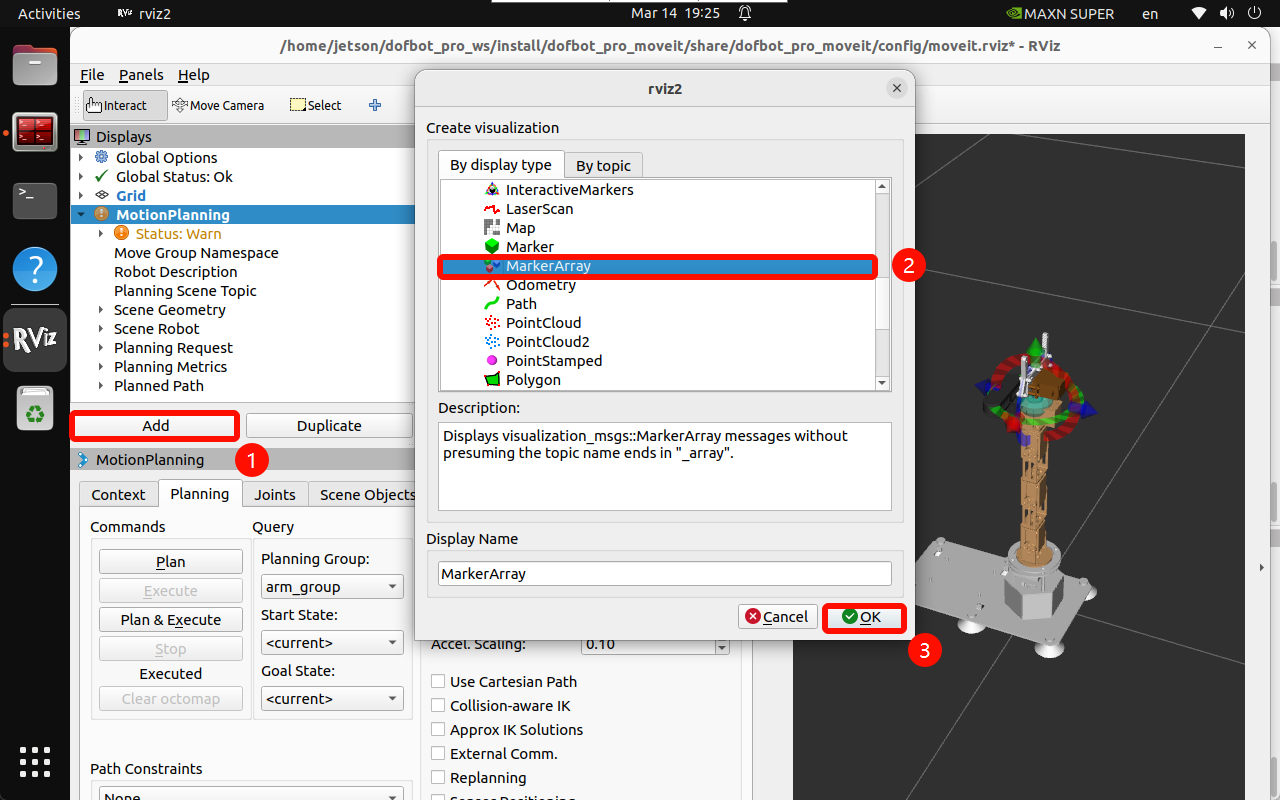
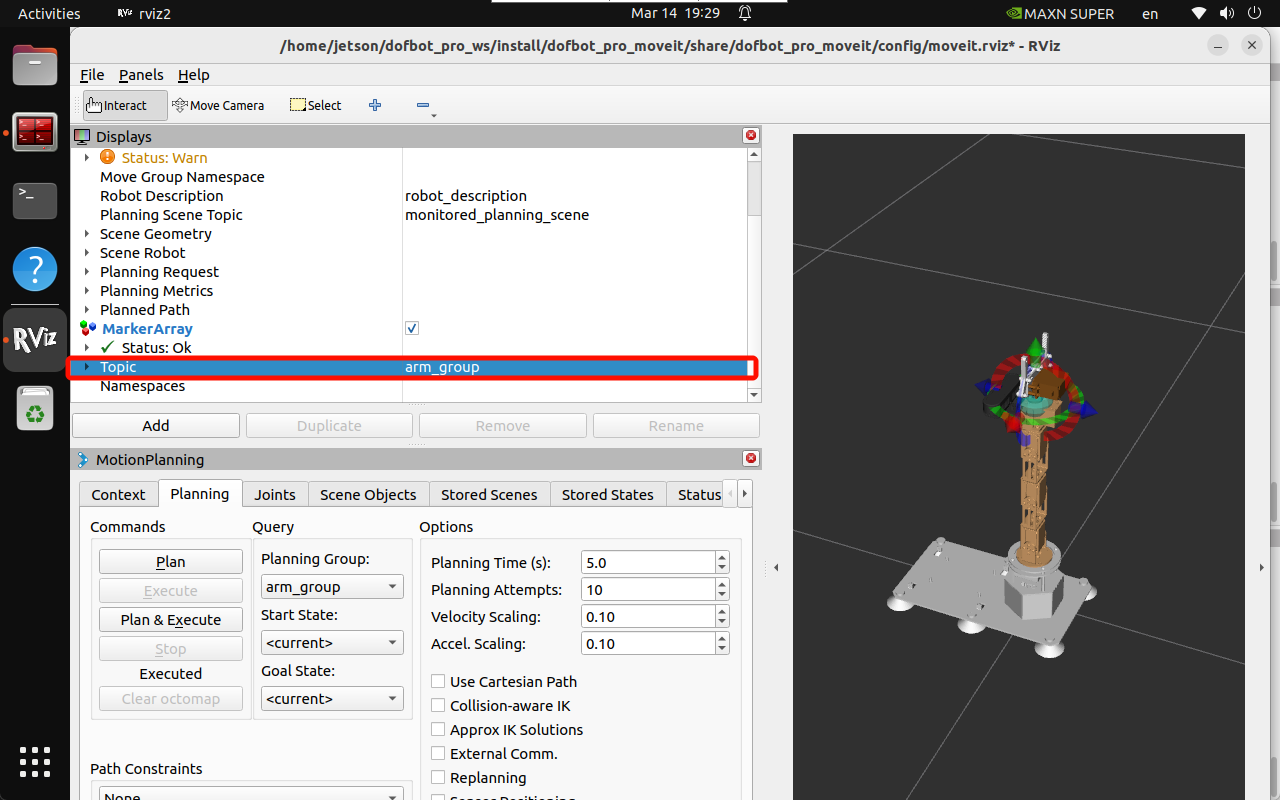
Before running the launch command, you need to add the MarkerArray plugin in RViz2 to display the planned path. MarkerArray needs to select the arm_group topic.
3.2. Launch Command
After MoveIt has successfully loaded and You can start planning now! appears, run the following command. The arm will automatically draw the planned path trajectory.
Note: The trajectory will only appear after the arm completes the full motion. Due to actual position limitations, the planned trajectory may be incomplete, which is normal. The example code is only for basic demonstration purposes.
You can try running it multiple times to see the final trajectory.
xxxxxxxxxxros2 run dofbot_ultra_moveit multi_track_motion