Welcome to DOFBOT-Ultra repository
8. Model Conversion
Model Conversion
Please ensure that the web control program backend process is not running in the background. To close it, refer to the [Get Started Quickly - 2. Access the Terminal] section in [Disable the Auto-Start Web Control Backend Process]. After closing, please restart DofbotUltra!!!
Model Conversion1. Raspberry Pi 5 YOLO11 (Benchmark)2. Model Conversion2.1. CLI: pt → onnx, pt → ncnn2.2. Python: pt → onnx → ncnn4. Model PredictionCLI UsageReferences
1. Raspberry Pi 5 YOLO11 (Benchmark)
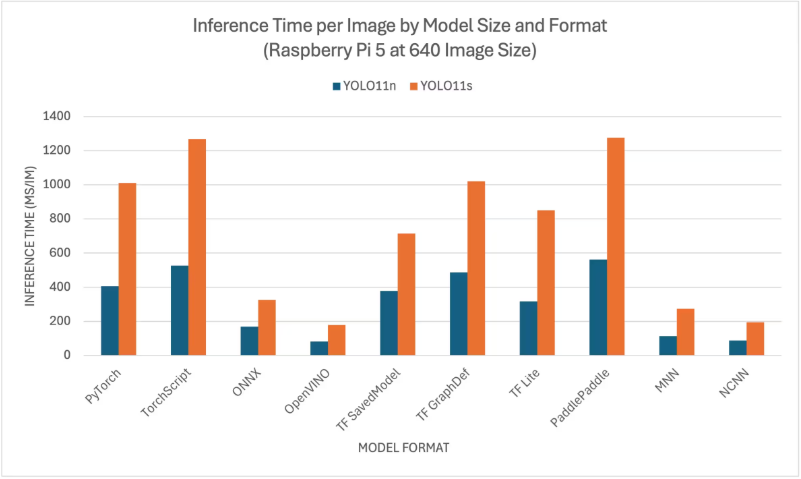
YOLO11 benchmark data from the Ultralytics team, testing models in various formats (data for reference only).
The official team only benchmarked the YOLO11n and YOLO11s models because other model sizes are too large to run on Raspberry Pis and would not provide good performance.
2. Model Conversion
According to the test parameters provided by the Ultralytics team for different model formats, we can see that using TensorRT for inference provides the best performance!
The first time you use YOLO11's export mode, it will automatically install some dependencies. Just wait for it to complete!
2.1. CLI: pt → onnx, pt → ncnn
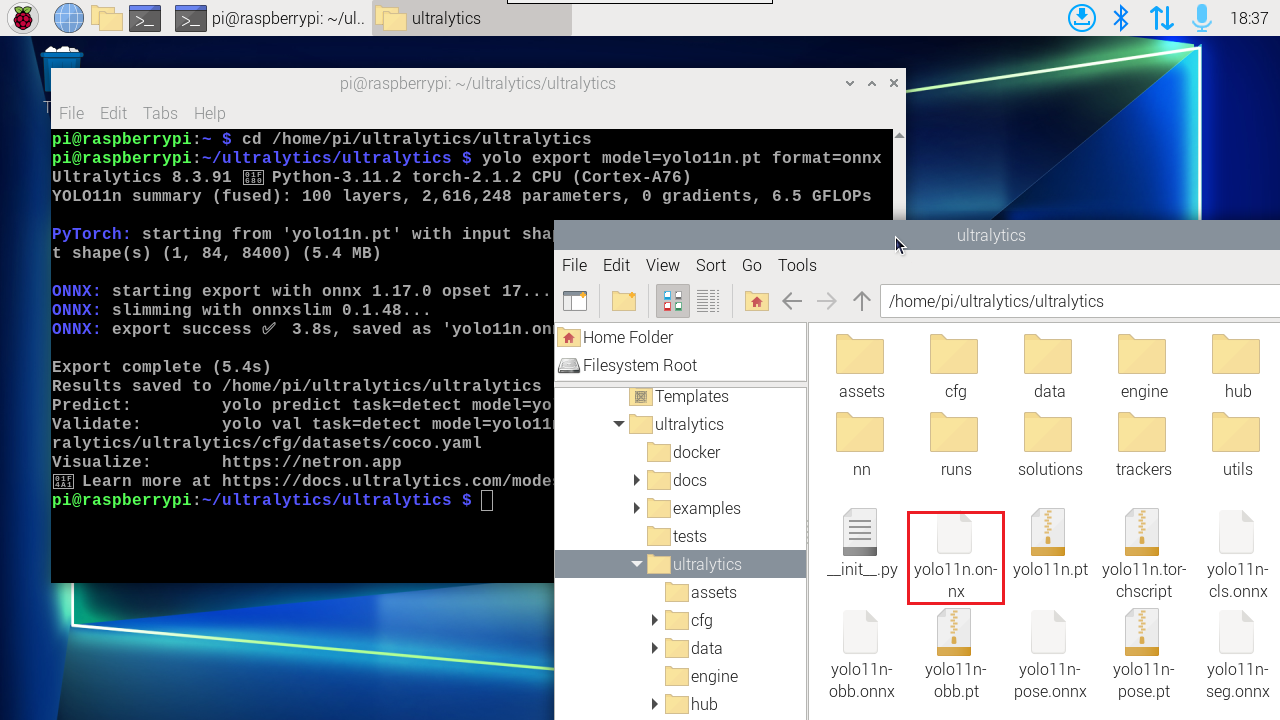
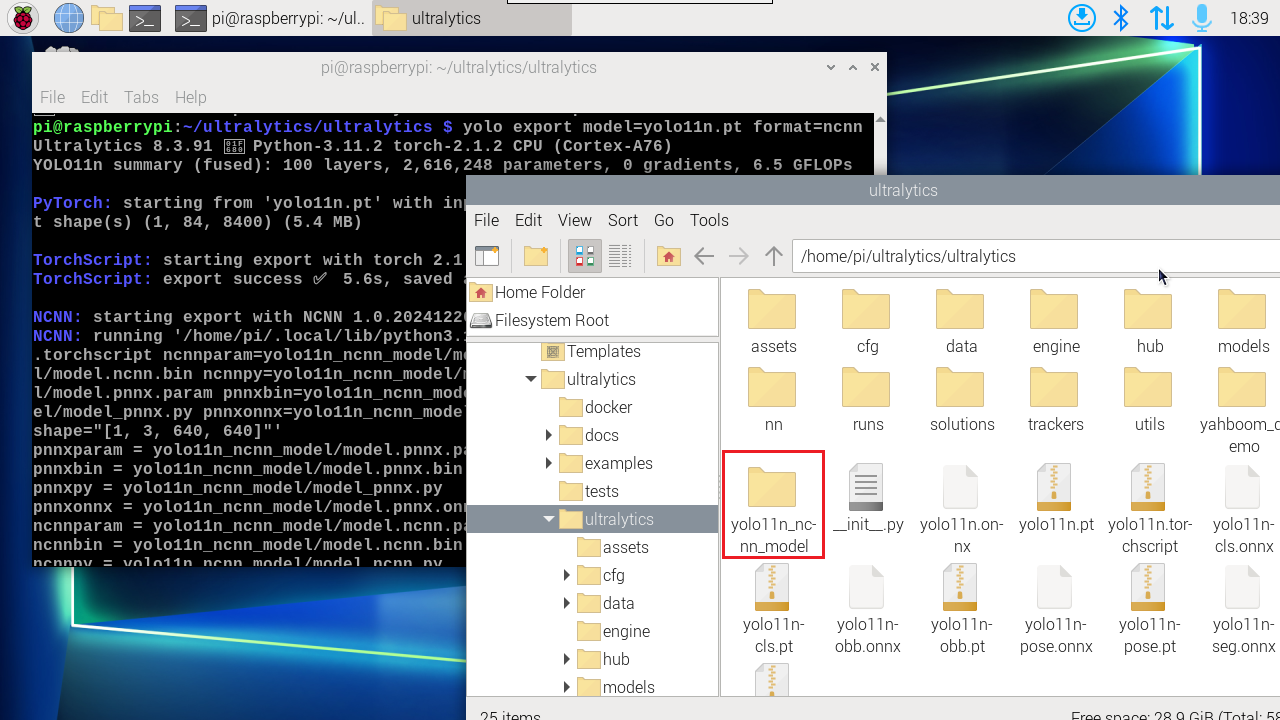
Convert PyTorch format models to onnx and ncnn.
xxxxxxxxxxcd /home/pi/ultralytics/ultralytics
xyolo export model=yolo11n.pt format=onnx# yolo export model=yolo11n-seg.pt format=onnx# yolo export model=yolo11n-pose.pt format=onnx# yolo export model=yolo11n-cls.pt format=onnx# yolo export model=yolo11n-obb.pt format=onnxyolo export model=yolo11n.pt format=ncnn# yolo export model=yolo11n-seg.pt format=ncnn# yolo export model=yolo11n-pose.pt format=ncnn# yolo export model=yolo11n-cls.pt format=ncnn# yolo export model=yolo11n-obb.pt format=ncnn
2.2. Python: pt → onnx → ncnn
Convert PyTorch format model to TensorRT: The conversion process will automatically generate an ONNX model.
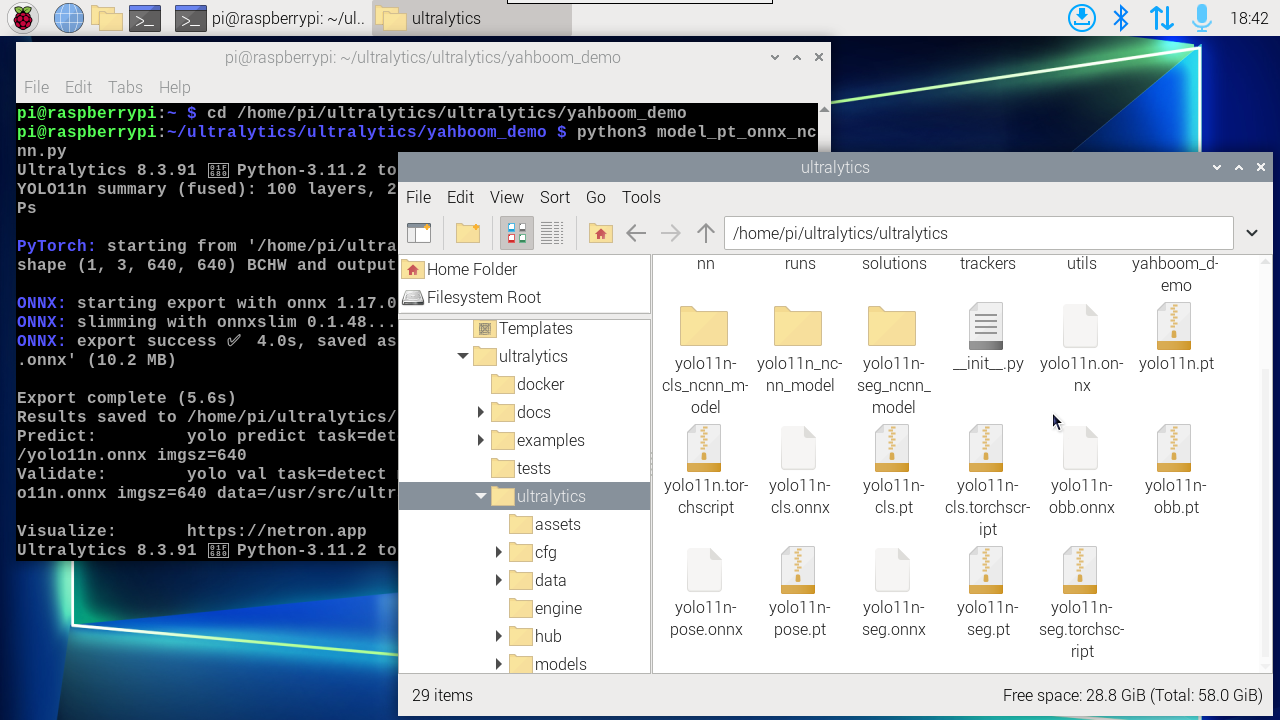
xxxxxxxxxxcd /home/pi/ultralytics/ultralytics/yahboom_demo
xxxxxxxxxxpython3 model_pt_onnx_ncnn.py
xxxxxxxxxxfrom ultralytics import YOLO
# Load a YOLO11n PyTorch modelmodel = YOLO("/home/pi/ultralytics/ultralytics/yolo11n.pt")# model = YOLO("/home/pi/ultralytics/ultralytics/yolo11n-seg.pt")# model = YOLO("/home/pi/ultralytics/ultralytics/yolo11n-pose.pt")# model = YOLO("/home/pi/ultralytics/ultralytics/yolo11n-cls.pt")# model = YOLO("/home/pi/ultralytics/ultralytics/yolo11n-obb.pt")
# Export the model to ONNX formatmodel.export(format="onnx")  # This will create 'yolo11n.onnx' in the same directory
# Export the model to NCNN formatmodel.export(format="ncnn")  # creates 'yolo11n_ncnn_model'
Note: The converted model files are located in the directory where the conversion was performed.
4. Model Prediction
CLI Usage
CLI currently only supports USB cameras. CSI camera users can directly modify the Python code above to call onnx and ncnn models!
xxxxxxxxxxcd /home/pi/ultralytics/ultralytics
xxxxxxxxxxyolo predict model=yolo11n.onnx source=0 save=False show
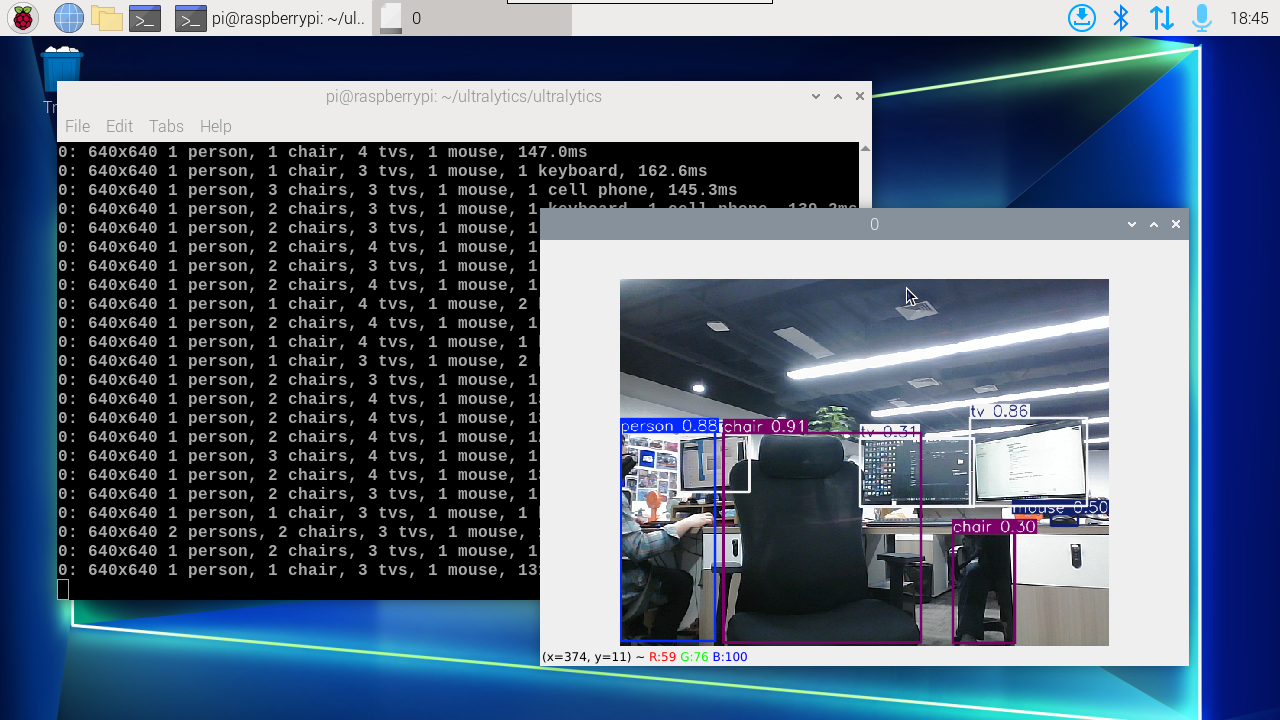
xxxxxxxxxxyolo predict model=yolo11n_ncnn_model source=0 save=False show