Welcome to DOFBOT-Ultra repository
3. AI Encyclopedia-You asked I Pointed
AI Encyclopedia-You Asked I Pointed
Please ensure that the web control program backend process is not running in the background. To close it, refer to the [Get Started Quickly - 2. Access the Terminal] section in [Disable the Auto-Start Web Control Backend Process]. After closing, please restart DofbotUltra!!!
Before running this function, you need to close the web control program backend process. For the closing method, refer to the [4. Preparation] section [1. Manage Web control services].
1. Function Description
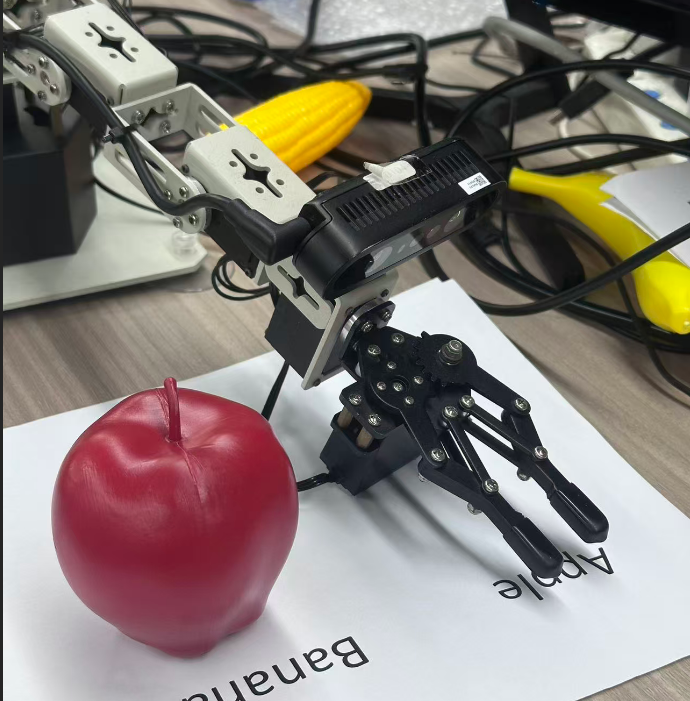
After the program starts, ask the large model which word on the desktop can represent an object on the desktop. After thinking, the large model will reply with the English word that can represent the object, and the program will control the robotic arm to point to that word.
2. Startup
Taking the text version as an example, Raspberry Pi (DofbotUltra) users can directly open a terminal and enter the following command:
ros2 launch largemodel largemodel_control.launch.py text_chat_mode:=True
Then open a second terminal and enter the following command:
xxxxxxxxxxros2 run text_chat text_chat
Then input "Which English word represents the object in front of you?" in the text_chat terminal and press Enter; if it's the voice version, wake up the voice module and directly say to the voice module "Which English word represents the object in front of you?", then wait for the large model to think and reply, as shown in the figure below:

Then the robotic arm will point to the word Apple:
3. Task Planning
Call
seewhat()to observe the environment.Reply with what objects are on the desktop.
Call
seewhat()to check if there are English words representing the desktop objects.Call
seewhat()to get the position of the object's English word.Call
point_to()to point to the English word.