Welcome to NUWA-HP60C Depth Camera repository
3. AR Vision
3. AR Vision
3.1. Overview
Augmented Reality, referred to as "AR", is a technology that cleverly integrates virtual information with the real world. It widely uses multimedia, three-dimensional modeling, real-time tracking and registration, intelligent interaction, sensing and other technical means to simulate computer-generated text, images, three-dimensional models, music, video and other virtual information and apply them to the real world. The two types of information complement each other, thus achieving "enhancement" of the real world.
The AR system has three outstanding features:
- Information integration of the real world and the virtual world;
- Real-time interactivity;
- Adding and positioning virtual objects in three-dimensional space.
Augmented reality technology includes new technologies and new means such as multimedia, three-dimensional modeling, real-time video display and control, multi-sensor fusion, real-time tracking and registration, and scene fusion.
There are 12 AR effects in this case, namely,
["Triangle", "Rectangle", "Parallelogram","WindMill","TableTennisTable","Ball","Arrow", "Knife", "Desk","Bench", "Stickman", "ParallelBars"]3.2, Start command
Code reference path,
xxxxxxxxxx~/ascam_ros2_ws/src/yahboomcar_visual/yahboomcar_visual/simple_AR.pyEnter the following command in the terminal to start,
xxxxxxxxxx#Camera startros2 launch ascamera hp60c.launch.pyros2 run yahboomcar_visual simple_AR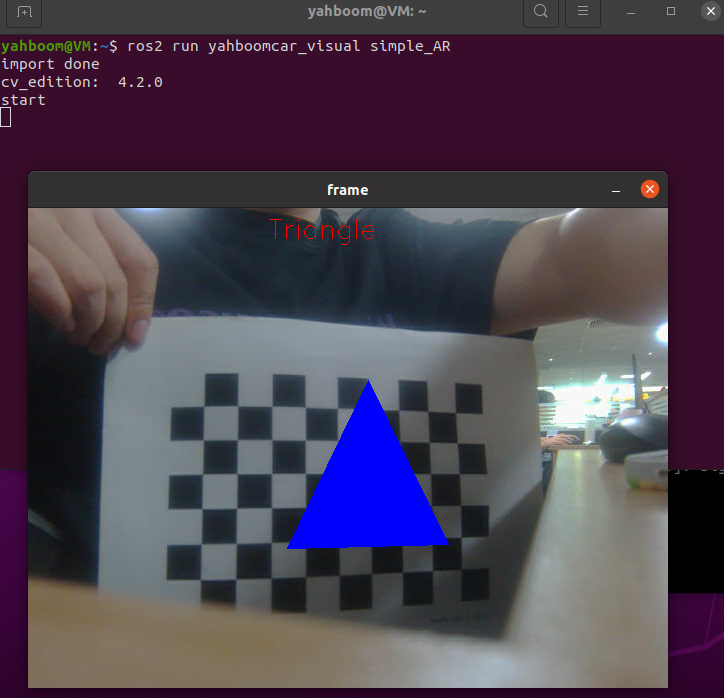
【f】Switch different effects.
View the communication between topics, terminal input,
xxxxxxxxxxros2 run rqt_graph rqt_graph
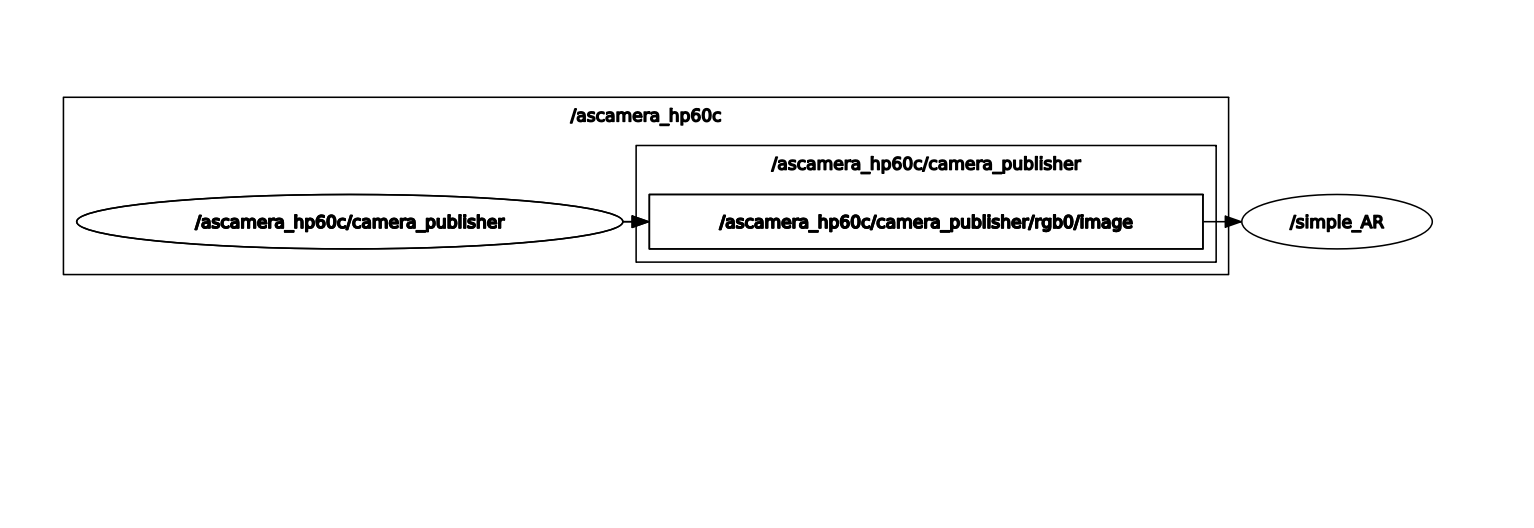
View the topic data list, terminal input,
xxxxxxxxxxros2 topic list
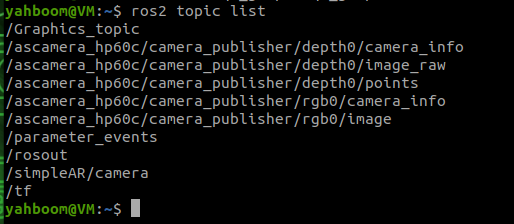
- /Graphics_topic: The topic name of the effect, subscribe to the effect that needs to be identified.
- /simpleAR/camera: topic name of the image, publish the image.
To modify the effect, you can use the following command to modify, for example, change it to Desk, input in the terminal,
xxxxxxxxxxros2 topic pub /Graphics_topic std_msgs/msg/String "data: Desk"
You can use rqt_image_view to view the published image, input in the terminal,
xxxxxxxxxxros2 run rqt_image_view rqt_image_view
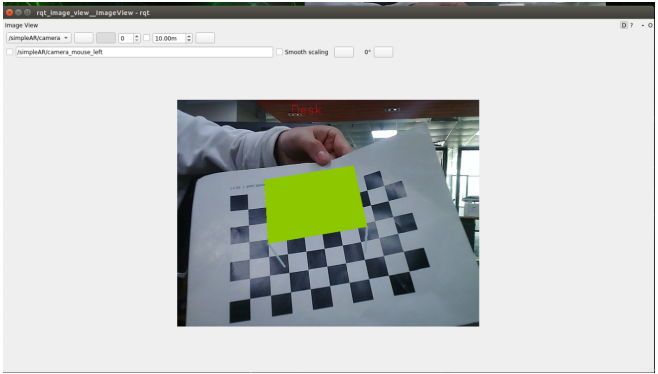
Select /simpleAR/camera in the upper left corner to view the image.