Welcome to ROSMASTER A1 repository
2.Lidar obstacle avoidance
Lidar obstacle avoidance
This lesson uses a Raspberry Pi 5 as an example.
This lesson uses the Raspberry Pi 5 as an example. For Raspberry Pi and Jetson Nano boards, you need to open a terminal on the host computer and enter the command to enter the Docker container. Once inside the Docker container, enter the commands mentioned in this lesson in the terminal. For instructions on entering the Docker container from the host computer, refer to [01. Robot Configuration and Operation Guide] -- [5.Enter Docker (For JETSON Nano and RPi 5)].
For Orin and RDK boards, simply open the terminal and enter the commands mentioned in this lesson.
1. Program Functionality
After starting the program, the car will move forward. When an obstacle appears within its detection range, it will adjust its posture to avoid it and then continue moving forward.
2. Program Code Reference Path
The source code for this function is located at:
~/yahboomcar_ros2_ws/yahboomcar_ws/src/yahboomcar_laser/yahboomcar_laser/laser_Avoidance_A1.py3. Program Startup
3.1. Startup Command
For PI5/JETSON NANO controllers, you need to enter a Docker container first; for RDK X5 and Orin boards, this is not required.
Enter the Docker container (see the Docker course for steps: 4. Docker Startup Script).
All commands below must be executed within the same Docker container (see the Docker course for steps: 3. Docker Commit and Multi-Terminal Entry).
Requires modification to match the corresponding radar model.
Terminal input:
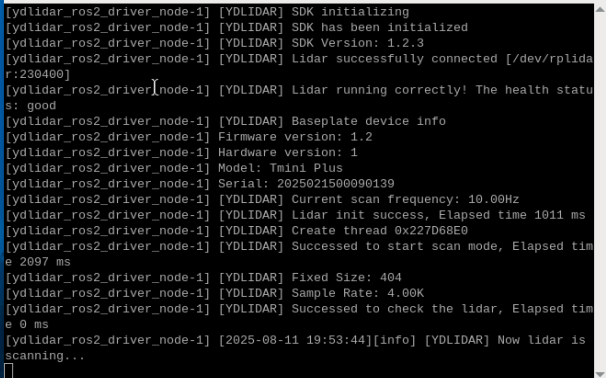
xxxxxxxxxx#Start the car chassisros2 run yahboomcar_bringup Ackman_driver_A1#Select one of the two lidars#timniros2 launch ydlidar_ros2_driver ydlidar_launch.py#c1ros2 launch sllidar_ros2 sllidar_c1_launch.py#Start the lidar obstacle avoidance programros2 run yahboomcar_laser laser_Avoidance_A1In the chassis terminal,
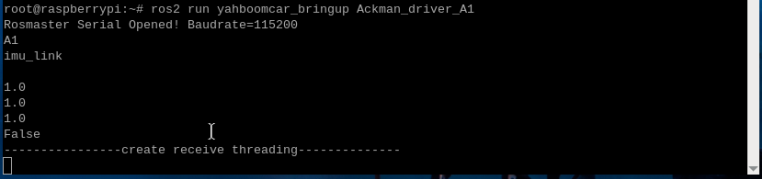
Start the lidar driver terminal.
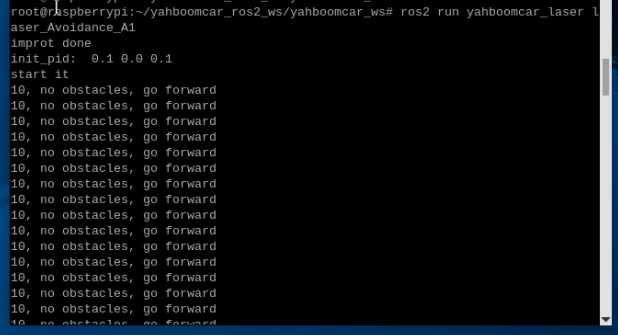
Start the obstacle avoidance program terminal. The log information shows that there are no obstacles directly ahead. Move forward.
3.2 Dynamic Parameter Regulator
You can also use the dynamic parameter regulator to set the parameter values. Enter in the terminal
xxxxxxxxxxros2 run rqt_reconfigure rqt_reconfigure
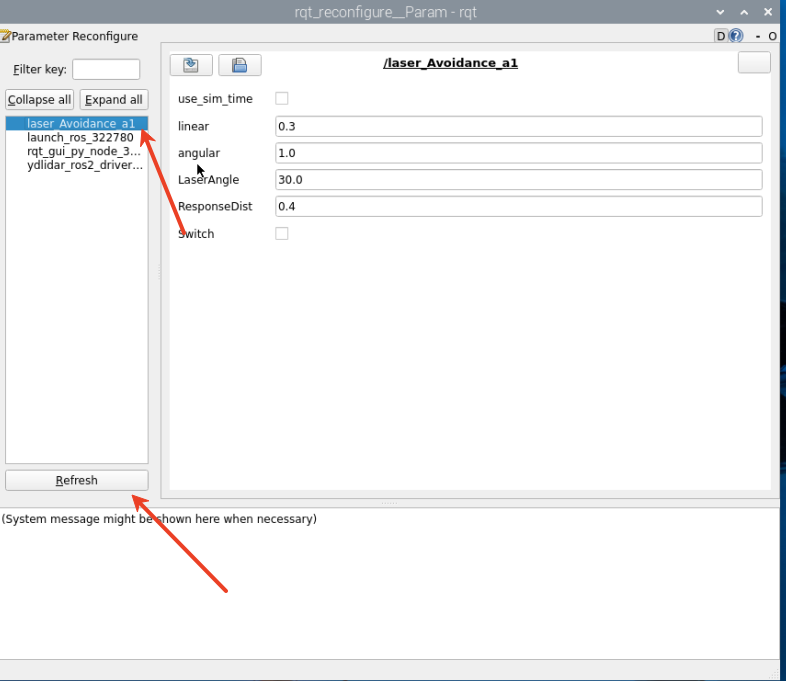
☑️ After modifying the parameters, click a blank space in the GUI to enter the parameter value. Note that this will only take effect for the current startup. To permanently take effect, you need to modify the parameters in the source code.
Parameter Analysis:
[linear]: Linear velocity of the vehicle during obstacle avoidance
[angular]: Angular velocity of the vehicle during obstacle avoidance
[LaserAngle]: lidar detection angle
[ResponseDist]: Obstacle detection distance
[Switch]: Gameplay switch, which can be used to enable and disable obstacle avoidance.
All of the above parameters are adjustable. Except for Switch, the other four must be set as decimals. After modifying, click a blank space to enter the value.
4. Core Code
4.1. laser_Avoidance_A1.py
This program has the following main functions:
- Subscribes to lidar topics and lidar-surrounding data;
- Divides the lidar data into regions to identify obstacle avoidance scenarios;
- Publishes the vehicle's forward speed, distance, and turning angle based on the obstacle avoidance strategy.
Some of the core code is as follows.
xxxxxxxxxx#雷达数据接收与转换 #lidar data reception and conversionranges = np.array(scan_data.ranges) # 将激光数据转为NumPy数组 Convert laser data to NumPy arrayangle = (scan_data.angle_min + scan_data.angle_increment * i) * RAD2DEG # 计算每个点的角度 Calculate the angle of each pointself.Right_warning = 0 # 右侧障碍计数器 Right obstacle counterself.Left_warning = 0 # 左侧障碍计数器 Left obstacle counterself.front_warning = 0 # 前方障碍计数器 Front obstacle counter#右前有障碍 There is an obstacle in the right frontelif front>10 and left<=10 and right>10: print ('2, There is an obstacle to the middle right, turn left') angular.z = self.angular # 后续检测是否左侧也出现障碍 #Follow up testing to see if there are any obstacles on the left side as well if left>10 and right<=10: angular.z = -self.angular #左前有障碍 There is an obstacle in the left frontelif front>10 and left>10 and right<=10: print ('4. There is an obstacle in the middle left, turn right') angular.z = -self.angular if left<=10 and right>10: angular.z = self.angular #控制执行与延时 #Control execution and delayself.pub_vel.publish(twist) # 发布速度指令 #Issue speed commandsleep(0.2~0.5) # 维持动作时间 #Maintain action time