Welcome to ROSMASTER A1 repository
5.Docker-Vscode environment construction
Docker-Vscode Environment Setup
This example uses Windows as an example to configure VSCode to access a Docker container. The steps for accessing Docker in Ubuntu are essentially the same.
1. Remote Configuration
1.1. Determine the current IP address of the robot
Use the OLED screen on the robot to determine the current IP address. Your Windows computer must be connected to the same network as the robot motherboard to remotely access the Docker server through VSCode.
1.2. Download and install VSCode
VSCode official website: https://code.visualstudio.com/. Download the Windows version for installation.
1.3. Configure VSCode for SSH remote login to the host machine
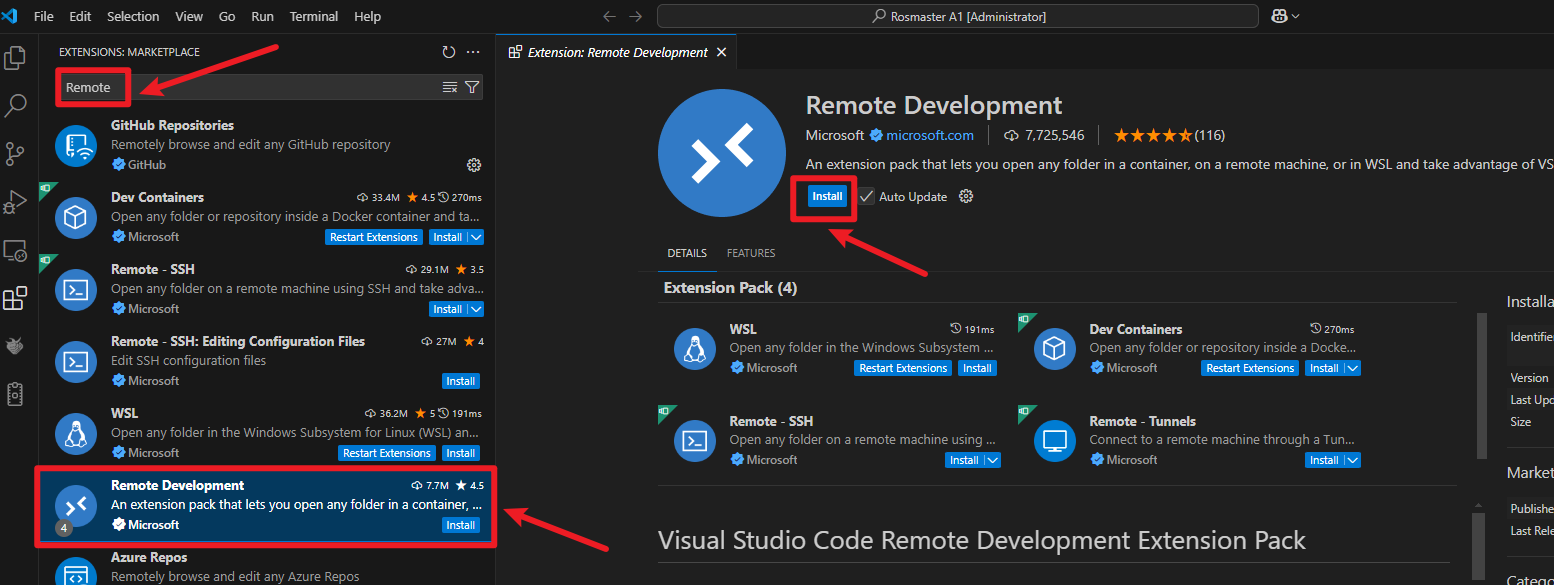
- Open VSCode, click the arrow icon on the bottom left, then enter "remote" in the search box. Select the Remote Development plugin and click Install to install the plugin.
- In VSCode, press the shortcut keys [Ctrl + Shift + Open the command prompt window, enter "remote," and follow the instructions below to log in to the remote host machine [Xiaoche].
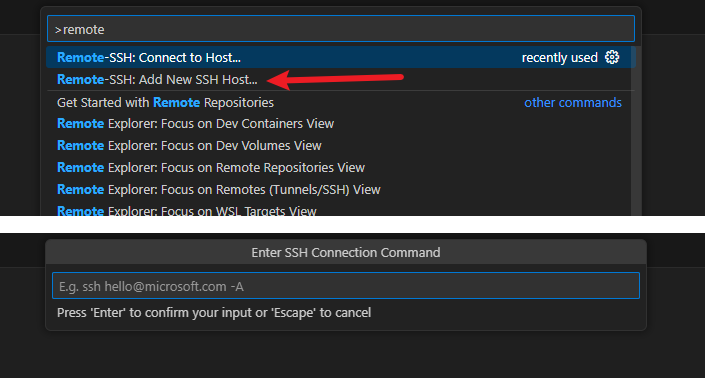
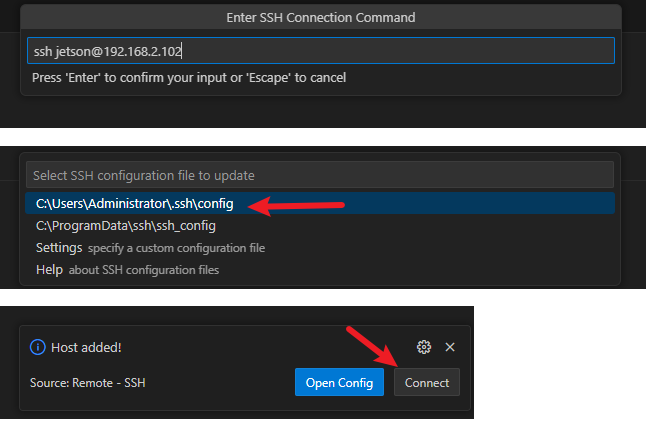
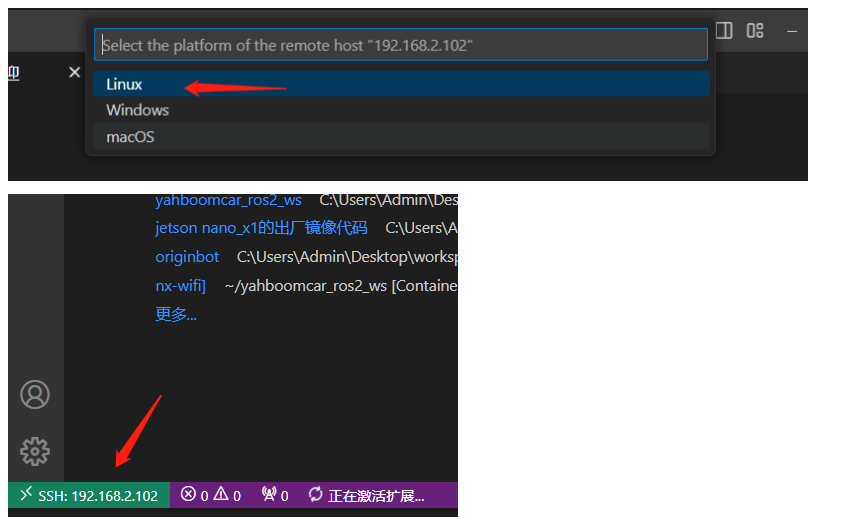
If you see the screen above, it means you've successfully logged in to the host machine remotely.
2. Configure the Docker environment on Xiaoche
You need to log in to Docker beforehand. If you don't know how to log in to Docker, please refer to the tutorial in the previous Docker series.
2.1. Configuring a Docker Environment on the VSCode Remote Host
- Install the Docker plugin on the remote host [Xiaoche]
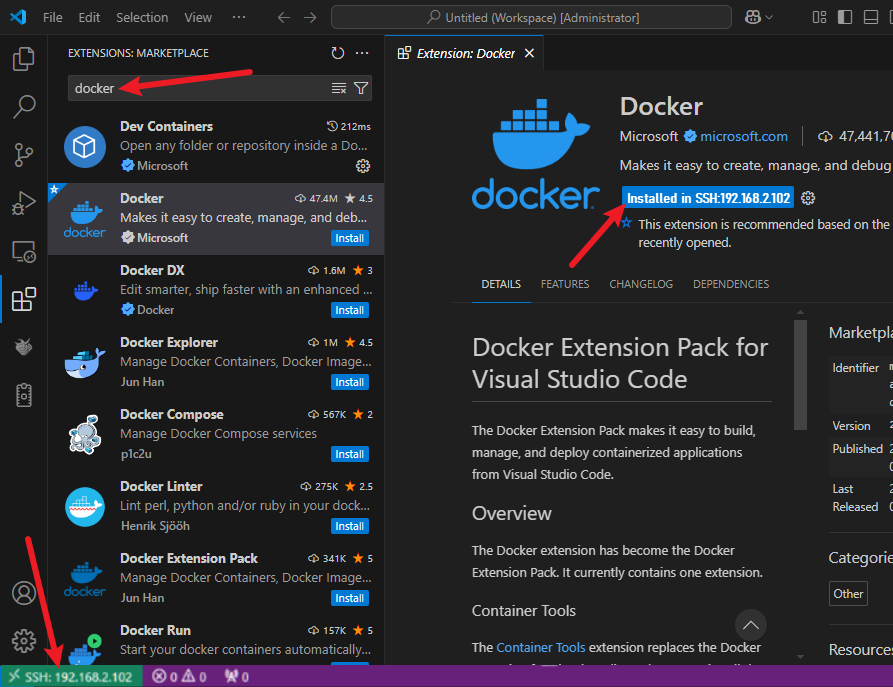
- After installation is complete, a Docker icon will appear in the left navigation bar.
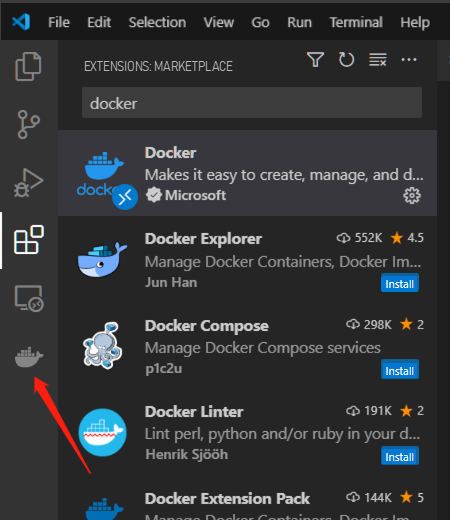
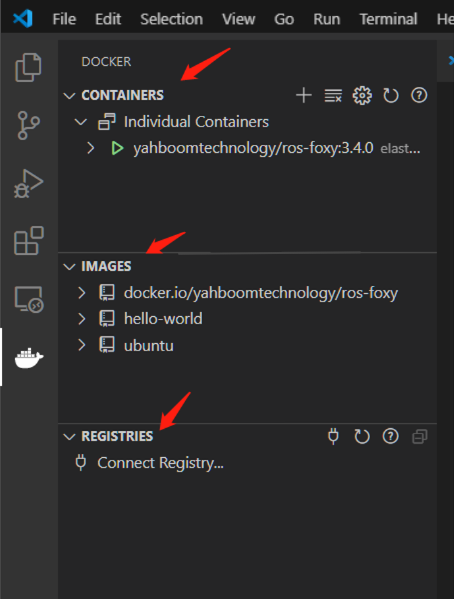
- Click the Docker icon.
- Right-click the running container and follow the instructions below:
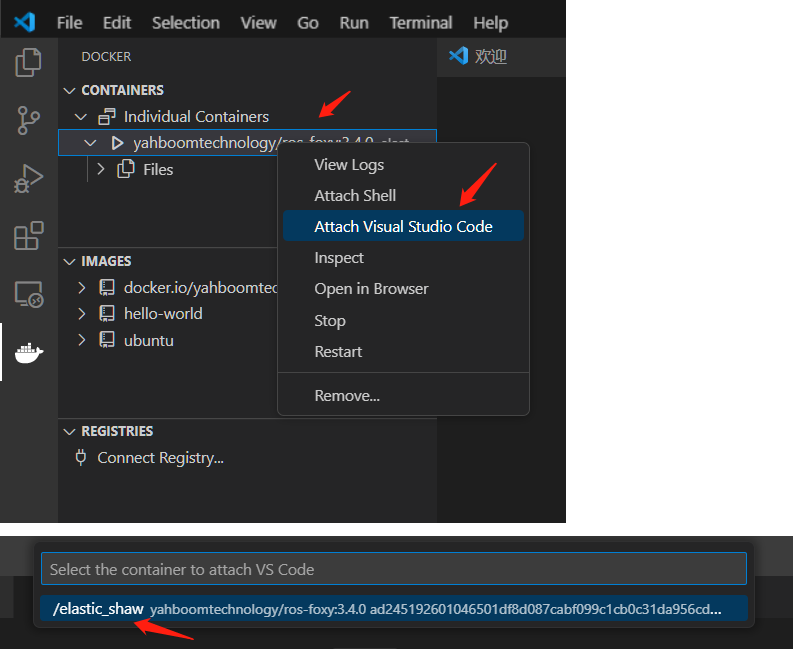
- A new window will open, and you'll see the following message, indicating you've entered the container.
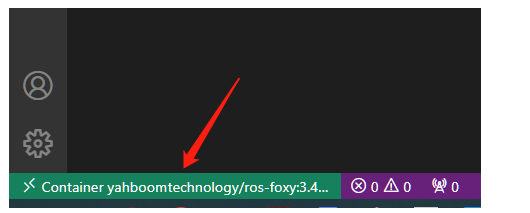
- Open the folder
/root/ # This is the robot's project path.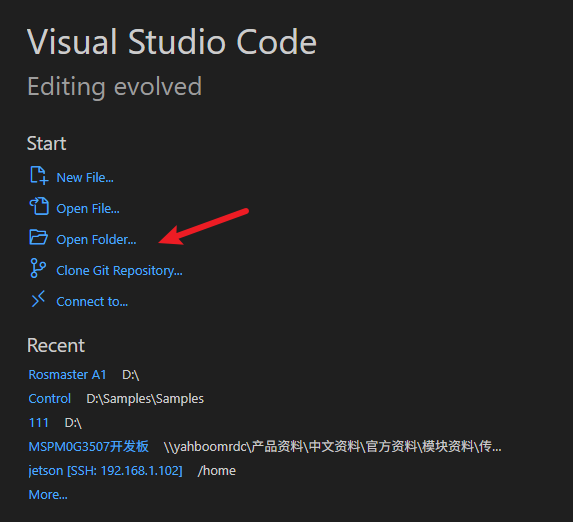
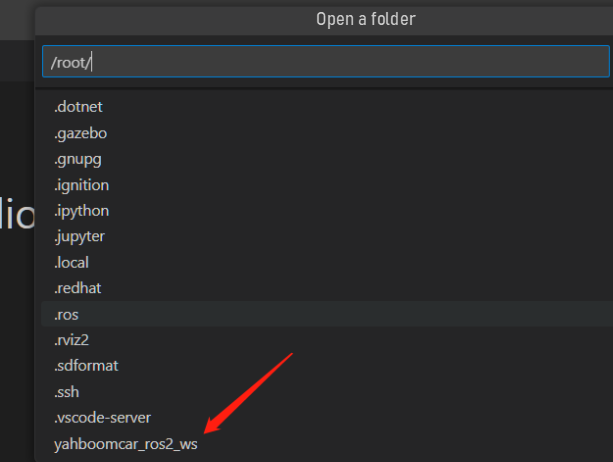
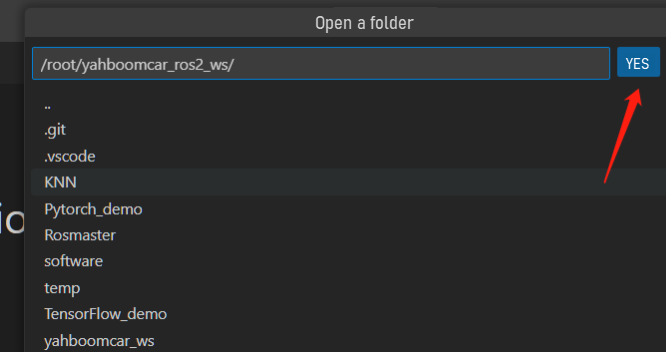
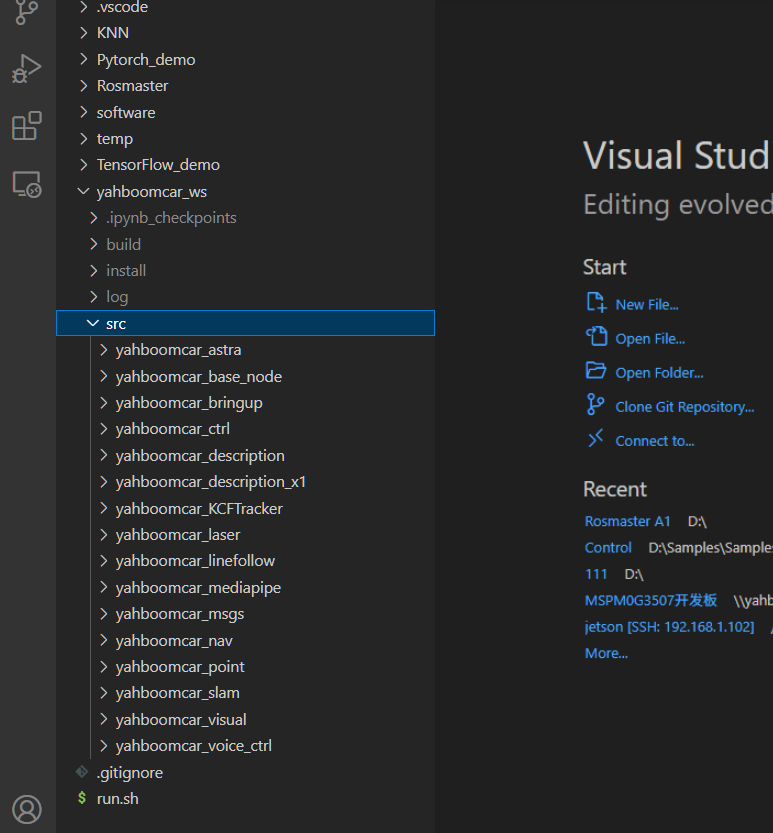
- Similarly, you can install the required plugins in the container to facilitate development.
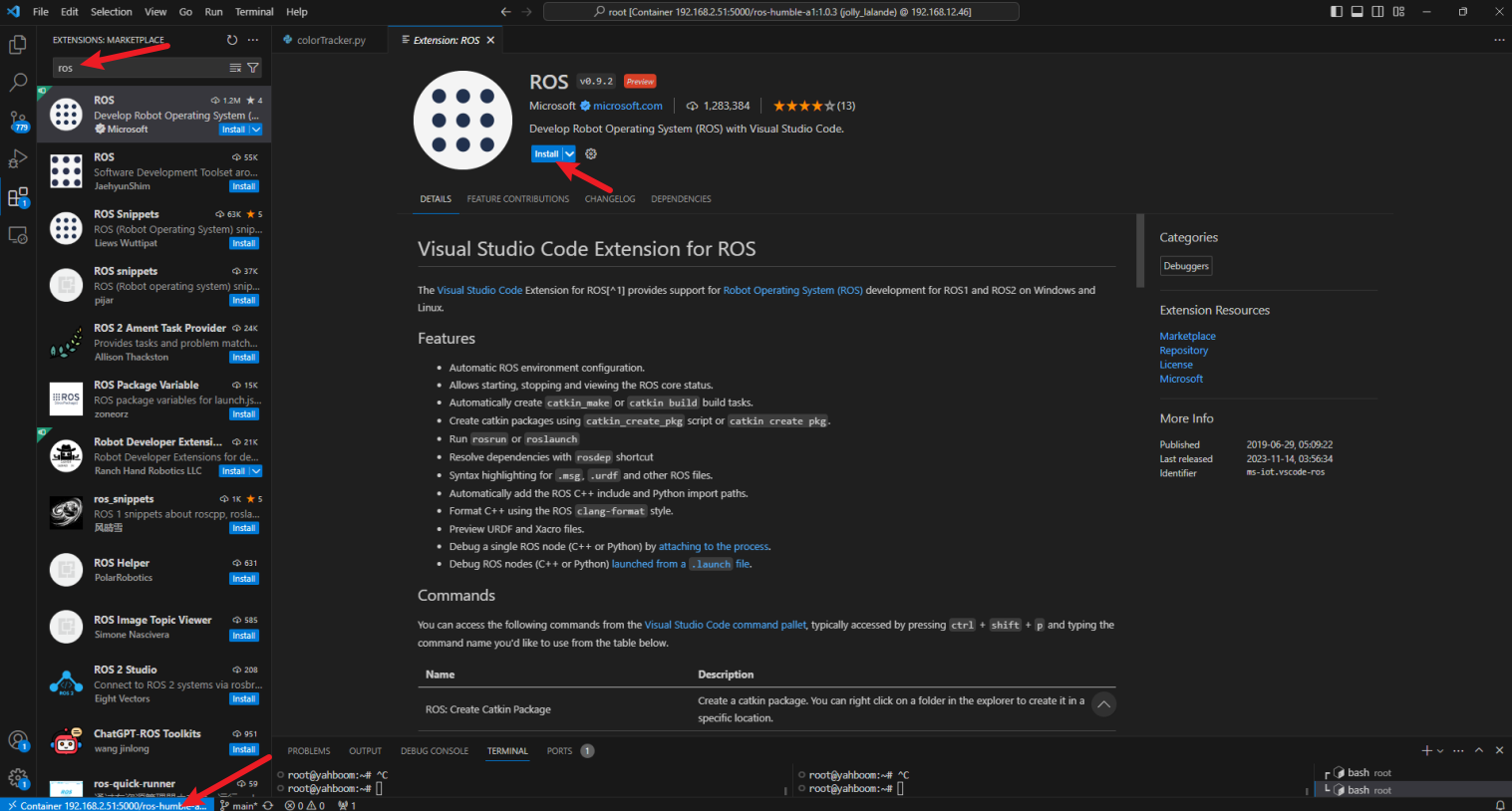
After completing the above steps, you can start working with the code files in the container for development and learning.