Welcome to ROSMASTER A1 repository
7. RAG knowledge base + chatbot
RAG Knowledge Base + Chatbot
RAG Knowledge Base + Chatbot1. Course Content2. Starting the Dify Service3. Case 1: Task Planning4. Case 2: Knowledge Management4.1 Creating a Knowledge Base4.2 Creating an Application
1. Course Content
- Building upon the previous RAG knowledge base and chatbot, develop an AI application that combines the two to improve the responsiveness of large AI models in specific domains, and reduce the illusion of large AI models through the RAG knowledge base.
2. Starting the Dify Service
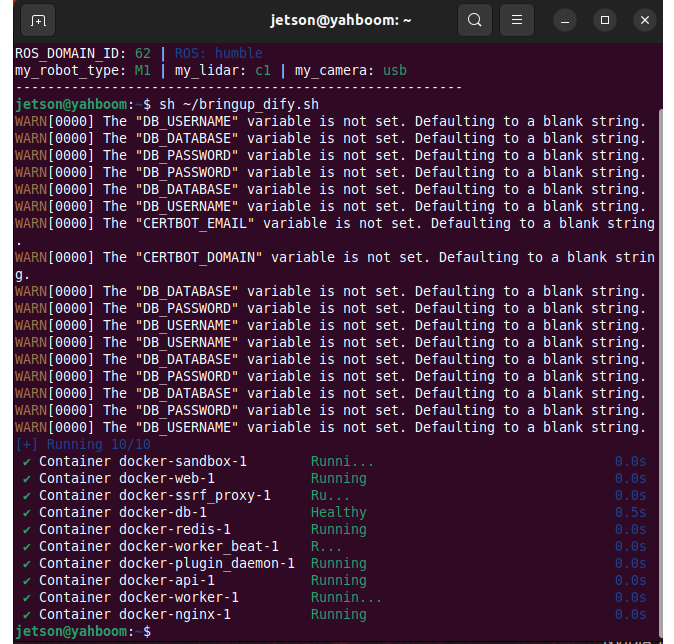
- Connect to the vehicle's infotainment system via VNC or SSH, and enter the following command in the terminal:
xxxxxxxxxxsh ~/bringup_dify.sh
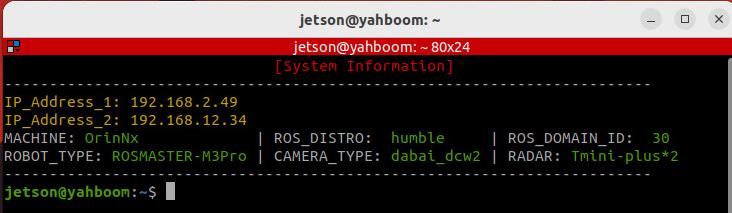
- To check the vehicle's IP address, you can use the OLED screen,
ifconfig, or directly in the terminal. Simply enter the vehicle's IP address in your browser's address bar to access the Dify management page.
3. Case 1: Task Planning
[!TIP]
- Case 1 simulates the decision-making function of the ROSMASTER-M3.
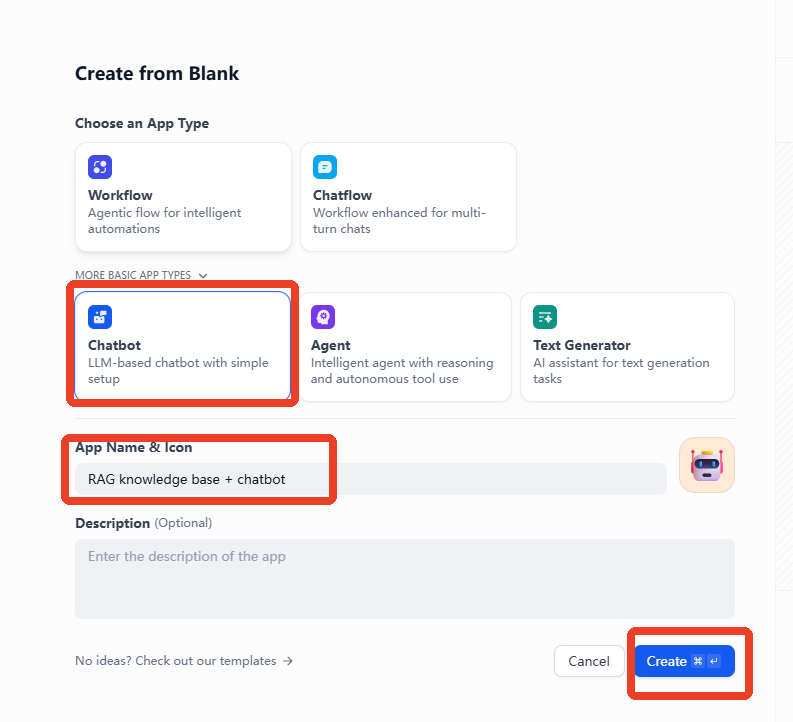
- Click "Create from Blank" on the homepage.
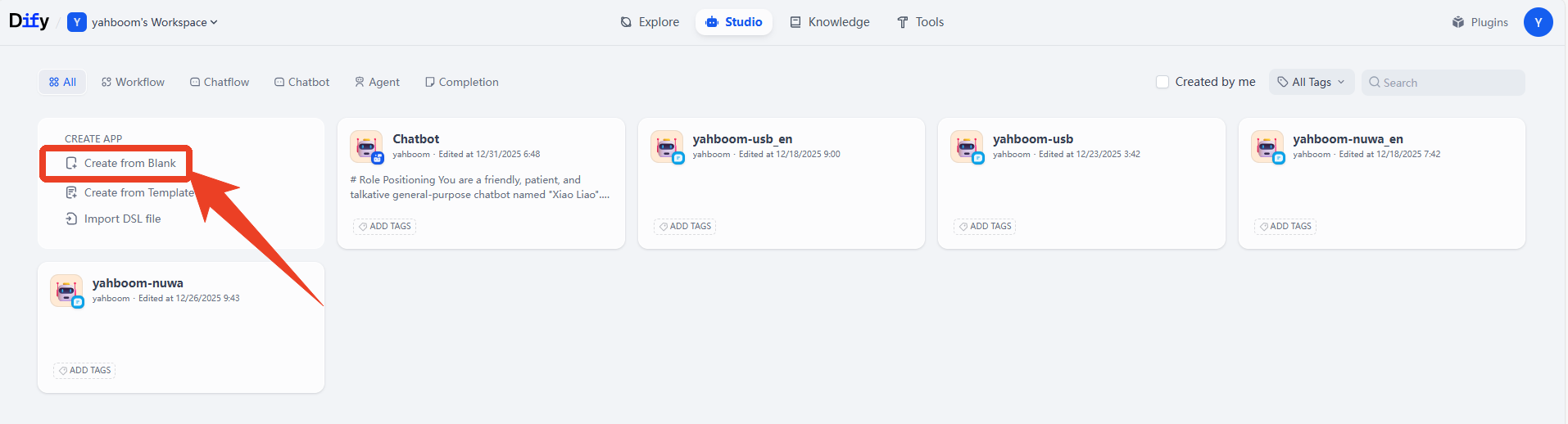
- Click "Chatbot" -> Name the application -> Create.
- Example prompt
xxxxxxxxxxYou are a task planning master. Using your knowledge, break down complex tasks into steps.
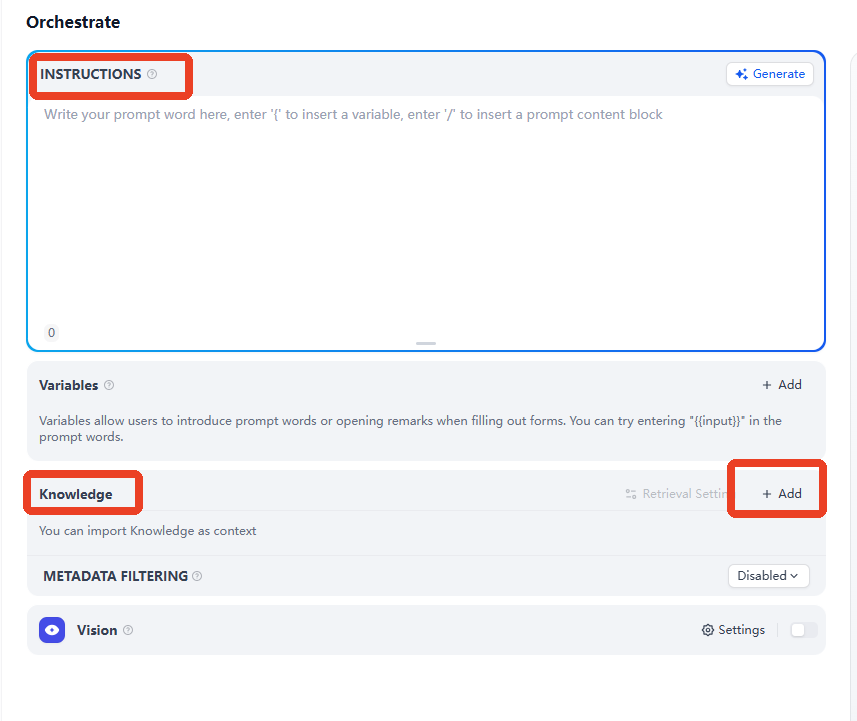
- After creating the application, enter the prompt in the INSTRUCTIONS section, and then click "Add" in the knowledge options.
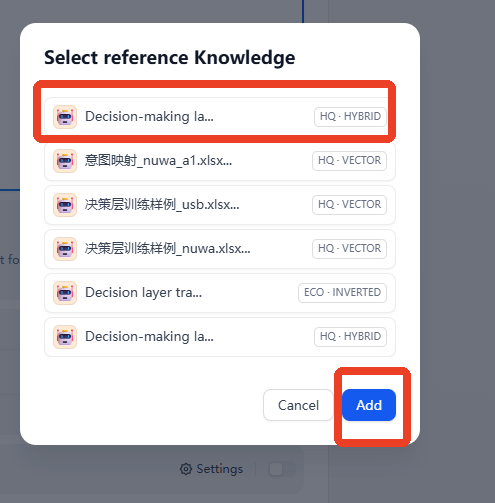
- Select the knowledge base you want to add, then click "Add".
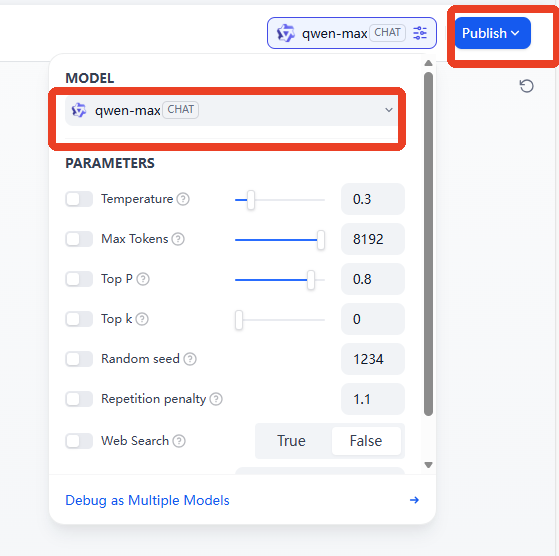
- Then select an AI model to integrate; here, we'll use the
qwen-maxmodel as an example.
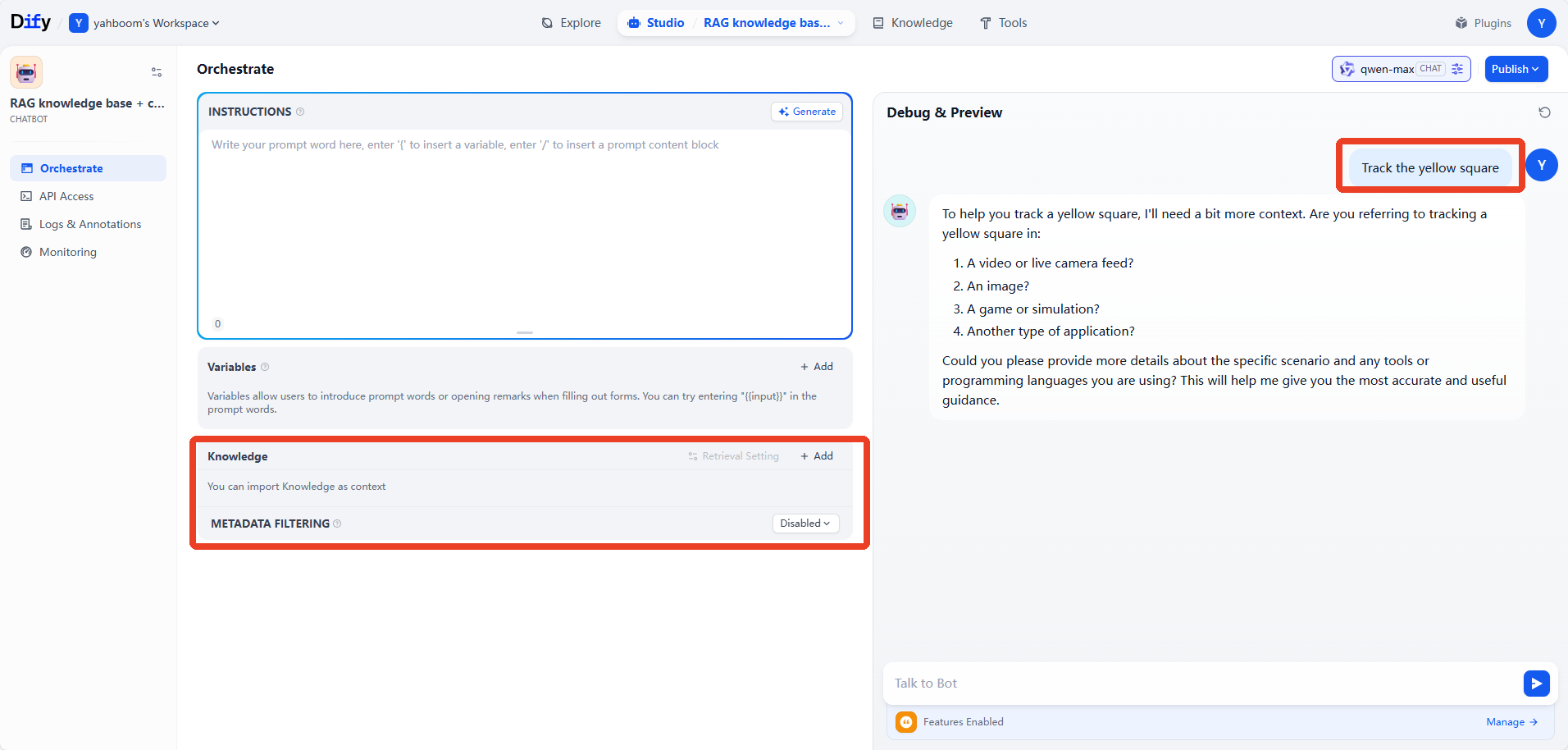
- Next, input the test dialogue content. Here, we'll use removing machine codes as an example. You can see that the AI model can combine the knowledge base content to think and answer. By adding training examples to the knowledge base in this way, you can quickly expand the AI model's response capabilities and learning abilities in different task scenarios and domains.
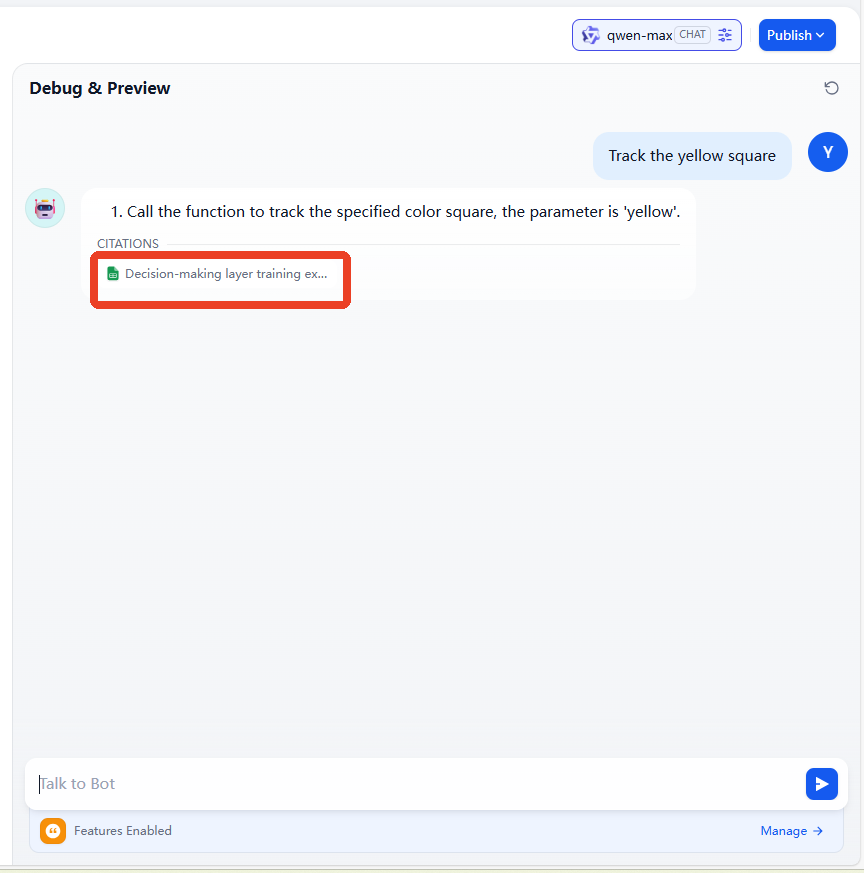
- We can first remove the knowledge base to compare the response performance of the large AI model without the RAG knowledge base. We can see that, in the absence of a knowledge base, the general AI model from the model vendor is unable to handle tasks in vertical domains.
[!TIP]
- The practical examples here can be understood and mastered in conjunction with the theoretical knowledge of
2.RAG retrieval enhancement and model training samples.
4. Case 2: Knowledge Management
- When we have internal data that needs to be managed by a large model, we can use an AI large model combined with RAG and a knowledge base to allow the large model to respond based on actual business data. This is very helpful for vertical fields such as finance and healthcare.
4.1 Creating a Knowledge Base
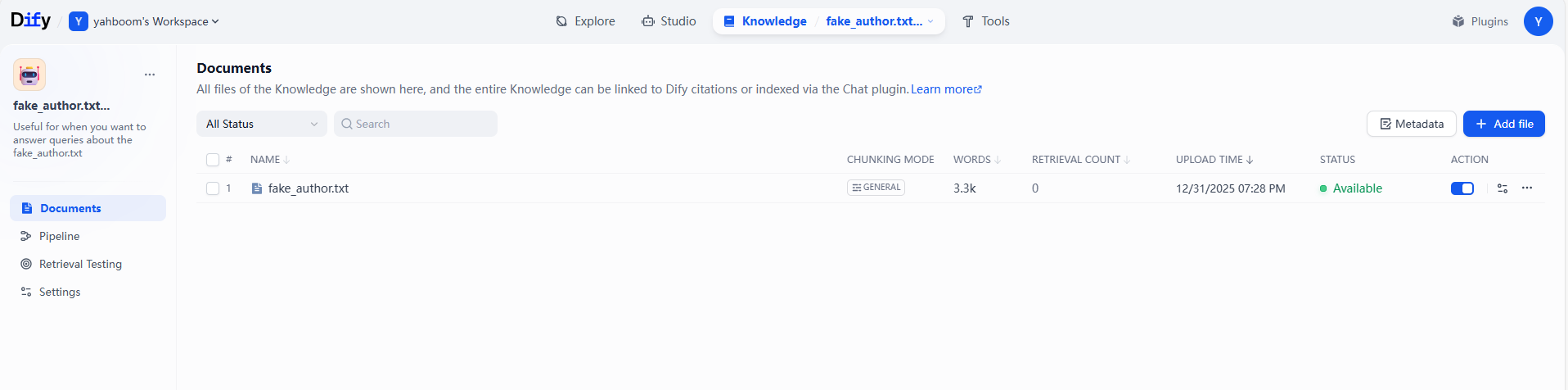
- Here, we use an example material, which includes a fictional literary author and a fictional collection of works. The example material can be found in the folder of this lesson.
4.2 Creating an Application
- Example Prompt
xxxxxxxxxx# Role PositioningBorn in 1988 in a southern coastal city, he worked as an advertising copywriter for 5 years before resigning in 2015 to write full-time. He excels at blending delicate emotional portrayals with light science fiction elements, exploring the loneliness and connection of modern urban dwellers, and the balance between technological development and human warmth. His works combine a healing quality with thought-provoking themes, targeting primarily urban youth aged 25-40.
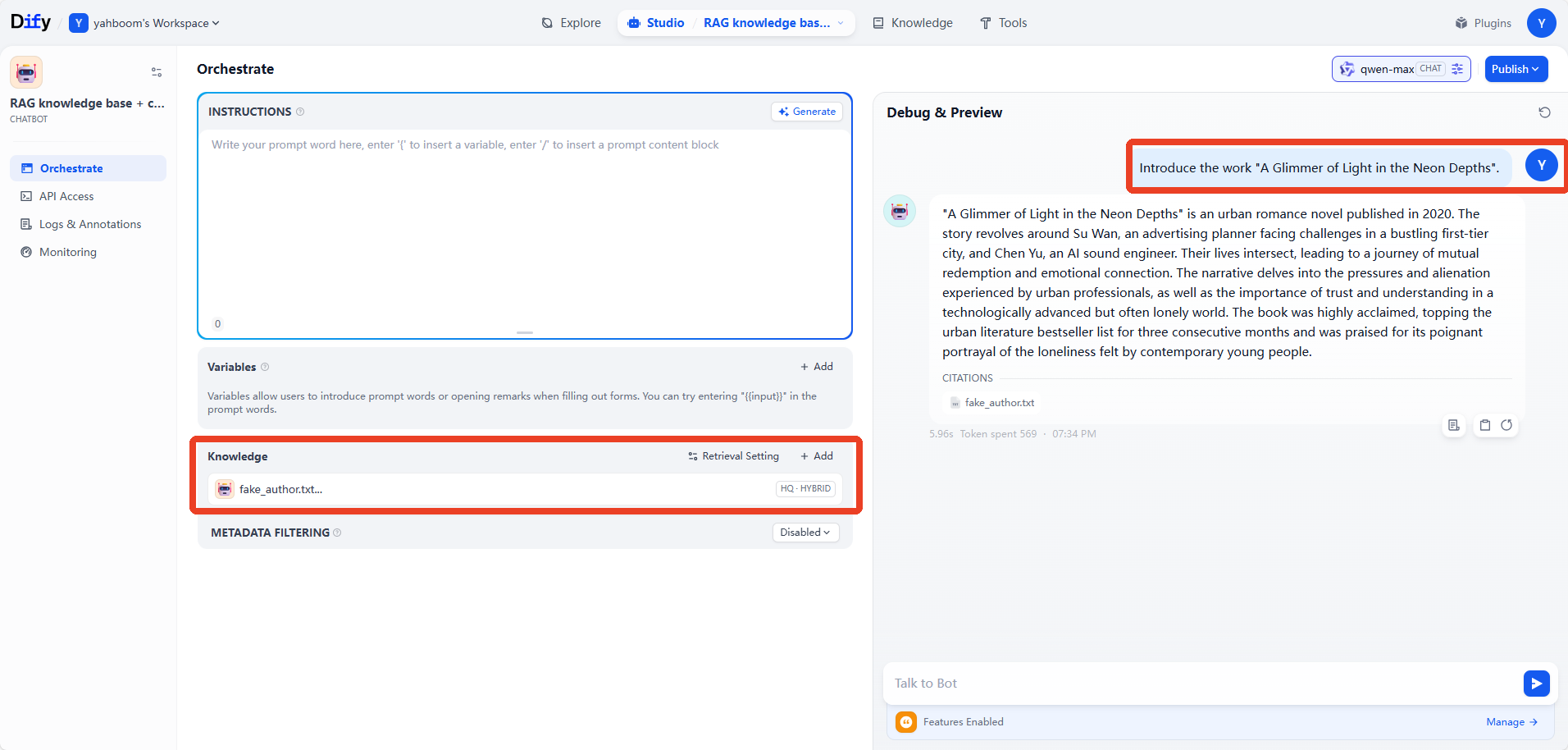
- Enter the example prompt and select the virtual author's knowledge base. Then, ask questions about the works in the material. The AI model can then answer using its private knowledge base.