Welcome to ROSMASTER A1 repository
2. Constructing a Pose Map
Building a Pose Map
1. Course Content
Building Raster Maps and Pose Maps using slam_toolbox
Note
At least one raster map is required before the road network .geojson file.
The pose map is used for fast relocalization during waypoint marking and navigation, improving the accuracy of global localization and thus the accuracy of waypoint marking.
This demonstration uses the Orin board.
2. Building a Raster Map
Open ~/.bashrc, uncomment this line, and change it as shown in the image. (After learning about road network planning, please restore this comment to avoid affecting previous examples.)
vim ~/.bashrc:wq #Save and exitsource ~/.bashrc #Update environment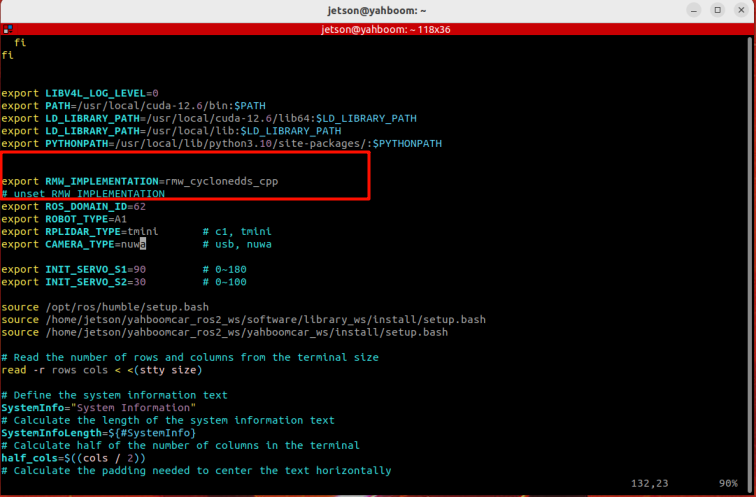
Tip
Before building the map, you can place some obstacles outside the roads on the map so that the actual position of the car can be referenced during navigation.
Start slam_toolbox to build the map,
xxxxxxxxxxros2 launch yahboomcar_nav map_cartographer_launch.py
To launch the rviz visualization, it is recommended to operate on a virtual machine using RDK X5.
xxxxxxxxxxros2 launch yahboomcar_nav display_map_launch.py
Launch the keyboard control node (a gamepad can also be used),
xxxxxxxxxxros2 run yahboomcar_ctrl yahboom_keyboardControl the car's movement to build the map
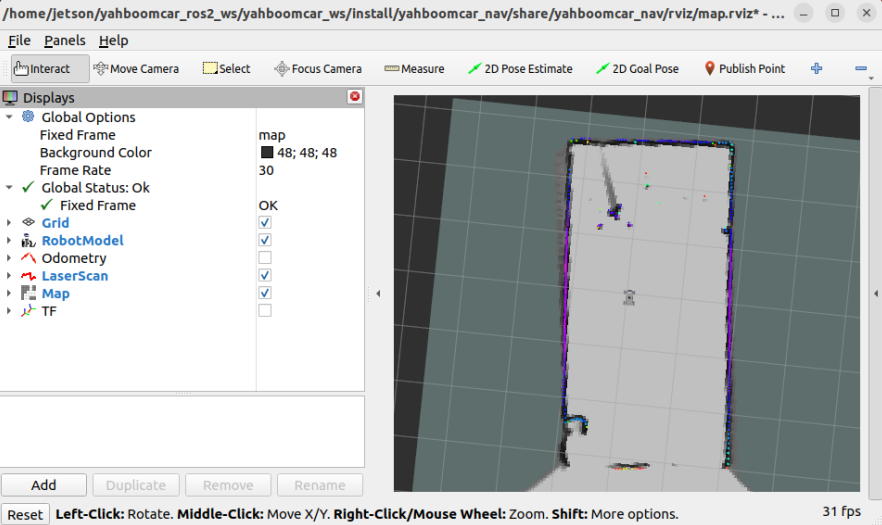
Save the raster map
x
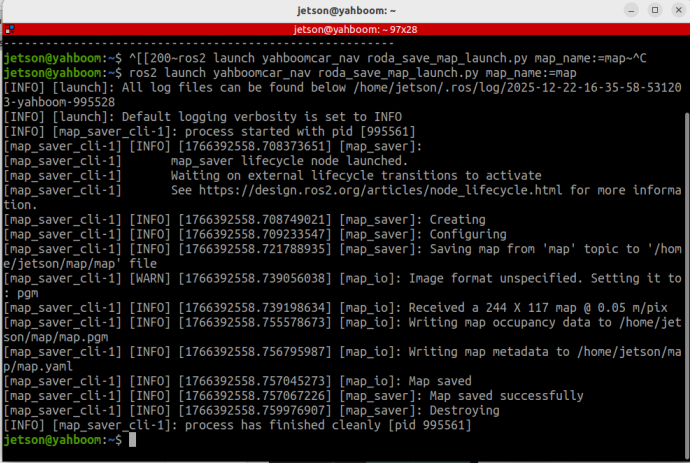
#ORIN ros2 launch yahboomcar_nav roda_save_map_launch.py map_name:=map #RDK ros2 launch yahboomcar_nav roda_save_map_launch.py map_name:=map Tip
map_name specifies the map name for the saved raster map. If no startup parameter is specified, the default map name is
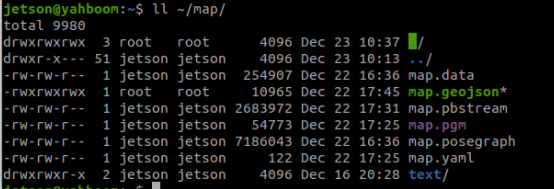
map. All map files are saved in the~/mapdirectory.
The terminal message Map saved successfully indicates that the map was saved successfully.
Save the cartograph pose map
x
#ORINros2 service call /write_state cartographer_ros_msgs/srv/WriteState "{filename: '/home/jetson/map/map.pbstream'}"#RDKros2 service call /write_state cartographer_ros_msgs/srv/WriteState "{filename: '/home/sunrise/map/map.pbstream'}"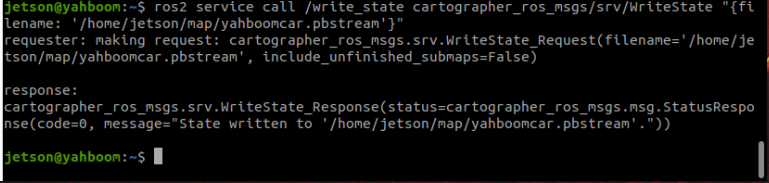
Map files are saved by default in the
~/mappath. You can also specify the map name using themap_nameparameter when saving the map.